

The release of Nextcloud Hub 10 has been announced, providing a self-sufficient solution for organizing collaboration among enterprise employees and teams developing various projects. Alongside this, the underlying cloud platform Nextcloud 31 has been published, allowing the deployment of a cloud storage solution with support for synchronization and data sharing, enabling data viewing and editing from any device anywhere on the network (with features like CSV participant list downloads, creating, importing, and exporting surveys through a web interface or WebDAV). The Nextcloud server can be deployed on any hosting, supporting PHP script execution and providing access to SQLite, MariaDB/MySQL, or PostgreSQL. The source code of Nextcloud is distributed under the AGPL license.
In terms of problem-solving capabilities, Nextcloud Hub resembles Google Docs and Microsoft 365, but it allows for a fully controlled collaboration infrastructure, operating on your own servers and not tied to external cloud services. Nextcloud Hub brings together several open-source applications and add-ons over the Nextcloud cloud platform, enabling teamwork with office documents, files, and information for task and event planning. The platform also includes add-ons for accessing email, messaging, and organizing video conferences and chats.
User authentication can be carried out both via a local database and through integration with LDAP/Active Directory, Kerberos, IMAP, and Shibboleth/SAML 2.0, including the use of two-factor authentication, SSO (Single Sign-On), and linking new systems to the account via QR code. Version control allows tracking changes in files, comments, sharing rules, and tags.
The main components of the Nextcloud Hub platform:
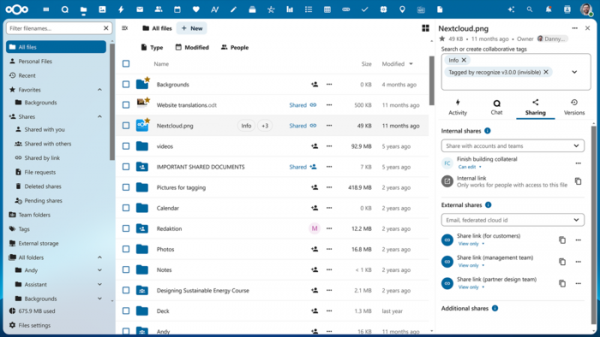
- Files — a system for storing, syncing, sharing, and exchanging files. Access can be achieved via both the web and client software for desktop and mobile systems. Advanced features include full-text search, file attachment when sending comments, selective access control, creation of password-protected links for downloads, and integration with external storage (FTP, CIFS/SMB, SharePoint, NFS, Amazon S3, Google Drive, Dropbox, etc.).
- WorkFlow — optimizes business processes through automating routine tasks such as converting documents to PDF, sending messages to chats when new files are uploaded to specific directories, and automatically assigning tags. Custom handlers can be created to perform actions tied to specific events.
- Nextcloud Office — integrated tools for collaborative editing of documents, spreadsheets, and presentations, developed in partnership with Collabora. Supports integration with OnlyOffice, Collabora Online, MS Office Online Server, and Hancom Office packages.
- Nextcloud Collectives — provides an interface for managing, organizing collaboration, and interaction among participants in teams, groups, and communities.
- Nextcloud Teams — tools for coordinating team work and organizing access to resources, files, and applications used within the group.
- Photos — an image gallery that simplifies searching, sharing, and navigating through a collaborative collection of photos and images. Supports ranking photos by time, location, tags, and view frequency.
- Calendar — a scheduling calendar that allows coordinating meetings and planning chats and video conferences. Offers integration with group collaboration tools across iOS, Android, macOS, Windows, Linux, Outlook, and Thunderbird. Supports event uploads from external resources using the WebCal protocol.
- Mail — a shared address book and web interface for handling emails. Multiple accounts can be linked to a single inbox. Supports email encryption and attachment of digital signatures based on OpenPGP. Address book synchronization is possible via CalDAV.
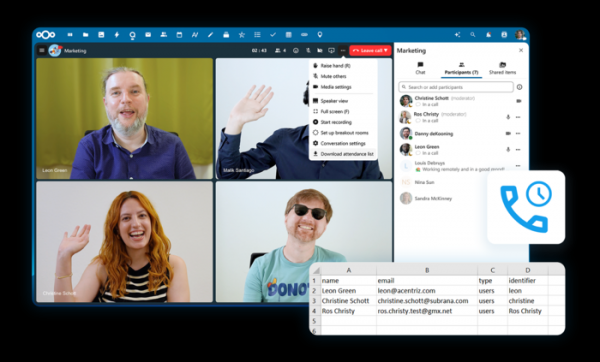
- Talk — a messaging system and web conferencing platform (chat, audio, and video). Supports groups, screen sharing, and integration with traditional telephony through SIP gateways.
- Nextcloud Backup — a solution for decentralized backup storage.
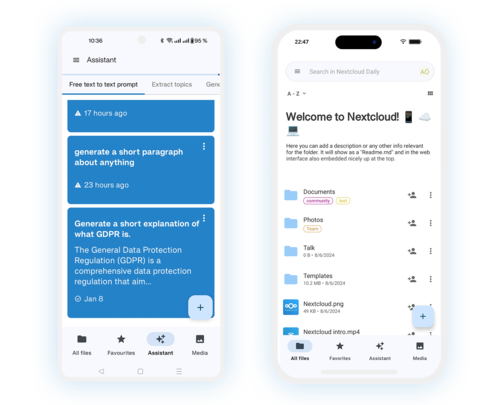
- Nextcloud AI Assistant — an intelligent assistant in the style of ChatGPT, installed on your own server server and does not require access to external services. The AI Assistant can be used to generate text on demand in natural language, extract key ideas from lengthy descriptions, create headlines, rewrite text in other words, or translate into another language.
Key innovations in Nextcloud Hub 10:
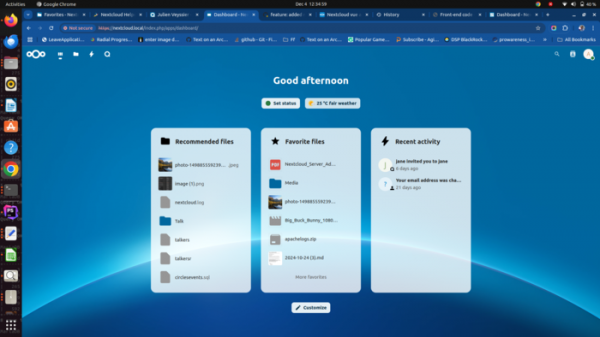
- New widgets have been proposed for the dashboard: 'Favorite files' with a list of favorite files and 'Nextcloud Talk' for quick access to recent chats.

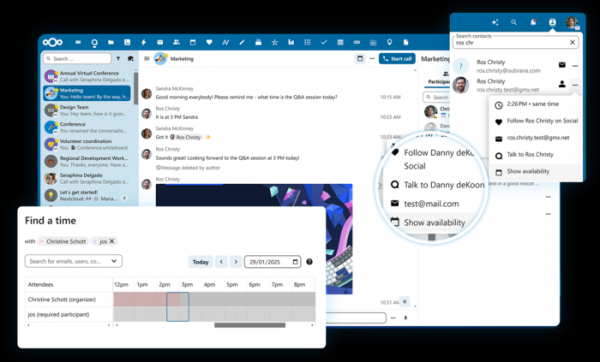
- A button has been added to the chat interface to schedule meetings in the calendar planner. In turn, when creating an event in the calendar planner for the planned meeting, there’s an option to create a new chat in Nextcloud Talk or use an existing one.
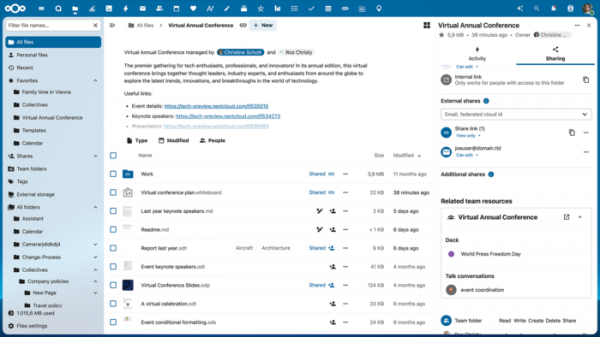
- The interface for organizing team collaboration (Nextcloud Teams) has been enhanced. The administrator can now assign a separate file directory (Team folder) to the team, accessible by all group members. Managers have been provided with tools to track group activity using the Nextcloud Activity app.
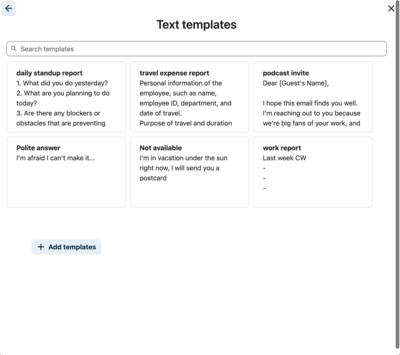
- The AI system Smart Picker now includes support for working with text templates, which can be used for quickly writing responses and creating content in various components of Nextcloud Hub.

- The AppAPI interface has been expanded, allowing for the creation of external applications for Nextcloud, written in any programming language, as well as integrating high-performance handlers in low-level languages, for example, to perform calculations related to machine learning.
- Applications have been prepared for integration with platforms such as Documenso, OpenProject, XWiki, and Zulip.
- Performance optimizations have been implemented: File uploads are now up to 6 times faster (for instance, the loading time of a 10GB file has decreased from 195 to 45 seconds), and the ability to resume interrupted file uploads has been added. Resource consumption during call processing in Nextcloud Talk, during file synchronization in Nextcloud Text, during search operations, and when rendering the Dashboard has been reduced. Background processes have been optimized.
- In the installation scripts for Nextcloud on your server, the check for components necessary for Nextcloud Mail and Nextcloud Talk has been improved. Detection of the APCU extension for in-memory data caching has been implemented.
- Support for end-to-end encryption of calls in Nextcloud Talk has been added, applicable both through the web interface and the desktop application. An option for enforcing end-to-end encryption during file uploads and navigation in Nextcloud Files through the web browser has been added.
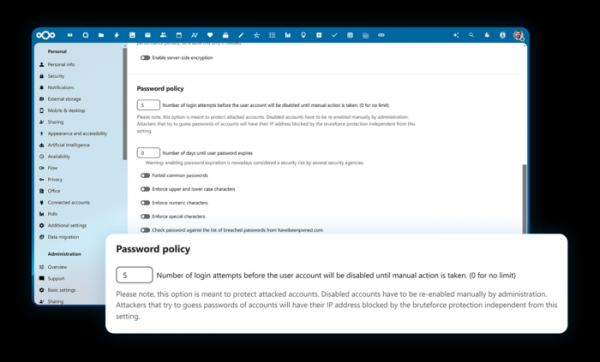
- The ability to limit the number of failed authentication attempts to protect against brute force attacks has been added.

- The option to set additional restrictions for connections from mobile devices has been introduced, such as mandatory use of biometric authentication (e.g., FaceID) and restriction of access to specific settings or sections (e.g., prohibiting sign-ins from multiple accounts, viewing logs, file sharing, opening in external applications, etc.).
- Support for saving backups of the current Nextcloud environment to an external server and restoring the state from a backup has been added.
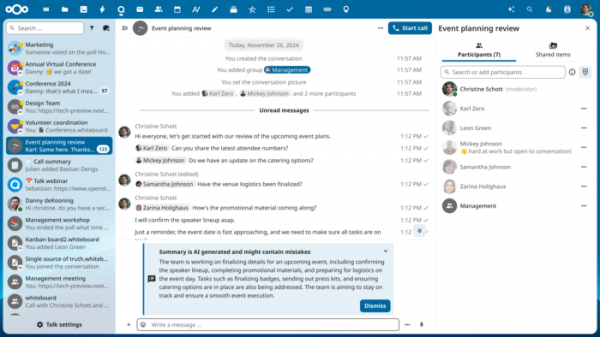
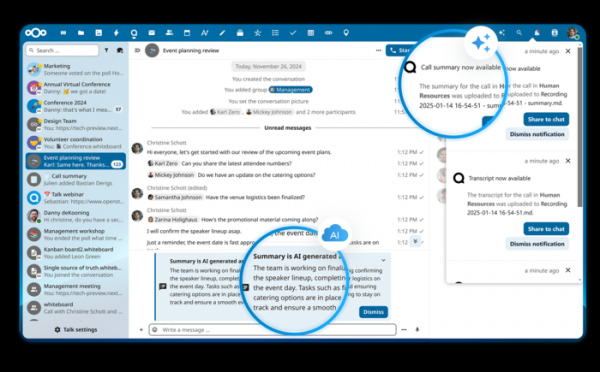
- Nextcloud Talk has added support for searching messages in chats, switching the chat list to a compact mode, reducing unnecessary information by archiving chats without leaving them, automatic playback of grouped voice messages, increasing and panning screens shared by other participants. AI features have been implemented for the automatic summarization of recorded voice calls and a brief overview of the last 100 unread messages.
During webinars and video conferences, the ability has been added to limit the maximum duration of the event, set guest access with email invitations, upload a participant list in CSV format, and create, import, and export polls.
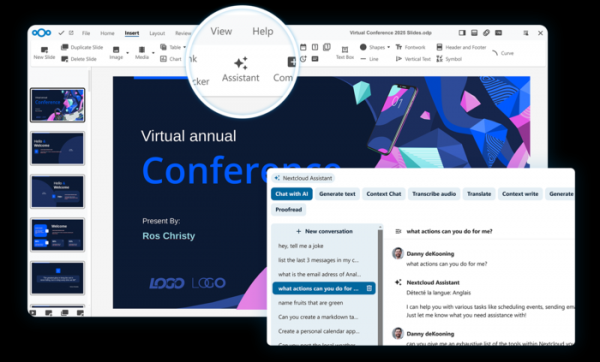
- Office applications have been enhanced with: a button to call the AI assistant, a new section for document styles, a quick text replacement feature, and the ability to connect custom dictionaries.
- Nextcloud Files now supports file navigation and management via keyboard shortcuts, allows tagging multiple files simultaneously, assigning colors to tags, restricting to administrator-defined tags only, and converting file formats through the context menu. The sidebar for navigating shared resources has been improved.
- The Nextcloud Mail client has improved its built-in translation system and added an AI feature for identifying mentions of people in emails.
- In the calendar planner, tools for inviting groups from the contact list to events have been automated. The ability to define calendars that affect and do not affect the free/busy status has been added.
- The interface of mobile applications for iOS and Android has been enhanced, simplifying the call to the AI assistant, adding recommended files, standardizing the search, providing tag highlighting, giving quick access to notes, and improving file handling in offline mode.

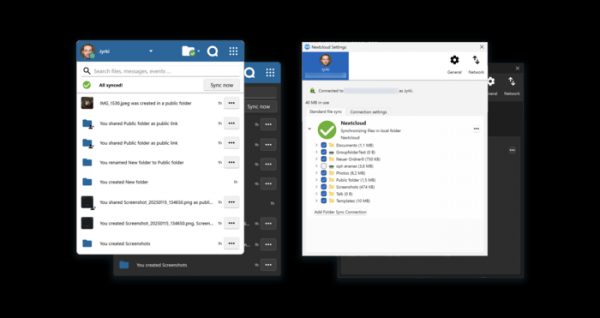
- Desktop clients have undergone interface optimization to make them appear native to the operating systems in use.

- The AI assistant (Nextcloud Assistant) has been enhanced with capabilities to perform actions across various Nextcloud applications, such as creating events in the calendar planner, sending messages in Nextcloud Talk, and sending emails in Nextcloud Mail. For example, you can ask the AI assistant to find specific information in Nextcloud Collectives, share it with colleagues via chat, and then schedule a joint discussion in the calendar planner.
- The ability to configure which AI service to use for specific AI functions has been added; for instance, you can use ChatGPT for summarizing text and a local model for translation.
- AI tools have been provided to summarize emails, chats, and meeting transcripts, as well as to quickly translate emails from one language to another.

Source: opennet.ru
