

The Document Foundation has introduced the release of the LibreOffice 24.2 office suite. Ready installation packages have been prepared for various Linux distributions, Windows, and macOS. A total of 166 developers participated in the release preparation, of which 108 are volunteers. 57% of the changes were made by 50 employees from three sponsoring companies — Collabora, Red Hat, and Allotropia, 20% by eight employees from The Document Foundation, and 23% by 108 independent enthusiasts.
LibreOffice 24.2 is the first significant release formulated using the new version numbering scheme tied to dates, reflecting the year and month of the release (the number 24.2 indicates a release planned for the first week of February 2024). The release of LibreOffice 24.8 is expected in August 2024. The new numbering was implemented as the project's code base has gradually evolved over the past few years while maintaining backward compatibility. In this context, changing the first digit lost its previous importance and is now more of a formal step rather than an indicator of major changes or breaches of backward compatibility. The date-based numbering was chosen as more user-friendly, allowing users to easily assess the relevance of the version they are using and understand the timeframe of its formation.
The release of LibreOffice 24.2 is marked with a 'Community' label, will be supported by enthusiasts, and is not aimed at enterprise use. LibreOffice Community is freely available to everyone without exceptions, including corporate users. For enterprises in need of additional services, products of the LibreOffice Enterprise family are being developed separately, which will offer full support from partner companies, long-term updates (LTS), and additional features such as SLA (Service Level Agreements).
The most notable changes:
- Changes in Writer:
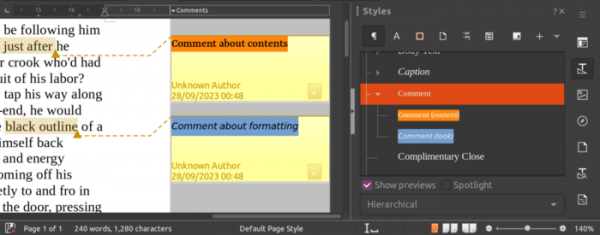
- The ability to use different styles in comments has been provided. The default style is the paragraph style — 'Comment', but another style can be selected to change the formatting of all comments at once or visually differentiate between different types of comments.

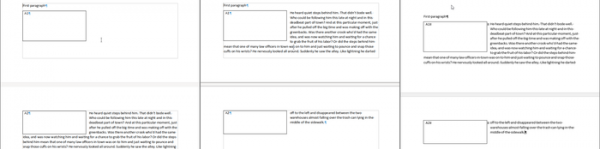
- The implementation of multi-page floating tables has been improved. For example, the interface for inserting floating tables has been expanded, capabilities for managing overlaps and borders have been added, the rendering of nested tables has been enhanced, and a wrap on all pages mode has been introduced.

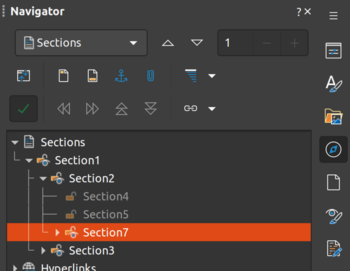
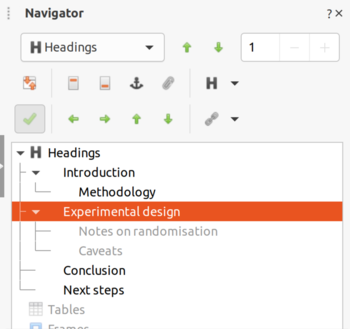
- In the navigation interface, collapsing nested sections and hiding them from the context menu has been enabled. In outline folding mode, hidden headings are now displayed with highlighting in gray instead of being removed.


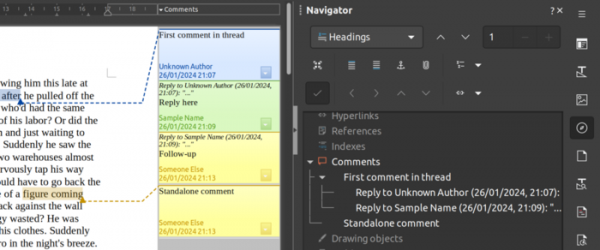
- The navigation interface now features grouping of comments in discussion threads. There is an option to move linked elements using the mouse in drag-and-drop mode from the navigation interface to the selected text block for use as hyperlink text.

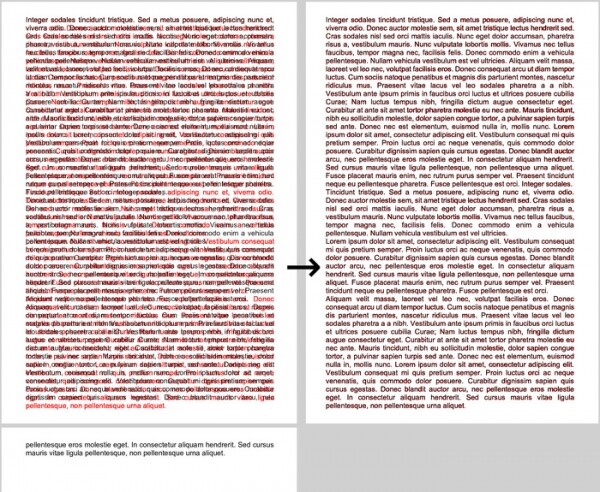
- A new line-breaking algorithm has been implemented, closely matching the behavior of MS Word 2013 when formatting text on a page. The new algorithm places words more compactly in justified lines, using fewer spaces, which allowed compressing a test document with a 'tail' on the second page down to one page.

- The ability to use different styles in comments has been provided. The default style is the paragraph style — 'Comment', but another style can be selected to change the formatting of all comments at once or visually differentiate between different types of comments.
- Changes in the Calc spreadsheet application:
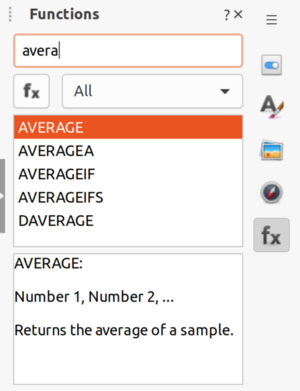
- A search field has been added to the sidebar with the list of functions.

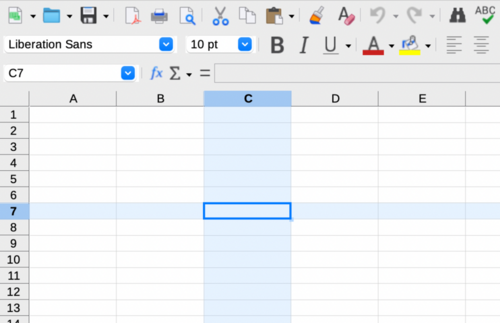
- The ability to visually highlight the row and column of the active cell has been implemented (enabled through Tools ▸ Options ▸ LibreOffice Calc ▸ View or View ▸ Column/Row Highlighting).

- Support for processing and saving numbers in scientific notation in ODF files has been added, such as '###.000 E0', '###.000e0', and '0.00E+?0'.
- The ability to preview applied fonts when hovering over highlighted cells or entering the font work menu has been restored.
- The ability to loop page switch operations via hotkeys has been enabled.
- A search field has been added to the sidebar with the list of functions.
- Changes in the Impress presentation system:
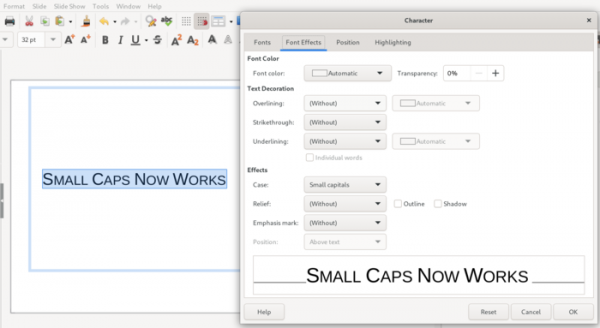
- Support for small caps has been added.

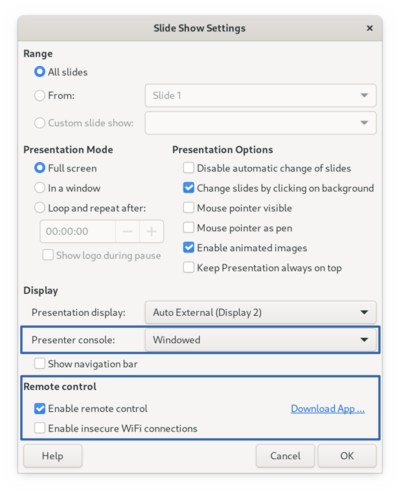
- Slide show settings have been expanded (Slide Show ▸ Slide Show Settings). The 'Show navigation panel' toggle has been retained. The presenter and remote control settings have been moved from the 'Tools ▸ Options ▸ LibreOffice Impress' section to the slide show parameters. A toggle for separate activation has been added. server for remote controls using Bluetooth.

- Numerous corrections and improvements have been made to the templates. For example, placeholder placement has been enhanced, formatting has become more cohesive, unnecessary markup has been removed, compatibility with the ODF format has been improved, and usability with non-English languages has been simplified.
- Support for small caps has been added.
- The Draw editor now includes the ability to import multipage TIFF files with one image placed per page.
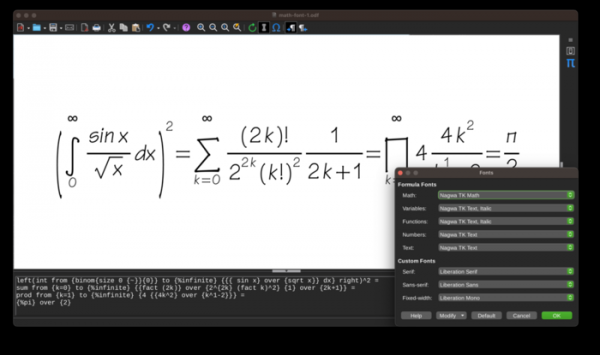
- In the Math formula editor, users can now change the font through the Format ▸ Fonts… menu, and support for inserting special characters has been added through the Tools ▸ Special Character… menu. The visual formula editing mode is enabled by default.

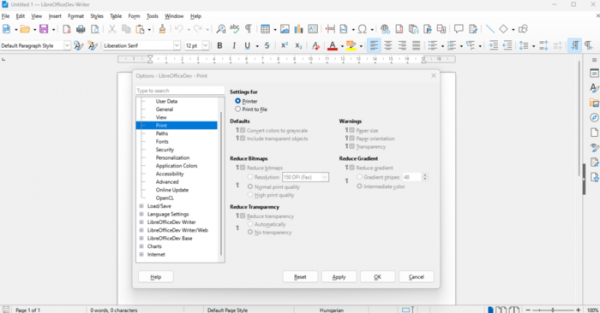
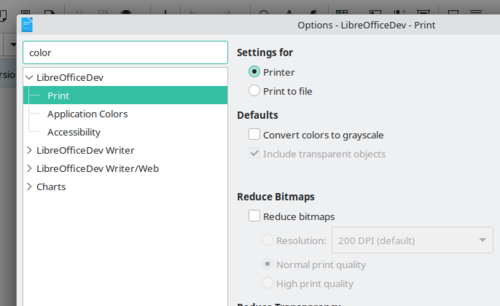
- Settings have been improved for clarity and consistency in displaying parameters that are not available for modification (e.g., advanced printing options).

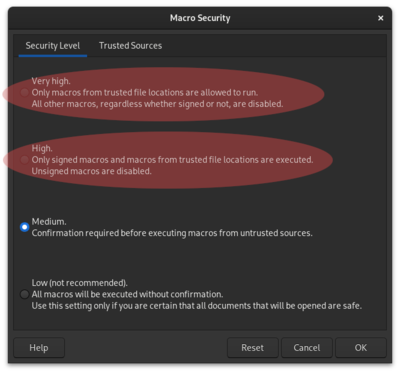
- The macro security settings dialog now includes explanations of what is allowed and what is prohibited in the suggested modes.

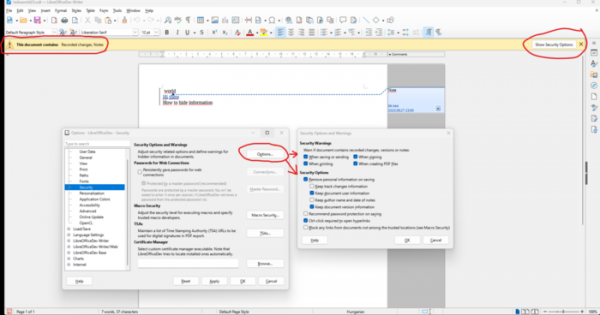
- The previously displayed security warning window has been transformed into an information bar integrated into the interface, minimizing distraction from work. For example, such notifications are displayed when enabling the setting to remove personal data upon each document save.

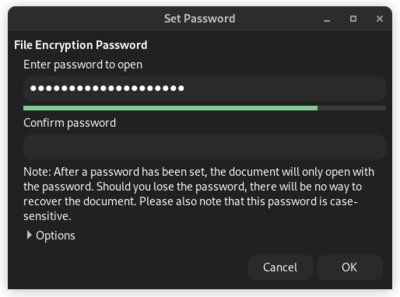
- The password setup dialog has been enhanced with a password strength indicator implemented using the zxcvbn-c library.

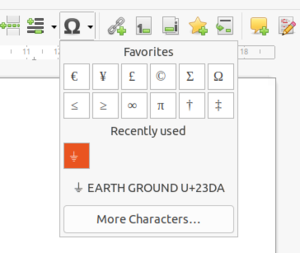
- In the special character insertion dialog for individual characters, explanations and tooltips have been added. For instance, the symbol '⏚' displays the tooltip 'EARTH GROUND U+23DA'.

- The option to reset the image cropping operation has been provided.
- The auto-save document mode has been changed: by default, the 'Save AutoRecovery information' and 'Always create backup copies' settings are enabled to save recovery information and create backup copies. Backups are saved in the directory specified in the 'Tools ▸ Options ▸ LibreOffice ▸ Paths' setting.
- A search field for options has been added (Tools ▸ Options).

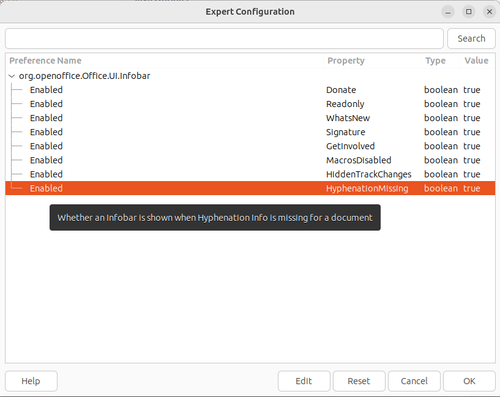
- In expert mode settings, context-sensitive tooltips for configuration parameters have been implemented, and support for separately displaying modified values has been added.

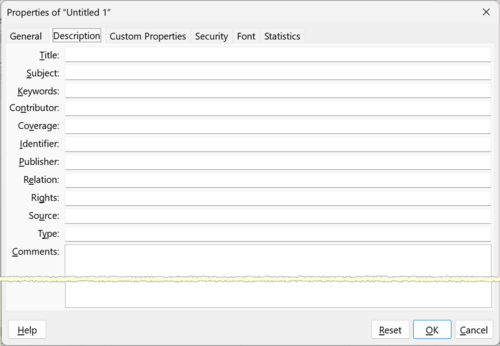
- The interface ‘File ▸ Properties… ▸ Description’ has been enhanced with additional editable metadata fields (Contributor, Coverage, Identifier, Publisher, Relation, Rights, Source, Type).

- The filters based on the orcus library have significantly improved the import from files created in the Gnumeric package, and added support for importing rich-text formatted strings from the Excel 2003 XML format.
- Support for importing from docx documents with drawn shapes (the ‘Drawing Canvas’ object) in DrawingML format has been added instead of using simplified VML markup.
- A new encryption mode for ODF documents has been implemented, utilizing authenticated AES-GCM encryption and the Argon2id hash, while better hiding metadata.
- Support for the SVG OOXML extension has been implemented, allowing the use of SVG vector images instead of PNG placeholders during the import and export of OOXML.
- The import from OOXML has improved upper and lower page headers for the first page. Instead of creating a separate style for the first page, existing style properties for the first page have been utilized.
- Significantly enhanced accessibility features for individuals with visual impairments.
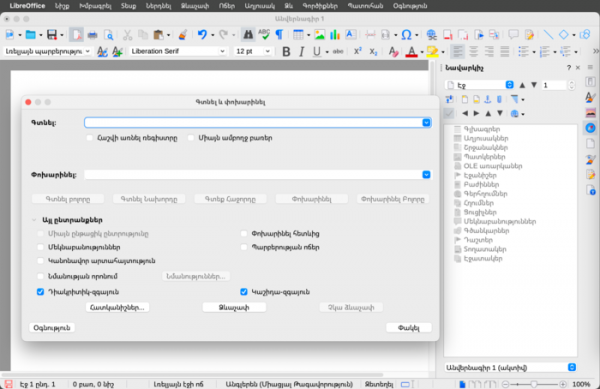
- The interface has been localized for the Armenian language.

- The initial support for dark theme has been added to the Android Viewer mobile application.
- In the Qt-based interface, which is used by default in KDE, automatic switching to a dark color scheme and dark icon set has been provided when dark mode is activated in the desktop settings.
- The requirements for the Linux environment have been raised. To build and run LibreOffice, at least Red Hat Enterprise Linux 8/CentOS 8 is now required (previously RHEL 7 was supported). The Qt-based VCL plugin now requires Qt 5.15.
Source: opennet.ru
