

The Document Foundation has released the office suite LibreOffice 24.8. Installation packages are prepared for various distributions of Linux, Windows, and macOS. A total of 166 developers contributed to this release, of which 108 are volunteers. 57% of the changes were made by 49 employees from the three sponsoring project companies — Collabora, Red Hat, and Allotropia, while 20% were made by eight employees of The Document Foundation, and 23% of the changes were contributed by 115 independent enthusiasts.
LibreOffice 24.8 is tagged as 'Community', will be supported by enthusiasts, and is not aimed at enterprise use. LibreOffice Community is freely available to everyone without exception, including corporate users. For enterprises needing additional services, products from the LibreOffice Enterprise family are being developed separately, which will provide full support from partner companies, the possibility of receiving long-term updates (LTS), and additional features such as SLA (Service Level Agreements).
The most notable changes:
- The export system has implemented support for the function to remove personal data from saved documents (Tools ▸ Options ▸ LibreOffice ▸ Security ▸ Options ▸ Remove personal information on saving). Metadata such as author name, creation or modification time, printer name, editing duration, and associated templates are removed. Personal data cleaning is available for ODF, ODS/UOS, OOXML, RTF, DOC, PPT, PPTX, and XLS(X) formats.
- A new encryption mode for ODF documents using a password has been added. This new mode features higher performance, employs authenticated AES-GCM encryption, offers more complete hiding of metadata, and is highly resistant to brute-force attacks (using a key generation function based on the Argon2id hash).
- Changes in Writer:
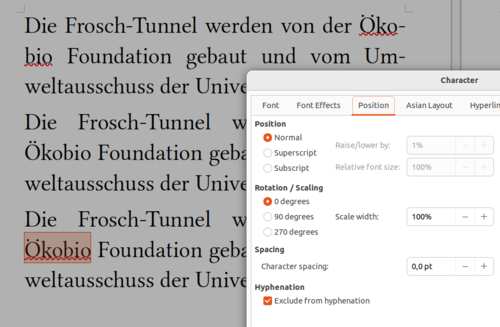
- The tools for customizing automatic line breaking have been significantly expanded. An option (Format ▸ Character… ▸ Position ▸ Exclude from Hyphenation) has been added to prohibit line breaks for selected words, without resorting to a hack that changes the language, which would prevent spell checking for those words.

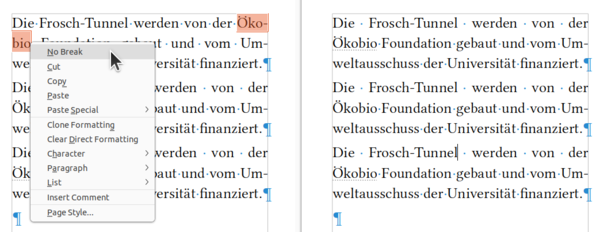
- An option 'No Break' has been added to the context menu shown for words separated by hyphenation, allowing the disabling of line breaks.

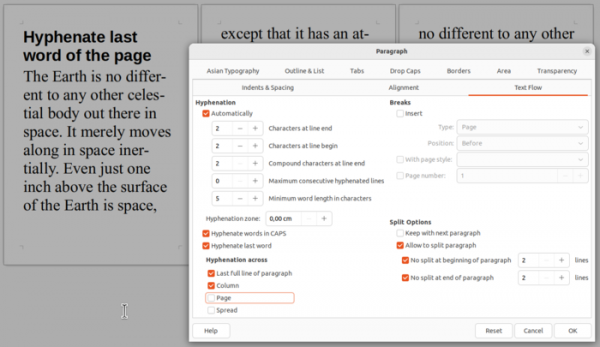
- A new paragraph setting "Format ▸ Paragraph… ▸ Text Flow ▸ Hyphenation across" has been added, allowing you to prevent parts of a word from being broken across pages, spreads, or columns.

- The ability to change the width of the comment panel has been provided.
- Improved support for floating tables that span multiple pages.
- Support for legal numbering has been implemented for RTF and DOC formats (sections are numbered with Roman numerals, subsections with Arabic numerals, and items with letters), which is used for structuring legal documents.
- A formatting operation has been added to enclose selected text in round, square, or curly brackets or quotes when the corresponding opening symbol is pressed.
- The ability to change the left/right margins and alignment mode of tables through the sidebar has been provided.
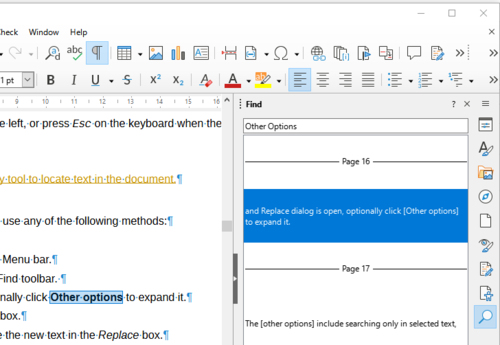
- A 'search' page has been added to the sidebar with a list of quick search results in the document.

- The navigation interface (Navigator) now allows the insertion of various types of cross-references into the document by moving items in drag & drop mode. Support for deleting footnotes through Navigator has been added. An indicator for images with broken links has been implemented.
- The ability to save the selected default background when exporting to DOCX has been added.
- The tools for customizing automatic line breaking have been significantly expanded. An option (Format ▸ Character… ▸ Position ▸ Exclude from Hyphenation) has been added to prohibit line breaks for selected words, without resorting to a hack that changes the language, which would prevent spell checking for those words.
- Changes in the Calc spreadsheet application:
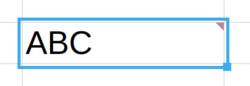
- The focus indication frame is now drawn with a margin from the cell content.

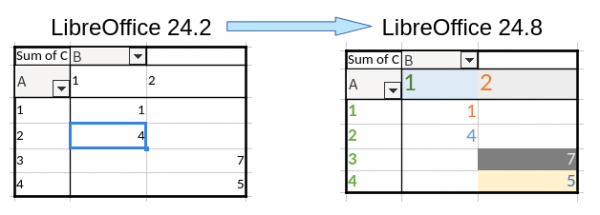
- Support for importing and exporting Pivot Tables in the OOXML format, allowing for direct formatting of Pivot Table cells, has been added.

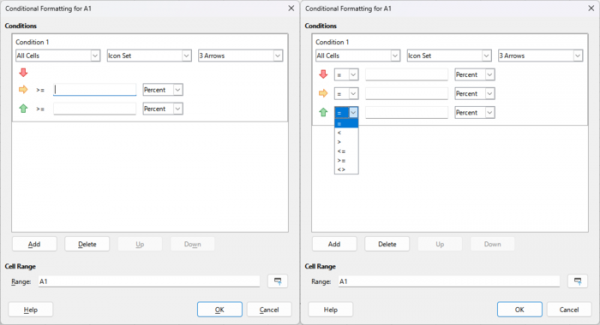
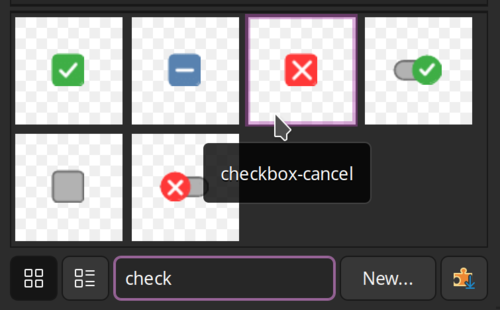
- The capabilities of the dialog "Format ▸ Conditional ▸ Icon Set" have been expanded, allowing for the selection of different operators through a drop-down menu instead of only supporting the single operator ">= " until now.

- When exporting sheets to PDF format, the ability to define ranges has been provided.
- The localization of the status bar and sidebar has been improved.

- The sheet protection dialog in the spreadsheet has been switched to asynchronous mode.
- New functions have been implemented: LET, XLOOKUP, XMATCH, FILTER, RANDARRAY, SEQUENCE, SORT, SORTBY, and UNIQUE.
- Support for copying and pasting through the clipboard between LibreOffice Calc and Google Sheets has been added.
- Performance improvements have been made for multi-threaded calculations, the code for number formatting has been freed from unnecessary locks, and link counting has been optimized. The redrawing process after cell changes has been accelerated (only the related area is now redrawn).
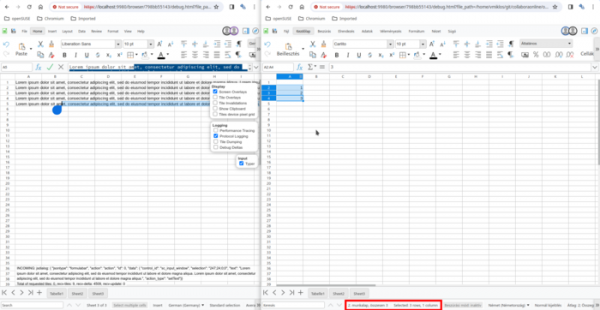
- When viewing a spreadsheet in multi-window mode, it is now possible to enable spell checking for only one window.
- Comment presence indication has been improved. The Navigator menu, displayed by right-clicking, now includes buttons for deleting and editing comments. There is also an option to hide the authorship of comments.
- A case-sensitive validation mode has been added to the data validity check function.
- In the 'Sheet ▸ Insert Cells' interface, it is now possible to add multiple rows or columns at once.
- An option has been added (Tools ▸ Options ▸ LibreOffice Calc ▸ View ▸ Edit Cell Highlighting) to highlight the active cell that is in edit mode with color.
- The focus indication frame is now drawn with a margin from the cell content.
- Changes in the Impress presentation system:
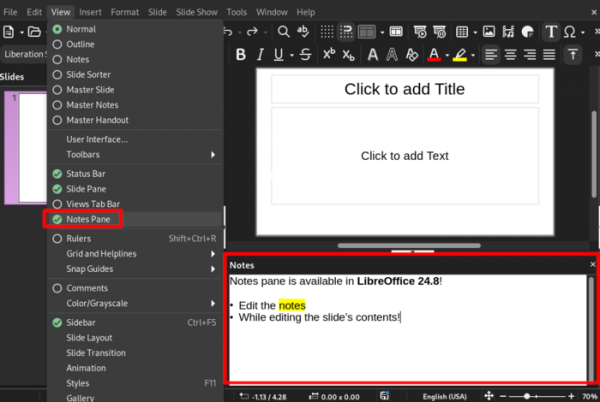
- A separate collapsible notes pane (View ▸ Notes Pane) has been added, displayed below the slide area.

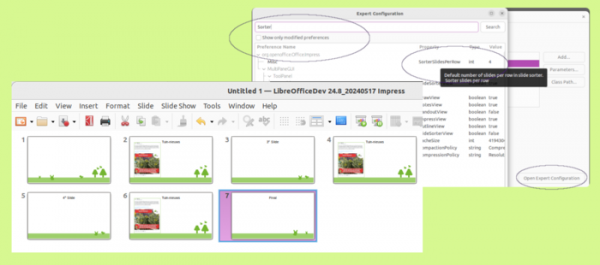
- In expert mode (Tools ▸ Options ▸ LibreOffice ▸ Advanced ▸ Open Expert Configuration), it is possible to change the number of slides in a row used by default in the slide sorter interface (View ▸ Slide Sorter).

- It is now ensured that the running presentation updates instantly when changes are made in editing mode or in the presentation control console, even if the presentation is being displayed on another screen. The setting 'Slide Show ▸ Slide Show Settings… ▸ Live-mode' allows changing this behavior.
- When editing a text block, formatting tools are now shown in the second row of the panel.
- A dialog for navigating to a specified slide has been added.
- In normal view, the ability to scroll through slides has been provided.
- The loading of PPTX files with custom forms has been accelerated.
- A command line option ‘—show’ has been added to start the presentation from a specified slide.
- A separate collapsible notes pane (View ▸ Notes Pane) has been added, displayed below the slide area.
- The Draw editor now supports mosaic templates when importing PDF files. The objects covered by a layer are highlighted when the pointer hovers over the layer tab. A dialog for navigating to a specified page has been added.
- LibreOffice Base now supports automatic data saving mode for Firebird DBMS and adds support for connecting to MS Access mdb files using the ACE.OLEDB.12.0 provider.
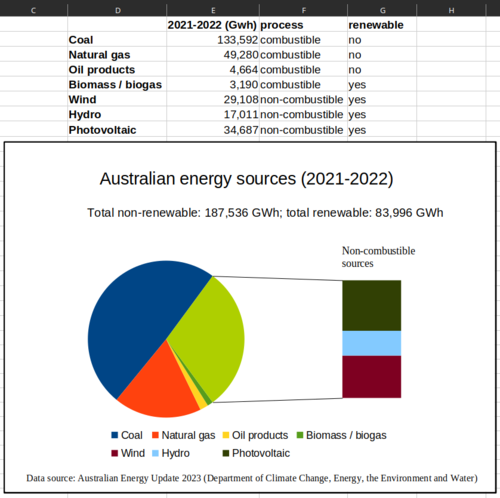
- LibreOffice Chart has introduced new chart types: 'Pie-of-Pie' (nested pie charts) and 'Bar-of-Pie' (a combination of pie and bar charts), as well as the ability to import chart data from OOXML files created in Microsoft Office. Text formatting in titles, blocks, and shapes is now possible using the Format ▸ Character dialog, allowing for superscript and subscript indicators in formulas.

- The Gallery sidebar now supports object search.

- The user interface allows changing the default bullet for list items.
- The 'Position and Size' dialog has simplified the settings for preserving the aspect ratio.
- The 'Special Characters' dialog now allows the input of Unicode characters (U+NNN) for glyph filtering.
- The list of recently opened documents is limited to documents from the current module only (in Writer, only text documents appear; in Calc, only spreadsheets, etc.).
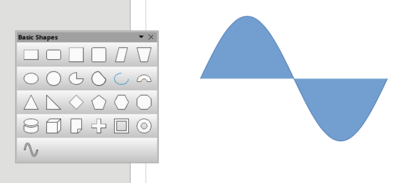
- The category of Basic Shapes now includes the 'sine wave'.

- The 'Tools ▸ Options ▸ LibreOffice ▸ Security ▸ Security Options and Warnings' section has been updated to include a setting to disable active content and OLE automation tools.
- The state of buttons controlling background colors, fonts, and highlighting is now preserved across sessions.
- Improved support for UCP authentication based on WebDAV/HTTP and CMIS used in Microsoft SharePoint.
- Expanded SVG export support.
- Windows 7 and Windows 8/8.1 platforms have been deprecated, and support will not be guaranteed starting with the next LibreOffice 25.2 release (in this release, Python version 3.9 will be the minimum version, which officially ends support for Windows 7 and Windows 8).
- For running on non-Windows platforms, access to the /dev/urandom file is now required.
Source: opennet.ru
