

The release of the OnlyOffice Desktop 6.2 suite is now available, designed for working with text documents, spreadsheets, and presentations. The editors are presented as desktop applications written in JavaScript using web technologies, yet they combine client and server components in one suite, tailored for self-sufficient use on the user's local system without reliance on external services. The project's code is distributed under the AGPLv3 free license.
OnlyOffice claims full compatibility with MS Office and OpenDocument formats. Supported formats include: DOC, DOCX, ODT, RTF, TXT, PDF, HTML, EPUB, XPS, DjVu, XLS, XLSX, ODS, CSV, PPT, PPTX, ODP. Editors' functionality can be extended through plugins; for example, plugins for creating templates and adding videos from YouTube are available. Ready-made builds are created for Windows, macOS, and Linux (deb and rpm packages), with Snap, Flatpak, and AppImage formats to be provided soon.
OnlyOffice Desktop includes the recently published online editors ONLYOFFICE Docs 6.2 and offers the following additional innovations:
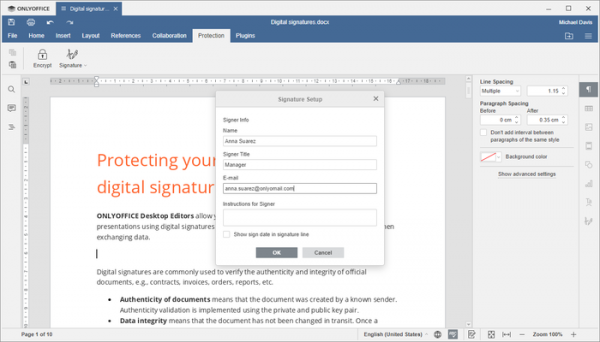
- The ability to attach digital signatures to documents, spreadsheets, and presentations for subsequent integrity verification and to ensure no changes have been made compared to the signed original. A certificate issued by a certification authority is required for signing. Adding a signature can be done through the menu 'Protection tab -> Signature -> Add digital signature.'

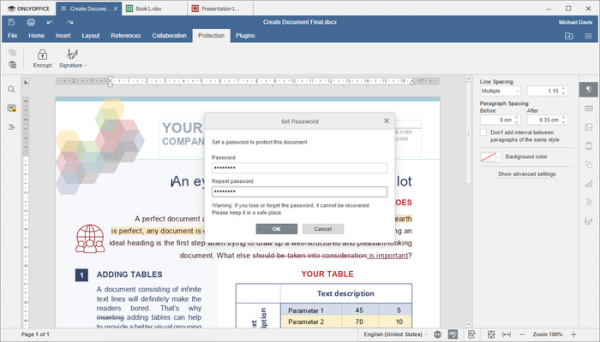
- Support for document password protection. The password is used to encrypt the content; thus, if lost, the document cannot be recovered. A password can be set through the 'File tab -> Protect -> Add Password' menu.
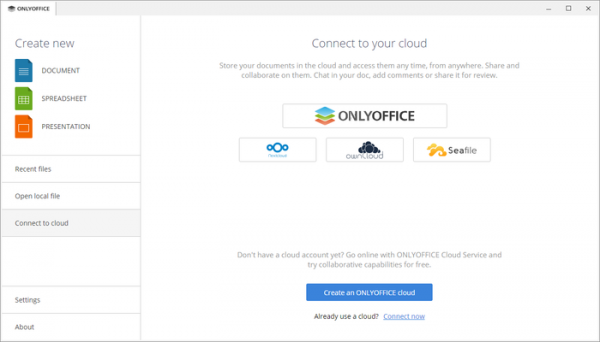
- Integration with Seafile, a platform for cloud data storage, organization of collaboration, and information synchronization based on Git technologies. When the appropriate DMS (Document Management Systems) module is activated in Seafile, users can edit documents saved in this cloud storage from OnlyOffice and collaborate with other users. To connect to Seafile, select 'Connect to cloud -> Seafile' from the menu.
- Changes previously proposed in online editors:
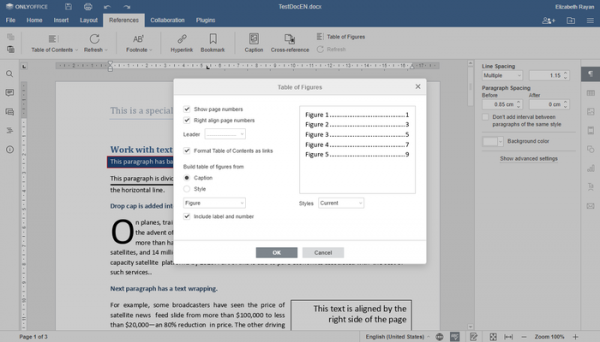
- The document editor now supports the insertion of a figure table, which is similar to the document's table of contents, but lists the figures, charts, formulas, and tables used in the document.
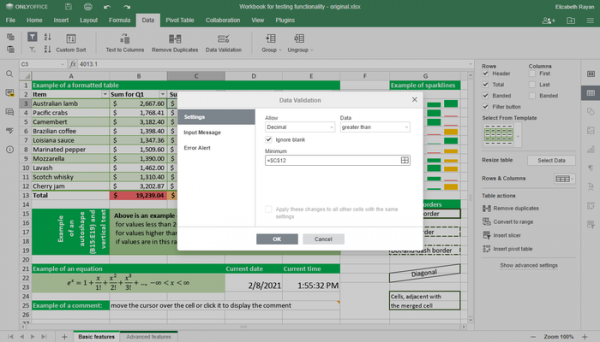
- The spreadsheet has introduced data validation settings, allowing restrictions on the type of data entered into a specified cell, as well as enabling input from dropdown lists.
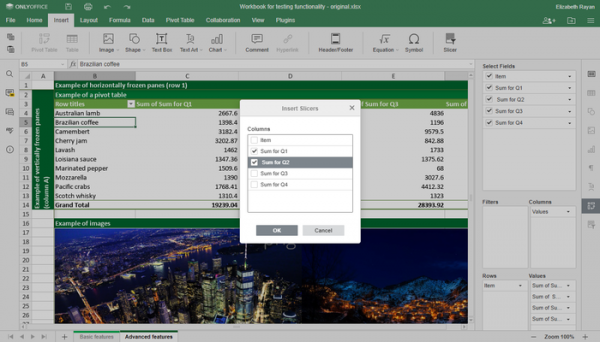
The spreadsheet now supports the insertion of slicers into pivot tables, visually assessing the effectiveness of filters for understanding which specific data is displayed.
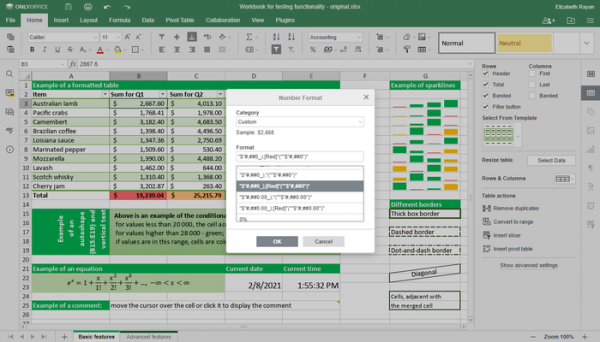
The option to disable automatic table expansion has been provided. Functions like GROWTH, TREND, LOGEST, UNIQUE, MUNIT, and RANDARRAY have been added, along with the ability to define custom number formats.
- The presentation editor has added a button for increasing or decreasing font size, as well as the option to customize autoformatting of data as it is entered.
- Various dialog boxes now support the use of Tab and Shift+Tab.
- The document editor now supports the insertion of a figure table, which is similar to the document's table of contents, but lists the figures, charts, formulas, and tables used in the document.
Source: opennet.ru
