

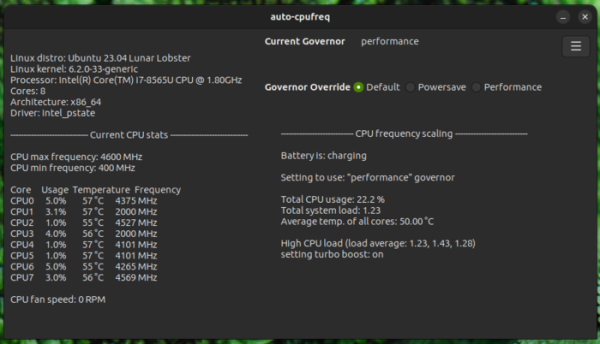
The release of the auto-cpufreq 3.0.0 utility has been published, designed for automatic optimization of CPU performance and power consumption in the system. The utility monitors the battery status of the laptop, CPU load, CPU temperature, and system activity, dynamically activating power-saving or high-performance modes based on the situation and selected options. It supports operation on devices with Intel, AMD, and ARM processors. Management can use a GTK-based graphical interface or a console utility. The code is written in Python and is distributed under the LGPLv3 license.
Supported features include monitoring CPU frequency, load, and temperature, adjusting CPU frequency and power modes based on battery charge, temperature, and system load, and automatically optimizing CPU performance and energy consumption. Auto-cpufreq can be used to automatically extend the battery life of laptops without continuously cutting back on any features. Unlike the TLP utility, auto-cpufreq not only allows setting power-saving modes during battery operation but also temporarily enables turbo boost mode when a system load increase is detected. high performance (turbo boost) when an increase in system load is detected.
The new version implements the ability to forcefully enable or disable CPU turbo mode (turbo boost) through the graphical interface and command line ("auto-cpufreq --turbo={never|always|auto}"), regardless of battery charge level. Additionally, the configuration file has a battery_device parameter to select the battery, in case the default automatic battery detection is incorrect (available batteries can be viewed in the directory /sys/class/power_supply/). An example configuration file for Nixos has been added.
Additionally, the release of the TLP 1.9.1 utility can be noted, which is designed for automatic optimization of power consumption and extending laptop battery life. Apart from managing CPU power-saving modes, the utility supports adaptive enabling and disabling of Bluetooth, NFC, and Wi-Fi. The project code is written in Shell and Python and is distributed under the GPLv2 license.
Version 1.9 is notable for adding an optional background process tlp-pd, enabling switching between three power consumption profiles — performance, balanced, and power-saver. The background process can serve as a replacement for the power-profiles-daemon service and supports the D-Bus API used for profile switching in GNOME, KDE, and Cinnamon. It also includes the tlpctl utility for switching profiles from the command line and launching individual applications with a specified profile.
The subsequent corrective release of TLP 1.9.1 addresses a vulnerability (CVE-2025-67859) in the new background process tlp-pd, allowing an authentication bypass in the Polkit service and enabling actions requiring administrator privileges within tlp-pd. The tlp-pd process runs with root rights and accepts requests via D-Bus. Some requests can be sent by any users who have confirmed local access to the system (those who have initiated a graphical session), while some actions are restricted to the administrator. The vulnerability arises from a race condition that allows the process to be substituted after the request is sent, so that Polkit assumes the request was sent by an administrator and will not prompt for the administrator's password.
Source: opennet.ru
