

The release of the Lutris 0.5.13 gaming platform is available, providing tools to simplify the installation, configuration, and management of games on Linux. The project's code is written in Python and is distributed under the GPLv3 license.
The project maintains a catalog for quick search and installation of gaming applications, allowing users to launch games on Linux with a single click without worrying about dependencies and configurations. The runtime components required to run games are provided by the project and are independent of the distribution used. The runtime is a distribution-agnostic set of libraries, including components from SteamOS and Ubuntu, as well as various additional libraries.
It allows for the installation of games distributed through services like GOG, Steam, Epic Games Store, Battle.net, Amazon Games, Origin, and Uplay. Lutris itself acts only as an intermediary and does not sell games, so for commercial titles, users must purchase the game from the respective service (free games can be launched with one click from the Lutris graphical interface).
Each game in Lutris is associated with a loading script and handler describing the environment for launching the game. Ready-made profiles with optimal settings for running games under Wine are also provided. In addition to Wine, games can be launched using console emulators such as RetroArch, Dosbox, FS-UAE, ScummVM, MESS/MAME, and Dolphin.
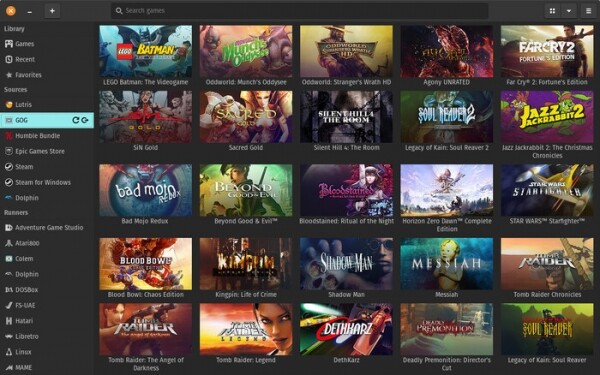
Among the changes in the new version:
- Support has been added for running Windows games using the Proton package developed by Valve.
- Work has been done to improve the responsiveness of the interface and the performance of configurations with very large libraries of games.
- The ability to add reference links to ModDB in installers has been provided.
- Integration with Battle.net and Itch.io (indie games) services has been ensured.
- Support for moving files into the main window using a drag-and-drop interface has been added.
- The styling of the settings, installer, and game addition interface has been changed.
- Settings have been grouped into sections.
- An option has been added to show installed games first.
- The option to use launch-config in shortcuts and the command line has been provided.
- Labels of platforms are displayed in banners and covers.
- In GOG, the detection of games supported in DOSBox has improved.
- Support for high pixel density screens (High-DPI) has been enhanced.
Source: opennet.ru
