

After six months of development, the LXQt 1.1 user environment (Qt Lightweight Desktop Environment) has been released, developed by a combined team of LXDE and Razor-qt project developers. The LXQt interface continues to follow the principles of a classic desktop layout, bringing modern design and practices that enhance usability. LXQt is positioned as a lightweight, modular, fast, and user-friendly continuation of the desktop environments Razor-qt and LXDE, incorporating the best features from both shells. The code is hosted on GitHub and is available under the GPL 2.0+ and LGPL 2.1+ licenses. Pre-built packages are expected for Ubuntu (LXQt is offered by default in Lubuntu), Arch Linux, Fedora, openSUSE, Mageia, FreeBSD, ROSA, and ALT Linux.
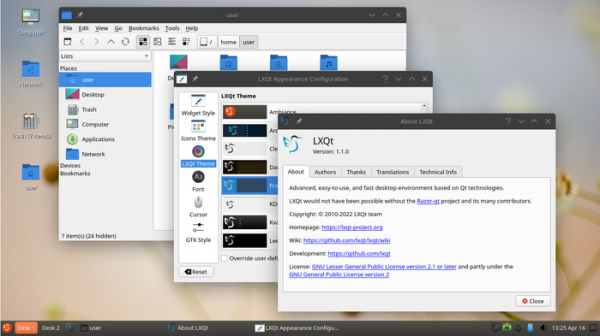
Release Features:
- In the file manager (PCManFM-Qt), the DBus interface org.freedesktop.FileManager1 is provided, which can be used in third-party applications such as Firefox and Chromium for displaying files in directories and performing other typical tasks using the default file manager. The 'File' menu has been enhanced with a 'Recent Files' section listing the files recently accessed by the user. An 'Open in Terminal' option has been added to the top of the context menu for directories.
- A new component xdg-desktop-portal-lxqt has been proposed with an implementation of the backend for Freedesktop portals (xdg-desktop-portal), used to manage access to user environment resources from isolated applications. For example, portals are applied in some non-Qt applications, such as Firefox, to facilitate interaction with the LXQt file open dialog.
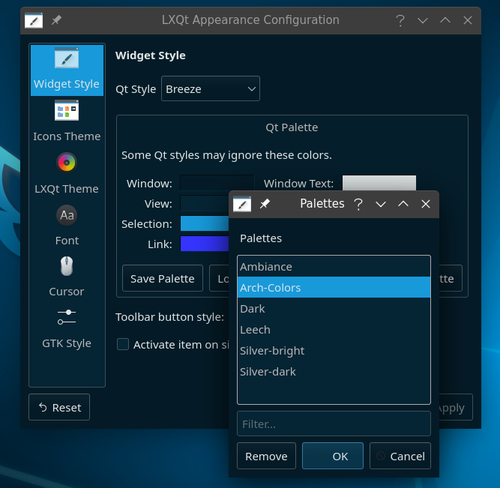
- Improvements have been made in theme handling. A new theme and several additional desktop wallpapers have been added. Additional Qt palettes corresponding to the dark LXQt themes have also been introduced to unify the appearance with Qt widget styles, such as Fusion (the palette can be changed through the settings 'LXQt Appearance Configuration → Widget Style → Qt Palette').

- In the QTerminal terminal emulator, bookmark functionality has been significantly enhanced and issues with the dropdown terminal invocation mode have been resolved. Bookmarks can be used similarly to the file ~/.bash_aliases to simplify access to common commands and files that are hard to remember. Editing capabilities for all bookmarks have also been provided.
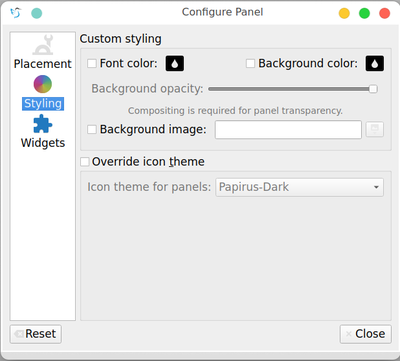
- In the panel (LXQt Panel), the System Tray plugin now places icons within the notification area (Status Notifier). This resolves issues with the system tray display when autohiding the panel is enabled. A reset button for restoring all panel and widget settings to their original state is now available. Users can place multiple notification areas simultaneously. The panel configuration dialog has been divided into three sections.

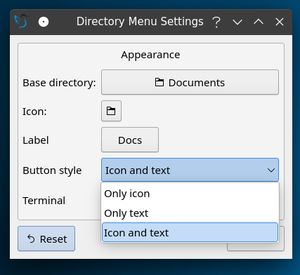
- The interface for configuring the content display widget has been improved.

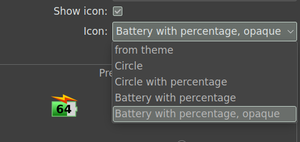
- The power management manager (LXQt Power Manager) now supports displaying battery percentage icons in the system tray.

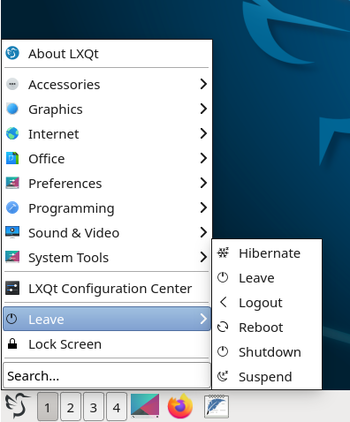
- The main menu has introduced two new item layouts — Simple and Compact, which have only one level of nesting.
 1
1
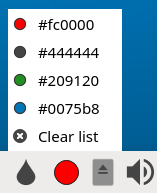
- The pixel color definition widget (ColorPicker) has been enhanced to save the most recently selected colors.

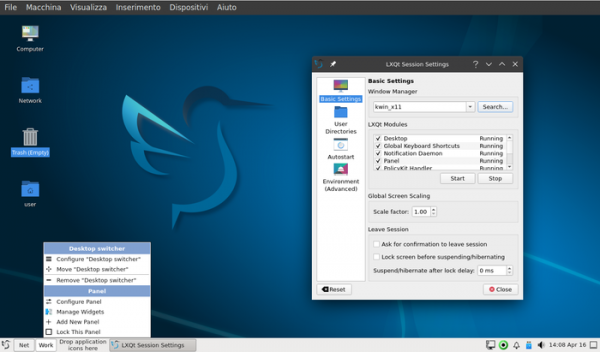
- The session configurator (LXQt Session Settings) has added a setting for defining global screen scaling parameters.

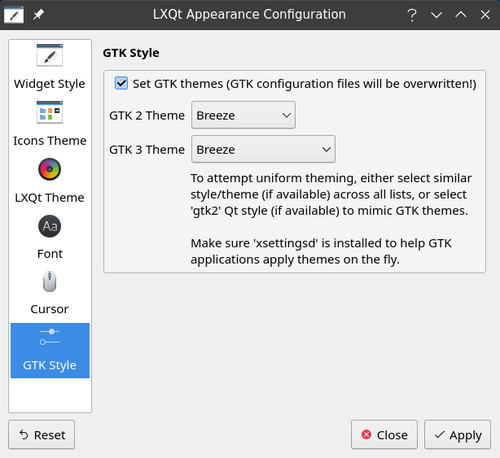
- The configurator in the LXQt Appearance section now offers a separate page for GTK style settings.

- Default settings have been improved. The main menu now clears the search field after an action is performed. The width of the taskbar buttons has been reduced. By default, shortcuts for Home, Network, Computer, and Trash are displayed on the desktop. The default theme has been changed to Clearlooks, and the icon set to Breeze.

 1
1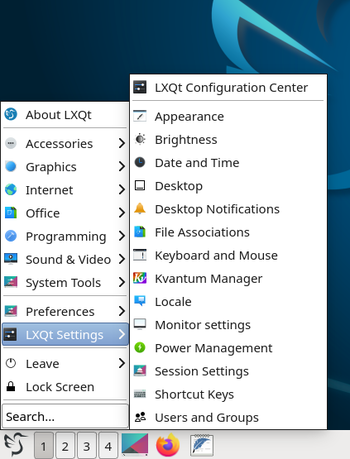

Currently, the Qt 5.15 branch is required for operation (official updates for this branch are released only under a commercial license, while unofficial free updates are provided by the KDE project). Porting to Qt 6 is not yet complete and requires stabilization of the KDE Frameworks 6 libraries. Additionally, the Wayland protocol is not supported officially, although there have been successful attempts to run LXQt components using a compositor. server Mutter and XWayland.
Source: opennet.ru
