

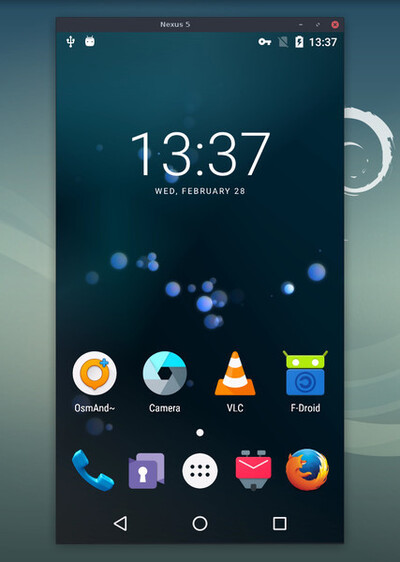
The release of Scrcpy 4.0 has been published, allowing you to mirror the content of a smartphone screen in a stationary user environment with the ability to control the device, work remotely in mobile applications using a keyboard and mouse, watch videos, and listen to audio. Client programs for managing smartphones are prepared for Linux, Windows, and macOS. The project code is written in C (with the mobile application in Java) and is distributed under the Apache 2.0 license.
Connecting the smartphone can be done via USB or TCP/IP. A server application is launched on the smartphone, which interacts with the external system through a tunnel organized using the adb utility. Root access to the device is not required. The server application generates a video stream (options include H.264, H.265, or AV1) from the smartphone screen content, while the client decodes and displays the video. Keyboard input and mouse events are transmitted to server and injected into the Android input system.
Main Features:
- High performance (30~120fps).
- Support for screen resolutions of 1920×1080 and above.
- Low latency (35~70ms).
- High startup speed (approximately one second until the first screen images are displayed).
- Audio streaming.
- Ability to record audio and video.
- Support for mirroring with the smartphone screen turned off/locked.
- Clipboard support for copying and pasting information between the computer and the smartphone.
- Adjustable screen streaming quality.
- Support for using an Android smartphone as a webcam (V4L2).
- Simulation of physically connected keyboard and mouse.
- Gamepad support.
- Ability to use a virtual display.
- OTG mode.
In the new version:
- Transition from the SDL2 library to the SDL3 branch.
- A "—flex-display" option (-x) has been added, enabling operation with a virtual display that allows arbitrary resizing during use.
- Key combinations and command-line options have been provided for dynamic control of the camera and flashlight: MOD+t/MOD+Shift+t ("—camera-torch") — toggling the flashlight, MOD+↑/MOD+↓ ("—camera-zoom") — adjusting the zoom.
- The aspect ratio of the window is preserved when resizing. An option "—no-window-aspect-ratio-lock" is offered to restore the old behavior (showing black borders).
- A "—keep-active" option has been added to prevent the device from disconnecting after the inactivity timeout.
- The default background color has been changed from black to gray. You can use the option "—background-color" to change the background.
- An icon indicating a connection break has been implemented, which displays for two seconds before closing the window after losing connection with the device, so that the user does not get the impression of a crash in scrcpy.
- Support for Meta Quest devices with the new firmware has been established (after updating the firmware, flickering was observed during mirroring).
- A bug that caused high CPU load during silence playback while playing sound in OPUS format has been fixed.
- New hotkeys have been added: F11 for entering fullscreen mode and MOD+q for exiting.
Source: opennet.ru
