

After a year of development, the release of the Cinnamon Desktop 6.6 environment has been formed, within which the Linux Mint distribution community develops a fork of the GNOME Shell, Nautilus file manager, and Mutter window manager, aimed at providing an environment in the classic GNOME 2 style with support for successful interaction elements from GNOME Shell. Cinnamon is based on GNOME components, but these components are supplied as a periodically synchronized fork, not linked by external dependencies to GNOME. The new release of Cinnamon will be offered in the Linux Mint 22.3 distribution, scheduled for release in the second half of December.
Key innovations:
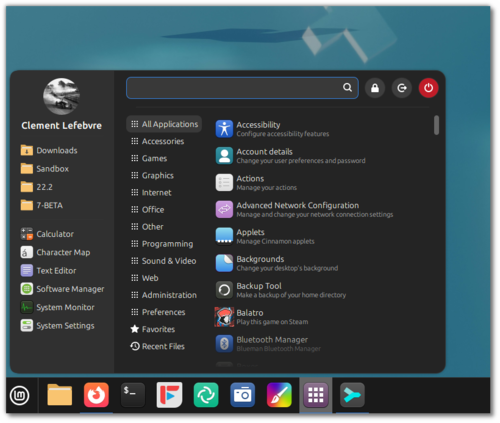
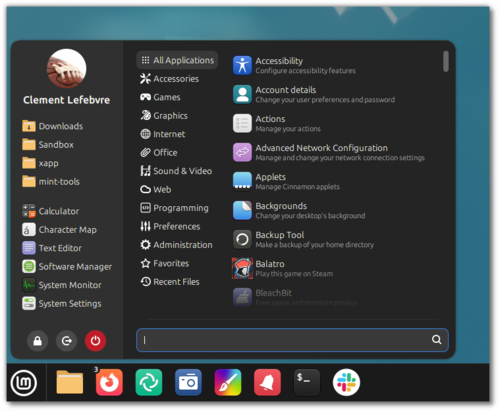
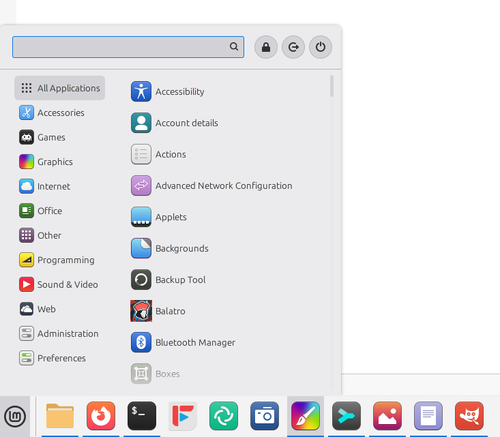
- The application menu has been redesigned, featuring a sidebar with the user's avatar, favorite directories, and frequently used applications. Tooltips describing programs have been implemented, displayed when hovering the cursor over application names. The display of bookmarks and favorite directories has been separated. Navigation through the menu has been simplified using the keyboard.

The list of program categories in the menu is presented more compactly, with symbolic icons used to visually highlight the categories. System buttons (screen lock, sleep mode, shutdown) have been moved to the upper right corner, but settings have been added to allow their relocation to the bottom of the application menu or the sidebar. A setting has also been added to move the search bar to the bottom of the menu.

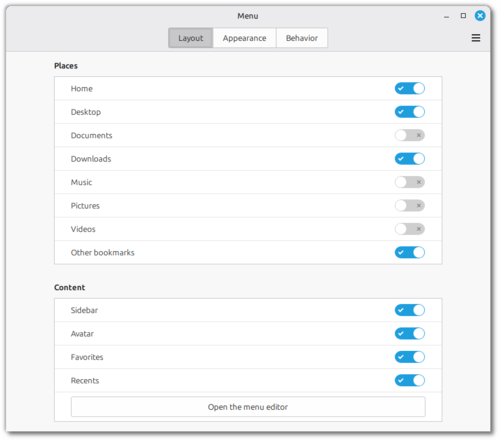
Settings have been added to the configurator to hide various menu elements.

For example, you can hide the sidebar or customize its contents (bookmarks, favorite directories, frequently used applications, system buttons).

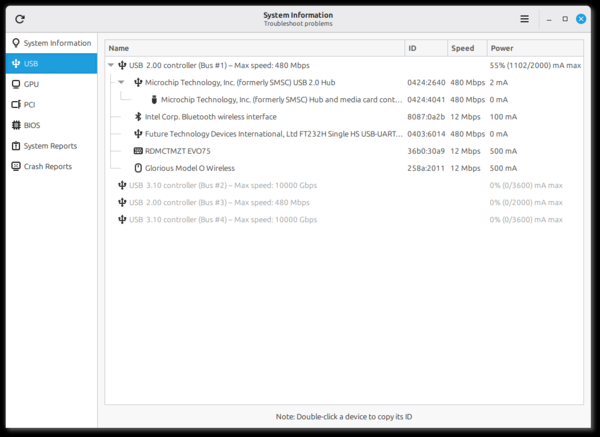
- The 'System Reports' utility has been significantly expanded and renamed to 'System Information', which, in addition to pages with general system information and report submissions for issues, adds 4 new sections with detailed information about connected USB devices, PCI components, GPU, and BIOS (information about firmware, motherboard, and boot modes).

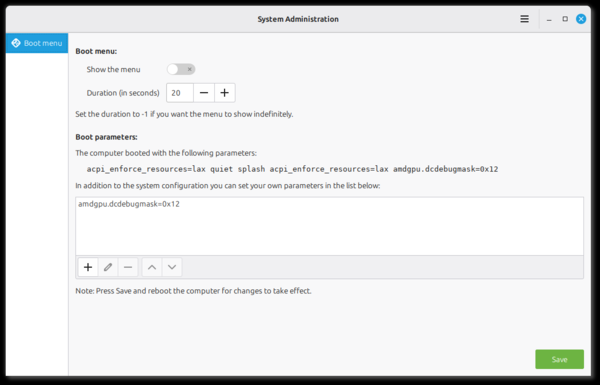
- The "System Administration" application has been added, which runs with root privileges and includes information and settings for the administrator. Currently, the application features a section called "Boot menu," where you can manage the display of the boot menu and modify boot parameters.

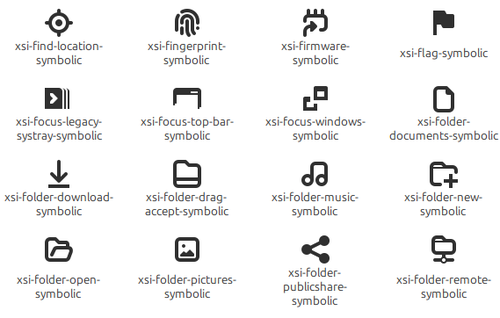
- Instead of the Adwaita symbolic icon set, the proprietary XSI (XApp Symbolic Icons) icon set has been implemented.

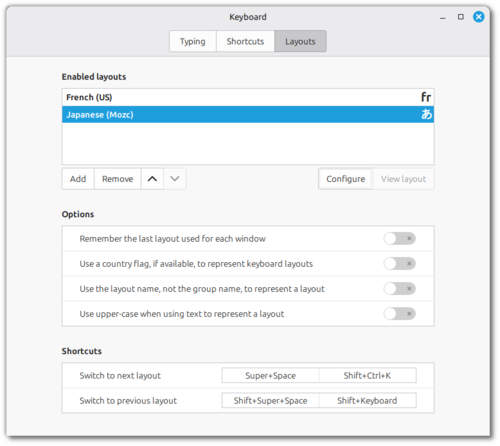
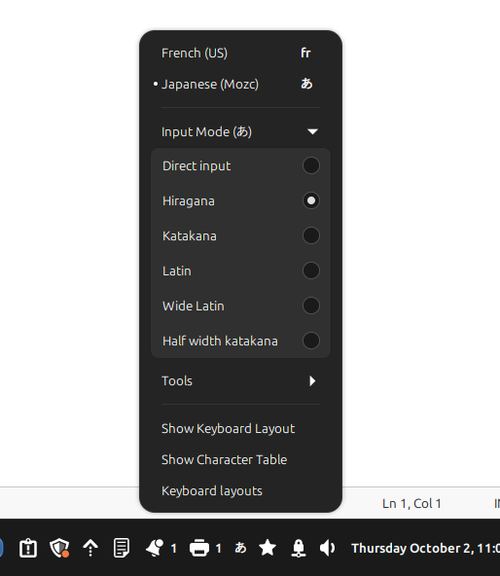
- Keyboard handling has been revamped (ensuring full compatibility with Wayland). Keyboard layout switching support has been provided when using Wayland, and input method support has been improved. Settings for traditional layouts and IBus input methods have been separated.

- The layout switcher applet now supports different types of keyboard layouts and IBus.

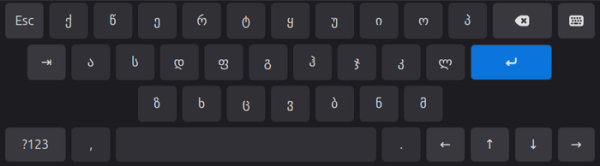
- The on-screen keyboard has been redesigned, no longer using libcaribou, and now supports layout switching.

- The proprietary fork libAdapta has been implemented instead of the libAdwaita library, featuring support for themes and some additional capabilities. Otherwise, libAdapta supports all the functionality of libAdwaita and by default provides an identical appearance for applications.
- The xdg-desktop-portal-xapp package, which contains components for integrating isolated libAdwaita applications (such as those provided in flatpak packages) with the desktop environment, has been updated to support accent colors used to highlight active elements. Such color values are determined by scanning GTK themes for a color with the identifier "accent_color."
- Building Cinnamon without NetworkManager support is now allowed.
- In the configuration tool, the settings for mosaic mode have been moved to a separate tab. A section has been added for configuring parameters of devices with Thunderbolt interfaces.
- When switching between windows using Alt+Tab, only the windows on the current monitor are displayed.
- A new applet for enabling Night Light has been added, allowing the adjustment of color temperature according to the time of day. When working at night, the intensity of blue light on the screen is automatically reduced, making the color scheme warmer to reduce eye strain and lessen factors contributing to insomnia when working before bedtime.
- A new option has been added to the notification system to prioritize new notifications. Icons have been implemented to indicate the number of unread notifications.
Source: opennet.ru
