System76, a manufacturer of Linux computers and creator of the COSMIC desktop environment, has updated the Alpha COSMIC version to Alpha 2. The latest version includes more settings pages, most features for COSMIC Files, and popular window management functions. Significant work has been done on the infrastructure to support screen reading, and some notable bugs have been fixed.
The new System76 desktop environment emerged as a replacement for GNOME — the DE used in Pop!_OS 22.04 and previous releases — as a way to rethink the desktop environment and the value it can provide to users in the Linux ecosystem. Some notable differences include a comprehensive theming system with shared themes, the ability to create vertical or horizontal workspaces, an integrated and easily accessible tiling system, and customizable panels (dock and top panel). New core applications include COSMIC Files, Settings, Terminal, Edit, and App Store, which will replace Pop!_Shop.
The project's goal is to create the best, most consistent, and flexible interface for users.
SETTINGS PAGES
Power and Battery
Here you can choose between extended battery life mode, high-performance mode, and balanced mode. You can also check the battery level of your mouse, keyboard, headset, or other wireless devices.
Sound Settings
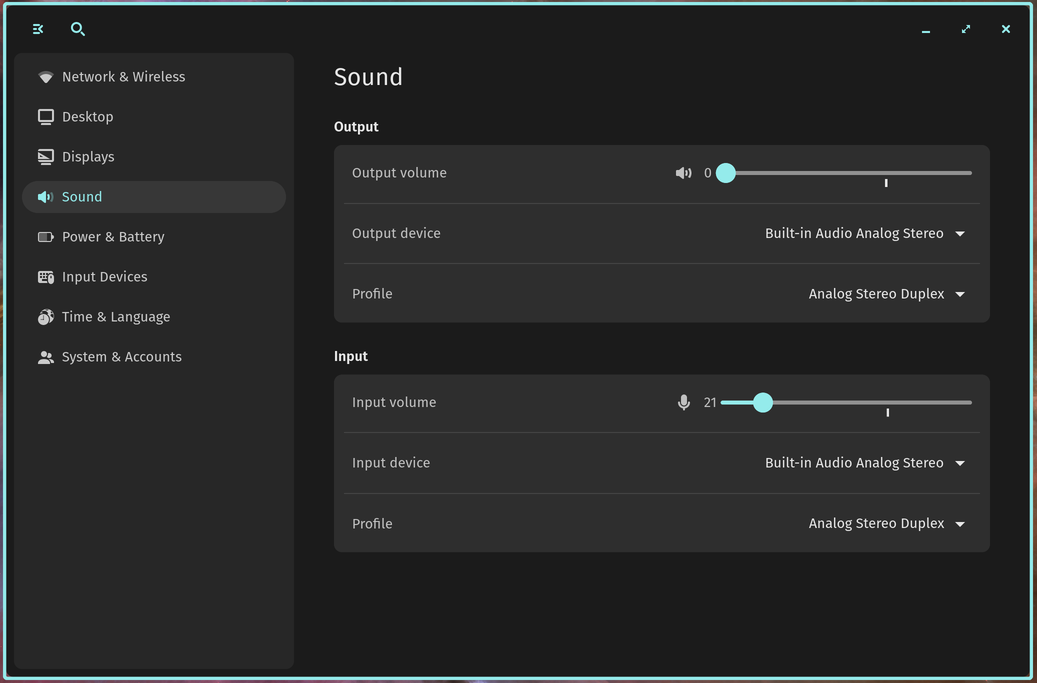
Select input and output devices, adjust the volume for each using the slider, and choose between different sound profiles: analog stereo duplex, analog stereo output, digital stereo output + analog stereo input, digital stereo output, analog stereo input, and Pro Audio. Additionally, Bluetooth devices (bluez5) are now supported. COSMIC Sound Settings Panel
Network and Wireless
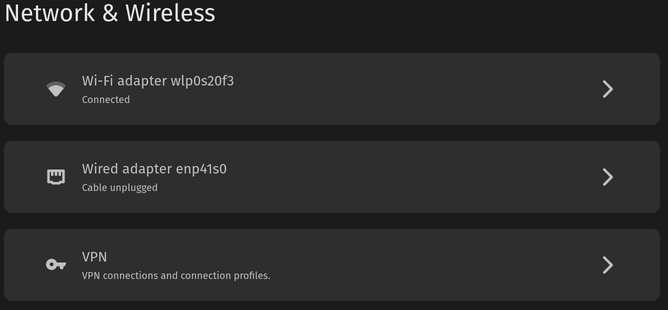
Check wired connections, select available Wi-Fi options, and manage VPN— connections in the network and wireless settings. Alpha 2 COSMIC Network and Wireless Settings Panel
Displays
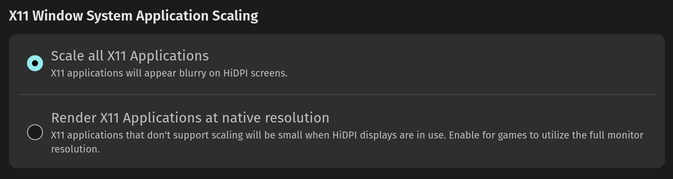
New X11 window application scaling options in display settings allow either scaling on HiDPI screens or rendering in original resolution. Alpha 2 COSMIC Display Settings X11 Scaling
Date and Time
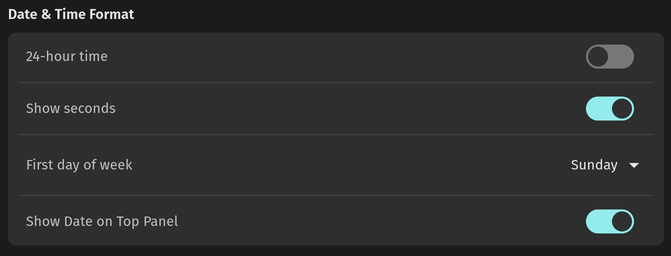
A new toggle in the date and time settings enables the display of seconds in the clock applet. Alpha 2 COSMIC Date and Time Seconds Toggle
New window management features
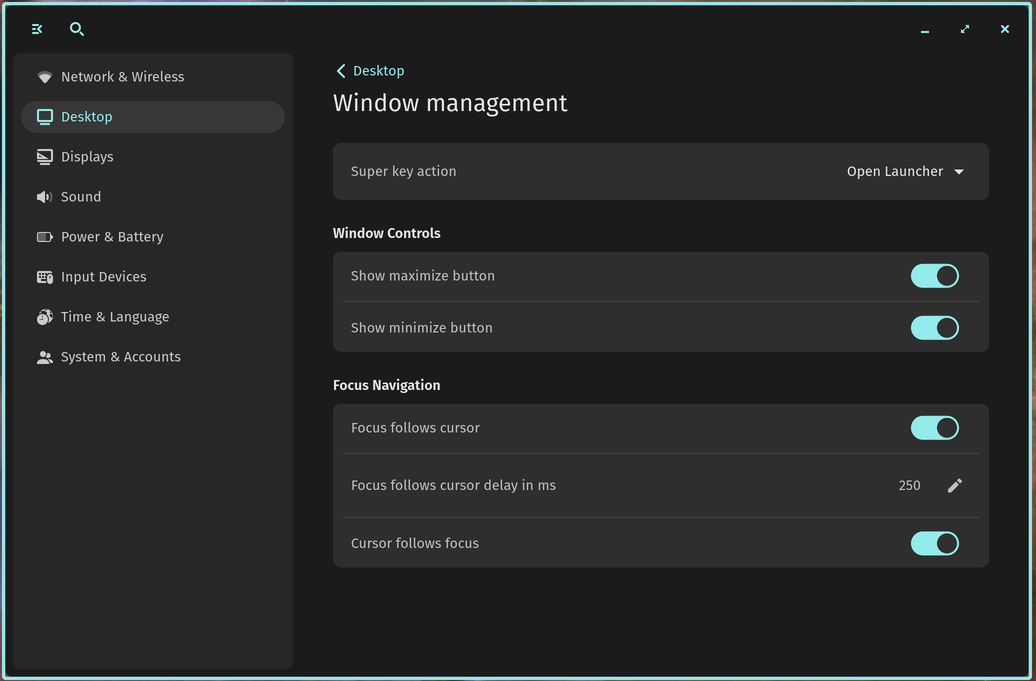
The window management settings have introduced two requested features: focus follows the cursor and cursor follows the focus. Alpha 2 COSMIC Window Management Settings
"Focus follows the cursor": Moving the mouse over the layout switches the active ('focused') window to any window that the cursor overlaps. You can also set the time required for the mouse to snap to the new window.
"Cursor follows the focus": Changing the window focus with keyboard shortcuts or opening a new window immediately moves the cursor to the top-left corner of that window. This makes it easier to find the cursor and eliminates the need to move it into the window.
On the same page, users can now disable the Super key to use it only as a modifier.
New interface density settings
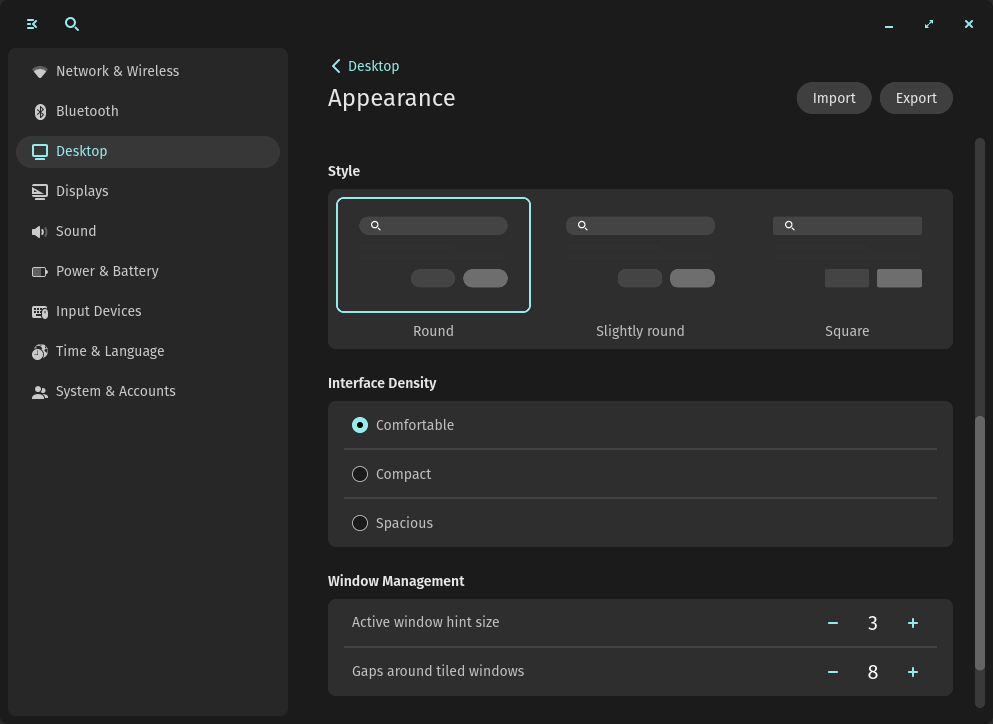
Interface density settings adjust the spacing between elements on the COSMIC desktop. There are three options: Comfortable, Compact, and Spacious. Alpha 2 COSMIC Interface Density Settings
Bluetooth Settings
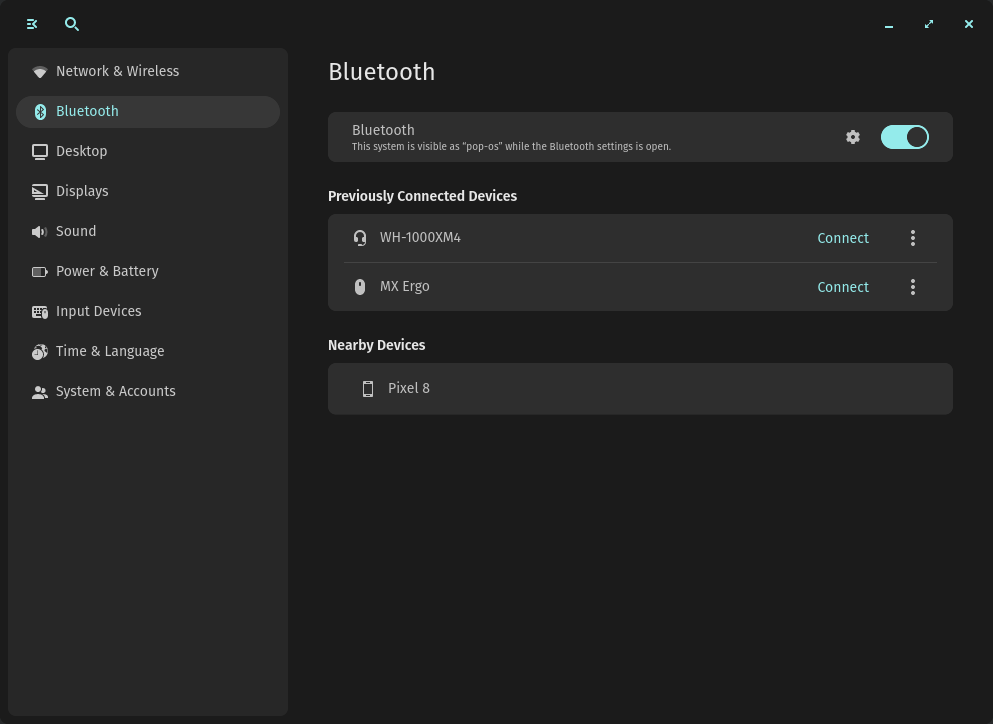
Connect, disconnect, and forget devices on the new Bluetooth settings page. Alpha 2 COSMIC Bluetooth Settings
COSMIC Files
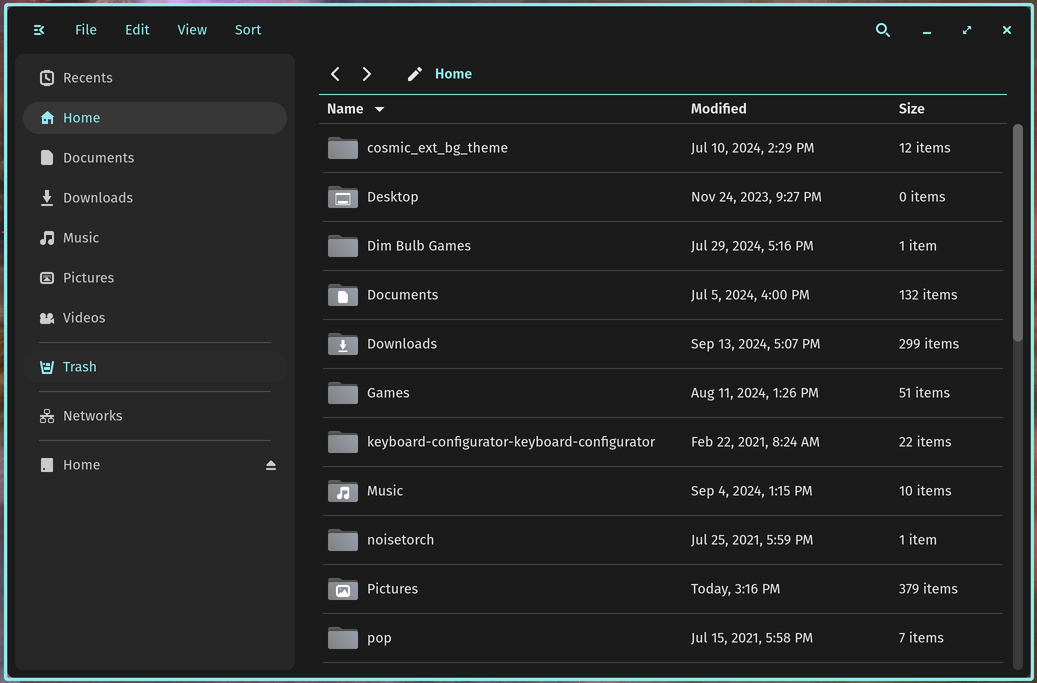
Work on the file manager was a main focus leading up to Alpha 2. Notable new features include:
header options for 'Search Panel', 'New Folder', 'View as Grid/List', and 'Sort by';
sorting by name, type, last modified, creation date, and size (default is last modified);
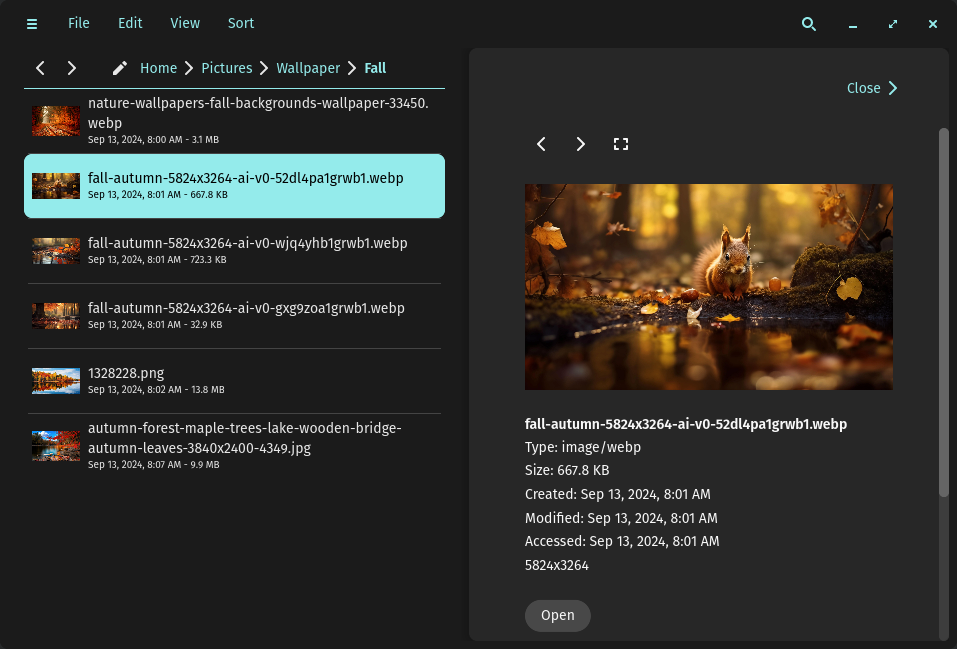
a 'Recently' button on the sidebar for viewing recent files Alpha 2 COSMIC Files;
a file preview feature in the context menu before opening. This feature is unfinished and is under active development, but it is enabled by default to gather feedback during Alpha 2. The option to disable preview will be added in Alpha 3;
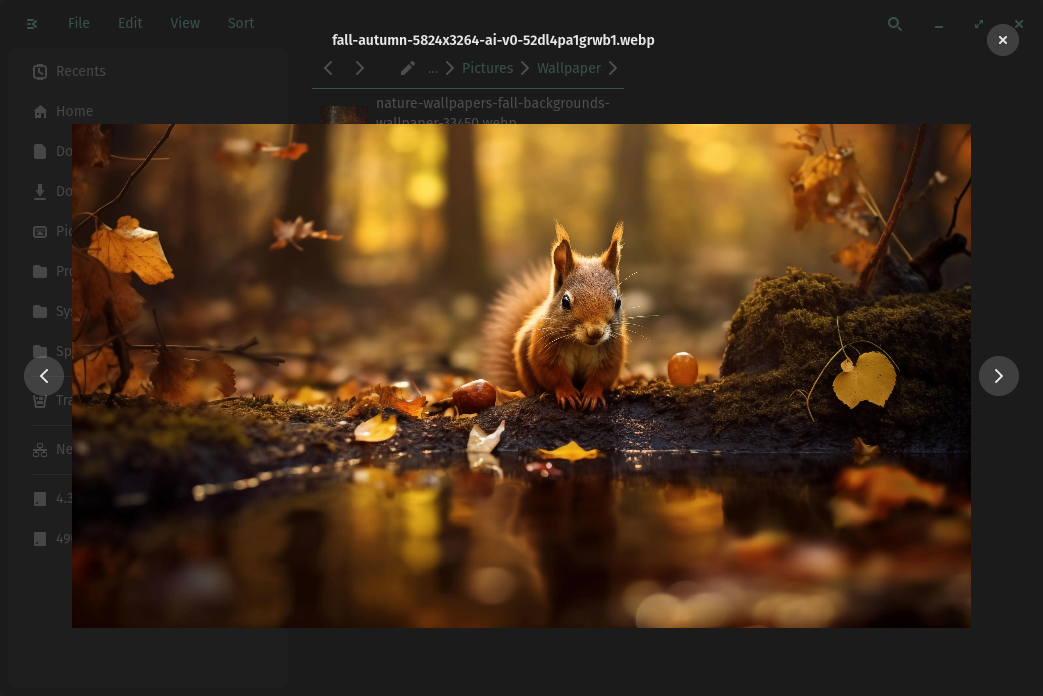
gallery — in this mode, users can switch between images in a folder; File previews in COSMIC Files [Gallery in COSMIC Files]https://images.prismic.io/blog-system76/ZvMoCbVsGrYSv5VB_Alpha2COSMICFilePreviewImageGallery.png
File compression/extraction through the context menu, as well as extracting them to the desired location. Supports .tar, .tbz, .tgz, .txz, and .zip. Password-protected zip files are next on the list;
Viewing and connecting to network drives;
Ctrl+D keyboard shortcut to add the selected item to the sidebar;
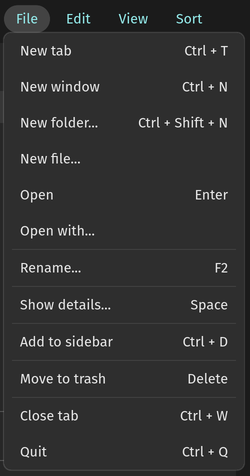
Complete 'File' menu. Includes options to open a new tab, window, or folder; open a file or open it in the preferred application; rename, show details, add to sidebar, move to trash, close tab, or exit File menu in COSMIC Files;
Ctrl+, shortcut to open COSMIC Files app settings;
Floating window mode by default when opening via xdg-portal (when opening a file with another application);
Separators in the sidebar to divide the trash, networks, and additional drives.
COSMIC Store
Significantly improved loading time on first launch.
COSMIC Applets (Extensions similar to Gnome)
- Battery charge thresholds are supported on devices compatible with system76-power.
- Improved CPU usage with audio applet volume sliders.
- Time is now updated when changing time zone.
- Improved time display format.
Under the hood
- libcosmic is now based on iced 0.13.
- Winit and sctk have been updated and modified.
- Fixed freezes in some X11/XWayland applications in fullscreen mode.
- Fixed widget switcher size.
- Fixed padding and spacing between widgets.
- Optimized rendering of formatted text
- More reliable fractional scaling in games running through Proton.
Accessibility Features
- ATSPI and portal plumbing are supported for screen reading.
- Bug fixes made for migrating to iced.
ISO/session
- System printer configurator added to cosmic-session.
- Pop-wallpapers have been removed and replaced with cosmic-wallpapers.
Notable bug fixes
- Fixed launching COSMIC applications in Live ISO (NVIDIA desktops)
- Improved disk I/O performance and dbus when using sliders or changing theme settings.
- Setting the time zone on the date and time settings page
Additional fixes and improvements
- COSMIC Greeter now defaults to the previous session used at login.
- Language support added for COSMIC Greeter.
- Volume sliders in sound settings no longer compress when resized.
- Battery percentage no longer shows decimal points.
- Custom keyboard shortcuts are now available for search.
- The "Open" button in COSMIC App Store now works.
- A comma has been added to the hours after the date.
- Fixed an issue where taskbar applications were unresponsive to input.
- Fixed an issue with resizing shortcuts using Super + right-click, which opened the context menu.
- Fixed an issue where libcosmic applications were not being created.
- Fixed an issue where some applications would not reopen after closing.
- Fixed a bug where the clipboard did not work for some applets.
- Fixed issues with keyboard shortcuts in settings.
- Fixed a crash issue with GIMP.
- Fixed an issue with external monitors that caused the system to hang before logging in.
- Fixes for replacing or moving multiple focused windows.
- The workspace switch gesture now respects natural scrolling settings.
Source: linux.org.ru