

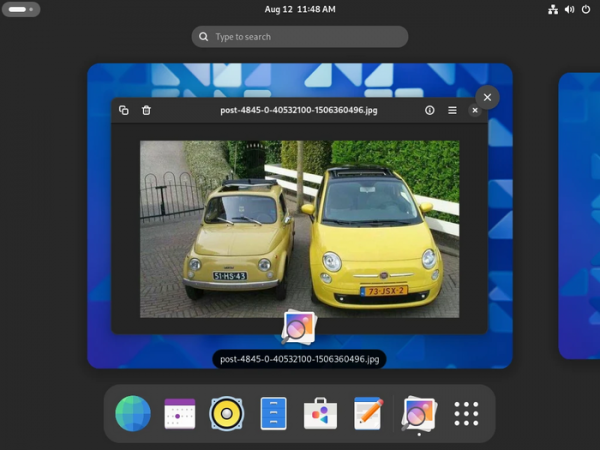
After six months of development, the release of the GNOME 47 desktop environment has been presented. For a quick assessment of the capabilities of GNOME 47, specialized Live builds based on openSUSE and an installation image prepared under the GNOME OS initiative have been offered. GNOME 47 is also already included in the experimental builds of Ubuntu 24.10 and Fedora 41.
In the new release:
- Support for customizing accent colors has been added, used to highlight active elements. Previously, the GNOME theme provided a single blue accent color, but now the appearance configurator allows for a selection of several options.
- Performance on low-resolution screens has been improved, optimizing the rendering process of icons and interface elements. The issue of displaying overly small icons has been addressed — GNOME now automatically selects the icon scaling level to ensure an appropriate size for low resolutions.

- On systems with Intel and AMD GPUs, support for using hardware acceleration for video encoding when recording screencasts has been added, which reduces the load on the system and eliminates the impact of recording high-resolution screencasts on the responsiveness of the interface and applications.
- Before version 4.16, the GTK library version has been updated, in which the rendering engine 'vulkan' is used by default in environments based on the Wayland protocol, directly utilizing the Vulkan graphics API. The quality and performance of rendering on older hardware and mobile devices have been significantly improved.
- Upon remote desktop connection Support for session saving has been implemented — in the event of an accidental disconnection from the remote desktop, there is an option to return to the interrupted session without losing its state (the session will be resumed in the same state as before the exit).
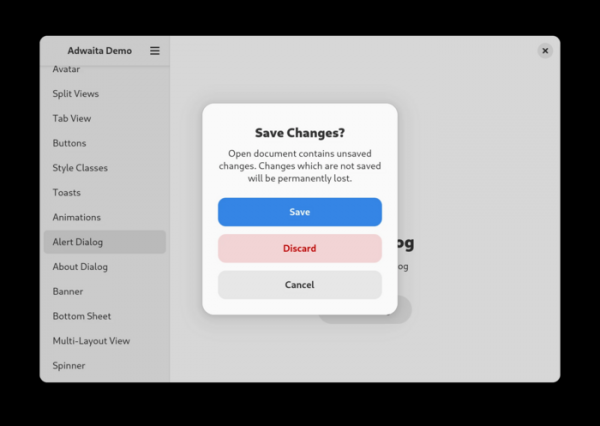
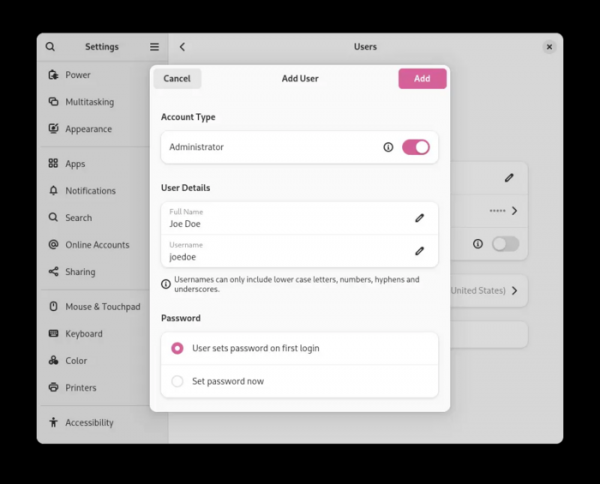
- A new style for dialog windows used in the system and applications has been proposed. The changes aim to improve usability regardless of screen resolutions and device types.

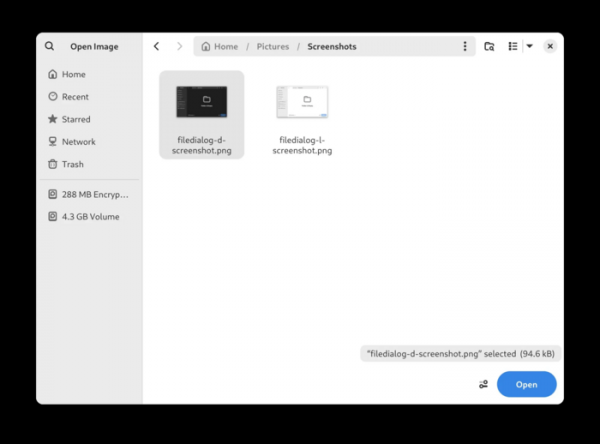
- The dialogs for opening and saving files have been significantly revamped; they are now integrated rather than separate, mirroring the standard file manager in both appearance and behavior. The new dialogs feature capabilities such as zooming, selecting icon sorting modes, built-in renaming functions for directories and files, file previews, on-demand thumbnail generation, and advanced search.

- In the Nautilus (GNOME Files) file manager, the interfaces for creating new directories and compressing files have been updated. The search panel now provides contextual information related to performance and impacts search results, such as the absence of the chosen file path in the search index or attempts to search on parts of the filesystem mounted from a remote server.
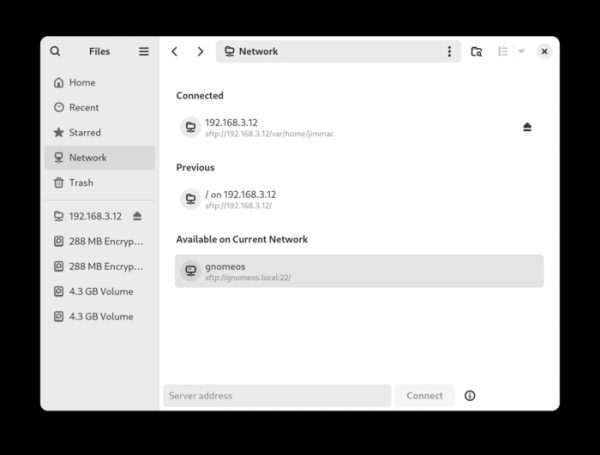
The file manager's sidebar features have been expanded. A list of internal storage devices is now consolidated in one place. You can delete various entry points (Places), including options to access documents, downloads, music, and videos. A new 'Network' section has been added, listing network storage devices, including sections for connected, previously used, and available storage devices.

- In the configurator (GNOME Settings), in the input devices section, a visual preview of keyboard layouts is available before selection. Accessibility settings have added an option for activating windows on mouse hover. In the power management section for mobile devices, specific delay options before entering sleep mode have been proposed. New GNOME interface elements have been implemented in various configurators.

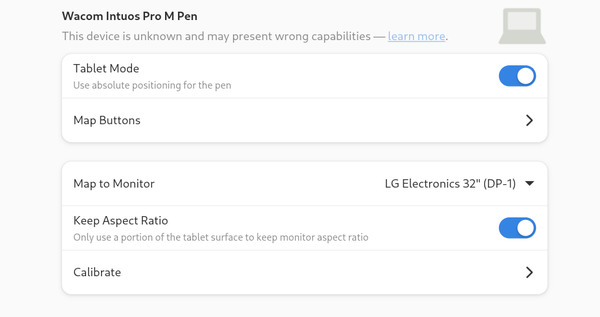
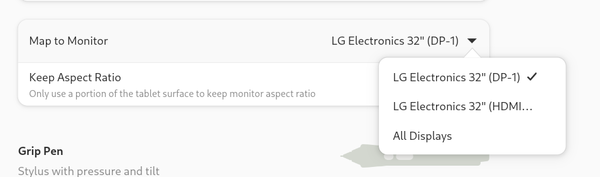
The capabilities for calibrating graphic tablets have been expanded, for instance, allowing manual calibration instead of automatic with the monitor. In the GNOME configurator, tablets not supported in libwacom are now displayed. Such tablets are now processed and displayed as a standard tablet with common basic settings. The naming of displays has been unified in the configurator and tablet-to-monitor mapping settings.


- The management tools for external accounts (GNOME Online Accounts) now feature automatic filling of connection details for IMAP/SMTP based on the specified email address. Email, calendar-planner, and address book integration with Microsoft 365 accounts has been ensured. When configuring WebDAV, automatic detection of available options is implemented. servers.
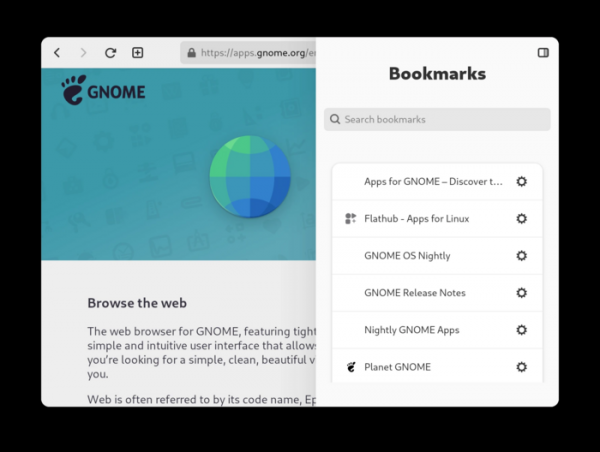
- The Epiphany web browser (GNOME Web) offers new functionality for automatically filling web forms based on previously provided information. In the settings, you can select the information available for autofill, such as name, address, and contact details. A new bookmarks panel has been introduced to simplify navigation and bookmark searching. A privacy report reflecting the number of tracking scripts blocked by the browser has been added. Due to changes in the authentication process, support for the Firefox Sync service has been temporarily disabled.

- The calendar-planner has revamped the popup window for detailed event information. Event handling in read-only mode has been improved. The appearance has been enhanced, and spacing between elements has been modified. In the import and edit dialog for events, proper handling of hidden calendars and calendars in read-only mode has been ensured.
- New applications have been added to the GNOME Circle collection: Binary, Biblioteca, Hieroglyphic, Resources, Tuba, and Valuta.
- The interface of the disk space analyzer has been updated. The design of the panel, file list, and icons has been changed.
- The design of the cursor shown during the waiting process has been modified.
- In the application manager (GNOME Software), the display of recommended applications has been redesigned.
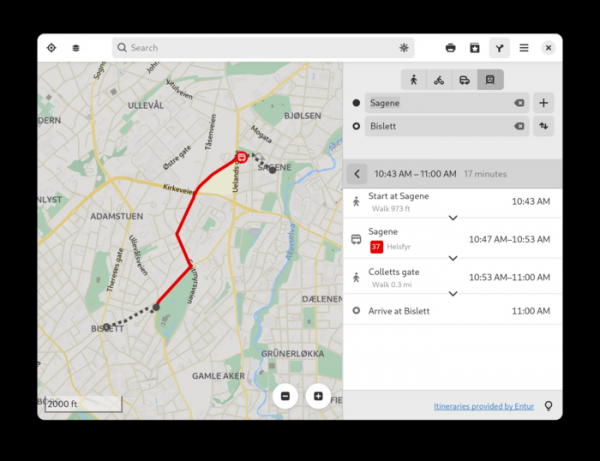
- In the maps application (GNOME Maps), vector graphics are now used by default for presenting geographic information. Support for a community-supported service for route planning has been added.

- Support for fractional scaling in X11-based applications has been improved.
- In Wayland-based sessions, the ability to use virtual reality headsets for gaming has been implemented.
- Basic capabilities for utilizing hardware acceleration for screen sharing on systems with NVIDIA graphics cards have been added.
- The ability to build GNOME Shell and the Mutter compositor without X11 support has been added, leaving only the components for Wayland.
- The Mutter compositor now supports the Wayland drm-lease protocol extension, which provides the necessary resources to create a stereoscopic image with different buffers for the left and right eye when outputting to virtual reality headsets.

Source: opennet.ru
