

After six months of development, the GNOME 48 desktop environment has been released. Specialized Live builds based on openSUSE and an installation image prepared as part of the GNOME OS initiative are offered for a quick assessment of GNOME 48's capabilities. GNOME 48 is also included in the experimental builds of Ubuntu 25.04 and Fedora 42.
In the new release:
- Support for High Dynamic Range (HDR) has been added, enabling HDR content output on monitors that support HDR. To enable HDR support, an option for 'High Dynamic Range' has been added to the display settings in the configuration tool.
- In composite server Mutter now supports triple buffering, which allows for smoother rendering of screen changes and animations. Triple buffering uses three screen buffers— the first is for rendering, the second is for display output, and the third remains available for continuous rendering if the first buffer is filled before the vertical refresh is complete. The use of an additional third buffer helps eliminate stuttering that occurs with double buffering due to the inability to switch between the rendering and display buffers before the vertical refresh (vblank) is finished, at the cost of increased output delay.
- New windows are now centered on the screen by default. Window positioning in multi-monitor configurations has been improved.
- A stacked layout for the notifications list has been implemented, where notifications are grouped by application. To avoid clutter, groups are collapsed, and individual notifications can be viewed by expanding the desired group.
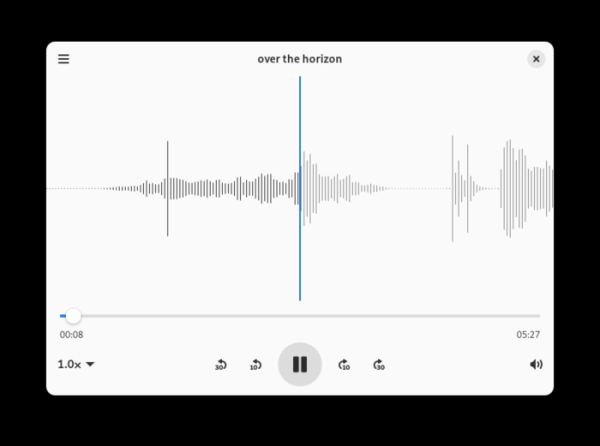
- A new audio player Decibels has been introduced, featuring a minimalist interface optimized for playing individual audio files when trying to open them in other applications, such as a file manager or email client. The window visualizes the waveform, has a slider for quick position changes, a playback speed switch, a volume control, and buttons for fast forward and rewind by 5 and 10 seconds. The Decibels code is written in TypeScript using JavaScript bindings over GStreamer, Libadwaita, Gio, GObject, and GTK4, and is distributed under the AGPLv3 license.

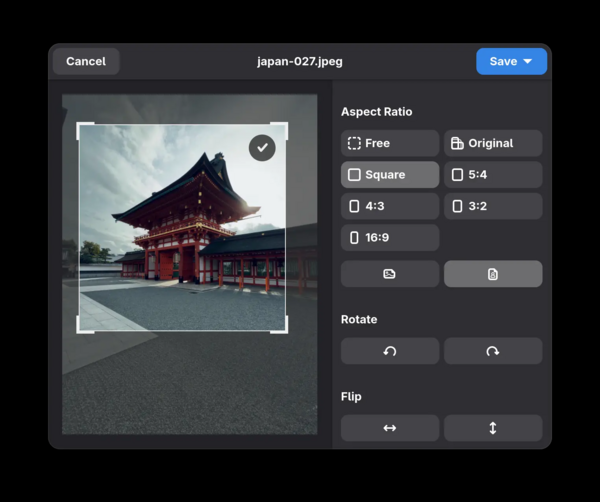
- The image viewer includes editing tools that allow users to crop, rotate, and mirror images. The interface elements for scaling have been altered, with a button added to return to the original scale and a menu for quick selection of standard zoom levels. Experimental support for RAW image formats and metadata, such as the XMP format, has been added.

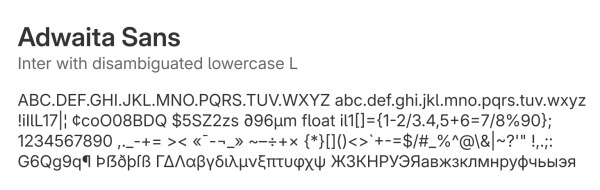
- The new Adwaita Sans font is enabled by default, replacing the Cantarell font that has been used since 2010. Adwaita Sans is based on the Inter font, designed for use in user interfaces and optimized for high clarity of small and medium-sized characters (less than 12px) when displayed on computer screens. Unlike Cantarell, the Inter project has developed a large community that continues to enhance the font, addressing shortcomings, implementing new typographic features, and testing rendering quality for various languages and screen types.

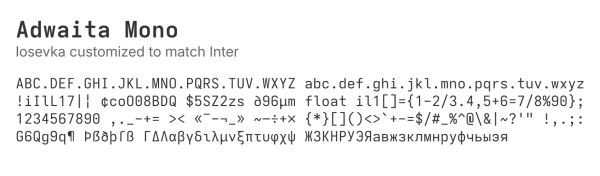
Adwaita Mono, a modified version of the Iosevka font, styled similarly to Inter, is employed for terminals and code editors.

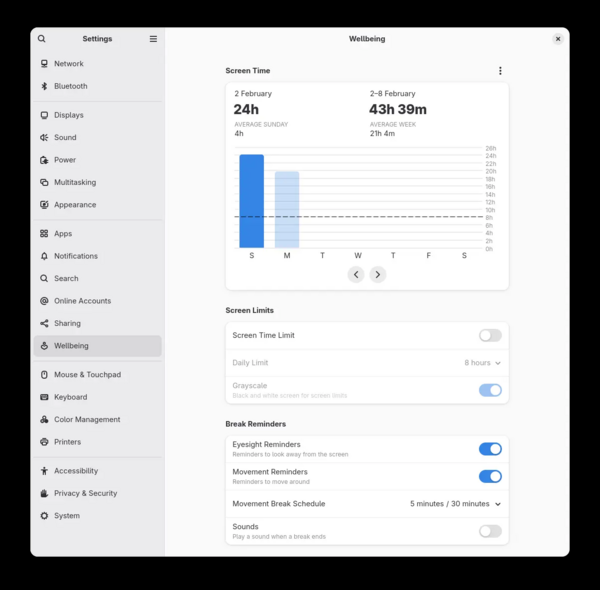
- A new section called 'Digital Wellbeing' has been added to the configurator to help develop healthy behavior habits while working on a computer. The program allows users to analyze how much time they spend on their computers each day and assess trends over the last days or weeks. Users can set up notifications or switch the screen to grayscale mode when they exceed their self-imposed daily limit. The program can also serve as a reminder to take breaks after prolonged work sessions that exceed recommended durations.

- An option has been added to the power management settings to extend battery life by limiting the maximum charge level to 80%.
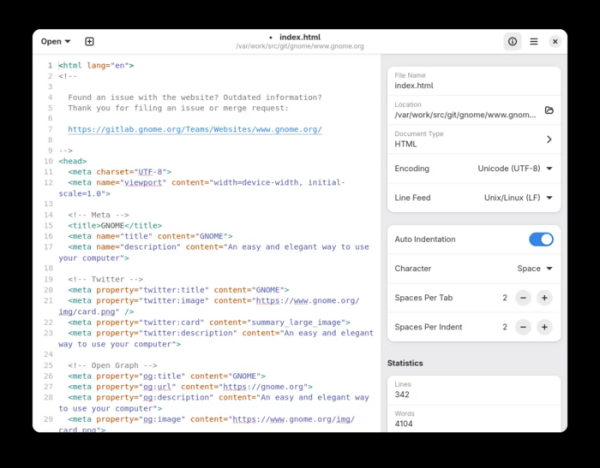
- The text editor interface has been updated — the toolbar is now integrated into the window header, with all options consolidated into a single menu. Quick access to automatic formatting settings has been provided. The cursor position indicator has been moved to the main window.

- In the Epiphany web browser, the capabilities for navigating the browsing history have been expanded. Screen refresh operations have been minimized. The ability to close pinned tabs has been added. The interface for importing bookmarks and passwords from other browsers has been simplified. Cyclical scrolling of elements in the address bar dropdown has been implemented. Improvements have been made to the mechanism for auto-filling password fields. A new option to refresh the page has been added to the context menu on the new tab page. Dialogs for working with bookmarks and displaying information about privacy issues (blocked tracking code) have been enhanced.
- In the GJS JavaScript engine, CPU load and memory consumption have been reduced when performing many standard operations.
- In the file indexing system, memory consumption has been reduced when processing large directories, and extraction of metadata from multimedia files has been sped up.
- Stability and performance have been improved for configurations with monitors directly connected to the discrete graphics card.
- The performance of the code for loading directory contents and rendering changes during scrolling in the file manager has significantly improved. When navigating through directories with a large number of thumbnails, the content loading performance has increased fivefold, and scrolling rendering has improved tenfold.
- The GTK library has accelerated the creation and resizing operations of interface elements.
- Support for global keyboard shortcuts has been added — applications can define system-wide key combinations that work when the application window is not in focus. User confirmation is required to add system-wide key combinations.
- Support for special function keys, such as Copy, Paste, Cut, Undo, and Redo, has been expanded, allowing their use in input fields. Support for the Find key has been implemented for quick access to search.
- The interface for editing contacts in the address book has been improved.
- In the configurator under the 'Region and Language' section, the dialog for setting formats and locales has been updated. The power management settings have been restructured.
- The Orca screen reader has implemented correct support for keyboard shortcuts in Wayland-based environments.
- The colors in the application interface have been slightly optimized, and buttons and input fields are more rounded.
- The event editing dialog in the calendar planner has been improved. The date and time scheduling form has been changed. Support for specifying the time zone has been added.
- The Mutter composite server has added the ability to build without a font rendering stack.
- Support for xdg portals has been added to set system-wide key combinations and access USB devices (Flatpak 1.16 is required).
- The GNOME OS distribution developed by the project has transitioned to using the systemd-sysupdate component for managing atomic system updates. The replacement of OSTree with systemd-sysupdate has enabled the use of a verified boot process on systems with UEFI Secure Boot. The systemd-sysupdate toolkit is designed to automatically detect, download, and install updates using an atomic mechanism for replacing partitions, files, or directories. Systemd-sysupdate allows for two independent partitions/files/directories, with the current working resource on one and the next update being installed on the other, after which the partitions/files/directories are switched.
Source: opennet.ru
