

Qt Project release , a platform for designing user interfaces and developing graphical applications based on Qt. Qt Design Studio simplifies collaboration between designers and developers in creating working prototypes of complex and scalable interfaces. Designers can focus solely on the visual layout, while developers can concentrate on the application logic, utilizing the automatically generated QML code designed for the layouts.
Using the workflow provided in Qt Design Studio, prepared layouts from Photoshop or other graphic editors can be turned into working prototypes that can be run on real devices within minutes. Initially, the product was supplied , but distributing prepared interface components was allowed
only to holders of a commercial license for Qt.
Starting from version 1.2, developers are offered the , which imposes no restrictions on use but falls short in functionality compared to the main product. In particular, the Community Edition does not include modules for importing graphics from Photoshop and Sketch.
Regarding the opening of source texts, it is reported that the application represents a specialized version of the Qt Creator environment, assembled from a common repository. Most of the Qt Design Studio-specific changes are already included in the main codebase of Qt Creator. Some features of Qt Design Studio are directly accessible from Qt Creator, for example, starting from release 4.9, a timeline-based graphic editor is available.
Integration modules with Photoshop and Sketch remain proprietary.
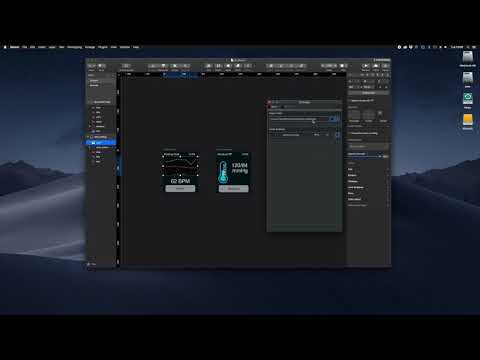
The release of Qt Design Studio 1.2 is notable for the addition of the , which allows creating ready-to-use components based on layouts prepared in Sketch and exporting them to QML code. Among the general changes is support for complex gradients based on , which can now be processed as components in Qt Design Studio. For example, spherical and conical gradients combined with animation can be used for dramatic visualization of measurements and sensor readings. Additionally, when designing interfaces, there is no longer a limitation to vertical linear gradients.
Key features of Qt Design Studio:
- Timeline animation — a timeline and keyframe-based editor that makes it easy to create animations without writing code;
- Designer-created resources are transformed into universal QML components that can be reused across various projects;
- Qt Live Preview — allows you to preview the application or user interface being developed directly on the desktop, Android devices, or Boot2Qt. Changes can be immediately observed on the device. There is a possibility to control FPS, upload translation files, and adjust the scale of elements. Previewing on element devices prepared in the application is also supported. .
- The ability to integrate with Qt Safe Renderer — Safe Renderer elements can be matched with the elements of the developing interface.
- Side-by-side display of the visual editor and code editor — you can visually make changes in design or edit QML simultaneously;
- A set of ready-made and customizable buttons, switches, and other control elements;
- Built-in and customizable set of visual effects;
- Dynamic layout of interface elements allows adapting it for any screens;
- Advanced scene editor that allows for detailed refinement of elements;
- Qt Photoshop Bridge and Qt Sketch Bridge modules for importing graphics from Photoshop and Sketch. They enable the creation of ready-to-use components directly from graphics prepared in Photoshop or Sketch and exporting them to QML code. Not included in the Community edition.
Source: opennet.ru
