

Google has published the release of web browser Chrome 122. At the same time, a stable release of the open-source project Chromium, which underlies Chrome, is available. The Chrome browser differs from Chromium by the use of Google logos, a built-in crash reporting system, modules for playing protected content (DRM), an automatic update installation system, constant Sandbox isolation, the provision of keys to Google APIs, and the transmission of RLZ parameters during searches. For those who need more time to update, an Extended Stable branch is supported, which is accompanied by an 8-week period. The next release, Chrome 123, is scheduled for March 19.
Key changes in Chrome 122:
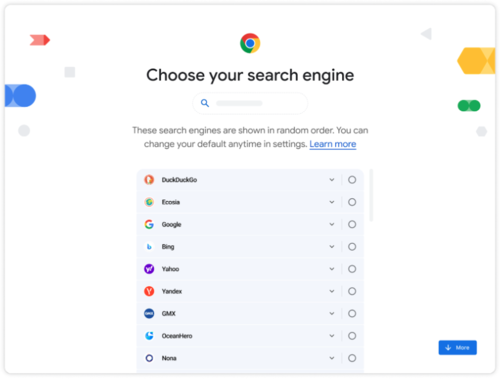
- In accordance with the requirements of the European DMA (Digital Markets Act), a screen for selecting the default search engine has been added to the browser. Users can choose from search engines available in the 'chrome://settings/search' settings section. The search engines in the list are displayed in random order.

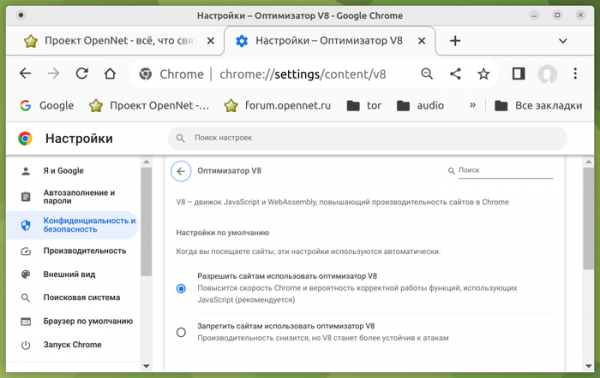
- A setting has been added on the 'chrome://settings/security' page that allows disabling JIT optimizers in the JavaScript engine V8. Disabling JIT can be beneficial for enhancing security when working with potentially dangerous web applications by reducing possible vectors for attacks.

- The Android version has added a text-to-speech feature that reads aloud the text present on the web page. Reading mode can be activated from the drop-down menu and managed using standard playback control buttons. This feature relies on an external service and sends a link to servers Google, which performs speech synthesis.
- Testing continues on experimental features utilizing machine learning—smart tab grouping mode, theme generator, and interactive assistant, as mentioned in the announcement of the Chrome 121 release.
- In Safe Browsing mode, support has been implemented for asynchronously executed external checks that do not block the loading of the page being checked. However, checks against local lists are still performed synchronously, and the page is not displayed until they are completed to protect the user from encountering exploits on those pages. As for phishing, it is unlikely that a user will be able to react to the page before the external check is completed and the warning is displayed.
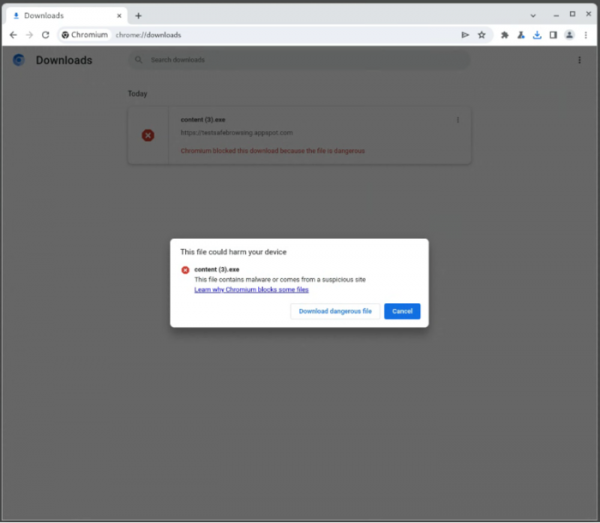
- The text of the warnings displayed when attempting to download malicious files and for already downloaded files in the download manager has been reworked.

- A gradual transition has begun to ignore 'unload' event handlers, which do not allow the efficient use of back-forward cache (BFCache), providing instant navigation when using the 'Back' and 'Forward' buttons or when navigating through previously viewed pages on the current site. The behavior of stable Chrome will resemble that of mobile browsers, which in most cases do not generate an 'unload' event, prioritizing caching of transitions. In Chrome 122, the handling of the 'unload' event is disabled for 1% of users.
- The autocomplete system for payment parameters has been enhanced to include the ability to save the verification codes (CVV/CVC) for local and server cards. The codes are saved after the warning is displayed and the user explicitly consents.
- An API for Storage Buckets has been added, providing additional capabilities for managing persistent data storage on the user's local system. The new API allows data storage to be organized by segmenting the storage into separate segments associated with the IndexedDB and CacheStorage APIs. Segments are deleted independently by the browser, and the user is given the ability to set priorities governing which segments should be deleted first. This organization allows important data to be stored in high-priority segments, while secondary data, which can be lost, is stored in low-priority segments. This approach addresses the issue of losing important data when the available storage limits provided through the IndexedDB and localStorage APIs are exhausted.
- The API Async Clipboard now includes the 'unsanitized' option in the read() method, which is applied when copying from and pasting into the clipboard. When this option is set, the application is provided with unmodified HTML markup content from the clipboard, without cleaning, normalization, or replacement of dangerous constructs (for example, the content of the block is not converted).
- CSS queries '@container' will no longer trigger when unsupported features are specified, e.g., the query '@container (width > 0px) or (unknown) {}' will not work due to the 'unknown' expression.
- CSS now allows the definition of conditions within '@import ... supports(...)' rules. If the check fails, the import does not occur. For instance, to load styles if 'animation-timeline' is set to 'auto', one can specify '@import "scroll-driven-animations.css" supports(animation-timeline: auto);'.
- CSS has modified and updated the logic for handling the pseudo-element '::backdrop', which now inherits from the original element (previously, '::backdrop' did not inherit values from other elements, making it impossible to access properties defined in the root element).
- The action of the dataTransfer.clearData() method is limited to text objects, i.e., this method can no longer be applied to File objects.
- WebGL has introduced the drawingBufferStorage function, allowing configuration of the pixel format for the drawing buffer, enabling direct output of content with more than 8 bits per color channel and avoiding unnecessary copy operations required for conversion to the default pixel format.
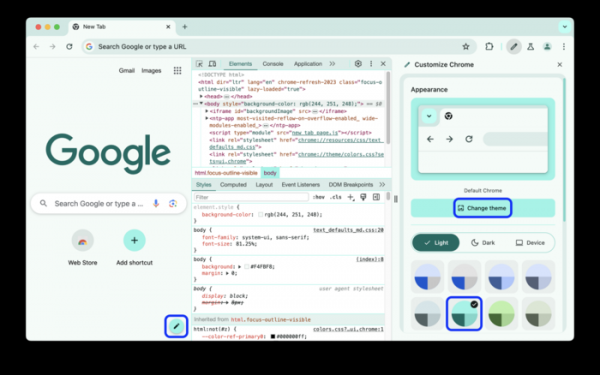
- Improvements have been made to web development tools, including support for changing color schemes and following the style set in the selected theme in the browser.

The performance analysis panel has been enhanced with support for saving execution range markers (segments on the timeline) and switching between them.
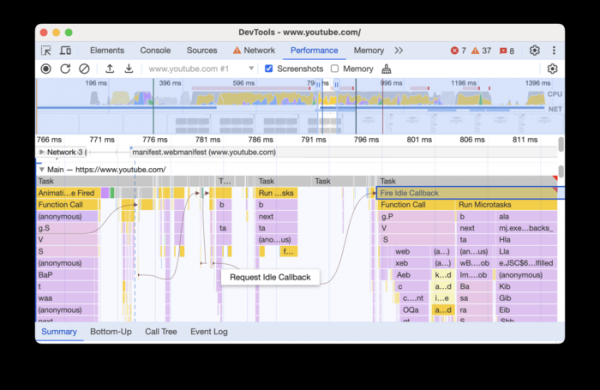
The main track (Performance > Main) now includes a display of event initiators and their visual correlation with the events they trigger.

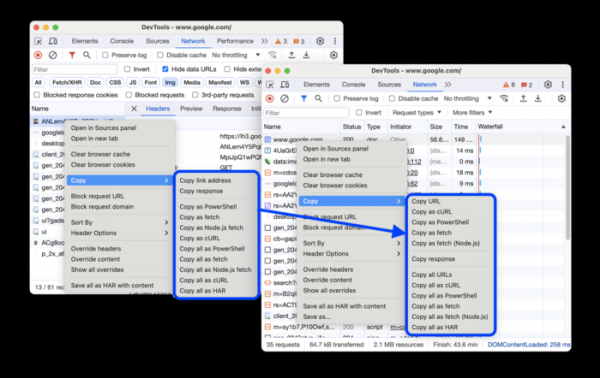
The network activity analysis panel now displays the reasons for request failures in the request status column. The context menu for copying the link or content of the request has been revamped.
In addition to new features and bug fixes, the latest version addresses 12 vulnerabilities. Many of the vulnerabilities were discovered through automated testing using tools like AddressSanitizer, MemorySanitizer, Control Flow Integrity, LibFuzzer, and AFL. No critical issues that would allow bypassing all browser security levels and executing code outside the sandbox environment have been found. As part of the vulnerability reward program for this release, Google awarded 8 prizes totaling $28,000 (including one prize of $8,000, $7,000, $5,000, $3,000, and $2,000, plus three prizes of $1,000). The highest rewards were given for a bug in site isolation implementation, a buffer overflow in the Blink engine, and use-after-free access in the Mojo library.
Source: opennet.ru
