

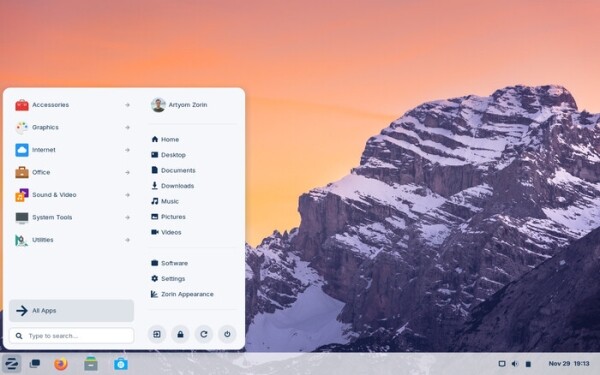
After 6 months of development, the release of the Linux distribution Zorin OS 17.3 has been published, based on the Ubuntu 22.04 package base. The target audience for the distribution is novice users accustomed to working in Windows. To manage the appearance, the distribution offers a special configurator that allows users to make the desktop resemble various versions of Windows and macOS. It also includes a selection of programs similar to those familiar to Windows users. The size of the bootable ISO image is 3.4 GB.
Zorin OS uses GNOME as the basis for its desktop, along with a set of custom extensions and a panel based on Dash to Panel and Dash to Dock. To integrate the desktop with smartphones, the Zorin Connect application (based on KDE Connect) is included. In addition to packages in deb format and Ubuntu repositories, support for Flatpak, AppImage, and Snap formats is included by default, allowing for the installation of programs from the Flathub and Snap Store directories.
In the new version:
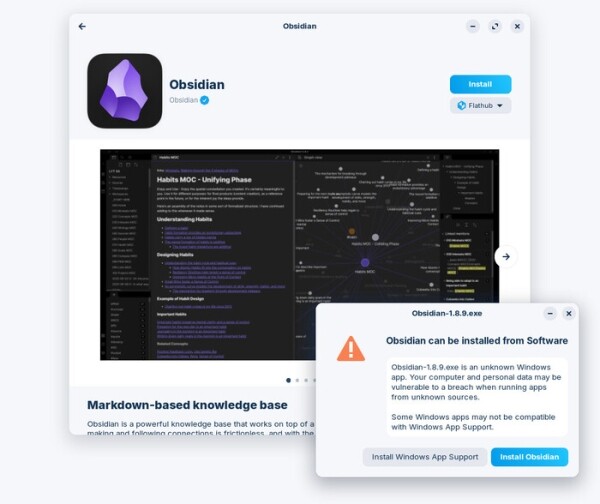
- The built-in database for identifying installers of popular Windows applications has been expanded to cover over 150 programs. The display of information about alternative options has been improved. For instance, when attempting to launch the Windows installer for Obsidian, a dialog will inform users of an available Linux build in the repository. Similarly, when trying to install Adobe Acrobat Reader, users will be advised to use Document Viewer.

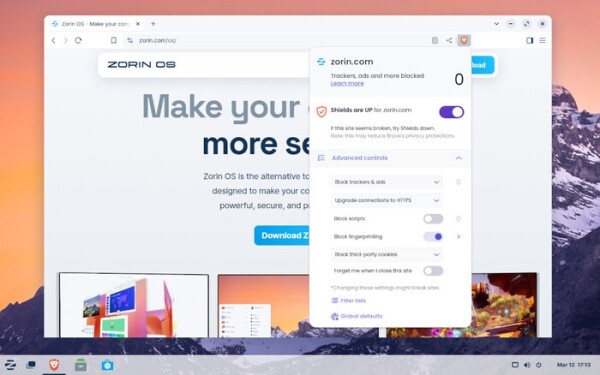
- The default web browser has been changed from Firefox to Brave. The reason for the switch is dissatisfaction with Mozilla's policy changes. Brave was chosen due to its built-in ad and tracker blocking, protection against passive identification, the ability to work through Tor, automatic blocking of third-party cookies, and prompts related to cookie consent.

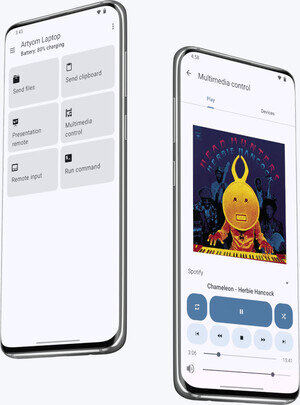
- The capabilities for integrating the desktop with smartphones have been expanded using the Zorin Connect application (a branch of KDE Connect). The interface of the mobile application installed on smartphones has been redesigned. A 'Remote Input' feature has been added for controlling the keyboard and mouse from a smartphone. Additional features such as link sharing, album cover sharing, notification filtering, and distinct shortcuts for different computers have also been included.

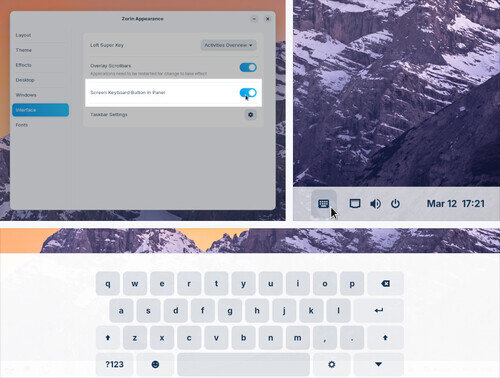
- Support for touchscreen devices has been improved. The usability of the taskbar with touch screens has been enhanced. A feature for calling up the on-screen keyboard via a button on the panel has been added, in addition to its automatic display when entering text.

- The versions of pre-installed applications and packages have been updated. A new branch of NVIDIA 570 drivers has been included.
Source: opennet.ru
