

ASUS offers a total of 19 motherboards with the Intel Z390 chipset. Potential buyers can choose from elite ROG models, ultra-reliable TUF boards, or the more affordable Prime series. The motherboard we are testing belongs to the latter series and priced just above 12,000 rubles in Russia, which is comparatively inexpensive for solutions based on the Intel Z390 chipset. We will discuss the ASUS Prime Z390-A model.
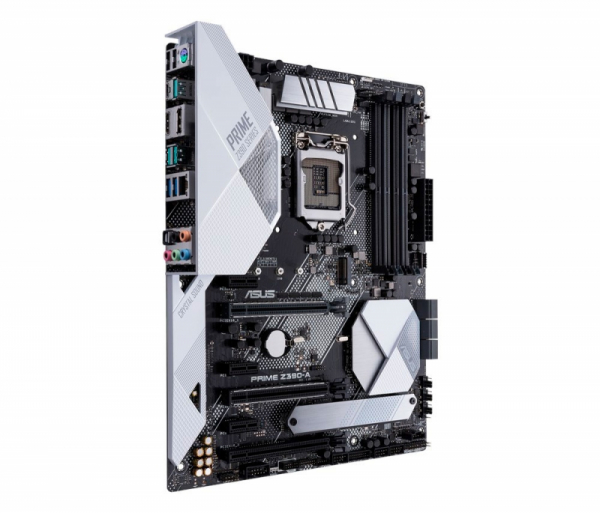
Equipped with everything needed to build a gaming system or a powerful workstation, this motherboard is slightly simplified by the developers—this affects almost everything from the processor power delivery system to the ports. However, it still retains capabilities for overclocking both the CPU and RAM. We will provide more details on this in the article.
Technical Specifications and Pricing
| Supported Processors | Intel Core i9 / Core i7 / Core i5 / Core i3 / Pentium / Celeron in LGA1151 socket for 8th and 9th generation Core microarchitecture |
| Chipset | Intel Z390 Express |
| Memory Subsystem | 4 × DIMM DDR4 unbuffered memory up to 64 GB; dual-channel memory operation; support for modules with frequencies 4266(O.C.) / 4133(O.C.) / 4000(O.C.) / 3866(O.C.) / 3733(O.C.) / 3600(O.C.) / 3466(O.C.) / 3400(O.C.) / 3333(O.C.) / 3300(O.C.) / 3200(O.C.) / 3100(O.C.) / 3066(O.C.) / 3000(O.C.) / 2800(O.C.) / 2666 / 2400 / 2133 MHz; support for Intel XMP (Extreme Memory Profile) |
| Graphical interface | The integrated graphics core of the processor enables the use of HDMI and DisplayPort ports; supports resolutions up to 4K inclusive (4096 × 2160 at 30 Hz); maximum shareable memory size – 1 GB; support for Intel InTru 3D, Quick Sync Video, Clear Video HD Technology, Insider technologies |
| Expansion card slots | 2 PCI Express x16 3.0 slots, operating modes x16, x8/x8, x8/x4+x4, and x8+x4+x4/x0; 1 PCI Express x16 slot (in x4 mode), Gen 3; 3 PCI Express x1 slots, Gen 3 |
| Video subsystem scalability | NVIDIA 2-way SLI Technology; AMD 2-way/3-way CrossFireX Technology |
| Storage interfaces | Intel Z390 Express chipset: – 6 × SATA 3, bandwidth up to 6 Gb/s; – support for RAID 0, 1, 5, and 10, Intel Rapid Storage, Intel Smart Connect Technology, and Intel Smart Response, NCQ, AHCI, and Hot Plug; – 2 × M.2, each with a bandwidth of up to 32 Gb/s (M.2_1 supports only PCI Express drives 42 to 110 mm long, M.2_2 supports SATA and PCI Express drives 42 to 80 mm long); – support for Intel Optane Memory technology |
| Network interfaces | Gigabit network controller Intel Gigabit LAN I219V (10/100/1000 Mbps); support for ASUS Turbo LAN Utility technology; support for ASUS LAN Guard technology |
| Audio subsystem | 7.1-channel HD audio codec Realtek ALC S1220A; signal-to-noise ratio (SNR) – 120 dB; SNR level at the line input – 113 dB; Nichicon fine gold audio capacitors (7 pcs.); power pre-regulator; integrated headphone amplifier; different layers of PCB for left and right channels; isolated audio card from PCB |
| USB interface | Intel Z390 Express chipset: – 6 USB 2.0/1.1 ports (2 on the rear panel, 4 connect to connectors on the motherboard); – 4 USB 3.1 Gen1 ports (2 on the rear panel, 2 connect to connectors on the motherboard); – 4 USB 3.1 Gen2 ports (on the rear panel, 3 Type-A and 1 Type-C); – 1 USB 3.1 Gen1 port (connects to a connector on the motherboard) |
| Connectors and buttons on the rear panel | Combined PS/2 port and two USB 2.0/1.1 ports; USB 3.1 Gen 2 Type-C and USB 3.1 Gen 2 Type-A ports; HDMI and DisplayPort video outputs; two USB 3.1 Gen 2 Type-A ports; two USB 3.1 Gen 1 Type-A ports and RJ-45 network LAN socket; 1 optical output S/PDIF interface; 5 3.5mm gold-plated audio jacks |
| Internal connectors on the PCB | 24-pin ATX power connector; 8-pin ATX 12V power connector; 6 SATA 3; 2 M.2; 4-pin CPU fan connector with PWM support; 4-pin CPU_OPT fan connector with PWM support; 2 4-pin Chassis Fan connectors with PWM support 4-pin AIO_PUMP connector; 4-pin connector for pump W_PUMP; EXT_Fan connector; M.2 Fan connector; temperature sensor connector; 2 4-pin addressable Aura RGB Strip connectors; USB 3.1 Gen 1 connector for 1 Type-C port; USB 3.1 Gen 1 connector for 2 ports; 2 USB 2.0/1.1 connectors for 4 ports; TPM (Trusted Platform Module) connector; COM port connector; S/PDIF connector; Thunderbolt connector; group of connectors for the front panel (Q-Connector); audio connector for the front panel; MemOK! switch; CPU OV connector; power button; Clear CMOS connector; Node connector; |
| BIOS; | 128 Mbit AMI UEFI BIOS with multilingual interface and graphical shell; compatible with ACPI 6.1; supports PnP 1.0a; supports SM BIOS 3.1; supports ASUS EZ Flash 3 technology; |
| I/O Controller; | Nuvoton NCT6798D; |
| Proprietary features, technologies, and characteristics; | 5-Way Optimization by Dual Intelligent Processors 5: – 5-Way Optimization tuning key perfectly consolidates TPU, EPU, DIGI+ VRM, Fan Xpert 4, and Turbo Core App; – Procool Power connector design; TPU: – Auto Tuning, TPU, GPU Boost; Fan Xpert4: – Fan Xpert 4 featuring Fan Auto Tuning function and multiple thermistors selection for optimized system cooling control; ASUS 5X Protection III: – ASUS SafeSlot Core: Fortified PCIe Slot prevents damage; – ASUS LANGuard: Protects against LAN surges, lightning strikes, and static-electricity discharges!; – ASUS Overvoltage Protection: World-class circuit-protecting power design; – ASUS Stainless-Steel Back I/O: 3X corrosion-resistance for greater durability!; – ASUS DIGI+ VRM: Digital 9 phase power design with Dr. MOS; ASUS Optimem II: – Improved DDR4 Stability; ASUS EPU: – EPU; ASUS Exclusive Features: – MemOK! II; – AI Suite 3; – Ai Charger; ASUS Quiet Thermal Solution: – Stylish Fanless Design Heat-sink solution & MOS Heatsink; – ASUS Fan Xpert 4; ASUS EZ DIY: – ASUS O.C. Tuner; – ASUS CrashFree BIOS 3; – ASUS EZ Flash 3; – ASUS UEFI BIOS EZ Mode; ASUS Q-Design: – ASUS Q-Shield; – ASUS Q-LED (CPU, DRAM, VGA, Boot Device LED); – ASUS Q-Slot; – ASUS Q-DIMM; – ASUS Q-Connector; AURA: RGB Lighting Control; Turbo APP: – featuring system performance tuning for selected applications; M.2 Onboard; |
| Form factor, dimensions (mm); | ATX, 305 × 244; |
| Operating system support; | Windows 10 x64; |
| Warranty; manufacturer;, years; | 3 |
| Minimum retail price, ₽ | 12 460 |
Packaging and contents;
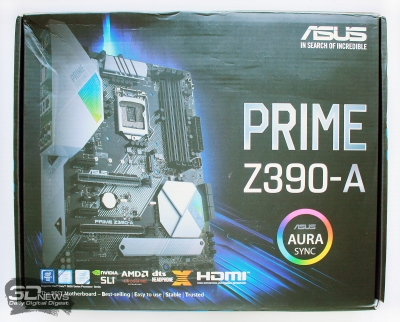
The ASUS Prime Z390-A is sealed in a small cardboard box, on the front of which is an image of the board itself, along with the model name and series, as well as a list of supported technologies. It also mentions support for the ASUS Aura Sync lighting system.
 | 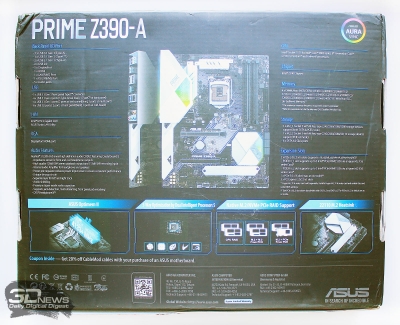 |
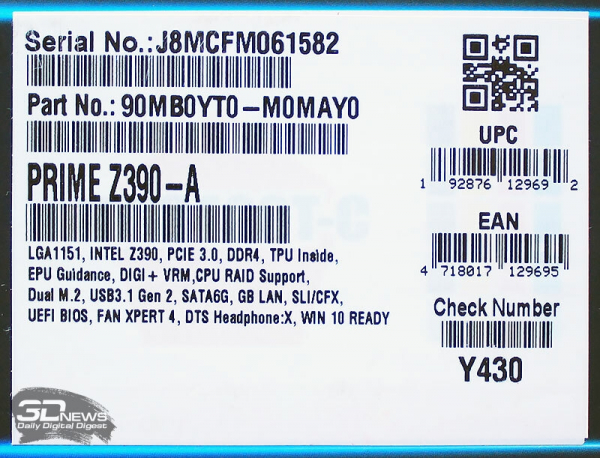
The information on the back of the box provides almost everything about the board, including specifications and key features. The product specifications are briefly mentioned on the sticker on the side of the box.
Inside the box, there is no additional protection for the board—it simply lies on a cardboard pallet and is sealed in an anti-static bag.
The contents are quite standard: two SATA cables, a back panel cover, a disk with drivers and utilities, a connector bridge for 2-way SLI, a manual, and screws for securing the drives in the M.2 ports.
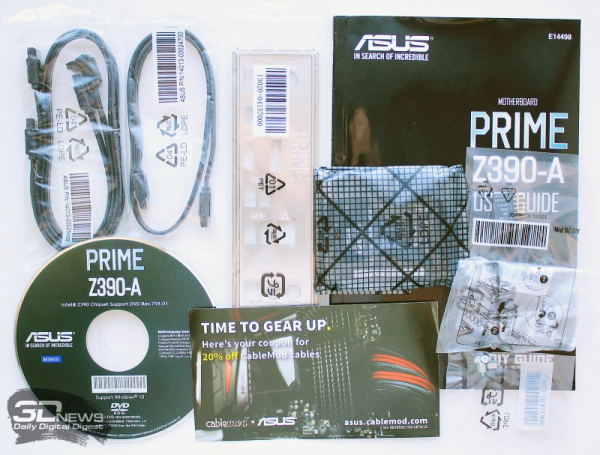
As a bonus, there is a coupon for a twenty percent discount when purchasing branded cables at the CableMod store.
The board is produced in China and comes with a three-year warranty. Additionally, it is already being sold in Russian stores starting from 12,500 rubles.
Design and Features
The design of the ASUS Prime Z390-A is modest and concise. The PCB has no bright inserts or attention-grabbing details, and its color scheme consists of a combination of black and white along with the silver color of the heatsinks. However, the board can hardly be called boring, although that's the last thing to consider when choosing a base for a mid-range system.
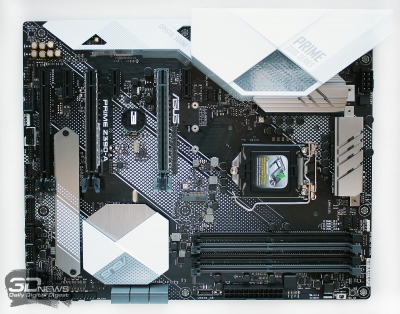 |  |
Notable design elements include plastic covers on the input-output ports and on the chipset heatsink.
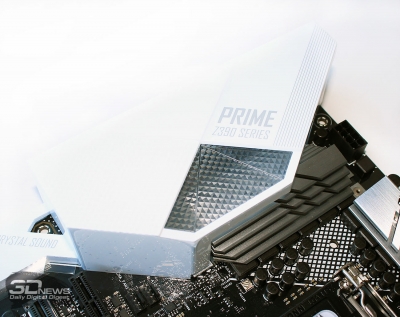 | 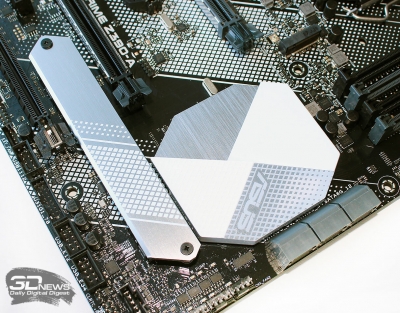 |
They have semi-transparent windows that will show the lighting. Additionally, the dimensions of the board are 305 × 244 mm, meaning it belongs to the ATX format.
Among the main advantages of the ASUS Prime Z390-A, the manufacturer highlights the power circuits based on DrMOS components, eight-channel Crystal Sound audio, and support for all modern ports and interfaces.
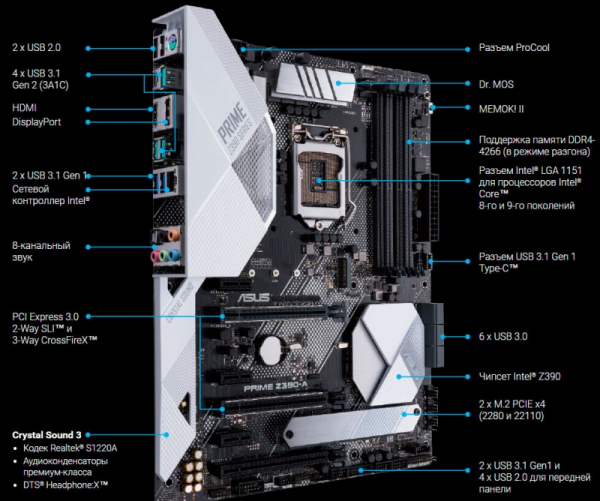
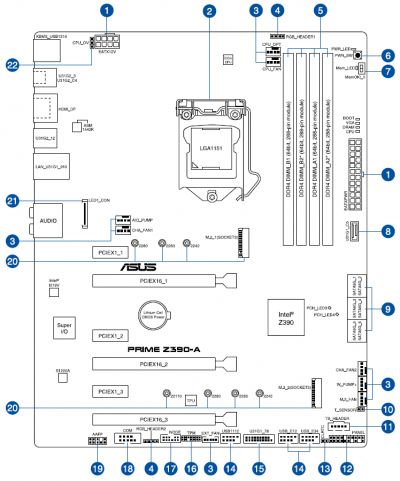
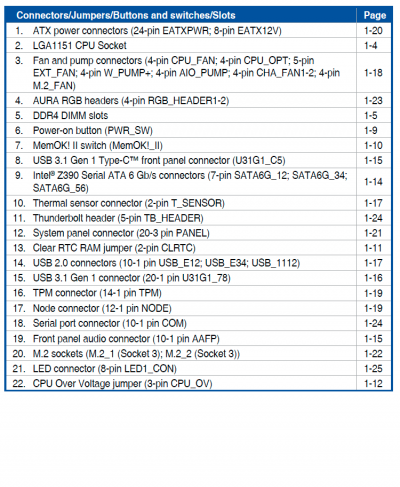
Before a detailed analysis of the components of the motherboard, we provide their layout on the diagram from the user manual.
 |  |
The rear panel of the board features eight USB ports of three types, a combined PS/2 port, two video outputs, a network socket, an optical output, and five audio jacks.
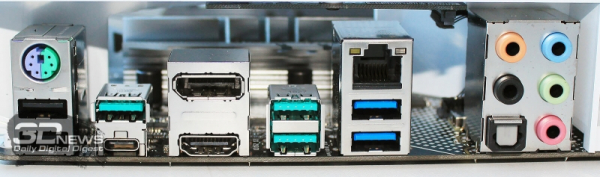
As you can see, everything is modest and without excesses, but it's hard to blame the developers for any compromises, as the basic set of ports is implemented here.
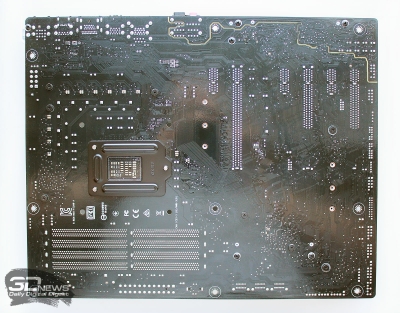
All heatsinks and covers are attached to the PCB with screws. It took less than a couple of minutes to remove them, after which the ASUS Prime Z390-A was revealed in its natural form.
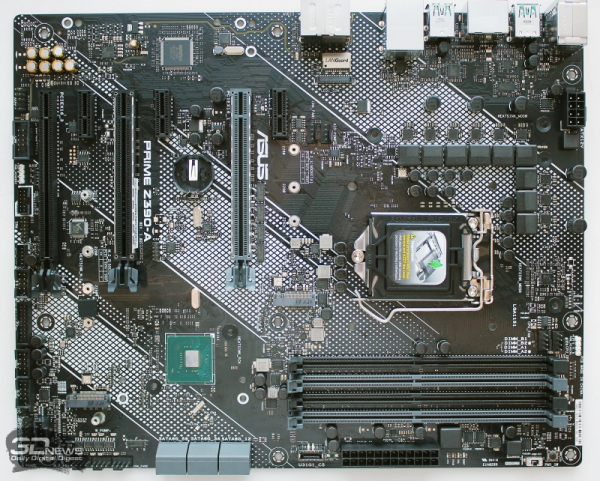
The PCB is not overloaded with components, with many areas free of chips, but this is quite typical for motherboards in the mid-budget segment.
The LGA1151-v2 processor socket does not feature any proprietary characteristics — it is quite standard.
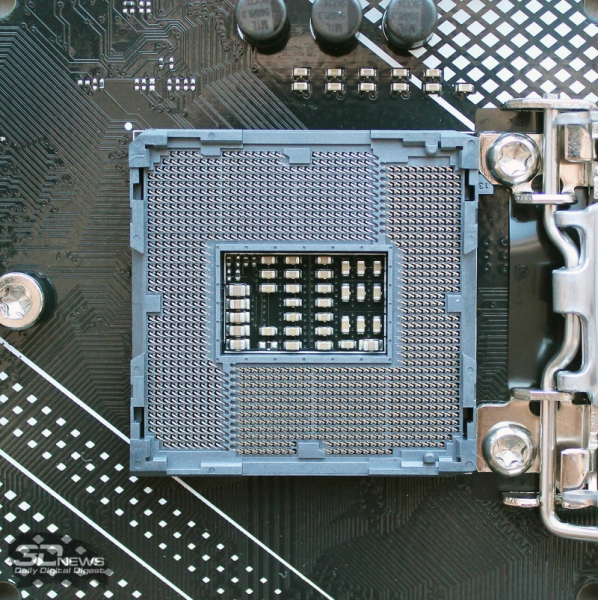
The specifications of the motherboard state support for all modern Intel processors for this socket, including the recently released Intel Core i9-9900KF, for which a BIOS version 0702 or newer will need to be flashed.
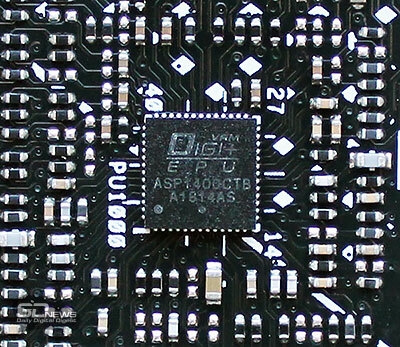
The power system for the processor on the ASUS Prime Z390-A is organized in a 4 × 2 + 1 scheme. The power circuit uses DrMOS assemblies with integrated NCP302045 drivers from ON Semiconductor, capable of handling peak loads of up to 75 A (average current – 45 A).
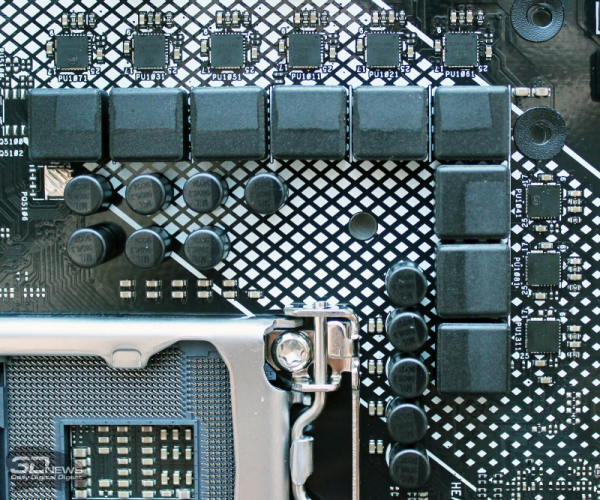
The power on the board is managed by the Digi+ ASP1400CTB digital controller.
Power to the board is provided through two connectors — a 24-pin and an 8-pin.
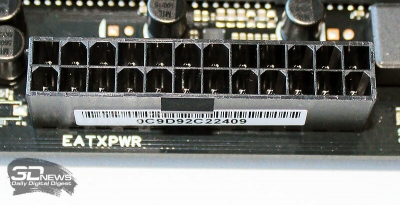 | 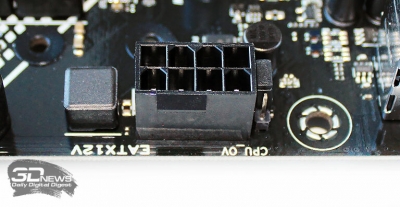 |
The connectors are made using ProCool technology, which claims a more reliable connection with cables, reduced resistance, and improved heat distribution. However, we did not find any visual differences compared to standard connectors on other motherboards.
There are no differences in the Intel Z390 chipset, whose die contacts its small heatsink through a thermal pad.
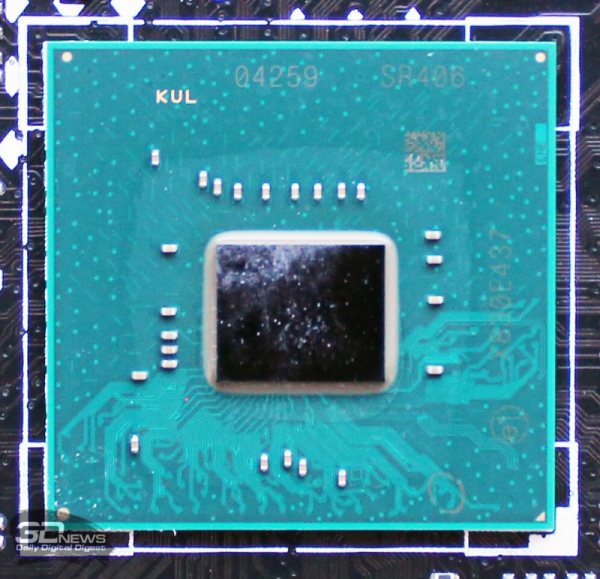
However, there couldn't have been any differences here.
The motherboard is equipped with four DIMM slots for DDR4 RAM, which are color-coded in pairs. The light gray slots are prioritized for installing a pair of modules, as indicated directly on the PCB.
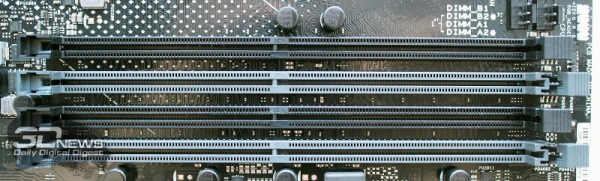
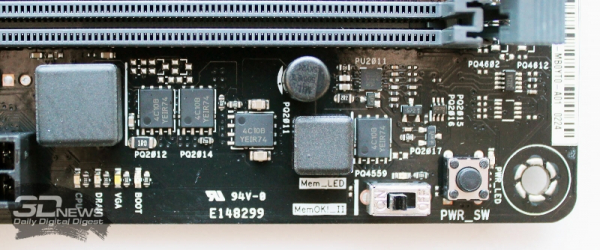
The total memory capacity can reach 64 GB, and the maximum frequency stated in the specifications is 4266 MHz. However, to achieve such frequency, it will take some effort to choose both a compatible processor and RAM, but the proprietary OptiMem II technology should significantly ease the rest. By the way, the list of officially tested modules for the board already contains 17 pages in fine print, but even if your RAM is not on it, there is a 99.9% probability that the Prime Z390-A will work with it, as ASUS motherboards are known for their exceptional compatibility with RAM modules and generally overclock them excellently. Additionally, the memory power system is single-channel.
The ASUS Prime Z390-A is equipped with six PCI Express slots. Three of these are designed as x16, and two of these slots have a metallic shield. The first x16 slot is connected to the processor and uses 16 PCI-E processor lanes.
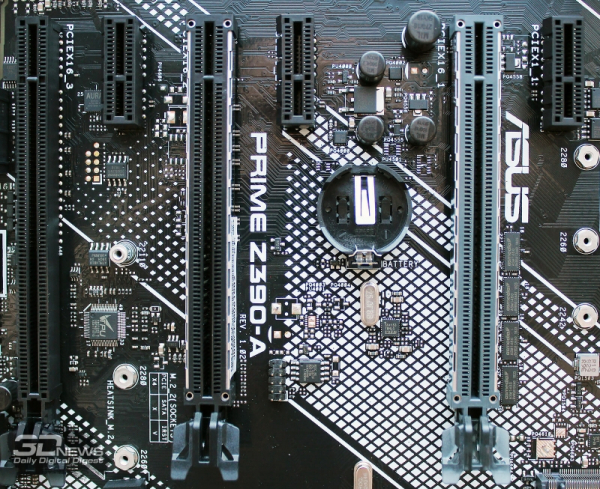
The second slot of the same form factor can only operate in PCI-Express x8 mode, so the board supports NVIDIA SLI and AMD CrossFireX technology, but only in an x8/x8 configuration. The third 'long' PCI-Express slot operates only in x4 mode, using chipset lanes. Additionally, the board features three PCI-Express 3.0 x1 slots, also implemented by the Intel chipset.
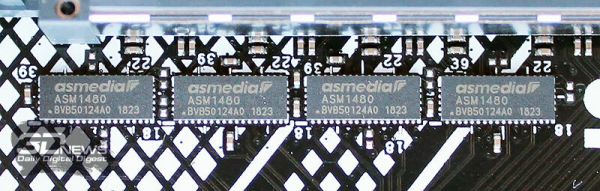
Switching the modes of operation for the PCI-Express slots is implemented by ASMedia's ASM1480 switch chip.
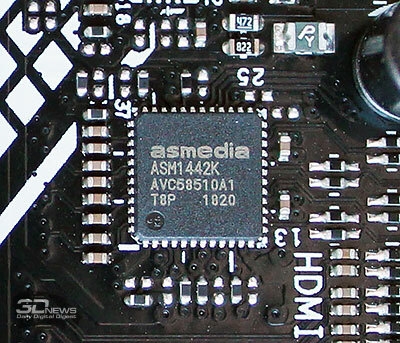
As for the video outputs of the board from the integrated graphics core of the processor, they are implemented via the ASM1442K controller.
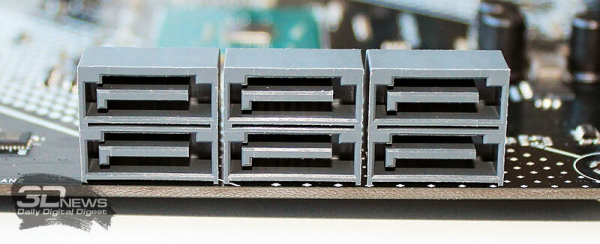
The board has a standard six SATA III ports with a throughput of up to 6 Gbit/s, provided by the same Intel Z390 chipset capabilities. The developers did not complicate the placement and arranged all connectors in a horizontal orientation.
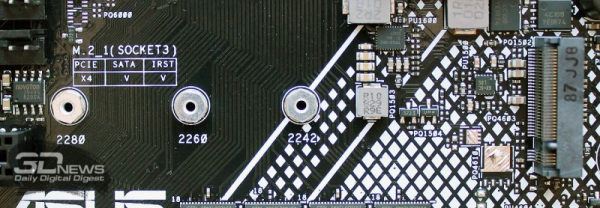
The board also includes two M.2 ports. The upper one, M.2_1, supports PCI-E and SATA devices up to 8 cm in length and disables the SATA_2 port when a SATA-type drive is installed.
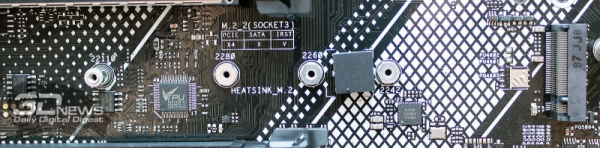
In the lower one, only PCI-E drives up to 11 cm in length can be installed, and it is additionally equipped with a heat sink plate with thermal padding.
In total, the board has 17 USB ports. Eight of them are mounted on the rear panel, where you can find two USB 2.0, two USB 3.1 Gen1, and four USB 3.1 Gen2 ports (one of Type-C). An additional six USB 2.0 ports can be connected to two headers on the board (using an additional hub), and the same method can add two USB 3.1 Gen1 ports. Additionally, one USB 3.1 Gen1 header for the front panel of the computer case can be connected. This is quite a comprehensive set of ports.
The ASUS Prime Z390-A uses the widely used Intel I219-V chip as the network controller.
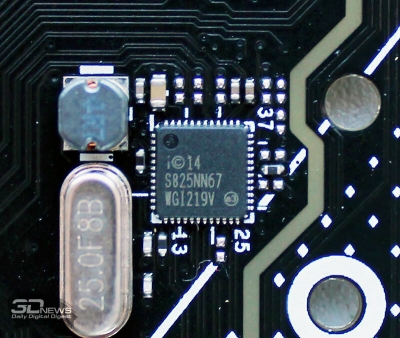 | 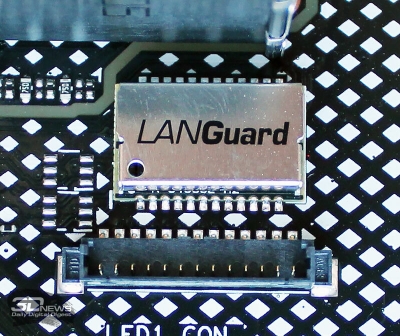 |
The LANGuard module provides hardware protection against static electricity and voltage spikes, while Turbo LAN utility allows for software traffic optimization.
The board's audio path is based on the Realtek S1220A processor, which has a specified 'signal-to-noise' ratio (SNR) of 120 dB on the line output and an SNR level of 113 dB on the line input.
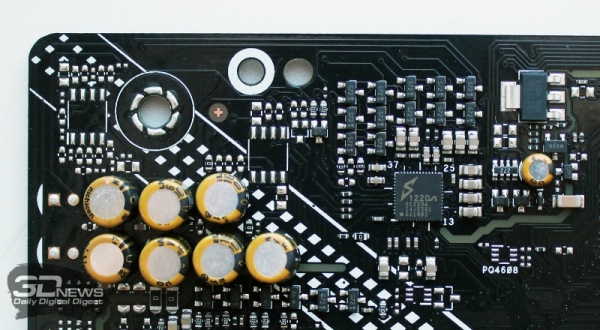
These values are achieved in part due to the use of premium Japanese audio capacitors, separating the left and right channels in different layers of the textolite, and isolating the audio zone on the textolite from other elements with a non-conductive strip.
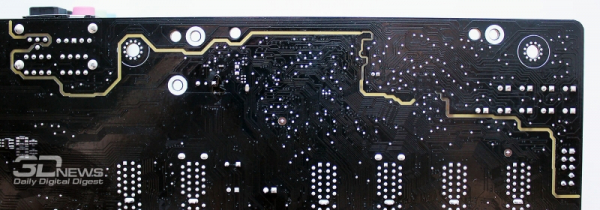
The software supports the DTS Headphone:X surround sound technology.
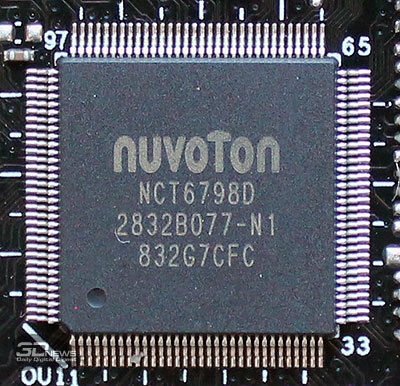
The monitoring and fan control functions on the board are managed by the Nuvoton NCT6798D chip.
A total of seven fans can be connected to the board, each of which can be individually configured via PWM signal or voltage. There is also a separate connector for connecting pumps of liquid cooling systems, delivering 3 A.
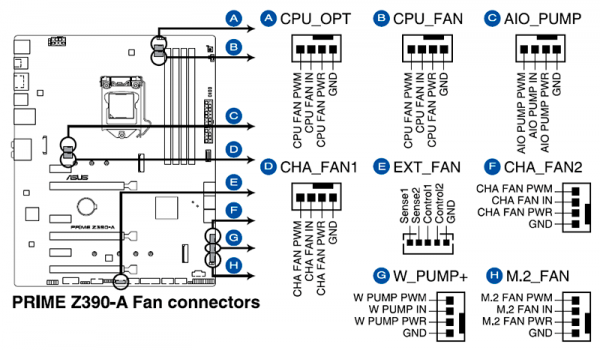
The EXT_FAN connector allows for the connection of an expansion board with additional connectors for fans and temperature sensors, which can also be managed via the board's BIOS.
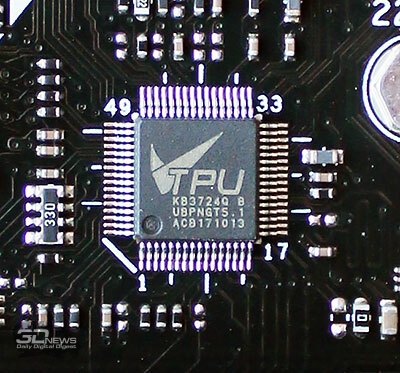
Automatic overclocking setup on the ASUS Prime Z390-A is implemented by the TPU KB3724Q microcontroller.
For connecting external LED lighting strips, the board includes two Aura RGB connectors.
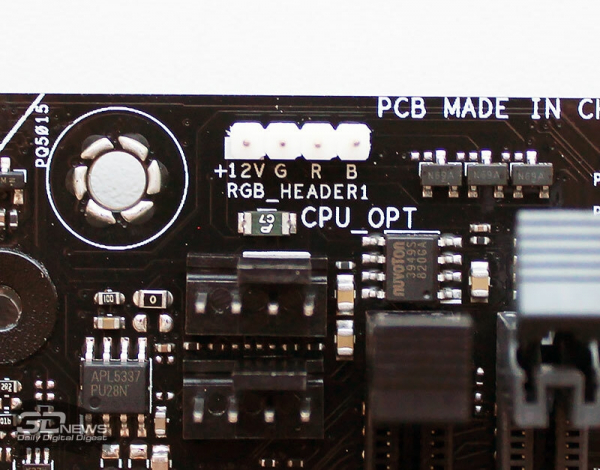
Strips up to three meters long are supported. The area around the output cover and a small section of the chipset heatsink is lit up on the board, and color adjustment for the backlighting and mode selection is available through the ASUS Aura application.
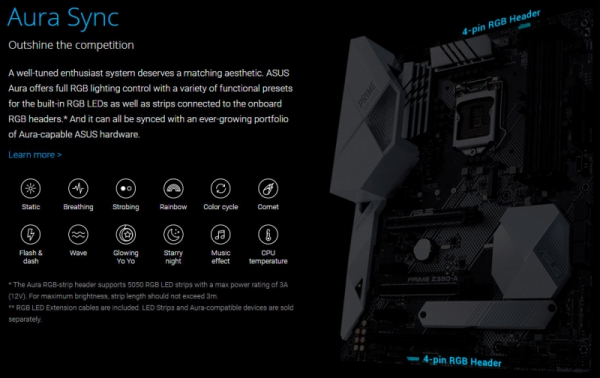
Among other connectors on the lower edge of the textolite, we highlight a new NODE connector that can be used to connect ASUS power supplies for monitoring power consumption and fan speed.

However, the lack of a POST code indicator on the board is disappointing, even considering its mid-range class.
Cooling of the VRM circuits on the board utilizes two separate aluminum heatsinks with thermal pads. The chipset, consuming no more than 6 watts, is cooled by a small 2-3 mm plate.
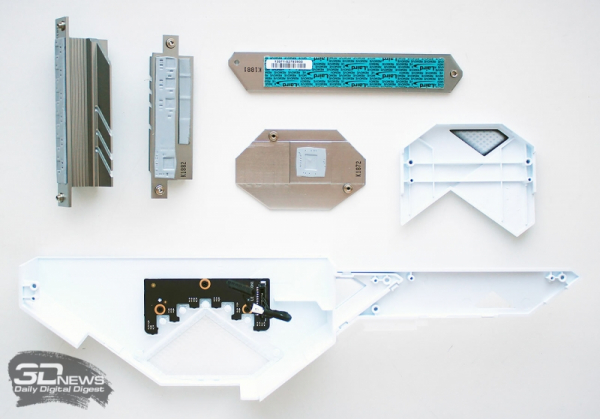
The same thickness applies to the plate for the drive in the lower M.2 port. The manufacturer promises a 20-degree temperature reduction for drives compared to the system's performance without any heatsink.
Source: 3dnews.ru
