

I decided to participate in and needed to use packages for solving optimization tasks. I chose Google's tool or-tools, which serves as an interface for various solvers. It includes several optimization tools, but the creators claim support for multiple external packages, including commercial ones like Gurobi and CPLEX. However, we are not wealthy, so we will use the free SCIP and GLPK (from a domestic developer, by the way). To my surprise, I couldn't find any instructions on how to make this wonderful tool work in a Python virtual environment, both in our and English-speaking segments of the internet, so I had to tinker a bit. For those in a hurry, read immediately , for the rest, I offer you to get acquainted with the questionable quality of my writing, describing the ups and downs of installing Google's software. Yes, I forgot to mention right away that everything was installed on Manjaro Linux.

First Steps
All three packages exist in the Python repository, so let's install them via pip.
Each of them has its own interface, and or-tools was chosen precisely to try various packages without significant rewrites of the program. Therefore, the task is for or-tools to hook up these solvers and allow them to run through itself. And what do you think? The or-tools installed via pip does not see the solvers installed via pip, and they do not see it (who would have thought). So, we need to take a look at what is written in .
The documentation states that it is necessary to build from source to connect the external packages to or-tools. We try to build it, but nothing comes out because the solvers installed via pip are not visible.
Accordingly, the simplest ways to install all packages via pip do not work because or-tools does not pull in the solvers, and the solvers do not install the libraries as or-tools expects; everyone throws errors at you, calls you dumb, and mocks you.
Next, in it says that you need to build the solvers from source, then build or-tools from source. Done and done! I installed SCIP, I installed GLPK, but an issue not described in the documentation arose: how to install or-tools in a virtual environment.
The only command specified in the documentation, make python, installs the package globally on the system (surprising, right?).
However, I got lucky: during my engineering search using the infinite monkey method, I accidentally typed the command make help, and it gave me a list of all build options for or-tools, among which was the possibility to build a wheel package. The command is make python_package, just so you know (I'll repeat it at the end). So, is it time to build and run?

Looking for the problem
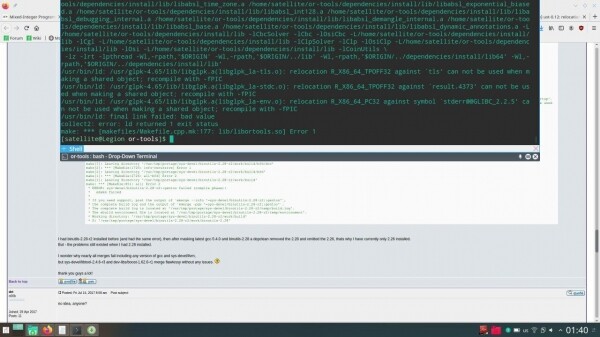
Nothing works during the or-tools build phase, it's complaining about bad GLPK libraries.
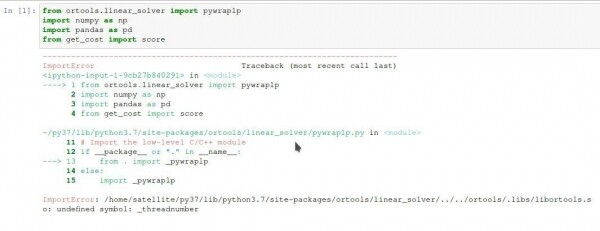
Building with SCIP using the parameters from the documentation completes successfully, but or-tools still refuses to work at the import stage.
I couldn't find solutions to these problems on my own, so I headed over to GitHub to ask the developers why the installation according to their instructions resulted in errors somewhere inside their code.
Hmm, thanks for the clarifications
While I was waiting for a response on GitHub, I was searching the internet, hoping to find something that could help me. And surprisingly, I found something. It was the project team lead, where he wrote about how to link GLPK with or-tools. And this method finally worked! Now, if everything is built without SCIP, but with GLPK, it is even workable. Progress made.
However, the or-tools team lead advised against using GLPK, saying that the results are not great, and I really want to conquer SCIP and make it work. A neighboring blog led me to think that the Google package works with specific versions. Let's check the and see there is a clear indication of version 6.0.0. Despite the makefile indicating version 6.0.2, we try installing the older version, and voila!
And now once again, the working sequence of actions.
Installation sequence
- Download the SCIP archive, ensuring that the support for the version you are downloading is clearly stated (in my case, ) and unpack it.
- Download GLPK (as of the time of this post, the latest version is 4.65) and unpack it.
- Install SCIP using the command
make GMP=false READLINE=false TPI=tny ZIMPL=false scipoptlib install INSTALLDIR=/scipoptsuite-6.0.0 - Install GLPK using the command:
./configure --prefix= --with-pic --enable-shared make make install - Download OR-Tools from GitHub
git clone https://github.com/google/or-tools - Install OR-Tools using the commands:
make third_party
make python_package
If the last command does not work, install wheel with the command:
pip install wheel - Activate the virtual environment, navigate to the folder with the Python package, and install it from there.
If you need to install it globally for the entire system instead of in a virtual environment, use:
make python_packageexecute the command:
make python
Source: habr.com
