


If you look at the configuration of any firewall, you will likely see a sheet full of IP addresses, ports, protocols, and subnets. This is how network security policies are traditionally implemented for user access to resources. Initially, the configuration is organized, but then employees start moving from department to department, servers proliferate and change their roles, access is granted for different projects where it shouldn't be, resulting in hundreds of unknown convoluted paths.
Regarding some rules, if you're lucky, there are comments like 'Requested by Vasya' or 'This is a pass in the DMZ.' The network administrator leaves, and everything becomes completely unclear. Then someone decided to clean up the configuration from Vasya's requests, and SAP fell, because at one time, Vasya requested that access to work with the production SAP.
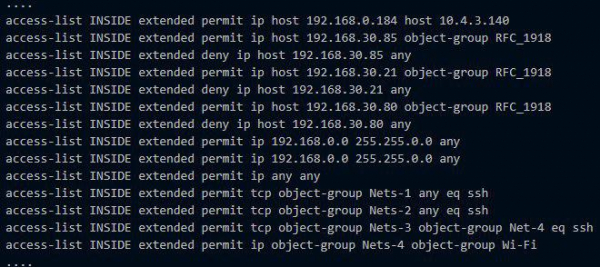
Today, I will talk about the VMware NSX solution that helps to apply network interaction and security policies precisely without the chaos in firewall configurations. I will show you what new features have been added compared to what VMware offered earlier in this area.
VMware NSX is a platform for virtualization and securing network services. NSX addresses routing, switching, load balancing, firewalling, and has many other interesting capabilities.
NSX is the successor of VMware's own product vCloud Networking and Security (vCNS) and the acquired Nicira NVP.
From vCNS to NSX
Previously, the client had a separate virtual machine vCNS vShield Edge in a cloud built on VMware vCloud. It served as a boundary gateway, where many network functions could be configured: NAT, DHCP, Firewall, VPN, load balancer, and more. vShield Edge restricted a virtual machine's interaction with the outside world according to the rules set in the Firewall and NAT. Within the network, virtual machines communicated freely with each other within subnets. If you really want to control traffic, you can create a separate network for different parts of applications (various virtual machines) and set corresponding rules in the firewall for their network interaction. But this is long, complicated, and tedious, especially when you have several dozen virtual machines.
In NSX, VMware has implemented the concept of micro-segmentation through a distributed firewall that is built into the hypervisor kernel. Security and network interaction policies are defined not only for IP and MAC addresses but also for other objects: virtual machines and applications. If NSX is deployed within an organization, objects can even include users or groups from Active Directory. Each of these objects becomes a micro-segment in its security perimeter, within the necessary subnet, complete with its own cozy DMZ.:)
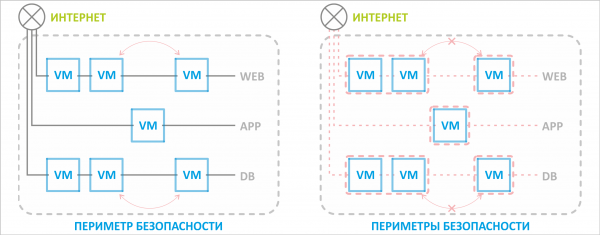
Previously, there was a single security perimeter for the entire resource pool, protected by an edge switch. With NSX, it's possible to isolate a single virtual machine from unnecessary interactions even within the same network.
Security and networking policies adapt if an object moves to another network. For example, if we migrate a database machine to a different network segment or even to another associated virtual data center, the rules specified for that virtual machine continue to apply regardless of its new location. The application server will still be able to interact with the database.
The previously used edge gateway vCNS vShield Edge has been replaced by NSX Edge. It includes all the features of the old Edge plus several new useful functions. The discussion will focus on these.
What's new in NSX Edge?
The functionality of NSX Edge depends on of NSX. There are five editions: Standard, Professional, Advanced, Enterprise, Plus Remote Branch Office. All new and interesting features can only be seen starting from the Advanced edition. This includes the new interface, which will open in a new tab until the full transition of vCloud to HTML5 (VMware promises summer 2019).
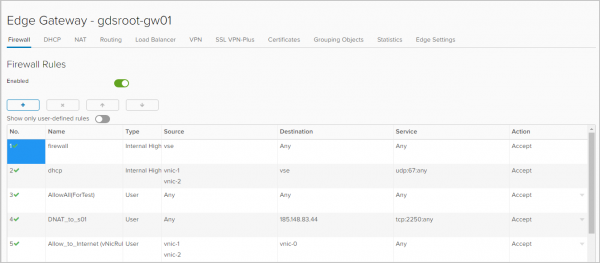
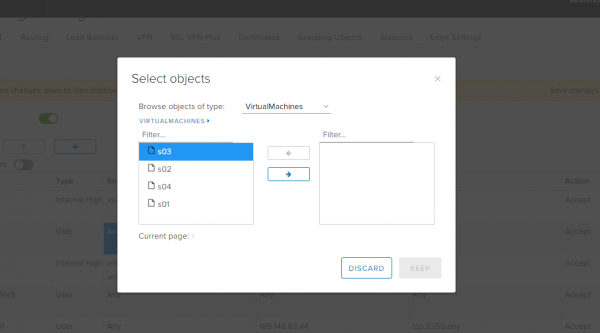
Firewall. As objects to which rules will apply, you can select IP addresses, networks, gateway interfaces, and virtual machines.
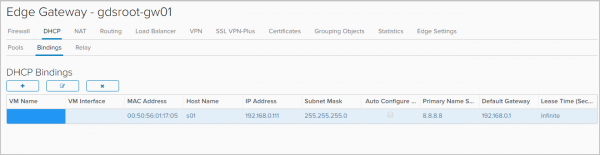
DHCP. In addition to configuring the IP address range that will be automatically assigned to virtual machines in this network, NSX Edge now includes features for Binding and Relay.
In the tab Bindings you can bind a virtual machine's MAC address to an IP address if you want the IP address to remain unchanged. The only condition is that this IP address must not be part of the DHCP Pool.
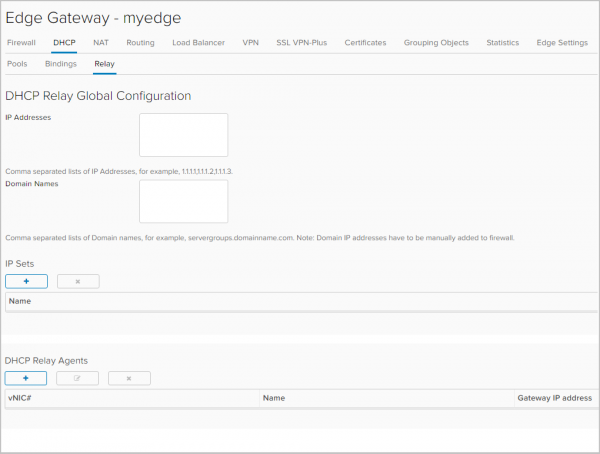
In the tab Relay DHCP message relay is configured to DHCP servers located outside your organization in vCloud Director, including physical infrastructure DHCP servers.
Routing. With vShield Edge, only static routing could be configured. Now, dynamic routing is available with support for OSPF and BGP protocols. ECMP settings (Active-active) are also available, enabling active-active failover to physical routers.
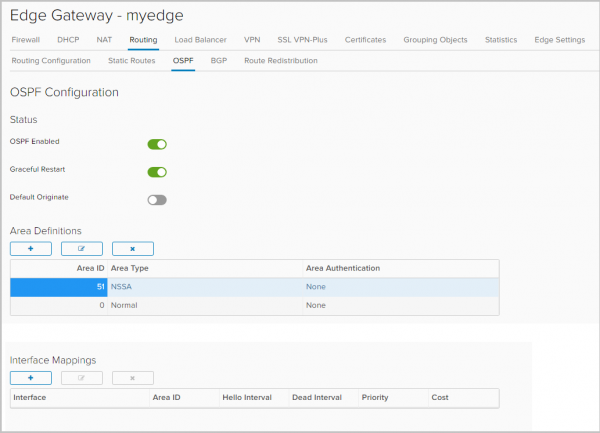
Configuring OSPF
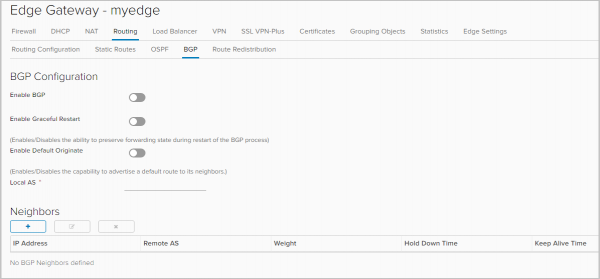
BGP Configuration
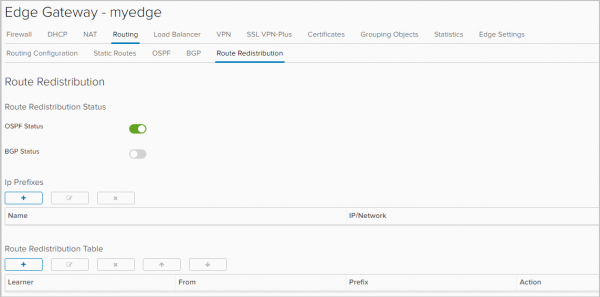
Another new feature is the ability to configure route exchange between different protocols,
route redistribution.
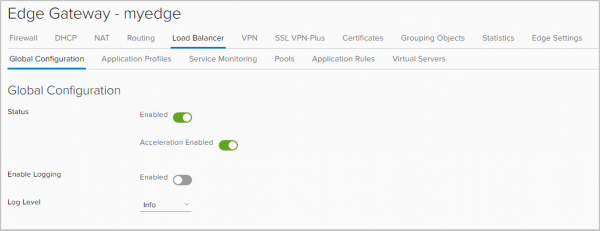
L4/L7 Load Balancer. X-Forwarded-For for HTTPs headers has been introduced. Without it, everyone was struggling. For example, if you have a website that you are balancing, without forwarding this header everything works, but in your web server statistics, you saw not the visitors' IPs but the load balancer's IP. Now everything is correct.
Also, in the Application Rules tab, you can now add scripts to directly manage traffic balancing.
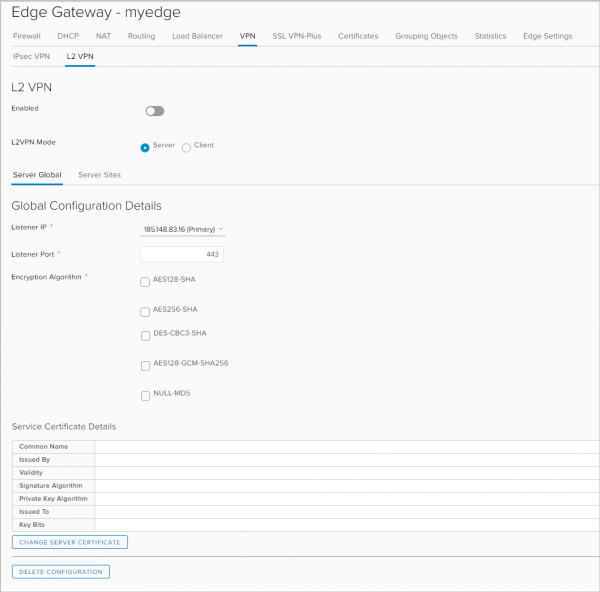
VPN. In addition to IPSec VPN, NSX Edge supports:
- L2 VPN, which allows networks to stretch across geographically separated sites. This VPN is necessary, for example, to ensure that when moving to another site, a virtual machine remains in the same subnet and retains its IP address.
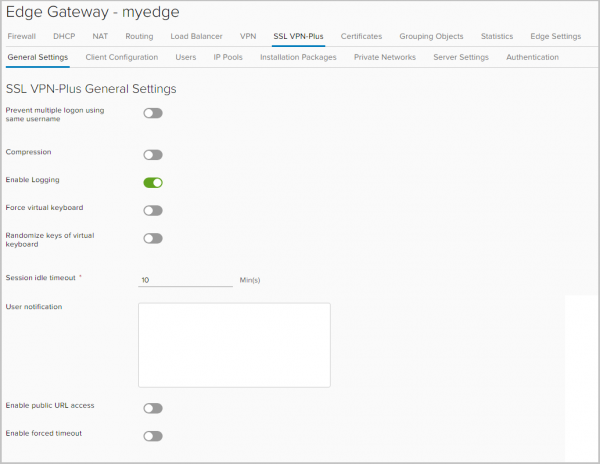
- SSL VPN Plus, which allows users to connect remotely to the corporate network. This function existed at the vSphere level, but it is a novelty for vCloud Director.
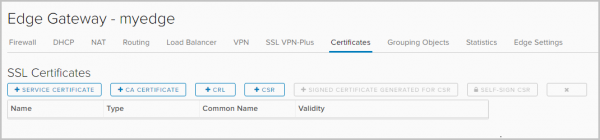
SSL Certificates. You can now install certificates on NSX Edge. This raises the question of who needed a load balancer without a certificate for https.
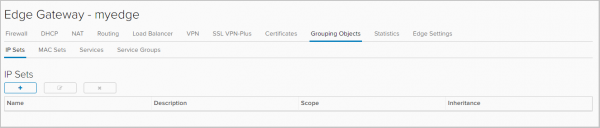
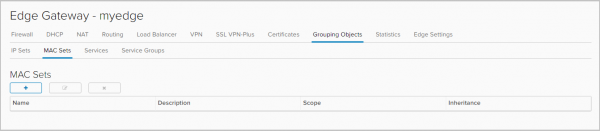
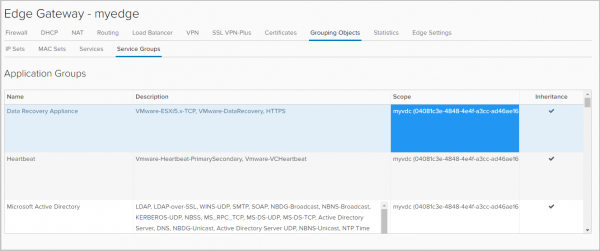
Grouping Objects. In this tab, groups of objects are defined for which specific network interaction rules, such as firewall rules, will apply.
These objects can be IP and MAC addresses.
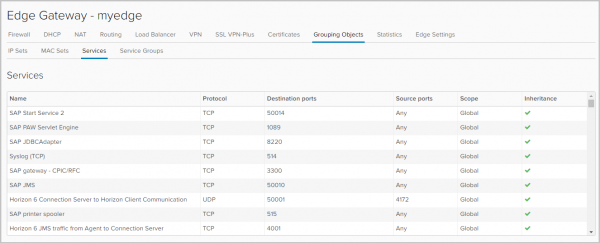
A list of services (protocol-port combinations) and applications is also provided here, which can be used when creating firewall rules. New services and applications can only be added by the vCD portal administrator.
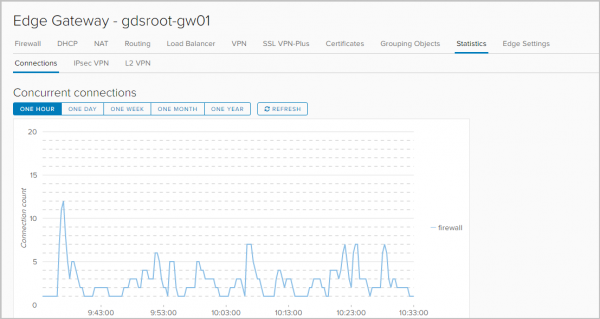
Statistics. Connection statistics: traffic passing through the gateway, firewall, and load balancer.
Status and statistics for each IPSEC VPN and L2 VPN tunnel.
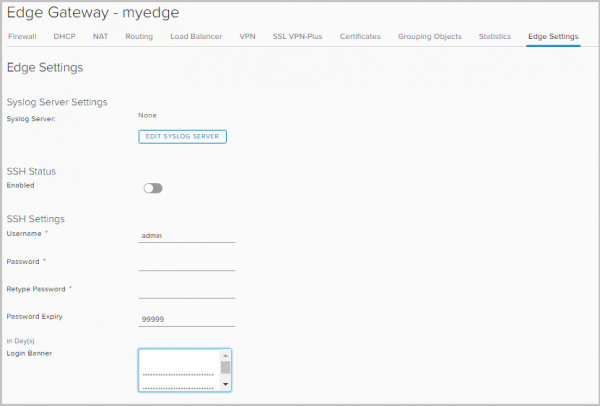
Logging. In the Edge Settings tab, you can specify the server for logging. Logging works for DNAT/SNAT, DHCP, Firewall, routing, load balancer, IPsec VPN, and SSL VPN Plus.
For each object/service, the following types of notifications are available:
— Debug
— Alert
— Critical
— Error
— Warning
— Notice
— Info
NSX Edge Sizes
Depending on the challenges and volumes, VMware creates NSX Edge of the following sizes:
NSX Edge
(Compact)
NSX Edge
(Large)
NSX Edge
(Quad-Large)
NSX Edge
(X-Large)
vCPU
1
2
4
6
Memory
512MB
1GB
1GB
8GB
Disk
512MB
512MB
512MB
4.5GB + 4GB
Purpose
Single
application, test
data center
Small
or medium
data center
Heavy
firewall
Load Balancing
load at L7 level
Below in the table are the operational metrics of network services based on the size of NSX Edge.
NSX Edge
(Compact)
NSX Edge
(Large)
NSX Edge
(Quad-Large)
NSX Edge
(X-Large)
Interfaces
10
10
10
10
Sub Interfaces (Trunk)
200
200
200
200
NAT Rules
2,048
4,096
4,096
8,192
ARP Entries
Until Overwrite
1,024
2,048
2,048
2,048
FW Rules
2000
2000
2000
2000
FW Performance
3Gbps
9.7Gbps
9.7Gbps
9.7Gbps
DHCP Pools
20,000
20,000
20,000
20,000
ECMP Paths
8
8
8
8
Static Routes
2,048
2,048
2,048
2,048
LB Pools
64
64
64
1,024
LB Virtual Servers
64
64
64
1,024
LB Server / Pool
32
32
32
32
LB Health Checks
320
320
320
3,072
LB Application Rules
4,096
4,096
4,096
4,096
L2VPN Clients Hub to Spoke
5
5
5
5
L2VPN Networks per Client/Server
200
200
200
200
IPSec Tunnels
512
1,600
4,096
6,000
SSLVPN Tunnels
50
100
100
1,000
SSLVPN Private Networks
16
16
16
16
Concurrent Sessions
64,000
1,000,000
1,000,000
1,000,000
Sessions/Second
8,000
50,000
50,000
50,000
LB Throughput L7 Proxy)
2.2Gbps
2.2Gbps
3Gbps
LB Throughput L4 Mode)
6Gbps
6Gbps
6Gbps
LB Connections/s (L7 Proxy)
46,000
50,000
50,000
LB Concurrent Connections (L7 Proxy)
8,000
60,000
60,000
LB Connections/s (L4 Mode)
50,000
50,000
50,000
LB Concurrent Connections (L4 Mode)
600,000
1,000,000
1,000,000
BGP Routes
20,000
50,000
250,000
250,000
BGP Neighbors
10
20
100
100
BGP Routes Redistributed
No Limit
No Limit
No Limit
No Limit
OSPF Routes
20,000
50,000
100,000
100,000
OSPF LSA Entries Max 750 Type-1
20,000
50,000
100,000
100,000
OSPF Adjacencies
10
20
40
40
OSPF Routes Redistributed
2000
5000
20,000
20,000
Total Routes
20,000
50,000
250,000
250,000
→
The table shows that load balancing on NSX Edge for productive scenarios is recommended to be organized only starting from the Large size.
That’s all for today. In the next parts, I will go into detail on the configuration of each network service of NSX Edge.
Source: habr.com
