
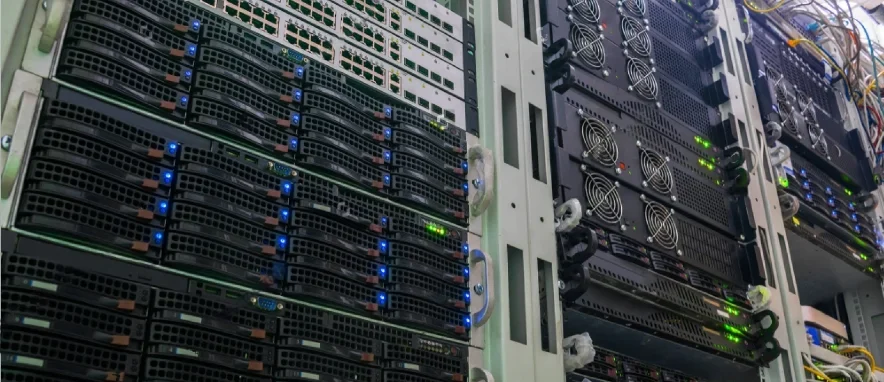
Rent fast VPS/VDS servers on SSD in Europe (Netherlands)
VPS — a service that provides the user with what is known as a virtual dedicated server
Fast SSD VPS hosting from ProHoster — quality at an affordable price!

Virtual Server (VPS, VDS) is created through the virtualization process, which generates a virtual replica of a physical server. VPS is similar to access to your personal server with a dedicated amount of resources and a choice of pre-installed operating system, you have full control over the configuration of your VPS server and are responsible for all updates and security.
VPS server, what is it needed for
If you know in advance that your site will handle a large number of requests or will have a large amount of traffic, VPS/VDS hosting will be a good solution for you. VPS/VDS server will give you complete flexibility in hosting settings.

Renting a virtual server in Europe
We offer rentals VPS server in Europe, our servers are located in the Netherlands with modern technologies and equipment
Full root access
The owner of a VDS hosting has complete control (root access). Install any components, update software, and perform any tasks with proxy server.


Stability and Reliability
For stable and reliable performance, we use RAID, which ensures maximum data preservation.
Free control panel
For each tariff plan, you can install the Vesta Control Panel from our repository for free with one click.


Unlimited traffic
All tariff plans come with completely unlimited traffic to any point in the world.
Location
Here you can purchase VPS in the Netherlands. The servers have high internet connection speeds and access to European markets.


Full control
Full control (reboot and reinstall) over VPS from your account. You are the full owner of your service.
Buy cheap VPS server
Cheap VPS hosting In the Netherlands from ProHoster – the perfect solution for organizations that do not wish to spend substantial funds on acquiring a physical server and burden themselves with subsequent maintenance issues, yet need significant computing power, optimal functionality, and high performance.
VPS from ProHoster — the choice for those who understand quality

Quick start without experience
Suitable even for beginners. One-click installation

Instant deployment
The server is ready for operation just a few minutes after the order

99.9% Uptime
Hosted in Tier III data centers, stable project operation 24/7

Automatic reboots and monitoring
Server management through an easy-to-use control panel

Flexible pricing and scaling
Easily increase resources as the project grows

Maximum website speed
Instant loading and high performance of your project
Rates and configurations of virtual servers
 Страна размещения - Netherlands
VPS-512-1-SSD
$1.3 2.6  per month
-
 CPU 2 Cores (OVZ)
 -
 DISK 20GB SSD
 -
 RAM 2 GB
 -
 PORT 100Mbps
 -
 IPv4 1
 -
 IPv6 /64
  Use promo code VPS 50%? Скидка 50 действует на первый месяц аренды услуги
Страна размещения - NetherlandsVPS-1-1-SSD
$2.3 4.6 per month
- CPU 2 Cores (OVZ)
- DISK 40 GB SSD
- RAM 4 GB
- PORT 100Mbps
- IPv4 1
- IPv6 /64
- Use promo code VPS 50%? Скидка 50 действует на первый месяц аренды услуги
Страна размещения - NetherlandsVPS-2-1-SSD
$2.95 5.9 per month
- CPU 2 Cores (OVZ)
- DISK 60GB SSD
- RAM 8 GB
- PORT 100Mbps
- IPv4 1
- IPv6 /64
- Use promo code VPS 50%? Скидка 50 действует на первый месяц аренды услуги
Страна размещения - NetherlandsVPS-2-2-SSD
$4.2 8.4 per month
- CPU 4 Cores (OVZ)
- DISK 80GB SSD
- RAM 8 GB
- PORT 100Mbps
- IPv4 1
- IPv6 /64
- Use promo code VPS 50%? Скидка 50 действует на первый месяц аренды услуги
Страна размещения - NetherlandsVPS-4-1-SSD
$4.2 8.4 per month
- CPU 2 Cores (OVZ)
- DISK 80GB SSD
- RAM 16 GB
- PORT 100Mbps
- IPv4 1
- IPv6 /64
- Use promo code VPS 50%? Скидка 50 действует на первый месяц аренды услуги
Страна размещения - NetherlandsVPS-4-2-SSD
$5.95 11.9 per month
- CPU 5 Cores (OVZ)
- DISK 100 GB SSD
- RAM 16 GB
- PORT 100Mbps
- IPv4 1
- IPv6 /64
- Use promo code VPS 50%? Скидка 50 действует на первый месяц аренды услуги
Страна размещения - NetherlandsVPS-6-1-SSD
$5.95 11.9 per month
- CPU 3 Cores (OVZ)
- DISK 100 GB SSD
- RAM 18 GB
- PORT 100Mbps
- IPv4 1
- IPv6 /64
- Use promo code VPS 50%? Скидка 50 действует на первый месяц аренды услуги
Страна размещения - NetherlandsVPS-8-2-SSD
$7.45 14.9 per month
- CPU 4 Cores (OVZ)
- DISK 100 GB SSD
- RAM 24 GB
- PORT 100Mbps
- IPv4 1
- IPv6 /64
- Use promo code VPS 50%? Скидка 50 действует на первый месяц аренды услуги
Страна размещения - NetherlandsVPS-10-2-SSD
$9.45 18.9 per month
- CPU 4 Cores (OVZ)
- DISK 150 GB SSD
- RAM 24 GB
- PORT 100Mbps
- IPv4 1
- IPv6 /64
- Use promo code VPS 50%? Скидка 50 действует на первый месяц аренды услуги
Страна размещения - NetherlandsVPS-8-4-SSD
$10.95 21.9 per month
- CPU 8 Cores (OVZ)
- DISK 140 GB SSD
- RAM 24 GB
- PORT 100Mbps
- IPv4 1
- IPv6 /64
- Use promo code VPS 50%? Скидка 50 действует на первый месяц аренды услуги
Страна размещения - NetherlandsVPS-12-4-SSD
$19.45 38.9 per month
- CPU 8 Cores (OVZ)
- DISK 250 GB SSD
- RAM 28 GB
- PORT 200Mbps
- IPv4 1
- IPv6 /64
- Use promo code VPS 50%? Скидка 50 действует на первый месяц аренды услуги
Страна размещения - NetherlandsVPS-16-4-SSD
$24.45 48.9 per month
- CPU 8 Cores (OVZ)
- DISK 300 GB SSD
- RAM 38 GB
- PORT 200Mbps
- IPv4 1
- IPv6 /64
- Use promo code VPS 50%? Скидка 50 действует на первый месяц аренды услуги
Страна размещения - NetherlandsVPS-32-4-SSD
$29.45 58.9 per month
- CPU 8 Cores (OVZ)
- DISK 400 GB SSD
- RAM 42 GB
- PORT 200Mbps
- IPv4 1
- IPv6 /64
- Use promo code VPS 50%? Скидка 50 действует на первый месяц аренды услуги
Who are fast SSD VPS suitable for

Beginners
For the first VPS with ready-made OS templates

Web developers
For testing and production projects

Online stores
High speed and stability

Businesses
Corporate websites and CRMs

Rent a virtual VPS server in the Netherlands
VPS server — operates similarly to a real server. On a dedicated server you can install your operating system and add-ons that are compatible with it. At the same time, renting a VPS server is significantly cheaper. By renting a VDS server you gain full control (root access) and can:
Install OS, choose applications, and the necessary software
Work with files in both the service and root directories – manage them and modify their contents
Have a separate IP address (unlike standard virtual hosting, where the IP may be shared with neighboring sites)
Thanks to the use of corporate-class SSDs, the read/write speed of data is 30 times higher than the rates of standard HDDs
Do not worry about data security – it is at a high level
Rent a virtual VPS server in the Netherlands
VPS server — operates similarly to a real server. On a dedicated server you can install your operating system and add-ons that are compatible with it. At the same time, renting a VPS server is significantly cheaper. By renting a VDS server you gain full control (root access) and can:
VPS on Debian
Debian — one of the most popular distributions Linux at the moment. It can be used both on personal computers and heavily loaded systems. servers.


Ubuntu VPS server
Ubuntu — the most popular Linux distribution for deploying and hosting web servers. VPS based on Ubuntu is characterized by high stability.
CentOS VPS server
Operating system CentOS — has a high level of compatibility with various software products, suitable for server systems operating under high load. CentOS powers about 20% of all Linux servers.


Rental FreeBSD VPS
FreeBSD — a UNIX system, powerful and stable, but recommended only for experienced users; we advise more accessible options for everyone else. CentOS or Ubuntu.

Advantages of renting fast SSD VPS in Europe
Each server in the virtual environment has an individual copy of the system, with independent backup and fast data recovery capabilities. The number of databases and mailboxes used is limited only by the server space, not the plan.
Rapid project launch
Installation, updates, configuration of any software, services, and libraries
Full freedom in configuring the server
Quick adjustment of computing resources used.
We offer the opportunity to buy a cheap SSD VPS at an affordable price. This is the best offer for startup projects, VPN servers, or software testing, where saving costs without losing speed is crucial.
Our SSD VPS hosting provides minimal ping for users from the CIS and Europe.
Hosting VPS in the Netherlands guarantees minimal ping for traffic from the CIS and Europe. Our European SSD VPS — provides stable access to your resources 24/7.
VDS rental from ProHoster – the best solution for those who value their time and money.
ProHoster hosts VDS servers exclusively in verified data centers that have backup power and ensure server security. If you need to move from one virtual server to another, it’s a simple and quick procedure. If your project grows rapidly and you need to increase capacity, this is easily achievable. You won’t have to worry about any technical issues – all possible problems are resolved as quickly as possible by the data center's technical support.
One-click OS, control panels, and application installation
In our user-friendly control panel, you can deploy the desired operating system, popular control panel, or ready-made application from our repository in just one click. We support up-to-date distributions and software for the instant launch of your projects.

Ubuntu

AlmaLinux

Debian

ISPmanager6

FastPanel

CyberPanel

HestiaCP

Webmin

OpenVPN

MTProtoProxy

TeamSpeak
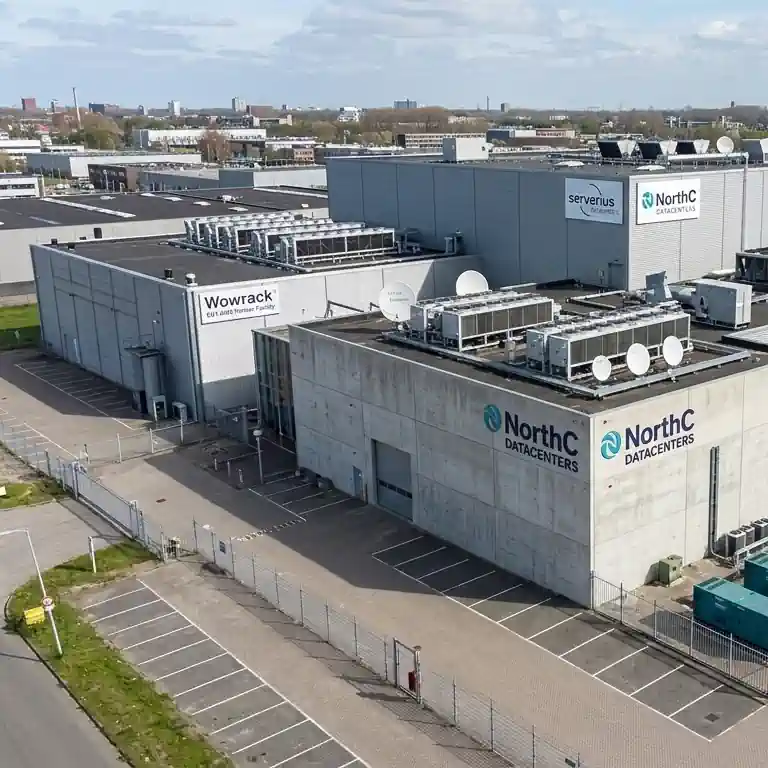
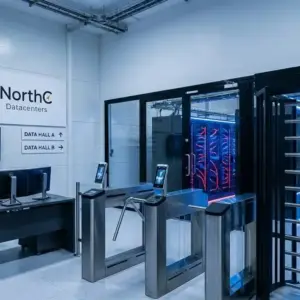
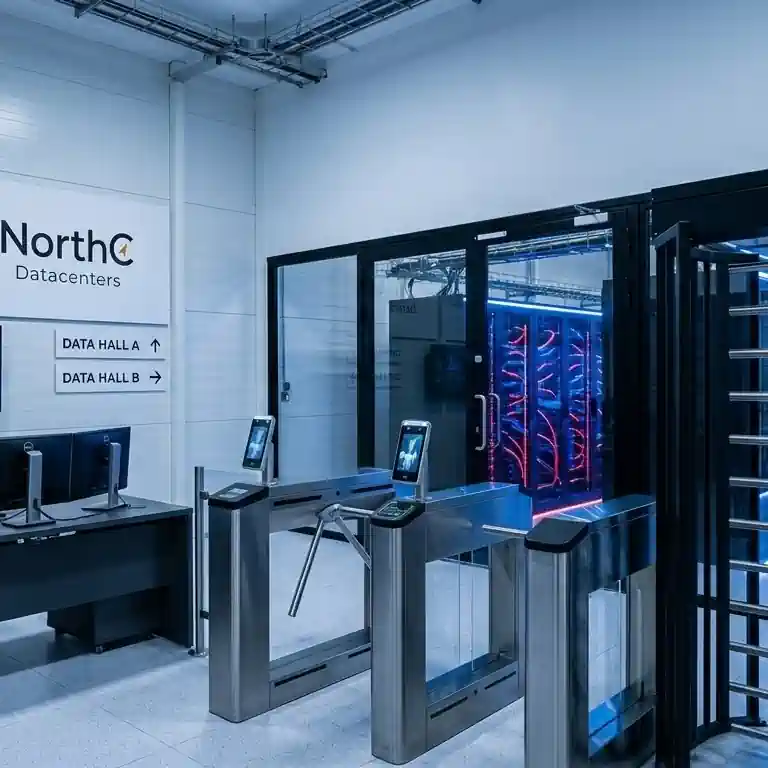
Our data center. Level: Tier III








Reviews about ProHoster

Nico7777
01.02.26 Myfxbook.com
Excellent hosting! First of all, I liked the user-friendly website interface, which was easy to use and understand. The site worked very smoothly and correctly. I was also pleasantly surprised by the affordable prices and the responsiveness of technical support – all my questions were quickly resolved. Overall, I am very pleased with my experience with this hosting.

Ricardo2456
23.10.25 Myfxbook.com
I’ve been renting a VPS here for several months now for a personal project. The setup was fast, and I got all the details by email right away. The connection speed is steady, and the server hasn’t gone down once. I contacted support twice – they replied quickly and helped fix an SSL issue. Everything works fine, and I’m satisfied with the service overall.

Caitlin9Holloway
18.07.25 Myfxbook.com
ProHoster’s VPS is a trading powerhouse. Blazing-fast speeds and rock-solid reliability ensure seamless order execution, minimizing critical downtime. Their robust infrastructure and exceptional support create a frictionless trading environment. If you need top-notch performance and peace of mind, ProHoster is the clear choice. Highly recommended!

Igor A.
29.05.23 G2.com
ProHoster offers competitive pricing plans, making it an attractive choice for individuals and businesses looking for cost-effective hosting solutions. ProHoster emphasizes security and provides features such as SSL certificates, DDoS protection, and regular backups to help safeguard websites and data from potential threats. ProHoster offers scalability options, allowing users to easily upgrade their hosting plans as their websites grow, ensuring that resources can be adjusted to accommodate increasing traffic and demands.

Kolbasenko D.
13.02.26 Sourceforge.net
I’ve been using ProHoster for my web projects, and it’s been a smooth experience from day one. The server uptime is impressive, and the website loading speed is top-notch. Their customer service is very responsive and helped me with the initial setup. If you are looking for a trustworthy hosting provider that doesn’t break the bank, ProHoster is a great choice.

Alice S.
05.22.25 Sourceforge.net
ProHoster has been a reliable hosting provider for my domain. The service is stable, and the support team is responsive when needed. While it may take some time to navigate certain advanced settings, overall the experience has been smooth. It’s a solid choice for dependable and affordable hosting.

Nico Schlotterbeck
27.11.25 Serchen.com
I’ve been using this hosting for two months now and am still very satisfied. Among its advantages, I can highlight the good speed, prompt and competent support from the support team, and a reasonable price. I’ve used other hosting services before, and there were always problems, but not this time. Thanks to the developers, I highly recommend them!

Ben
21.04.25 Serchen.com
Exceptional hosting service that includes a user-friendly personal account and server management platform. They are dedicated to continuously improving and expanding their infrastructure while providing an array of promotional offers. The promotional pricing is especially impressive; for the price of a coffee, you can obtain a top-notch server for an entire month.

Robert Gerome
08.01.25 Serchen.com
We needed a fast solution for a support node for our new project development team. Didn’t have much of an option at that moment, so had to be both fast and precise. We have chosen this company from a big list of Hosting Companies and never even once thought of switching to a new one. Great support, nice technical team, and good environment. Recommend

Alice F.
03.18.25 Sourceforge.net
Been using ProHoster for a bit, does the job without headaches. No sudden crashes, speed is fine, and the control panel isn’t a mess. Support replies when needed, not just with copy-paste answers, and actually helps. Prices are reasonable, no weird surprises in billing, and setup was smooth. If you need hosting that works without drama, this one’s worth checking out.
FAQ
| Virtual server VPS and VDS – are there any differences? | ||||||||||
There are no differences between these platforms worldwide, but we typically associate a specific technology with each designation. For example, when people talk about a VPS server, they mean OpenVZ, while VDS is associated with KVM (Kernel-based Virtual Machine). | ||||||||||
| What hosting panels are supported on your VPS? | ||||||||||
We can automatically install the following panels for managing hosting: Brainy Control Panel, Vesta Control Panel – free, ISP Manager Lite – paid management panel. You can also install any control panel yourself. | ||||||||||
| Why switch to VPS from shared hosting? | ||||||||||
A VPS – virtual server is available only to you. It’s resilient to increased loads, offers complete control and independence with flexible settings tailored to your needs. A rented VPS server will allow you to run projects that require special configurations, large resources, and stable operation. It’s an excellent solution for high-traffic services, online stores, and news websites. | ||||||||||
| I ordered a server, how do I access it? | ||||||||||
Upon payment, you will immediately receive access data for the server in the email address you provided during registration. If you cannot find the message in your 'Inbox,' please check the 'Spam' folder. You can also view the access details in the billing section under 'Virtual Servers,' or contact technical support. | ||||||||||
| How can I reinstall the operating system? | ||||||||||
To reinstall, you need to access the control panel. For this, go to the billing section 'Virtual Servers,' select your service, and click 'Go to,' where you will access the server control panel, where you can initiate the OS reinstallation. | ||||||||||
| How long does it take to activate VDS? | ||||||||||
Activation time for VDS: Under Linux – 3-5 minutes. Under Windows – 5-10 minutes. | ||||||||||
| How to change the PTR (rDNS) record? | ||||||||||
You need to go to the billing section 'Virtual Servers,' select your service, and click 'IP addresses.' Choose the address for which you want to change the PTR and press the 'Change' button, make your changes, and save them; they will take effect within 30 minutes. | ||||||||||
| How to order additional an IP address for my VDS? | ||||||||||
You need to go to the billing section 'Virtual Servers,' select your service, and click 'IP addresses.' Here you can add an additional IP address. | ||||||||||
| Can I upgrade my server without losing data? | ||||||||||
Yes, upgrades are available for KVM and OVZ platforms, a reboot will be required. | ||||||||||
| Can I change from OVZ VPS to KVM VPS? | ||||||||||
This is not possible as different virtualization methods are used. |