

Just before the holidays, we released the long-awaited 3CX V16 Update 4! We also introduced a new universal name for the MCU 3CX WebMeeting and new types of storage for 3CX backups and call recordings. Let's go through everything in order.
3CX V16 Update 4
The next update to 3CX offers a selection of audio devices in the web client, the final release of the 3CX extension for Chrome, and new types of backup storage. Additionally, Update 4 has received a number of stability and security improvements made by developers during the testing phase.
, the update introduces the 3CX extension for Google Chrome, implementing a browser-based VoIP softphone. The final version of the extension has already been published in . The web softphone allows you to receive call notifications even if the browser is minimized or closed, and it intercepts clicks on numbers on web pages—dialing them directly or through a connected IP phone.
In the Chrome store, search for the word '3CX' and install the extension in your browser. Then log into your 3CX web client account and click 'Activate 3CX extension for Chrome.' The extension requires 3CX V16 Update 4 and Google Chrome V78 or higher. If you have the old Click to Call extension installed, you need to disable it. Users of V16 Update 3 and earlier versions must install Update 4 first, and then refresh the page with the open web client to see the activation option for the extension.
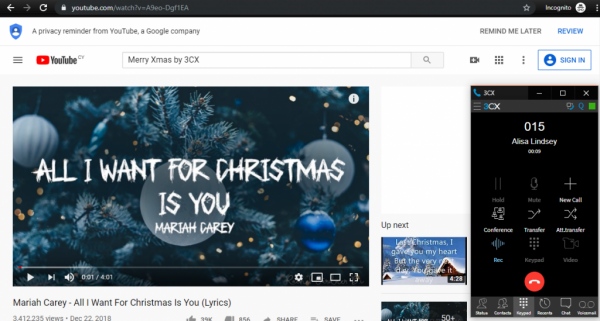
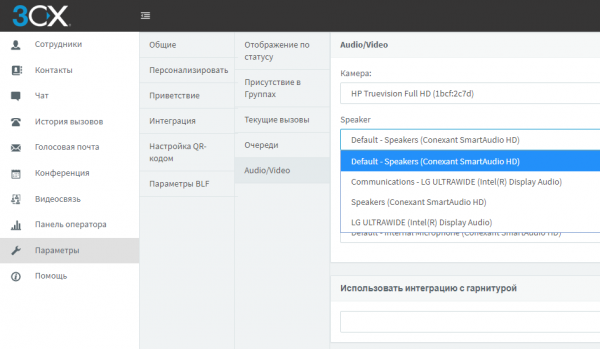
Update 4 also introduced a selection of audio devices for PCs in the 3CX web client (and, accordingly, in the Chrome extension). You can select audio devices for 'Speaker' (where you hear the voice) and 'Speakerphone' (where you hear the call). This is very convenient if you are using a headset—now calls can be routed to external speakers so you can hear incoming calls. The selection of audio devices is made in the web client under 'Settings' > 'Personalization' > 'Audio/Video.'
Installing the update is done as usual—go to the 'Updates' section in the 3CX interface, select 'v16 Update 4,' and click 'Download Selected.'
You can also install a clean distribution of v16 Update 4:
- Windows: .
- Linux: – ekraanil "» select 'Stable.'
Täielik in this version.
Unified FQDN for 3CX WebMeeting
Sel nädalal tegime ka kasuliku arenduse, mida hindavad süsteemiadministraatorid – 3CX WebMeeting teenuse universaalne domeeninimi – „mcu.3cx.net“. Kui teil on kaitstud võrk, saate avada ainult selle FQDN tulemüüris. Nüüd ei pea teadma ja avama iga IP-aadressi eraldi. Uut FQDN-i on mugav kasutada ka liikluse prioriseerimiseks teie ja WebMeeting teenuse vahel.
Saate teada, millistele aadressidele „mcu.3cx.net“ vastab, kasutades standardset käsku nslookup mcu.3cx.net.
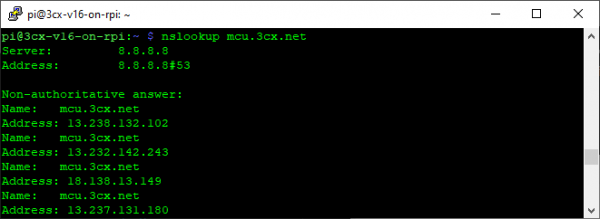
Kui mõni server on ajutiselt puudulik, eemaldatakse selle IP-aadress automaatselt loendist.
Uued toetatud salvestusruumi tüübid kõnede salvestamiseks
Soovime tähelepanu juhtida ka uutele toetatud salvestusruumi tüüpidele kõnede salvestamiseks, mis esitati v16 Update 4 Beetaversioonis. Need on SFTP, Windowsi jagamised ja Secure FTP (FTPS & FTPES). Nüüd saab 3CX server integreeruda võrgu keskkonda, mis toetab erinevaid tehnoloogiaid. Näiteks SSH (Secure SHell) on üks kõige populaarsemaid failiedastusprotokolle internetis, mida toetavad erinevad platvormid ja mis tagab andmete krüptograafilise kaitse.
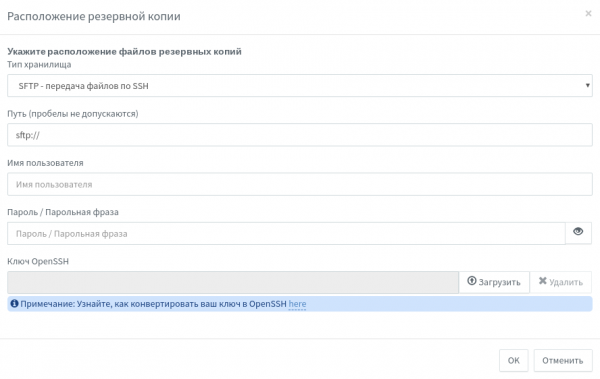
SSH-serveri kasutamiseks minge jaotisse Varundamine > Asukoht ja määrake tee ning autentimisandmed (või OpenSSH serveri võti). Kui peate looma või konverteerima OpenSSH võtme, tutvuge sellega . Teie enda OpenSSH serveri seadistamine on kirjeldatud .
SMB-protokoll on tuttav kõigile Windowsi administraatoritele. Muide, seda toetavad edukalt ka NAS-seadmed, Raspberry Pi, Linux ja Mac (Samba).
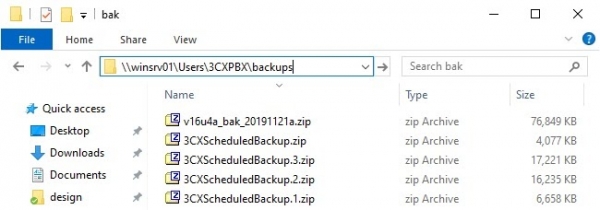
Kasutamine on samuti lihtne – määrake SMB jagamise tee ja pääsuprogrammi autentimisandmed.
Muide, kui teil on ülesanne sünkroonida varukoopiad või kõnede salvestused mitme serveri vahel, soovitame kasutada Linuxi utiliiti rsync. Täiendavalt selle kasutamise kohta – artikli kohta.
Allikas: habr.com
