

In Google Chrome, Microsoft Edge e altri browser basati su Chromium, per copiare una password è necessario cliccare sull'icona dell'occhio e poi visualizzare o copiare i caratteri. Anche se è una soluzione piuttosto ovvia, presenta comunque dei difetti. In particolare, la password può essere semplicemente osservata, rendendo il tutto privo di senso.
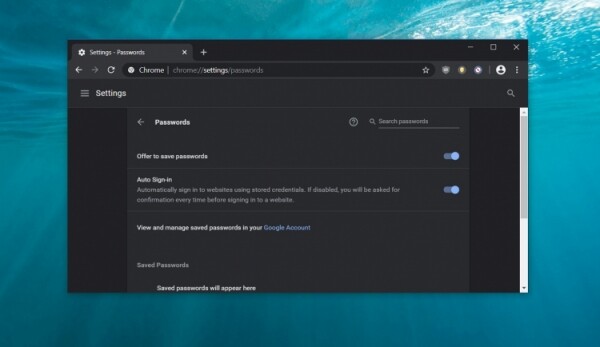
Ecco in Google stanno lavorando per aggiungere la possibilità di copiare la password senza aprirla. Al momento, si tratta di Windows 10; attualmente Google non prevede di includere questa funzione in macOS. Non ci sono nemmeno informazioni per Linux.
L'idea è di aggiungere nelle Impostazioni delle password un'opzione per copiare i caratteri negli Appunti. La funzionalità corrispondente arriverà più avanti; per ora si tratta solo di un commit. Dopo la copia della password, sarà possibile incollarla dove serve, come già implementato in Android. In futuro, ci si aspetta che questo venga implementato anche in altri browser basati su Chromium.
Va notato che questa non è l'unica novità in fatto di protezione dei dati nel browser di casa. Inizialmente, Google ha offerto la funzione Password Checkup come estensione per il browser, ma ora l'azienda la sta trasferendo direttamente in Chrome. La funzione di verifica delle password è disponibile nelle build di Chrome Canary 82, e può già essere attivata.
Ricordiamo che in precedenza era stata introdotta nella Microsoft Edge basata su Chromium la possibilità di aprire siti in modalità compatibilità con il vecchio Edge. Inoltre, è possibile aprirli in modalità compatibilità con IE11, il che potrebbe essere utile per enti pubblici e banche.
Fonte: 3dnews.ru
