

Recent release of the Microsoft Edge browser based on Chromium will feature its own built-in translator capable of automatically translating websites into other languages. Reddit users discovered that Microsoft has quietly enabled this new feature in Edge Canary. It places the Microsoft Translator icon directly in the address bar.
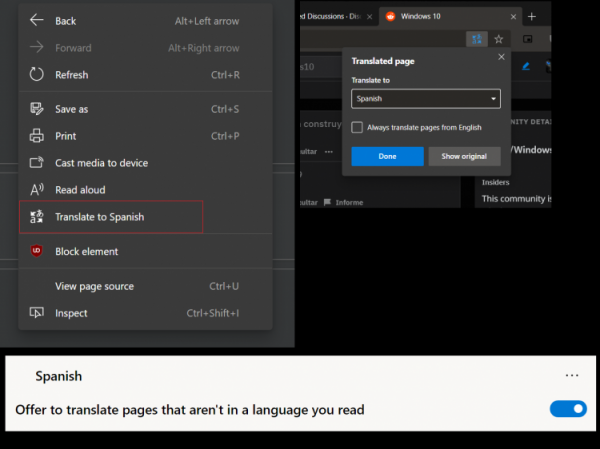
Now, whenever the browser loads a website in a language different from the one installed on the system, Microsoft Edge can automatically translate it. This feature works similarly to the translation engine in Google Chrome, and it seems that Microsoft is currently conducting an experiment with a limited number of devices.
The option offers to translate sites into other languages automatically, and there is also the possibility to select specific languages. Just like in Google Chrome, users can switch between the original site and the translated version.
So far, this feature is only available in Edge Canary, which updates daily. Therefore, it is likely that this feature is in its early stages and may be under development for a while. However, there is no doubt that Microsoft will later add it to the stable version of the browser.
It is worth noting that translation extensions are also available in the Chrome Web Store if users need to translate pages into another language. Currently, version 75.0.125.0 is available.
Let us remember that the updated Microsoft Edge browser based on Chromium can operate on Windows 7 and Windows 8.1 operating systems. However, the installer needs to be downloaded separately to then run it on these systems.
Sursa: 3dnews.ru
