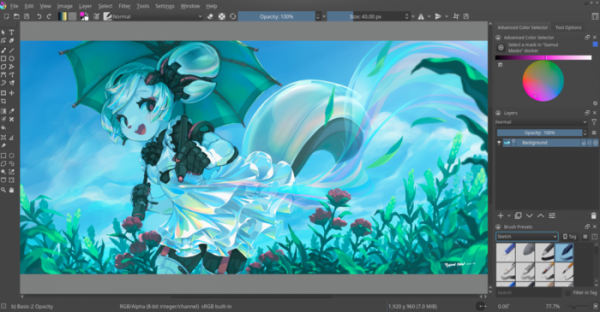
Release of the raster graphics editor Krita 5.0.0 has been announced, designed for artists and illustrators. The editor supports multi-layer image processing, provides tools for working with various color models, and boasts a wide range of tools for digital painting, sketching, and texture creation. Standalone AppImage packages for Linux, experimental APK packages for ChromeOS and Android, as well as binary builds for macOS and Windows have been prepared for installation.
Huvudsakliga förbättringar:
- The user interface has been modernized. Icons have been updated. The option to detach the brush editor from the panel into a separate window has been provided. An option to hide controls in the overview panel has been added. A feature for pinning panels has been introduced. In Linux, the ability to install custom themes and choose widget styles has been enabled.

- The code for handling resources such as brushes, gradients, and palettes has been completely rewritten, and the tagging system has been redesigned. The new implementation has migrated to using the SQLite library and is notable for resolving many old issues that arose when loading resources and working with tags. All resources are now loaded at once, resulting in a shorter startup time and a significant reduction in memory consumption (during standard testing, memory usage dropped by 200 MB).
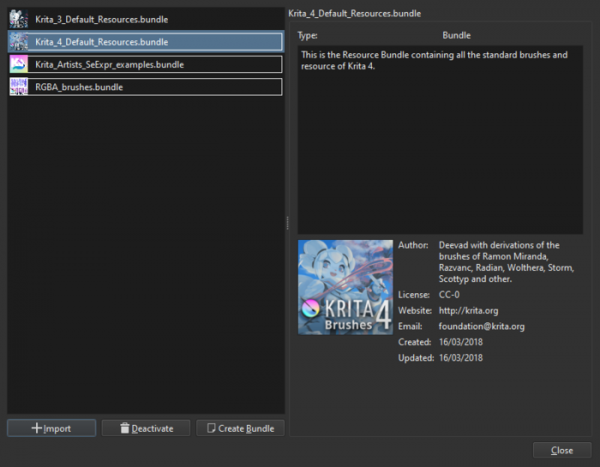
- A new resource package manager has been implemented. It has become possible to configure the location of the resource directory, which was previously hardcoded. In addition to working with standard resource packages, support for libraries with brushes and layer styles prepared for Photoshop has been added.

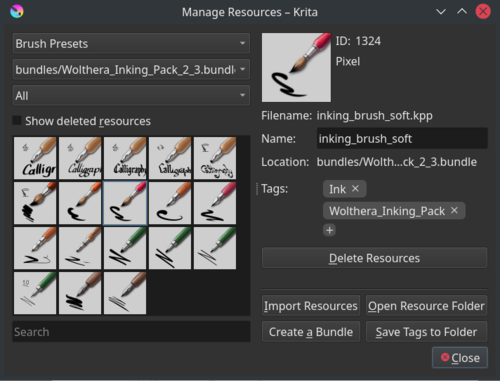
- A new resource management interface (Resource Manager) has been added, which supports the grouping of brush tags, allows resources to be deleted and restored, and shows all tags associated with a resource. The ability to attach tags to layer styles, search for styles, and load several styles from a single ASL file at once has been provided.

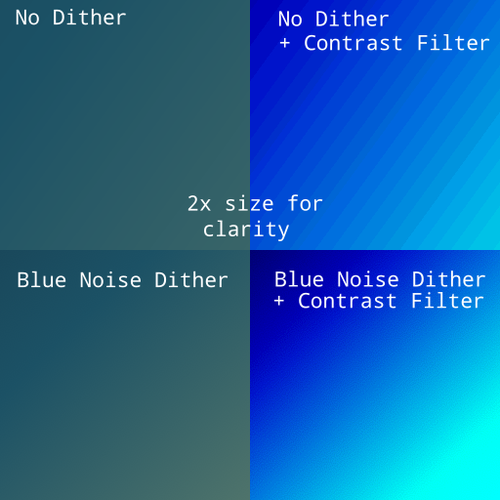
- Smoothness of gradient rendering has been improved, and the ability to save gradients in the Wide gamut color space has been ensured. Gradient anti-aliasing has been implemented for images with 8-bit channels using dithering.

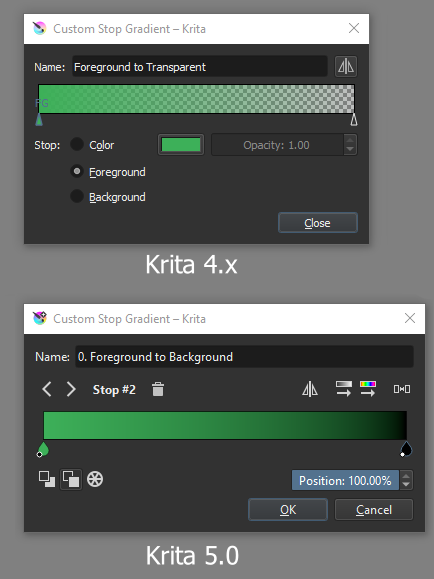
- The gradient editing interface has been redesigned. Removal, enumeration, and navigation of gradient transition points have been simplified, and new color sorting options have been added.

- Color management has been sped up by utilizing the LittleCMS plugin by default, which uses fast floating-point computations and displays colors more accurately.
- The smudge brush implementation has been completely redone, migrated to a new engine based on the MyPaint project. Support for MyPaint brushes has been moved from the plugin to the main application, and Krita can now load and use brushes prepared for MyPaint 1.2.

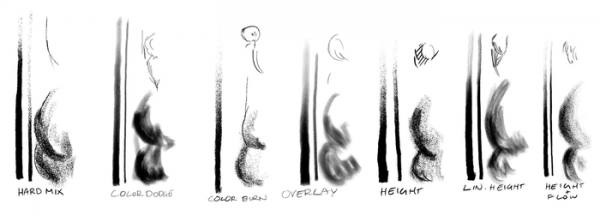
- New modes have been added for texture brushes: Hard Mixing, Lightening Color, Darkening Color, Overlay, Height, Linear Height, etc.
- The system for creating animations has been reworked. Support for animated transforming masks and frame cloning has been added. The timeline design has been modified, integrating an animation panel. The possibility to pause animations at any time has been provided, attaching layers has been simplified, and automatic adjustment has been ensured when adding keyframes.

- The design of the Animation Curves panel has been changed, improving navigation and editing capabilities. Separate channels can now be hidden or edited individually. Scalable scroll bars and new options such as 'fit to curve' and 'fit to channel' have been added.

- A frame copying feature has been added, allowing the use of a keyframe multiple times in an animation, for instance, to create a looped animation.
- Support for animating the position, rotation, scaling, and shifting of any layer has been added via transforming masks.
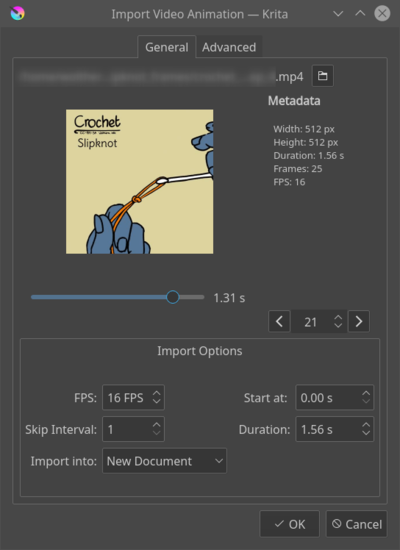
- The ability to import video and animated images in the form of Krita animation has been provided.

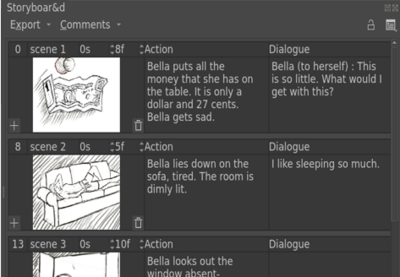
- En inbyggd storyboard-redigerare har föreslagits, vilket gör det möjligt att skapa serier av bilder som förhandsvisar sammansättningen av framtida scener, som visar placeringen av karaktärer och viktiga objekt samt deras sekvens i enlighet med berättelsens linje.

- Funktionen för inspelning av video under ritningssessioner i Krita har lagts till.

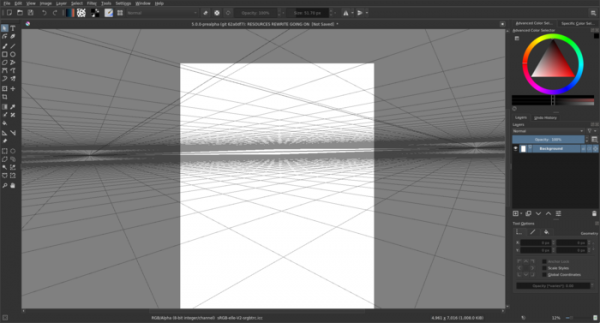
- En ny tvåpunkts perspektivmästare har lagts till.

- I beskärningsverktyget har möjligheten att ändra storlek på duken utan att beskära enskilda bilder och lager lagts till.
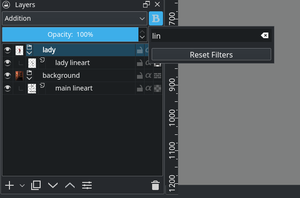
- Det har blivit möjligt att flytta färger från paletten till duken (för att fylla områden) och till lagerträdet (för att skapa ett nytt fyllningslager) i drag-och-släpp-läge. Direkt klippning från urklipp till det aktiva lagret har implementerats. En ny filtreringswidget för lager har lagts till som gör det möjligt att välja lager efter namn.

- Stöd för AVIF-bildformatet har lagts till. En ny plugin för att stödja WebP-formatet baserat på libwebp-biblioteket har lagts till. Stödet för Tiff- och Heif-format har förbättrats. Möjlighet att ändra storlek på bilder vid export har införts. Ett nytt KRZ-format har implementerats, vilket är en version av KRA optimerad för arkivering (med komprimering och utan förhandsvisning).
- Nya plugins har lagts till: GDQuest Batch Exporter (export av resurser i batch-läge) och Photobash (snabb import och hantering av resurser för fotografering). Möjligheten att installera plugins från webben genom att ange URL för plugin i importformuläret har lagts till.
- En dialogruta som dyker upp vid tryckning på CTRL + Enter har lagts till för snabb sökning av alla åtgärder och operationer som stöds i Krita.
Källa: opennet.ru