

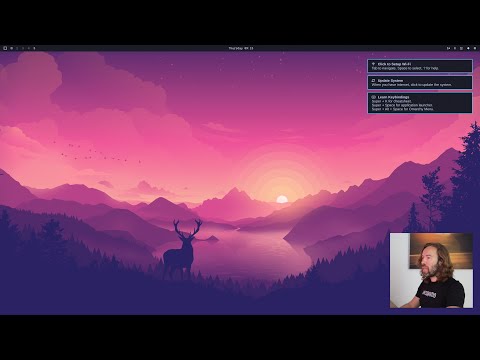
David Heinemeier Hansson, racer and author of the Ruby on Rails web framework, has released the Omarchy 3.3 distribution, reflecting his vision of the perfect Linux environment. The distribution evolves according to the principle of 'Omakase Computing,' suggesting that most users at the beginning of their journey do not know what they specifically want, and it would be better for them not to struggle with choices but to utilize a set of tools prepared by someone whose competence and taste they trust. The project's developments are distributed under the MIT license. The size of the ISO image is 7.2 GB.
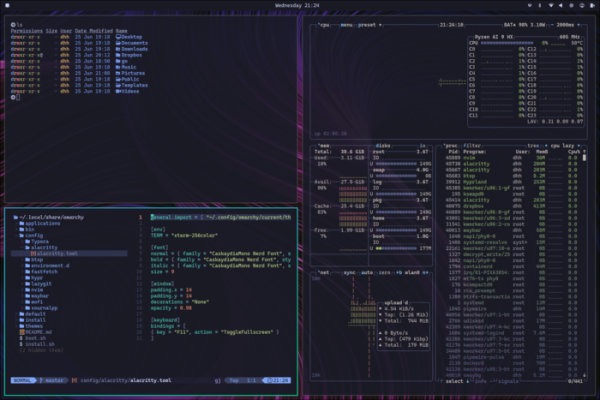
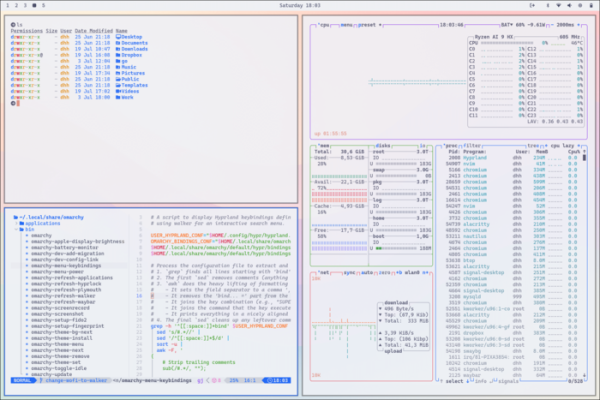
The distribution is based on the Arch Linux package base and offers a user environment based on the composite manager Hyprland with a mosaic window layout. It is noted that the project does not merely offer a set of pre-installed packages but attempts to provide an environment of intercompatible applications selected with aesthetics and task-solving efficiency in mind.
According to David, for för hög prestanda work, motivation is important, and part of that motivation is a beautiful and aesthetic environment. Omarchy includes nothing unnecessary and only offers applications that David regularly uses—from Neovim, Chromium, and LibreOffice to Spotify, Typora, Ghostty, and Zoom.
Omarchy does not try to resemble Windows or macOS, please the majority, or seem familiar to users; it merely strives to be better. The proposed environment, with code work in Neovim, active terminal use, and a mosaic window layout, may seem unfamiliar to many, but those who dare to step out of their comfort zone and learn something new will be able to increase their work efficiency.
Some features:
- A console installer and focus on installation on a separate disk using full disk encryption
- The ability to manage all actions in a graphical environment using the keyboard, which significantly speeds up the execution of standard actions compared to using the mouse. For example, to call up the application list, you can use the combination 'Super + Space', to show the menu 'Super + Alt + Space', to launch the terminal—'Super + Return', to launch the browser—'Super + Shift + B'.

- Det finns 14 teman att välja mellan, som kan ändras via avsnittet "Style > Theme" i huvudmenyn.
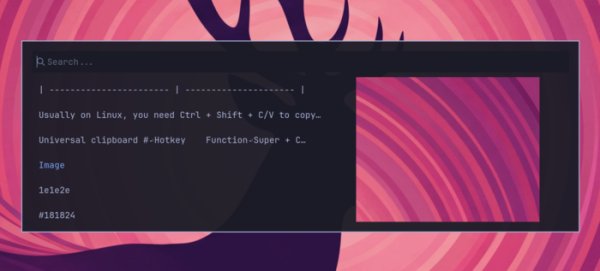
- Användning av tangentkombinationerna Super + C, Super + X och Super + V för att kopiera och klistra in från urklipp. Ett gränssnitt (Super + Ctrl + V) för att visa och söka i historiken över data som lagts i urklippet.

- Automatisk skapelse av system snapshots efter uppdatering med möjlighet att återställa ändringar vid problem. Manuell skapelse av snapshots med kommandot "omarchy-snapshot create".
- Som standard aktiveras brandväggen med blockering av alla inkommande anslutningar till portar, förutom 22 (ssh) och 53317 (LocalSend).
- Som standard används de officiella Arch Linux-reporna core, extra, multilib, samt sitt eget Omarchy Package Repository. Valfritt kan installation från AUR aktiveras.
- AI-verktyg finns tillgängliga: OpenCode (agent för att kommunicera med AI-tjänster och stora språkliga modeller), Voxtype (röstinmatningssystem), LM Studio och Ollama (för lokal körning av AI-modeller). Leverantörer för Claude Code, Gemini CLI, OpenAI Codex och GitHub Copilot.
- Som standard används kodeditorn NeoVim med möjlighet att byta till VSCode, Cursor, Zed, Sublime Text och Helix.
- Docker, GitHub CLI och verktyg för att installera förkonfigurerade utvecklingsmiljöer finns, exempelvis för att använda Ruby on Rails, Node.js, Bun, Deno, Laravel, Symfony, .NET, OCamal, Zig och Elixir. Mise används för att installera flera olika versioner av ett programmeringsspråk eller ramverk.
- Konsolgränssnittet lazygit för arbete med Git, samt Lazydocker för arbete med Docker är inkluderad.
- Konsolgränssnittet Impala för inställning av Wi-Fi och BlueTUI för anslutning av Bluetooth-enheter finns.
- Grafiska applikationer finns: anteckningssystemet Obsidian, bildredigeraren Pinta, filutbytesystemet LocalSend, kontorspaketet LibreOffice, meddelandetjänsten Signal, mediespelaren mpv, streamingsystemet OBS Studio, videoeditorn Kdenlive.
- Möjligheten för snabb installation av proprietära applikationer erbjuds: lösenordshanteraren 1Password, markdown-editorn Typora, synkroniseringssystemet Dropbox. VPN Tailscale, musikstreamingtjänsten Spotify.
- Installerade webapplikationer: e-postklienten och kalenderplaneraren HEY (alternativ till Gmail, Outlook och Apple Mail), projektledningssystemet Basecamp, Google Maps, ChatGPT, WhatsApp, X/Twitter, YouTube, Zoom.
- För spelälskare finns Steam, RetroArch, Minecraft och Xbox Controllers.
- I menyn finns alternativet "Install > Windows" för snabb installation av Windows 11 Pro (utan aktivering) i en Docker-virtuell maskin.
- Närvaron av avancerade verktyg för arbete i kommandoraden, såsom fzf (avancerad fil sökning), Zoxide (ersättning av cd-kommandot med historik), ripgrep (avancerad grep-ersättning för innehållssökning), eza (ersättning av ls som visar mer information), fd (ersättning av find), try (skapa kataloger för experiment).
- Tillhandahållande av shell-funktioner för typiska uppgifter, såsom compress/decompress, iso2sd, format-drive, img2jpg, img2jpg-small och img2png.
Källa: opennet.ru
