

Sicondu : - almacenamentu d'uggetti distribuitu tolerante à i difetti , cumpatibile cù i clienti chì utilizanu l'API Amazon S3 è REST-API, è sustene ancu u modu di servitore NFS. Ci sò ottimisazioni per almacenà oggetti chjuchi è assai grande, ci hè un mecanismu di cache integratu, è a replicazione di l'almacenamiento trà i centri di dati hè pussibule. L'obiettivi di u prugettu includenu ottene una affidabilità di 99.9999999% attraversu a replicazione redundante di duplicati è l'eliminazione di un unicu puntu di fallimentu. U codice di u prugettu hè scrittu in Erlang.
LeoFS si compone di trè cumpunenti:
- - serve operazioni di aghjunghje, ricuperà è sguassate l'uggetti è i metadati, hè rispunsevule per eseguisce a replicazione, a ricuperazione è a fila di richieste di i clienti.
- - serve richieste HTTP è redirige e risposte à i clienti chì utilizanu REST-API o S3-API, assicura a cache di i dati più necessarii in memoria è in discu.
- - monitoreghja u funziunamentu di i nodi di LeoFS Gateway è LeoFS Storage, monitorizza u statutu di i nodi è verifica i checksums. Garantisce l'integrità di e dati è una alta dispunibilità di almacenamiento.
In questu post, installemu Leofs cù ansible-playbook è testemu S3, NFS.
Se pruvate d'installà LeoFS cù i playbooks ufficiali, truverete diversi errori: ,. In questu post scriveraghju ciò chì deve esse fattu per evità questi sbagli.
Induve vi eseguite ansible-playbook, avete bisognu di installà netcat.
Esempiu di inventariu
Esempiu d'inventariu (in u repository hosts.sample):
# Please check roles/common/vars/leofs_releases for available versions
[all:vars]
leofs_version=1.4.3
build_temp_path="/tmp/leofs_builder"
build_install_path="/tmp/"
build_branch="master"
source="package"

#[builder]
#172.26.9.177

# nodename of leo_manager_0 and leo_manager_1 are set at group_vars/all
[leo_manager_0]
172.26.9.176

# nodename of leo_manager_0 and leo_manager_1 are set at group_vars/all
[leo_manager_1]
172.26.9.178

[leo_storage]
172.26.9.179 leofs_module_nodename=S0@172.26.9.179
172.26.9.181 leofs_module_nodename=S0@172.26.9.181
172.26.9.182 leofs_module_nodename=S0@172.26.9.182
172.26.9.183 leofs_module_nodename=S0@172.26.9.183

[leo_gateway]
172.26.9.180 leofs_module_nodename=G0@172.26.9.180
172.26.9.184 leofs_module_nodename=G0@172.26.9.184

[leofs_nodes:children]
leo_manager_0
leo_manager_1
leo_gateway
leo_storage
Preparazione di u servitore
Disattivazione di Selinux. Spergu chì a cumunità creà pulitiche Selinux per LeoFS.
    - name: Install libselinux as prerequisite for SELinux Ansible module
      yum:
        name: "{{item}}"
        state: latest
      with_items:
        - libselinux-python
        - libsemanage-python

    - name: Disable SELinux at next reboot
      selinux:
        state: disabled

    - name: Set SELinux in permissive mode until the machine is rebooted
      command: setenforce 0
      ignore_errors: true
      changed_when: false
rimarchevuli netcat и redhat-lsb-core. netcat necessariu per leofs-adm, redhat-lsb-core necessariu per determinà a versione di u SO .
    - name: Install Packages
      yum: name={{ item }} state=present
      with_items:
        - nmap-ncat
        - redhat-lsb-core
Crià un utilizatore leofs è aghjunghjendu à u gruppu di rota
    - name: Create user leofs
      group:
        name: leofs
        state: present

    - name: Allow 'wheel' group to have passwordless sudo
      lineinfile:
        dest: /etc/sudoers
        state: present
        regexp: '^%wheel'
        line: '%wheel ALL=(ALL) NOPASSWD: ALL'
        validate: 'visudo -cf %s'

    - name: Add the user 'leofs' to group 'wheel'
      user:
        name: leofs
        groups: wheel
        append: yes
Installazione di Erlang
    - name: Remote erlang-20.3.8.23-1.el7.x86_64.rpm install with yum
      yum: name=https://github.com/rabbitmq/erlang-rpm/releases/download/v20.3.8.23/erlang-20.3.8.23-1.el7.x86_64.rpm
A versione completa di u playbook Ansible currettu pò esse truvata quì:
Installazione, cunfigurazione, lanciamentu
Dopu avemu fattu cum'è scrittu in senza build_leofs.yml
## Install LeoFS
$ ansible-playbook -i hosts install_leofs.yml

## Config LeoFS
$ ansible-playbook -i hosts config_leofs.yml

## Start LeoFS
$ ansible-playbook -i hosts start_leofs.yml
Verificate u statutu di u cluster in Primary LeoManager
leofs-adm statusPrimariu è Secundariu pò esse vistu in i logs di ansible-playbook
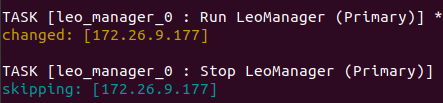
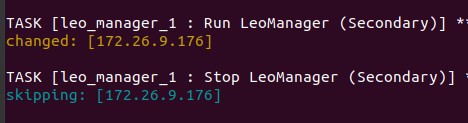
L'output serà qualcosa cusì
 [System Confiuration]
-----------------------------------+----------
 Item                              | Value
-----------------------------------+----------
 Basic/Consistency level
-----------------------------------+----------
                    system version | 1.4.3
                        cluster Id | leofs_1
                             DC Id | dc_1
                    Total replicas | 2
          number of successes of R | 1
          number of successes of W | 1
          number of successes of D | 1
 number of rack-awareness replicas | 0
                         ring size | 2^128
-----------------------------------+----------
 Multi DC replication settings
-----------------------------------+----------
 [mdcr] max number of joinable DCs | 2
 [mdcr] total replicas per a DC    | 1
 [mdcr] number of successes of R   | 1
 [mdcr] number of successes of W   | 1
 [mdcr] number of successes of D   | 1
-----------------------------------+----------
 Manager RING hash
-----------------------------------+----------
                 current ring-hash | a0314afb
                previous ring-hash | a0314afb
-----------------------------------+----------

 [State of Node(s)]
-------+----------------------+--------------+---------+----------------+----------------+----------------------------
 type  |         node         |    state     | rack id |  current ring  |   prev ring    |          updated at
-------+----------------------+--------------+---------+----------------+----------------+----------------------------
  S    | S0@172.26.9.179      | running      |         | a0314afb       | a0314afb       | 2019-12-05 10:33:47 +0000
  S    | S0@172.26.9.181      | running      |         | a0314afb       | a0314afb       | 2019-12-05 10:33:47 +0000
  S    | S0@172.26.9.182      | running      |         | a0314afb       | a0314afb       | 2019-12-05 10:33:47 +0000
  S    | S0@172.26.9.183      | attached     |         |                |                | 2019-12-05 10:33:58 +0000
  G    | G0@172.26.9.180      | running      |         | a0314afb       | a0314afb       | 2019-12-05 10:33:49 +0000
  G    | G0@172.26.9.184      | running      |         | a0314afb       | a0314afb       | 2019-12-05 10:33:49 +0000
-------+----------------------+--------------+---------+----------------+----------------+----------------------------
Crià un utilizatore
Crea un utilizatore leofs:
leofs-adm create-user leofs leofs

  access-key-id: 9c2615f32e81e6a1caf5
  secret-access-key: 8aaaa35c1ad78a2cbfa1a6cd49ba8aaeb3ba39eb
Lista di utilizatori:
leofs-adm get-users
user_id     | role_id | access_key_id          | created_at
------------+---------+------------------------+---------------------------
_test_leofs | 9       | 05236                  | 2019-12-02 06:56:49 +0000
leofs       | 1       | 9c2615f32e81e6a1caf5   | 2019-12-02 10:43:29 +0000
Crea un bucket
Fattu un bucket
leofs-adm add-bucket leofs 9c2615f32e81e6a1caf5
OK
Lista di bucket:
 leofs-adm get-buckets
cluster id   | bucket   | owner  | permissions      | created at
-------------+----------+--------+------------------+---------------------------
leofs_1      | leofs    | leofs  | Me(full_control) | 2019-12-02 10:44:02 +0000
Configurazione di s3cmd
In lu campu di HTTP Proxy server name specifica l'IP di u servitore Gateway
s3cmd --configure

Enter new values or accept defaults in brackets with Enter.
Refer to user manual for detailed description of all options.

Access key and Secret key are your identifiers for Amazon S3. Leave them empty for using the env variables.
Access Key [9c2615f32e81e6a1caf5]:
Secret Key [8aaaa35c1ad78a2cbfa1a6cd49ba8aaeb3ba39eb]:
Default Region [US]:

Use "s3.amazonaws.com" for S3 Endpoint and not modify it to the target Amazon S3.
S3 Endpoint [s3.amazonaws.com]:

Use "%(bucket)s.s3.amazonaws.com" to the target Amazon S3. "%(bucket)s" and "%(location)s" vars can be used
if the target S3 system supports dns based buckets.
DNS-style bucket+hostname:port template for accessing a bucket [%(bucket)s.s3.amazonaws.com]: leofs

Encryption password is used to protect your files from reading
by unauthorized persons while in transfer to S3
Encryption password:
Path to GPG program [/usr/bin/gpg]:

When using secure HTTPS protocol all communication with Amazon S3
servers is protected from 3rd party eavesdropping. This method is
slower than plain HTTP, and can only be proxied with Python 2.7 or newer
Use HTTPS protocol [No]:

On some networks all internet access must go through a HTTP proxy.
Try setting it here if you can't connect to S3 directly
HTTP Proxy server name [172.26.9.180]:
HTTP Proxy server port [8080]:

New settings:
  Access Key: 9c2615f32e81e6a1caf5
  Secret Key: 8aaaa35c1ad78a2cbfa1a6cd49ba8aaeb3ba39eb
  Default Region: US
  S3 Endpoint: s3.amazonaws.com
  DNS-style bucket+hostname:port template for accessing a bucket: leofs
  Encryption password:
  Path to GPG program: /usr/bin/gpg
  Use HTTPS protocol: False
  HTTP Proxy server name: 172.26.9.180
  HTTP Proxy server port: 8080

Test access with supplied credentials? [Y/n] Y
Please wait, attempting to list all buckets...
Success. Your access key and secret key worked fine :-)

Now verifying that encryption works...
Not configured. Never mind.

Save settings? [y/N] y
Configuration saved to '/home/user/.s3cfg'
Sè avete l'errore ERRORE: Errore S3: 403 (AccessDenied): Access Denied:
s3cmd put test.py s3://leofs/
upload: 'test.py' -> 's3://leofs/test.py'  [1 of 1]
 382 of 382   100% in    0s     3.40 kB/s  done
ERROR: S3 error: 403 (AccessDenied): Access Denied
Allora avete bisognu di cambià signature_v3 à True in a cunfigurazione s2cmd. Dettagli in questu .
Se signature_v2 hè False, allora ci sarà un errore cum'è questu:
WARNING: Retrying failed request: /?delimiter=%2F (getaddrinfo() argument 2 must be integer or string)
WARNING: Waiting 3 sec...
WARNING: Retrying failed request: /?delimiter=%2F (getaddrinfo() argument 2 must be integer or string)
WARNING: Waiting 6 sec...
ERROR: Test failed: Request failed for: /?delimiter=%2F
Test di carica
Crea un schedariu 1GB
fallocate -l 1GB 1gbCaricate à Leofs
time s3cmd put 1gb s3://leofs/
real    0m19.099s
user    0m7.855s
sys 0m1.620s
Статистика
leofs-adm du per 1 node:
leofs-adm du S0@172.26.9.179
 active number of objects: 156
  total number of objects: 156
   active size of objects: 602954495
    total size of objects: 602954495
     ratio of active size: 100.0%
    last compaction start: ____-__-__ __:__:__
      last compaction end: ____-__-__ __:__:__
Avemu vistu chì a cunclusione ùn hè micca assai informativa.
Videmu induve si trova stu schedariu.
leofs-adm induve leofs/1gb
leofs-adm whereis leofs/1gb
-------+----------------------+--------------------------------------+------------+--------------+----------------+----------------+----------------+----------------------------
 del?  |         node         |             ring address             |    size    |   checksum   |  has children  |  total chunks  |     clock      |             when
-------+----------------------+--------------------------------------+------------+--------------+----------------+----------------+----------------+----------------------------
       | S0@172.26.9.181      | 657a9f3a3db822a7f1f5050925b26270     |    976563K |   a4634eea55 | true           |             64 | 598f2aa976a4f  | 2019-12-05 10:48:15 +0000
       | S0@172.26.9.182      | 657a9f3a3db822a7f1f5050925b26270     |    976563K |   a4634eea55 | true           |             64 | 598f2aa976a4f  | 2019-12-05 10:48:15 +0000
Attivà NFS
Avemu attivatu NFS nantu à u servitore Leo Gateway 172.26.9.184.
Installa nfs-utils nantu à u servitore è u cliente
sudo yum install nfs-utilsSicondu l'istruzzioni, correggeremu u schedariu di cunfigurazione /usr/local/leofs/current/leo_gateway/etc/leo_gateway.conf
protocol = nfsIn u servitore 172.26.9.184 eseguite rpcbind è leofs-gateway
sudo service rpcbind start
sudo service leofs-gateway restart
In u servitore induve leo_manager hè in esecuzione, crea un bucket per NFS è genera una chjave per cunnette à NFS
leofs-adm add-bucket test 05236
leofs-adm gen-nfs-mnt-key test 05236 ip-адрес-nfs-клиента
Cunnessione à NFS
sudo mkdir /mnt/leofs
## for Linux - "sudo mount -t nfs -o nolock <host>:/<bucket>/<token> <dir>"
sudo mount -t nfs -o nolock ip-адрес-nfs-сервера-там-где-у-вас-установлен-gateway:/bucket/access_key_id/ключ-полученный-от-gen-nfs-mnt-key /mnt/leofs
sudo mount -t nfs -o nolock 172.26.9.184:/test/05236/bb5034f0c740148a346ed663ca0cf5157efb439f /mnt/leofs
Vede u spaziu di discu via client NFS
Spaziu di discu, tenendu in contu chì ogni nodu di almacenamiento hà un discu 40GB (3 nodi in esecuzione, 1 nodu attaccatu):
df -hP
Filesystem                                                         Size  Used Avail Use% Mounted on
172.26.9.184:/test/05236/e7298032e78749149dd83a1e366afb328811c95b   60G  3.6G   57G   6% /mnt/leofs
Installazione di LeoFS cù 6 nodi di almacenamiento.
Inventariu (senza custruttore):
# Please check roles/common/vars/leofs_releases for available versions
[all:vars]
leofs_version=1.4.3
build_temp_path="/tmp/leofs_builder"
build_install_path="/tmp/"
build_branch="master"
source="package"

# nodename of leo_manager_0 and leo_manager_1 are set at group_vars/all
[leo_manager_0]
172.26.9.177

# nodename of leo_manager_0 and leo_manager_1 are set at group_vars/all
[leo_manager_1]
172.26.9.176

[leo_storage]
172.26.9.178 leofs_module_nodename=S0@172.26.9.178
172.26.9.179 leofs_module_nodename=S0@172.26.9.179
172.26.9.181 leofs_module_nodename=S0@172.26.9.181
172.26.9.182 leofs_module_nodename=S0@172.26.9.182
172.26.9.183 leofs_module_nodename=S0@172.26.9.183
172.26.9.185 leofs_module_nodename=S0@172.26.9.185

[leo_gateway]
172.26.9.180 leofs_module_nodename=G0@172.26.9.180
172.26.9.184 leofs_module_nodename=G0@172.26.9.184

[leofs_nodes:children]
leo_manager_0
leo_manager_1
leo_gateway
leo_storage
Output leofs-adm status
Output leofs-adm status
 [System Confiuration]
-----------------------------------+----------
 Item                              | Value
-----------------------------------+----------
 Basic/Consistency level
-----------------------------------+----------
                    system version | 1.4.3
                        cluster Id | leofs_1
                             DC Id | dc_1
                    Total replicas | 2
          number of successes of R | 1
          number of successes of W | 1
          number of successes of D | 1
 number of rack-awareness replicas | 0
                         ring size | 2^128
-----------------------------------+----------
 Multi DC replication settings
-----------------------------------+----------
 [mdcr] max number of joinable DCs | 2
 [mdcr] total replicas per a DC    | 1
 [mdcr] number of successes of R   | 1
 [mdcr] number of successes of W   | 1
 [mdcr] number of successes of D   | 1
-----------------------------------+----------
 Manager RING hash
-----------------------------------+----------
                 current ring-hash | d8ff465e
                previous ring-hash | d8ff465e
-----------------------------------+----------

 [State of Node(s)]
-------+----------------------+--------------+---------+----------------+----------------+----------------------------
 type  |         node         |    state     | rack id |  current ring  |   prev ring    |          updated at
-------+----------------------+--------------+---------+----------------+----------------+----------------------------
  S    | S0@172.26.9.178      | running      |         | d8ff465e       | d8ff465e       | 2019-12-06 05:18:29 +0000
  S    | S0@172.26.9.179      | running      |         | d8ff465e       | d8ff465e       | 2019-12-06 05:18:29 +0000
  S    | S0@172.26.9.181      | running      |         | d8ff465e       | d8ff465e       | 2019-12-06 05:18:30 +0000
  S    | S0@172.26.9.182      | running      |         | d8ff465e       | d8ff465e       | 2019-12-06 05:18:29 +0000
  S    | S0@172.26.9.183      | running      |         | d8ff465e       | d8ff465e       | 2019-12-06 05:18:29 +0000
  S    | S0@172.26.9.185      | running      |         | d8ff465e       | d8ff465e       | 2019-12-06 05:18:29 +0000
  G    | G0@172.26.9.180      | running      |         | d8ff465e       | d8ff465e       | 2019-12-06 05:18:31 +0000
  G    | G0@172.26.9.184      | running      |         | d8ff465e       | d8ff465e       | 2019-12-06 05:18:31 +0000
-------+----------------------+--------------+---------+----------------+----------------+----------------------------
Spaziu di discu, tenendu in contu chì ogni nodu di almacenamiento hà un discu 40GB (6 nodi in esecuzione):
df -hP
Filesystem                                                         Size  Used Avail Use% Mounted on
172.26.9.184:/test/05236/e7298032e78749149dd83a1e366afb328811c95b  120G  3.6G  117G   3% /mnt/leofs
Se 5 nodi di almacenamiento sò usati
[leo_storage]
172.26.9.178 leofs_module_nodename=S0@172.26.9.178
172.26.9.179 leofs_module_nodename=S1@172.26.9.179
172.26.9.181 leofs_module_nodename=S2@172.26.9.181
172.26.9.182 leofs_module_nodename=S3@172.26.9.182
172.26.9.183 leofs_module_nodename=S4@172.26.9.183
df -hP
172.26.9.184:/test/05236/e7298032e78749149dd83a1e366afb328811c95b 100G 3.0G 97G 3% /mnt/leofsLogs
I logs sò situati in cartulari /usr/local/leofs/current/*/log
Canale Telegram:
Source: www.habr.com
