

New versions of Gecko Wolvic 1.9 and Chromium Wolvic 1.3 have been released, designed for use in augmented and virtual reality systems. The browsers provide a 3D interface for navigating websites using a VR headset and, in addition to traditional flat pages, allow web developers to create three-dimensional web applications for virtual reality systems using the WebXR, WebAR, and WebVR APIs. The differences between the browsers are mainly that Gecko Wolvic uses the GeckoView web engine, while Chromium Wolvic employs the Chromium engine.
Navigation within the browser interface is done using VR controllers or through eye-tracking, and for data entry in web forms, a virtual keyboard or voice input system is used, enabling form filling and search query submission using a growing speech recognition system. Spatial videos shot in 360 degrees can be viewed in the browser. The browser's home page provides an interface for accessing favorite content and navigating through a collection adapted for gaming VR headsets, web applications, 3D models, and spatial videos.
Pre-built versions are created for the Android platform and support 3D headsets such as Huawei VR Glass, Huawei Vision Glass, VIVE Focus, Lynx R1, Lenovo A3, Magic Leap 2, Meta Quest 2/3/Pro, Oculus Quest, and Pico 4/4E. In testing mode, it can be launched on a regular Android smartphone without a 3D headset. The Wolvic code is written in Java and C++ and is distributed under the MPLv2 license.
Among the changes in the new releases:
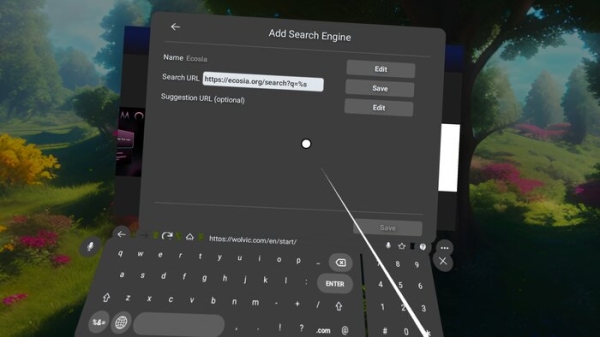
- The ability to add and use custom search engines by default has been introduced.

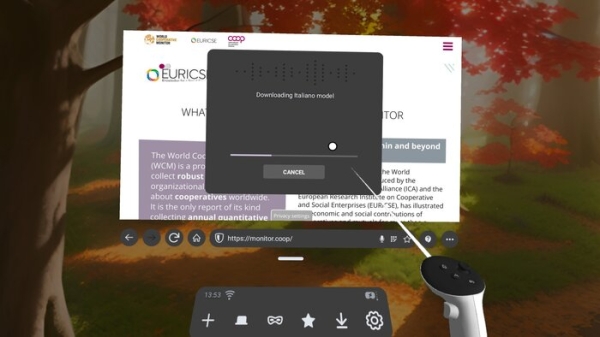
- A new speech recognition engine has been implemented, used for voice search and allowing transcription. This engine utilizes speech recognition models from the Vosk project, loaded as needed and occupying less than 50 MB. Recognition occurs on the device without accessing external services. English, Spanish, German, Italian, Chinese, French, and Russian languages are supported.
- Proper operation with services like Google Earth has been implemented, which offer the possibility to install a separate application. For such programs, Wolvic now reverts to using the web version.
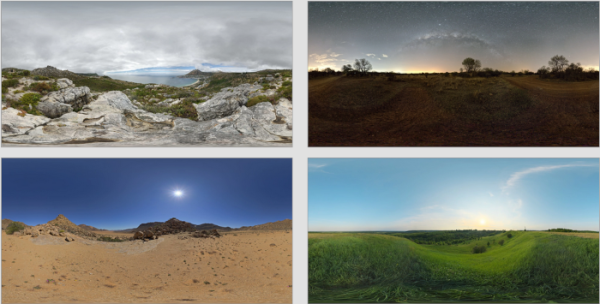
- Four new virtual environments have been added, accessible through the dialog 'Settings > Environment'.

- The state of the browser is preserved after an update — all tabs open before the update are now saved.
- The capabilities of the date and time widgets have been expanded.
- Support for the Lynx-R1 3D headset has been restored.
- The Gecko browser engine and Mozilla components for Android have been updated to version 140, corresponding to Firefox 140 (previous releases used Mozilla Android Components version 128 and Gecko 128).
Source: opennet.ru
