

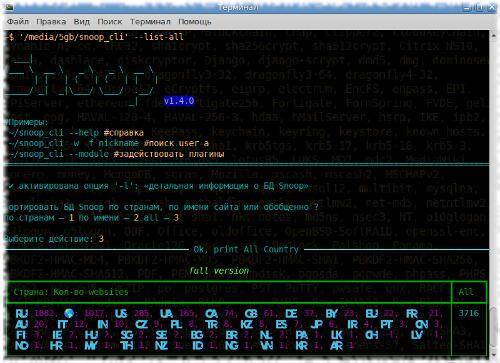
The main functionality of the Snoop Project is to track down “username” in public data, in addition there are various OSINT plugins.
Snoop Project is included in the register of domestic software of the Russian Federation with the declared code 26.30.11.16: Software that ensures the implementation of established actions during operational investigative activities: No. 7012 order 07.10.2020 No. 515.
Snoop Project was developed based on research materials in the field of scraping public data (its own database). Currently, Snoop tracks nicknames across 3.7K Internet resources (in the full version) and the most popular resources (in the demo version).
Ready-made builds for OS GNU/Linux и Windows, it builds from source and in Termux (Android) https://github.com/snooppr/snoop/releases
List of changes:
-
The search web-base Snoop ↑ 3700+ sites has been expanded.
-
Snoop for GNU search has been sped up.Linux ~ by 140%, i.e. almost 2.5 times! (with an Internet connection speed of at least 12 Mbps, searching for 'username' using the Snoop full version database in quick mode '–quick/-q' takes less than 1 minute).
-
Snoop Project build version launch speed has been increased on older PCs running OS Windows/HDD.
-
Added a new and smart algorithm for auto-detection of clearly unspecified/problematic/confused site encodings when searching in various modes.
-
Added more information to the CLI when searching in a reduced database using the filter options: ‘–site/–exclude/–include’ (the number of websites when narrowing the search is displayed in square brackets to the right of the total number of database sites).
-
The warning threshold for Bad_raw has been changed: raised from 2% to 2.5%.
-
Formatting. Improved styling of CLI info strings on small/compressed terminals, such as the Termux CLI. Android (Added automatic line indentation based on the user's CLI environment.) The appearance of premium offers, which are valid for all Snoop full version users, has been redesigned.
-
Updated HTML report:
- button styles have been changed;
- added highlighting, increasing the line from the list of websites when hovering the cursor, moving through the list when selecting a resource it is now difficult to miss;
- removed duplicate line/tautology about how many resources ‘username’ was found on;
- a couple of references to the use of demo versions have been added to Snoop demo version/a request for a donation for the development of the project/full;
- the visual component of the grouping of country flags has been increased;
- added display of title(s) of soundtracks when hovering over them.
-
Fixed network autotesting in verbose mode '–verbose/-v' in case tests sometimes failed due to failure of some servers accept a connection over an unsecured channel.
-
In all versions of Snoop, sound has been removed from the CLI (sound alerts for errors and search completion).
-
Light assemblies have been added to Snoop full version, allowing you to launch the software almost instantly.
-
AndroidSearch in verbalization mode has been slightly sped up.
-
AndroidIf the user prefers to open HTML reports manually from their FM GUI, all styles are now included.
-
Updated plugins 'GEO_IP/domain' and 'ReverseVgeocoder' to new versions. Data visualization in html reports in Snoop full versions has been expanded, in particular the following has been added:
- checkbox for filtering data by country;
- graphs with statistics on countries, regions, objects, providers;
- new layer - topographic maps, changes by click/swipe;
- full screen switching mode;
- auto display of coordinates at any point on the map;
- ruler scale;
- a memo displaying statistics on InvalidData;
- copyright;
- search;
- in the 'ReverseVgeocoder' plugin, the coverage/accuracy scale has been increased from 10-100 times by districts/objects in RU; EU and CIS locations.
Attention! In order to take advantage of all the updates, if the user has previously used older builds of Snoop, you need to reset the cache (one-time operation):
snoop_cli --autoclean
if the user preferred to use Snoop in its original form, update the libraries:
cd ~/snoop && python3 -m pip install -r requirements_android.txt #Android;
cd ~/snoop && python3 -m pip install -r requirements.txt #Desktop
Source: linux.org.ru

