

A beta version of the Plasma 6.1 desktop environment is available for testing. You can test the new release through a Live build from the openSUSE project and builds from the KDE Neon Testing edition project. Packages for various distributions can be found on this page. The release is expected on June 18.
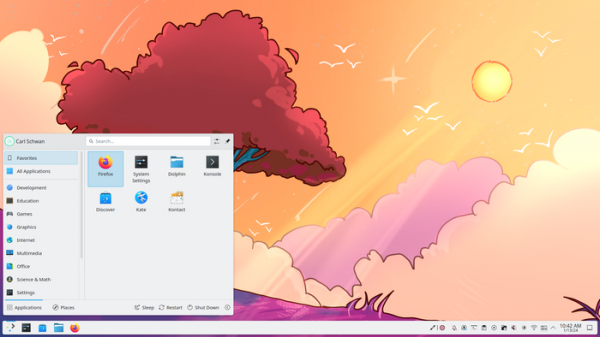
Major changes:
- KWin's composite manager supports triple buffering for smoother rendering and animation. The essence of triple buffering is the presence of three screen buffers - the first one is used for drawing, the second one is used for output to the screen, and the third one is used to continue the continuous rendering process if the first buffer was filled before vertical scanning was completed. The use of a third additional buffer eliminates the delay that occurs with double buffering due to the inability to switch between rendering and output buffers before vertical scanning (vblank) is completed.
- Support for Explicit Sync technology has been implemented, allowing applications to inform the composite manager based on the Wayland protocol that a frame is ready to be displayed on the screen, which makes it possible to reduce delays and get rid of artifacts when displaying graphics. In particular, Explicit Sync solves problems with output violations and stutters on systems with NVIDIA GPUs and Wayland support enabled.
- Added support for the Input Capture portal (xdg-desktop-portal), used to provide access to input capture from isolated applications.
- KWin has changed the method for determining the active screen on which new windows will open. The active screen is now the one with which the user last interacted, for example, moving the mouse or setting keyboard input focus.
- An integrated component for organizing remote access to the desktop using the RDP protocol. A separate page has been added to the configurator to configure remote access.
- A new interface for editing the desktop has been proposed, allowing you to customize the placement of panels and manage widgets.
- Added a customizable barrier between screens, making it easier to click on interface elements that touch the border between screens, and solving problems with auto-hiding panels adjacent to the border.
- When using Wayland, a mock session recovery feature has been added, allowing you to restart applications that were open in a previous session (saving window positions is not yet supported).
- Ensures that the keyboard RGB backlight color is synchronized with the accent color selected in the KDE settings.
- Added support for using a color profile built into the display.
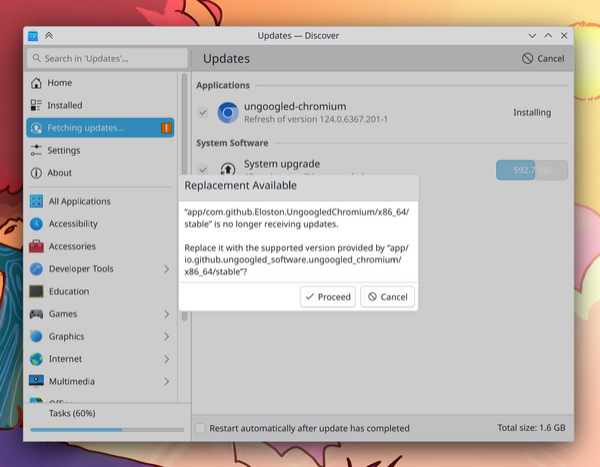
- The Discover application manager handles situations where an application in a Flatpak package is marked as no longer in existence and is replaced by another application. In such a situation, the user will be asked whether to leave the old application or switch to a new one.
- Added support for battery conservation mode, found in many Lenovo IdeaPad and Legion laptops.
- Added support for passwordless screen lock, which can be used as a screen saver.
- Double-clicking the battery status widget now locks and unlocks the auto-sleep feature, and scrolling with the mouse wheel toggles the active power mode.
- Added display of the wireless channel number in addition to the frequency to the widget with information about network parameters.
- The weather forecast widget now supports snowfall warnings.
- The interface uses slightly rounded corners.
- In overview mode, the window placement algorithm has been improved.
- The effect that highlights the cursor position when you move the cursor with the mouse is enabled by default.
- Added an effect to hide the mouse cursor after a certain time of inactivity (disabled by default).
- In the configurator, the keyboard settings page has been rewritten using QML.
- In the configurator, on the graphic tablet settings page, it is now possible to change the parameters of the tablet and stylus buttons to use them as modifiers, and not to trigger actions.
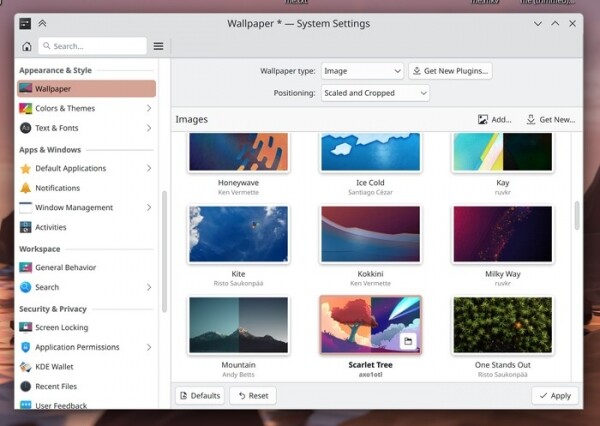
- The interface for selecting desktop wallpaper has been removed from frames and has been brought into line with the new style of the configurator pages:
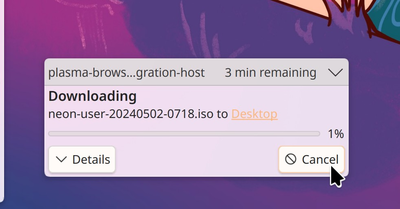
- The notification system includes a new icon on the cancel button and ensures that long headers are trimmed to the content in the center rather than on the left side.
- Added symbolic versions of icons related to directory encryption and music hosting to the Breeze theme. Provided display of more correct icons for audio and video files distributed in formats for which there are no separate icons.
Source: opennet.ru

