

Yes, it is simplicity in every sense that distinguishes the smart home system . It does not require intervention in electrical wiring, for example, or some kind of "cosmetics" for integration into everyday life. She complements it by offering, where necessary, to add a "smart" layer for management. No local server is required for management, as HIPER IoT refers to cloud systems - all devices are connected and controlled via the Internet, and they can be controlled using an application on a smartphone.
The manufacturer does not disclose the location of cloud servers and does not specify what exactly is stored on them and how, but assures that security and reliability are at the proper level, without going into details and referring to trade secrets. At the same time, he does not hide the fact that he uses popular Tuya / SmartLife solutions - the devices of these brands are compatible, but here it is just important that HIPER is engaged in localization, support and provides a guarantee on the territory of Russia.
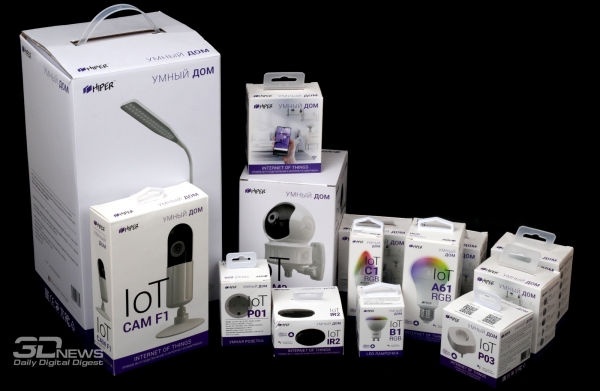
Almost two dozen different Hiper smart devices are already available in Russia, but in the future the company can easily significantly expand the range. However, even what is there is more than enough to get acquainted, since the set of devices is quite familiar: light bulbs, sockets, cameras and sensors in various designs. What is important, they do not depend on each other in any way - at any time you can (up to) buy any device or a set of them.
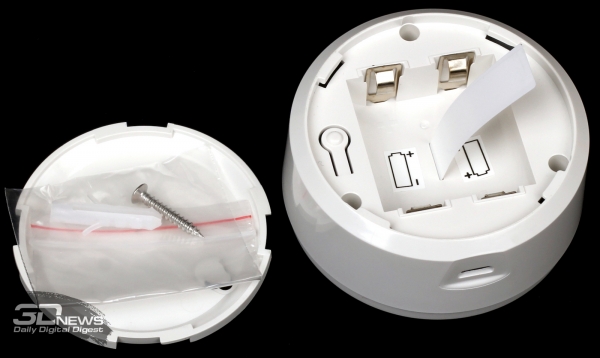
Each device comes with all the necessary kit for installation and operation: screws, dowels, double-sided tape, cables, blocks or batteries. Please note that the devices, unless expressly stated otherwise, are designed for indoor use only. Typical operating conditions: temperature from 0 to +40 °C and relative humidity not higher than 85%.
For power - depending on the type of device - you need either a USB port or batteries, most often these are lithium CR123A or CR2. The latter last for several years of battery life, and low battery notifications will remind you of the need for replacement.
Basic setup
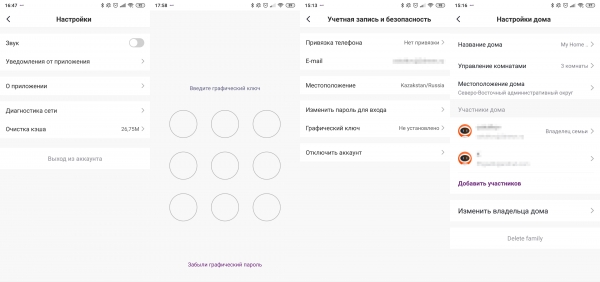
All smart home control is carried out using the HIPER IoT application for 5.1 or 10 or more modern OS versions. The interface is almost completely translated into Russian, and the language itself is selected based on the OS settings. When you first launch the application, you will be prompted to create an account linked to an e-mail or phone number. The rest of the family will also have to create their own accounts, which can later be given access to the smart home, including with administrator rights.
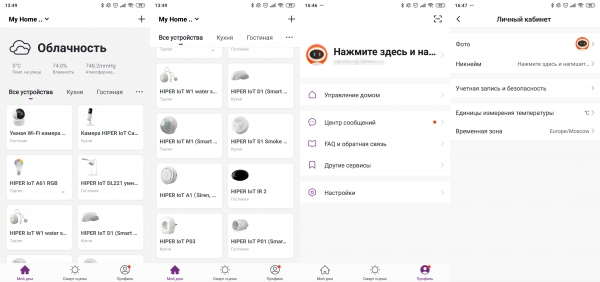
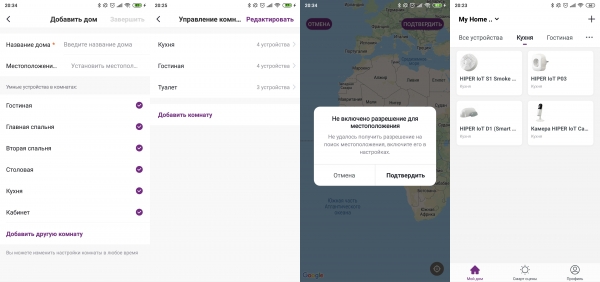
In one application, you can control several houses at once, and for each you need to specify the location - this is necessary to obtain weather data, which can then be used for automation. Within each house, you can define several rooms, and then distribute smart devices between them. This is an exclusively logical division, which is necessary only for ease of management.
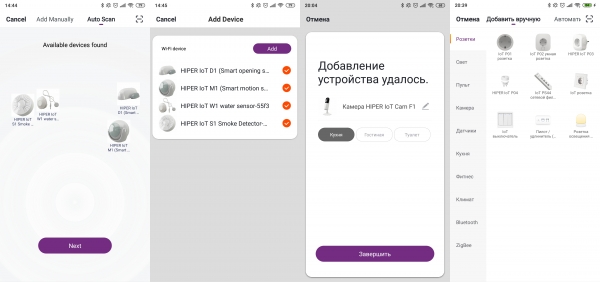
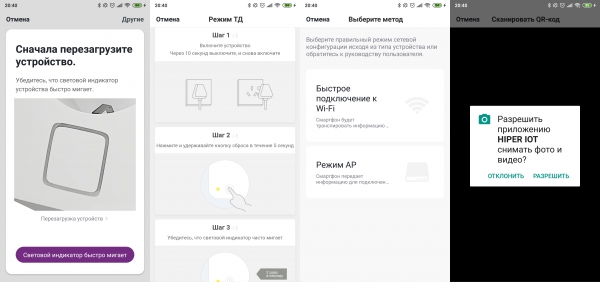
Adding new devices is very easy - the application has a catalog with a step-by-step wizard and tips for each type of device. As a rule, it all comes down to two options. Either the device has a button somewhere under the cover or right on the case that needs to be clamped. Or the device itself must be turned on and off several times. After that, there is a couple of minutes for the application to find it and add it to the list of available ones. There is also an auto-search mode for mass adding new devices.
The only requirement is that the smartphone and the devices themselves should be as close as possible to the router when setting up. But there is also a fallback option, when an access point is created on a smart device, to which the smartphone connects and transfers all the necessary settings. During the test, there were no particular problems with adding devices.
All devices work with Wi-Fi 802.11 b/g/n 2,4 GHz and are based on the popular ESP32 platform. Smart things with Bluetooth and ZigBee require separate gateways (bridges to Wi-Fi). It is quite possible that HIPER will offer them in the near future. Devices do not require high-speed Internet access, but you need to understand that, for example, a wide channel is always preferable for cameras.
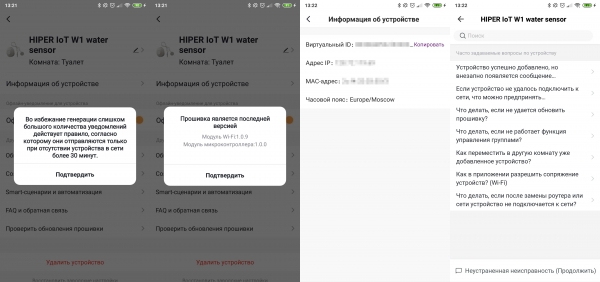
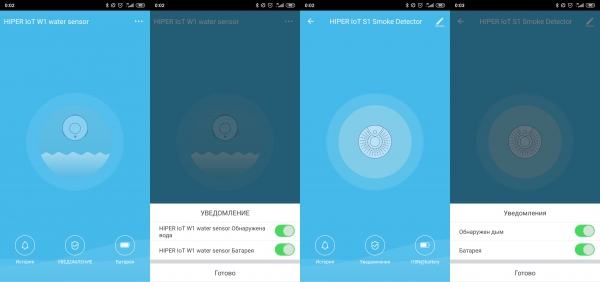
The following options are common to all devices in general: check for firmware updates, notification of unavailability for 30 minutes or more, a small FAQ and feedback form for error messages, as well as the already mentioned notification about the need to replace the battery. In addition, you can change the name and icon, location (room), turn off push notifications about events and, finally, reset the settings to factory settings.
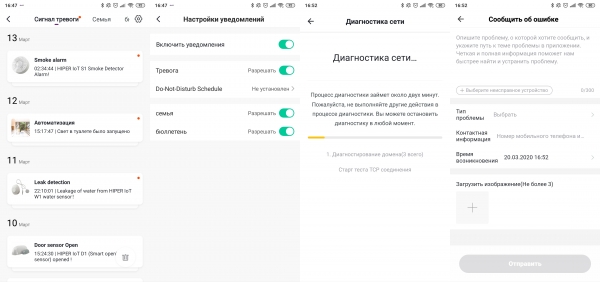
There are not so many settings for the application itself. There are only a few key ones: time zone and location, temperature units, graphic key to enter the application. The rest concerns mostly notifications: browsing by category, global enable/disable, do not disturb mode with the ability to select days/hours and device, mute. We will talk about automation and scripts, as well as working with Alice, a voice assistant from Yandex, separately, but for now let's look at the devices themselves and their features.
Smart sockets HIPER IoT P01 and P03
Both sockets have a plug and socket (Euro plug), designed for operation in networks AC 100-240 V 50-60 Hz and use only indoors. assumes a maximum current of up to 10 A, but P03 is already up to 16 A. Both sockets are made of heat-resistant white plastic: glossy in the case of P01 and matte in P03. Without load, the sockets heat up slightly, but under load, you can’t say that they are hot.
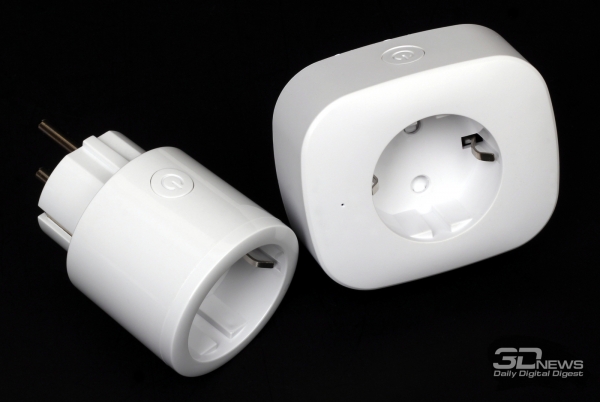
On the case, both sockets have buttons and small indicators of work in deep blue. Buttons are needed to quickly turn on / off the load. They do not remember the state after a power reset and remain off. In the application on the smartphone, you can find out the status of the outlet and turn it on / off, and for the P03 model, you can also see the current voltage, current strength, power consumption and electricity consumption, and consumption statistics by day.
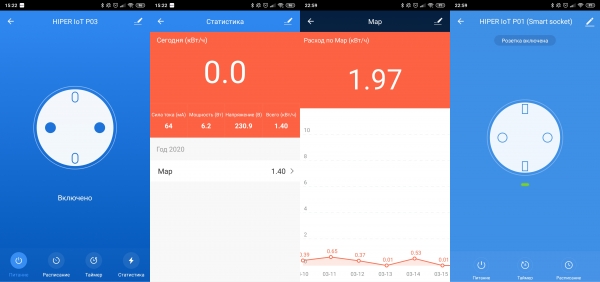
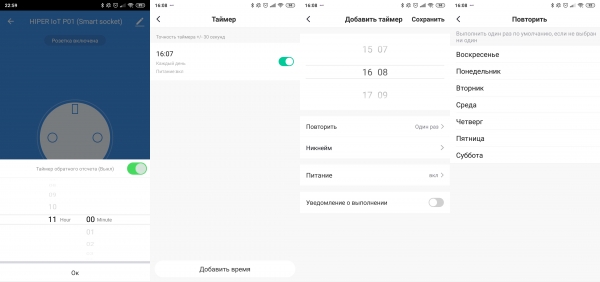
For both models, it is possible to create work schedules, as well as a timer, for which you can set an interval from 1 minute to a day for P03 or up to 12 hours for P01. When the timer fires, the current state of the outlet changes: that is, if it was turned on, it will turn it off, and vice versa. But for schedules, you can already select a specific function: turning on or off at a given time, and not just switching. For schedules, you can also set the frequency of repetition: once or on specific days of the week. When disconnected from the network, the timer and the one-time schedule disappear.
Opening sensor D1 and motion sensor M1
- This is a typical opening sensor with a reed switch. Due to the battery, the main module is a bit large (7 cm long), but the standby time is stated at the level of five years, and the charge should be enough for 2800 operations.
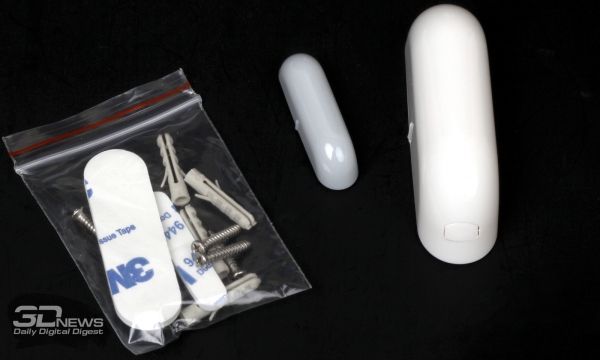
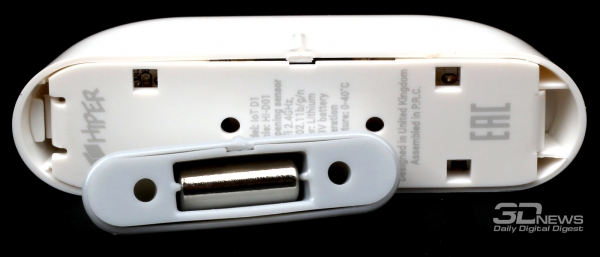
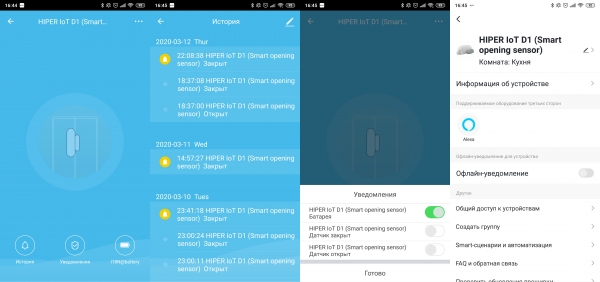
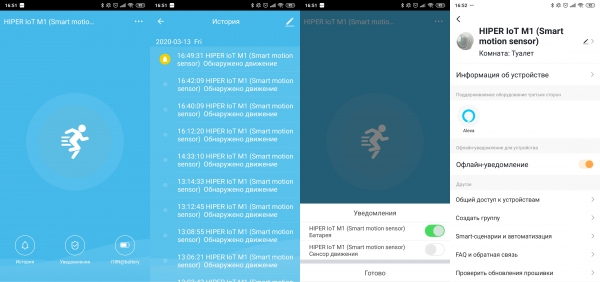
There are risks on the body of the main module and the magnet, which should be at the same level after the sensor is installed, and the distance between them should be about half a centimeter in order for the opening and closing to be accurately read. A red LED is hidden behind the translucent plastic of the module, signaling the operation. There are no special settings for the opening sensor in the application - notifications just pour in there.
Exactly the same applies to - he just collects notifications. The sensor itself is a 4,5 cm ball with a translucent "eye" and blue illumination, which is inserted into a holder with three legs so that it can be rotated towards the desired area to track movement.
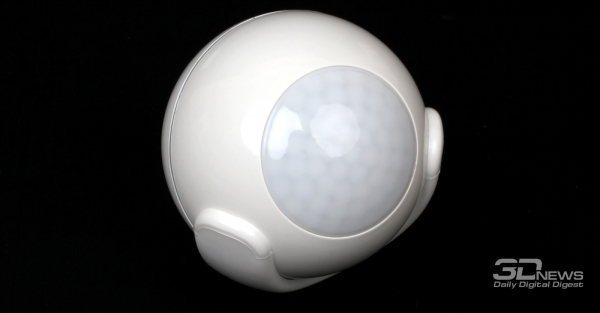
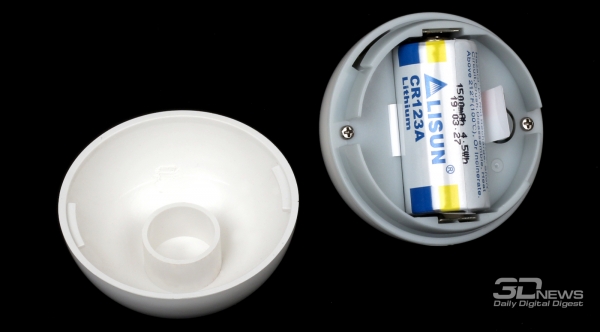
The viewing angle is 110 °, and the detection distance is approximately 6 m - the segment is rather big. The sensor is very sensitive and can even react to pets. The battery charge should last for 2500 operations or 5 years of standby operation.
Smoke sensor S1, water sensor W1 and weather station A1 with siren
It is no coincidence that all three sensors are brought into one group: in addition to the main function of detecting something, each one also has an additional one - notification using the built-in speaker. More precisely, in the case of A1, this is already a siren, loud - 105 dB after all, but you can’t turn down the sound - and heart-rendingly screaming, as it should be for a siren. For the rest of the sensors, the squeak is just nasty enough that it cannot be ignored while in the room.
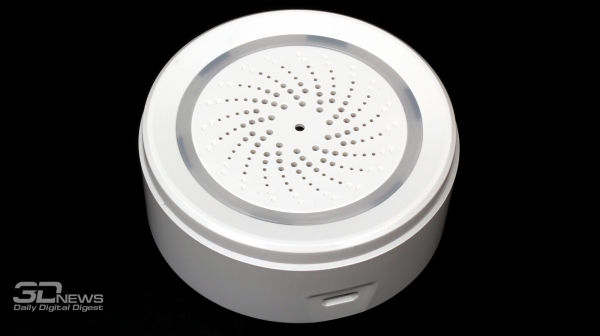
can be powered by both a pair of batteries and a micro-USB port, so batteries are not included in the kit. The device has a height of about 3,5 cm and a diameter of 6,5 cm. A ring of blue LEDs is hidden behind the front panel, which begin to flash rapidly when the siren is triggered. There are as many as 18 simple melodies to choose from, and the default sound duration can be set in the range from 10 seconds to half an hour.
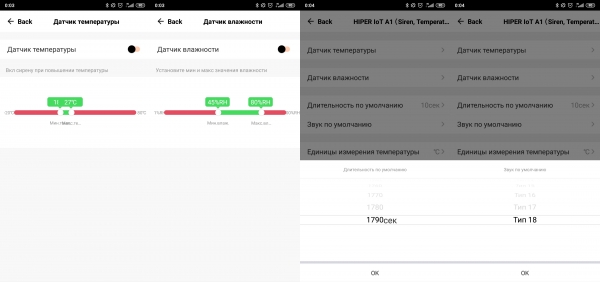
The siren is activated by a signal from other devices, such as a motion sensor, or according to a schedule, if someone really needs this option in practice. And the functionality of the weather station, as the manufacturer himself calls it, comes down to measuring the temperature and relative humidity of the environment.
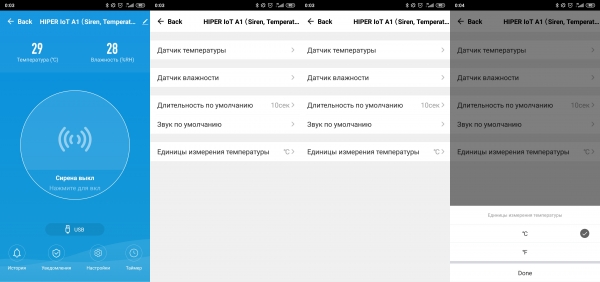
Alas, the statistics of fluctuations of these parameters cannot be viewed. In the settings, you can set the ranges of values for both parameters, beyond which a notification will be sent.
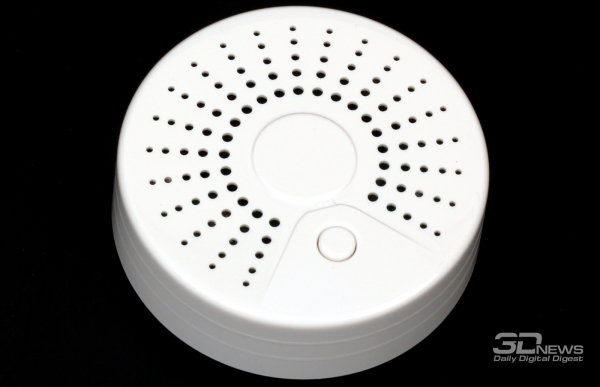
- "washer" with a diameter of about seven centimeters and a height of about two and a half - has a lattice front panel, behind which is hidden a dim indicator, occasionally blinking in standby mode. On the panel itself there is a single button that can be used to turn off the alarm.
And it reacts precisely to smoke, and in the description it is separately indicated that serious smoke is needed, which was not achieved during the test. It does not react to cigarette smoke, even if it is released directly into the case, as promised in the description.
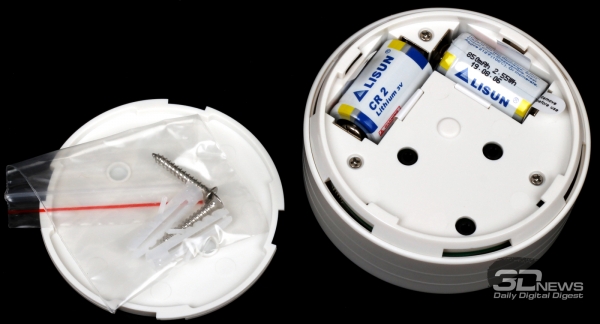
In general, the sensor is completely autonomous, it can also be used outside the HIPER IoT system. The same applies to - this leakage sensor does not have to be connected to a smart home. In terms of dimensions, it is the same as S1.
But there is no button for forcibly turning off the alarm manually. And that's why - at the bottom of the sensor there are three contacts. When they close, which happens when water enters, the alarm turns on - a bright red indicator lights up and a squeak is heard. And when it opens, when the water leaves, it turns off.
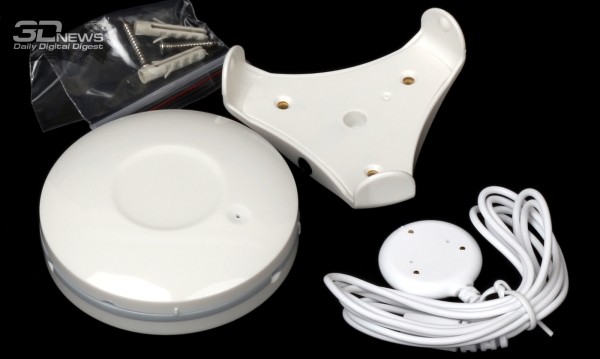
For ease of installation in hard-to-reach places, the W1 comes with a mount with three legs and a remote sensor on a cord a little over a meter long. The battery will last for 5 years of battery life or 2500 operations.
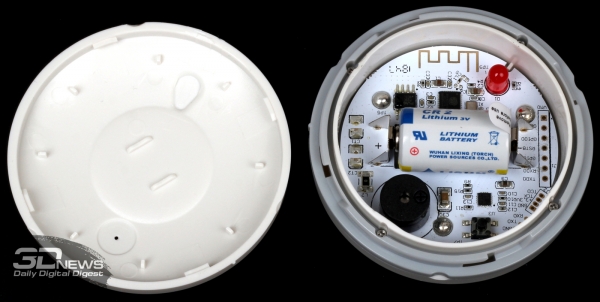
Universal IR remote control IR2
This is not a sensor, as the manufacturer calls it, but rather a control device, because it does not read any data - except for the IR signals in the training mode from the existing third-party IR remote control, when the required set of signals to control the equipment was not found in the database . And the base, I must say, is huge. It is divided into a number of categories: TVs and set-top boxes, players and projectors, climate and lighting equipment. There are dozens of brands in each category, each with different types of emulated remotes. Sometimes there are only one or two such options, sometimes more than a dozen.
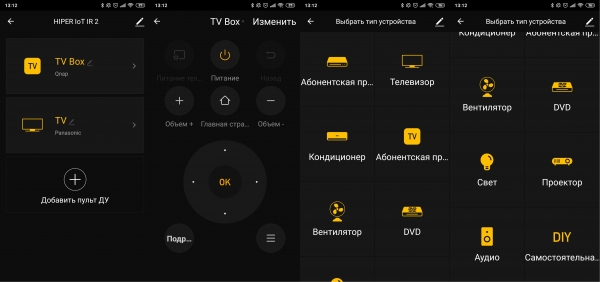
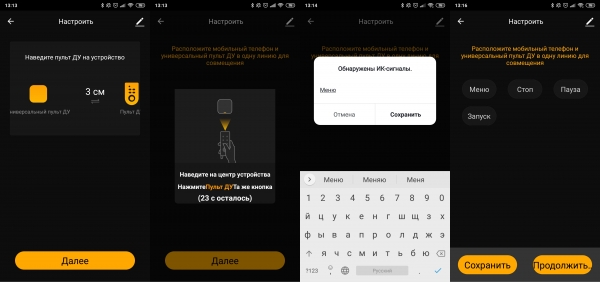
To select the desired one, it is suggested to try pressing the buttons of the virtual remote control and see if the controlled device responds - and if so, how exactly. In extreme cases, as noted above, you can teach HIPER IoT IR2 at least basic commands by pointing a real remote control at the device and pressing buttons.
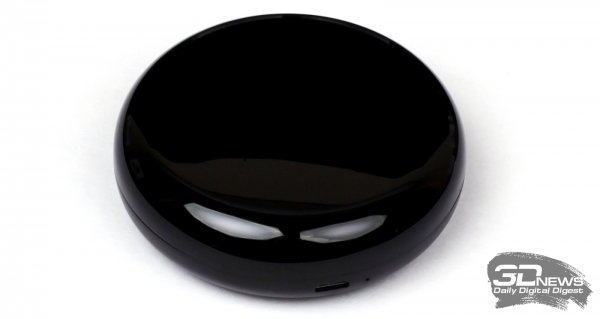
Well, the IR2 itself is a round “pebble” made of black (glossy on top and matte on the bottom) plastic with a diameter of about eight centimeters and a thickness of three. The device is powered by a USB port. In order for the IR signal to propagate normally throughout the room, you need to place IR2 in a conspicuous place, and not hide it in some niche under the same TV.
LED lighting: RGBW lamps A61, B1, C1 and table lamp DL221
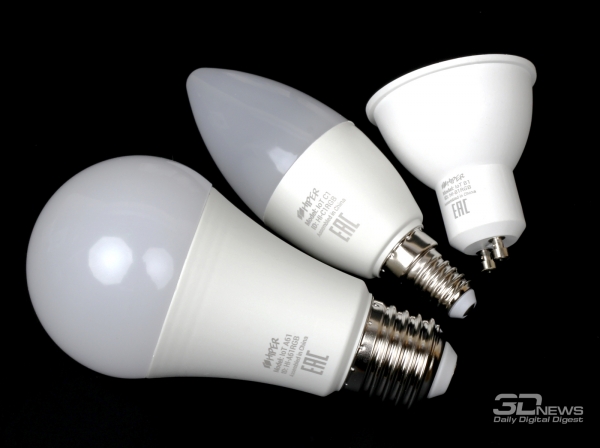
HIPER IoT , , are colored LED lamps with E27, E14 and GU10 bases and power consumption of 11, 5 and 5 W, respectively. This allows you to "upgrade" the vast majority of typical home lighting, replacing conventional light bulbs with smart ones. And if you still do not have LED-lighting, then in the end you will also save.
There are three main modes. In the first, you can adjust the brightness and color temperature of white light, in the standard range from 2700 to 6500 K. In the second, you can select the color of the lamp and its saturation. Finally, in the third mode, you can choose or create a work script yourself for quick and easy switching between sets of parameters.
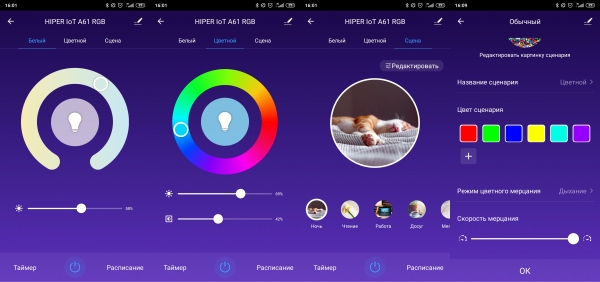
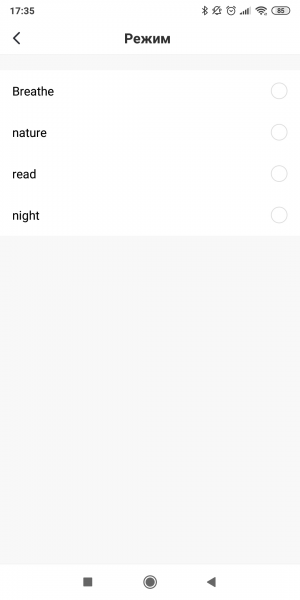
To the warmth of light or color / brightness / saturation, you can add a simple change of illumination by selecting several colors at once (up to eight) and one of two options for switching between them: when “flickering”, the lamp will simply change colors in turn, and in the “breathing” mode they will flow smoothly from one to the other. Color change speed can be adjusted.
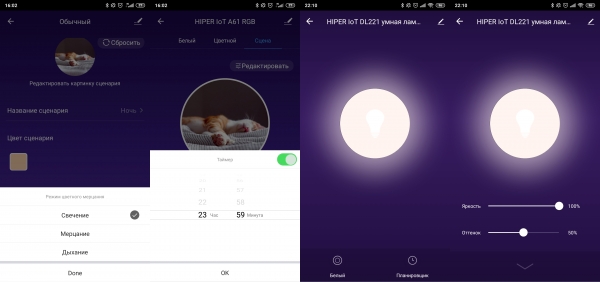
LED lamp is just an ordinary table lamp with adjustable brightness and color temperature (from 2700 to 6500 K). It is made of matte white plastic. The round, slightly weighted base has a diameter of 17 cm. There are several rubberized feet on the bottom, so that the lamp stands steadily on the table. Near the leg at the end of the base there is a power connector and a tiny, dim indicator of operation. The complete power supply has a power of 6 watts.
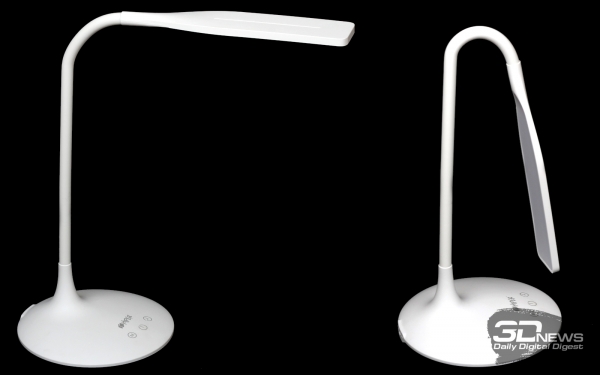
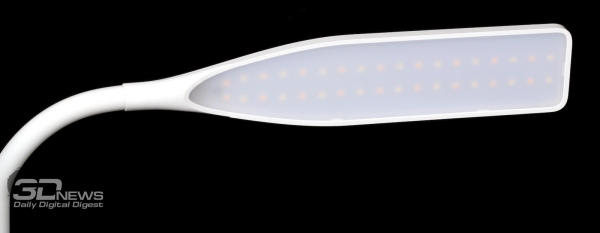
A segmented, which is actually not very noticeable, leg with a silicone coating is attached to the base. The first vertical section is 28 cm long, then comes a 9 cm long flexing and rotating tube, to which the 23 cm lampshade itself is attached. On the underside of the lampshade, behind a translucent, milky white plastic cover, two rows of LEDs are hidden.
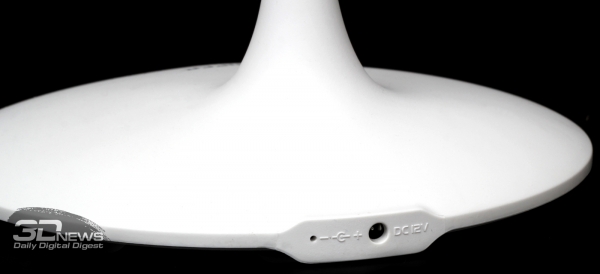
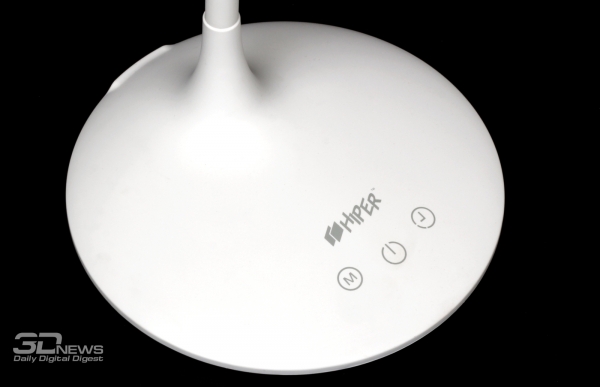
For manual (literally) control, there are three touch buttons on the base. The first is to turn the lamp on and off. With a long press on it, the brightness will gradually change. The second button switches the color temperature, but there are only three gradations: cold light, warm light and something in between. There is another button, when pressed, the lamp flashes twice as a notification that the lamp will be turned off in about three quarters of an hour. It is said that this mode may be of interest to those who like to fall asleep with a book in their hands.
In principle, the luminaire can also be used without the HIPER IoT application. Even despite the fact that only smooth control of brightness and temperature is available in it, as well as scheduling. For RGB lamps, one-time timers are also available, which, as in the case of smart sockets, are reset when Internet access or power is lost. But on the other hand, the lamps retain the last light / color settings after turning off and on.
Smart IP cameras HIPER IoT Cam F1 and Cam M2
Both models are fairly typical inexpensive IP cameras for home use. They have the same matrices, but I want to use Cam F1 more like a baby monitor, but Cam M2 is closer to video surveillance systems. However, the specific scenario is determined by the user himself. Both can shoot in HD resolution (1280 × 720) and require a bandwidth of 100-200 KB/s for live video. Both can record video autonomously, as they have slots for a 64 GB microSD memory card, which is enough for at least a week of archival recordings.
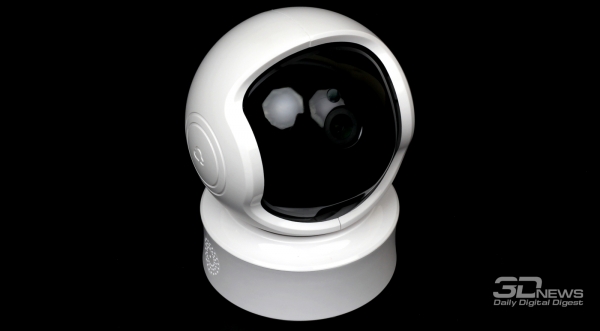
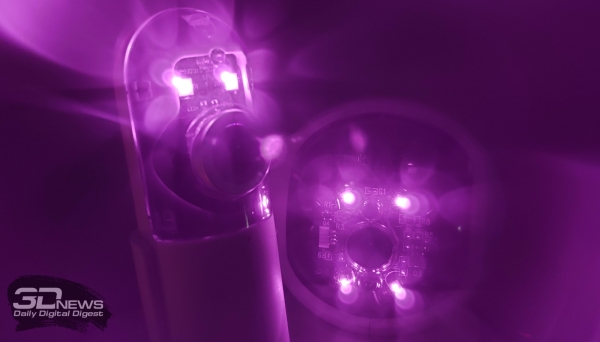
The cameras are able to shoot in the dark, thanks to the built-in IR LEDs, which “pierce” 8-10 meters: the F1 has two of them, and the M2 has four at once. Moreover, in the dark they can be seen with the naked eye, and when switching to night mode, a characteristic click is heard. Both models also have a built-in speaker (very loud) and a microphone, allowing two-way audio communication. They, of course, are not of the best quality, and there is really no echo suppression, but in general, the sound at the level of a simple walkie-talkie can be expected from them. You can also enable one-way audio in the settings.
Camera has a swivel design: on a round base with a diameter of 8 centimeters and a height of almost 4, there is a sphere with a diameter of just over 8 cm, which can rotate 360 °. But only for one full turn, since she still has an emphasis. Inside the sphere is a block with the camera itself, which already rotates vertically and covers approximately 120 °. If you raise it almost all the way up, then access to the memory card slot will open.
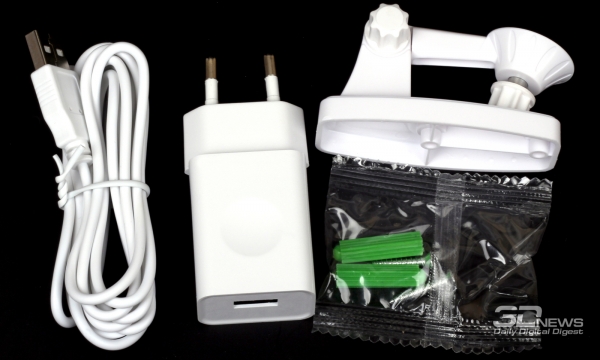
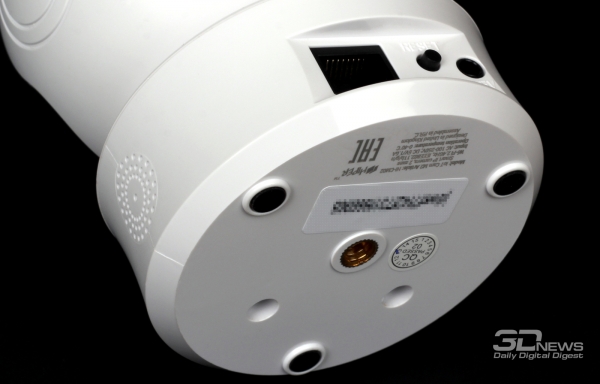
There are three rubberized feet on the bottom of the Cam M2 base, as well as a standard quarter-inch metal socket for attaching the camera to a bracket. It is included in the kit, but it is plastic, and to be honest, there are doubts that it can last really long, even though the camera itself weighs only 200 g. There is an option in the settings to flip the image, so that the camera can be hung upside down .
A reset button and an RJ-45 port are provided on the back wall of the base - yes, the camera can connect both via Wi-Fi and Ethernet. There is also a power socket. The complete cable, almost 2 m long, has a regular USB Type-A at one end, and a round plug at the other.
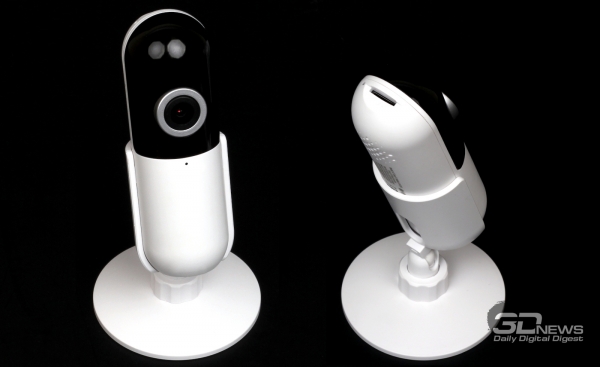
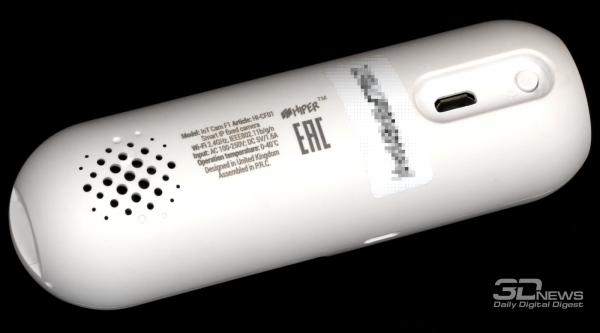
much smaller and lighter: 11 cm long, 3,5 cm in diameter and weighs 50 g. Its bottom is flat and covered with non-slip material, so the camera is quite stable on a flat surface. But in the kit there is also a small plastic stand like a microphone. At the back, it has a reset button and a micro-USB port for power, and on top there is a slot for a memory card and a rather bright multi-color indicator.
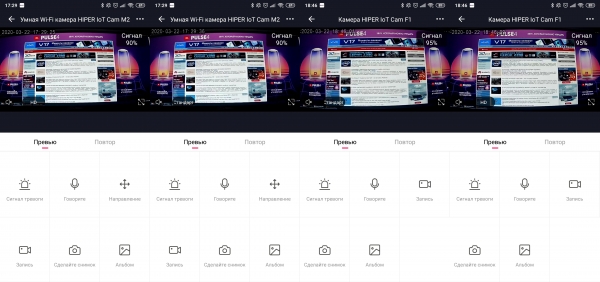
The basic functionality of both cameras is the same. In the application, you can select the picture quality (HD or standard 640 × 360) and expand the image to full screen. There is a zoom here, but only digital. And Cam M2 can still be twisted from side to side - standard gestures in full screen mode are supported. It is also possible to save current photos or videos to your phone, you just need to pay attention to what quality is selected at this moment. For HD mp4 video is recorded at a speed of 15 frames / s and a stream of up to 5 MB per minute.
But with the video that is stored on the memory card, everything is not so simple. It is written in the avs format, which is not very common. A primitive player for it can be found on the websites of other vendors that also localize Tuya products. But it is still inconvenient to use it, it is better to look for a converter. I would like to get the option of cloud storage of video recordings. In the application itself, records from the card are shown in the form of a timeline. But here there is a nuance.
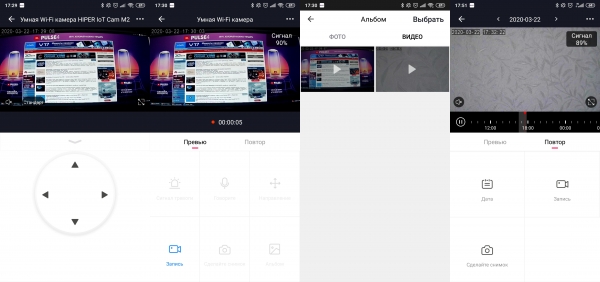
You can turn on continuous recording of everything in general, or you can only record when motion is detected in the frame, and the sensitivity to motion and the operating time after its detection can be configured. And if for a permanent recording it is still possible, when rewinding, to approximately get into the required period of time, then for single short recordings it is no longer so simple. Well, the motion detection itself with a static camera position works well.
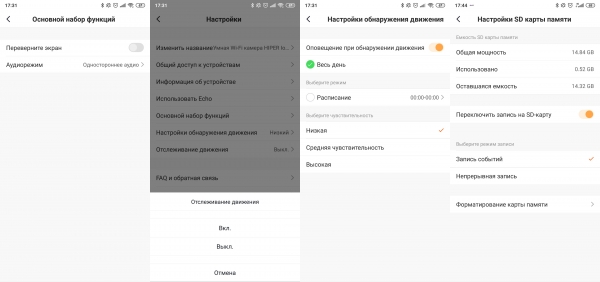
Cam M2 also has a function for tracking an object that has disturbed the calmness of the frame. The camera does turn in the horizontal plane following the moving object, but it can lose it. For example, you can walk quickly close to it or hide in the "shadow". But in night mode with IR illumination, there will be no such problems.
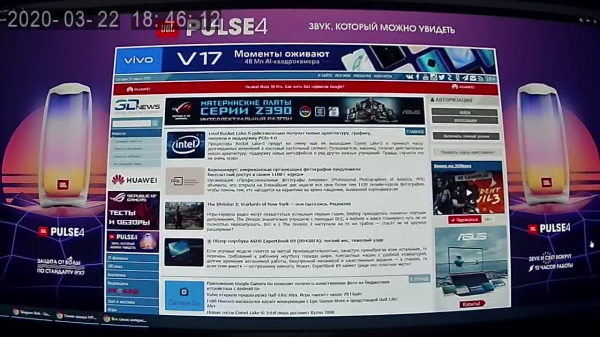
For home use, the capabilities of both cameras should be enough. It's just worth remembering that this is not professional equipment, and do not expect something supernatural from it. The only thing that has not been achieved from the cameras is receiving push notifications about motion detection.
automation and control
As has been repeatedly noted above, for lamps and sockets, or, in general, for devices that can change their state, it is possible to set individual schedules by indicating the days of the week, time and the state itself: on or off. This is the easiest automation option. A more convenient option is the so-called smart scenes, or scripts, to put it simply. Scenarios can be named as you wish and you can change the background image for them to make it easier to navigate.
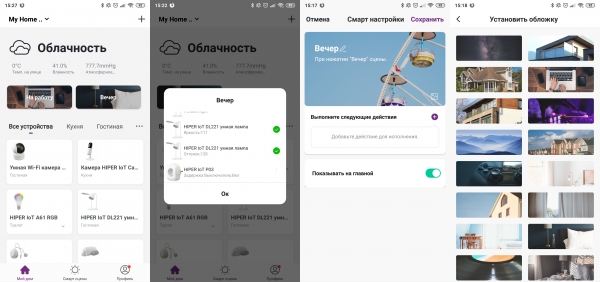
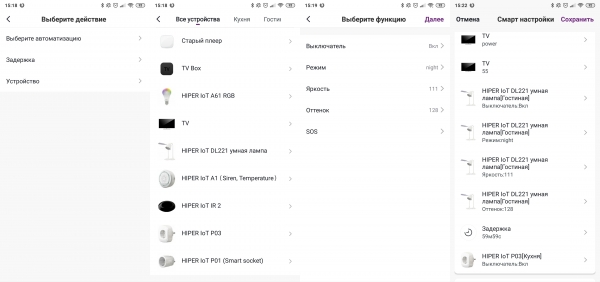
Scenarios imply a sequential execution of a chain of actions to change various device parameters, which is launched manually by the user - for convenience, icons can be displayed on the main screen of the application. What specific parameters depend on the device itself. Sockets can be turned on or off. For lamps (even RGB), you can specify the brightness and color temperature, and for the IR remote, for example, set the TV to turn on and switch to the desired channel. Among the available actions are also a delay (up to 24 hours) and automatic scripts (automation).
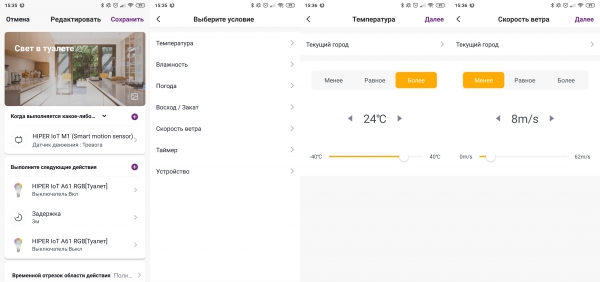
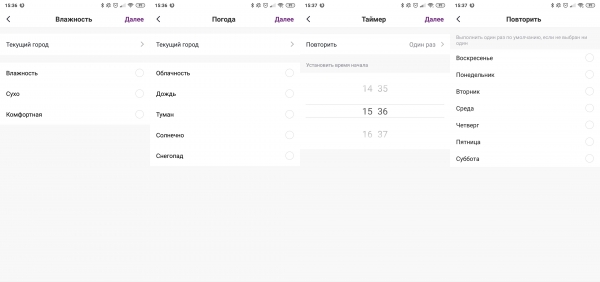
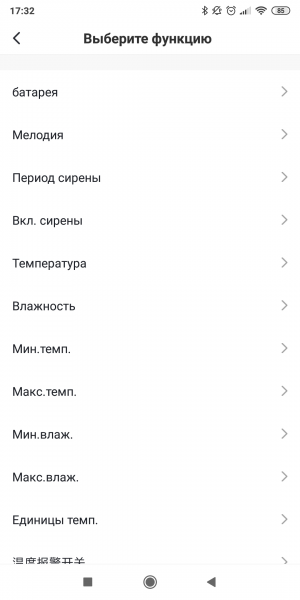
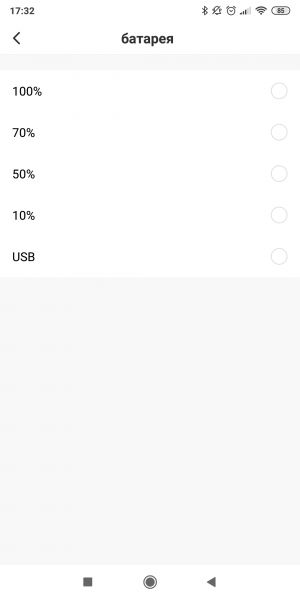
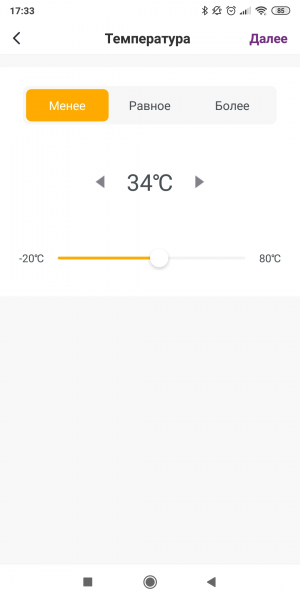
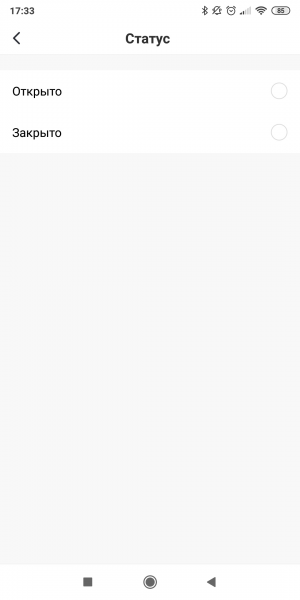
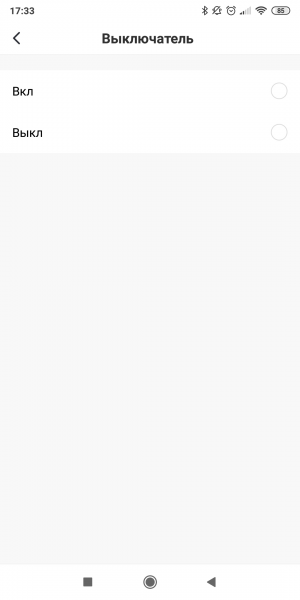
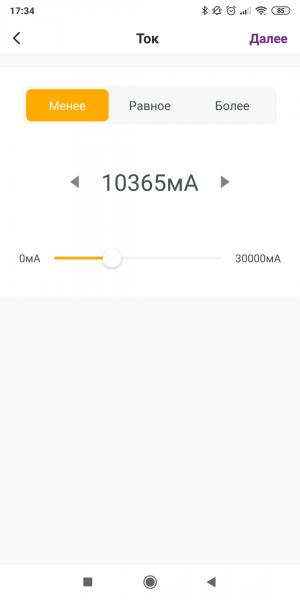
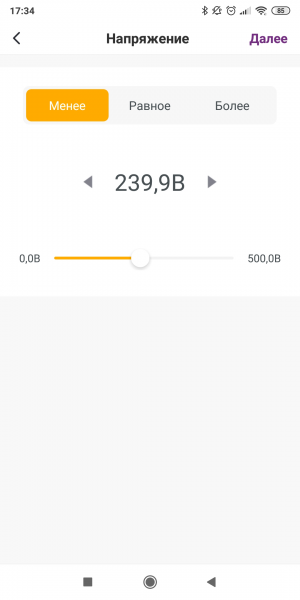
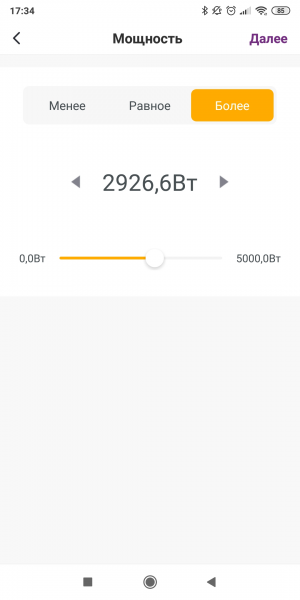
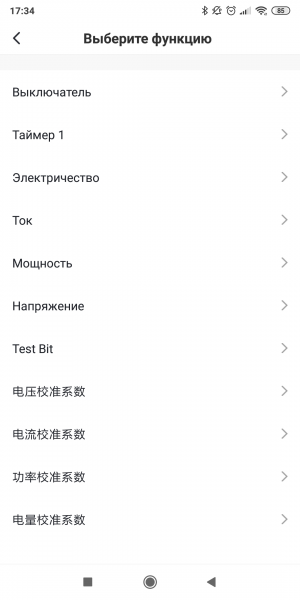
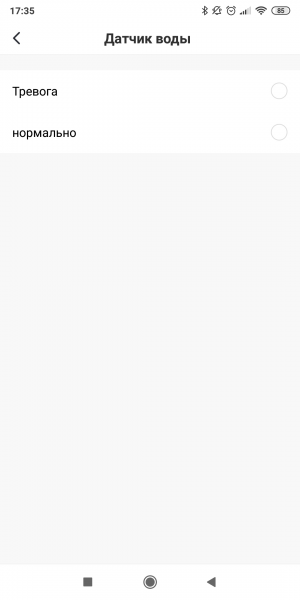
Automatic scripts work independently - this is the same chain of actions, but executed when an event occurs. There are three sources of the event: weather conditions, for the sake of obtaining information about which it is necessary to indicate the location of the house, all the same schedules, as well as sensors and other devices. For the weather, you can select specific parameter values - temperature, wind speed, sunrise or sunset time - or a more general condition: dry/wet/comfortable, rain, snow, fog, sunny/cloudy.
Source: 3dnews.ru

