

ONLYOFFICE DocumentServer 9.1 has been released, featuring a server implementation for ONLYOFFICE online editors and collaboration tools. The editors can be used for working with text documents, spreadsheets, and presentations. The project code is distributed under the open source AGPLv3 license. Ready-to-use builds are available for Linux, Windows и macOS.
ONLYOFFICE DesktopEditors 9.1 was released simultaneously, sharing the same codebase with the online editors. The desktop editors are designed as desktop applications written in JavaScript using web technologies, but combine client and server components into a single suite designed for self-contained use on the user's local system, without relying on an external service. For on-premises collaboration, users can also use the Nextcloud Hub platform, which provides full integration with ONLYOFFICE.
ONLYOFFICE claims full compatibility with MS Office and OpenDocument formats. Supported formats include DOC, DOCX, ODT, RTF, TXT, PDF, HTML, EPUB, XPS, DjVu, XLS, XLSX, ODS, CSV, PPT, PPTX, and ODP. The editors' functionality can be expanded through plugins, such as those for creating templates and embedding YouTube videos. Ready-made builds are available for Windows и Linux (deb and rpm packages).
Main innovations:
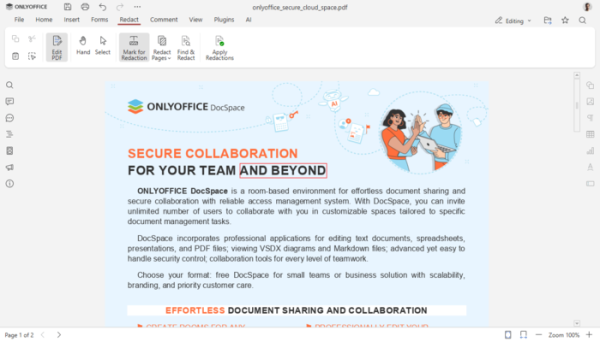
- The PDF editor has a new "Redact" tab with tools for redacting sensitive information in documents. To redact information you want to exclude from your document, simply click the "Mark for Redaction" button, highlight the desired fragment, and click "Apply Redaction." You can redact words or phrases using a search or hide individual pages or page ranges.

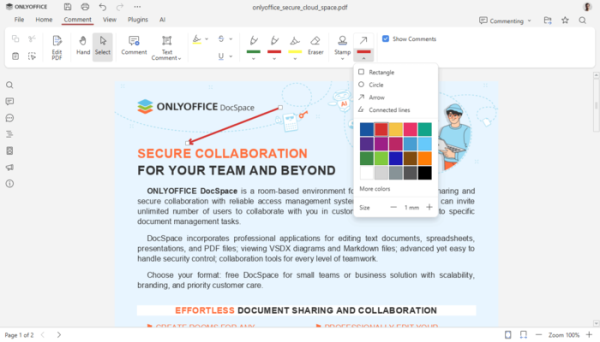
- New tools for annotating PDF documents have been added, allowing you to add marks to your document using rectangles, circles, lines, and arrows. You can also change the line width and color of the resulting shapes.
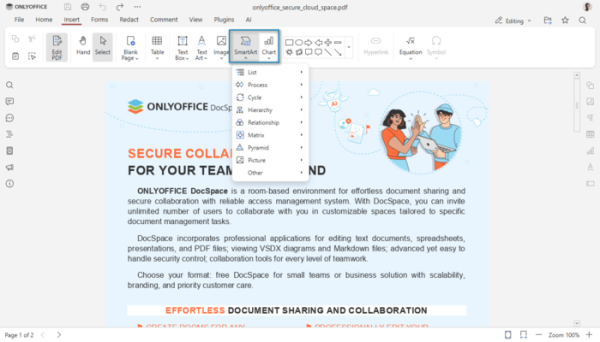
- You can now add SmartArt charts and graphics to PDF documents to visually present data and highlight key insights.
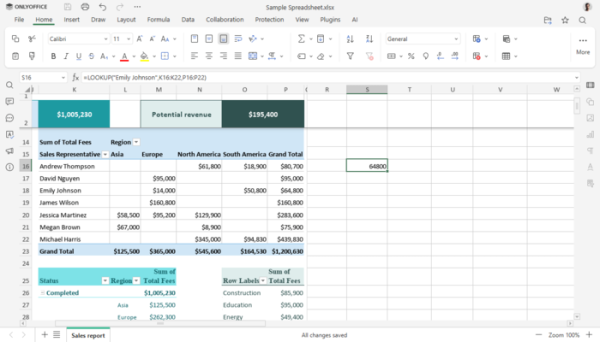
- The spreadsheet editor features significantly faster LOOKUP, VLOOKUP, HLOOKUP, and XLOOKUP search functions, improved logic for working with mixed data types, and reduced memory consumption when calculating formulas. Exact searches using VLOOKUP and linear searches using XLOOKUP are now up to 4x faster.
- As you type a formula in the spreadsheet editor, active arguments are highlighted to make it easier to track and edit calculations.

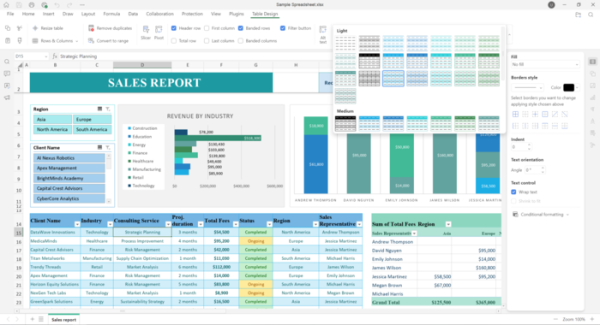
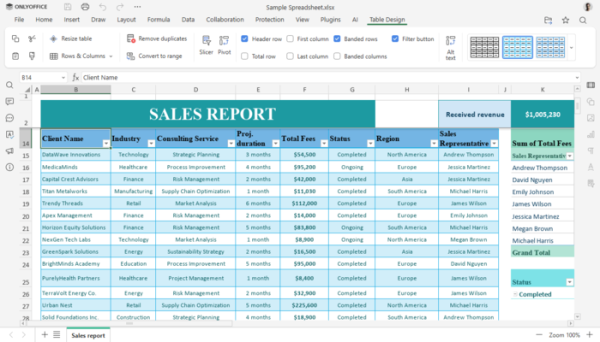
- Table formatting settings have been moved to a separate "Table Design" tab that appears when working with a table.
- Pivot Tables now support filters, making it easier to evaluate trends and analyze time-based data.
- Added the ability to open and display files containing interactive content controls such as buttons and scroll bars, list boxes, and value selectors.
- Added the ability to rename spreadsheet sheets locally by double-clicking on their name.
- Added a function to change the text direction (Left-to-Right and Right-to-Left) in individual cells.
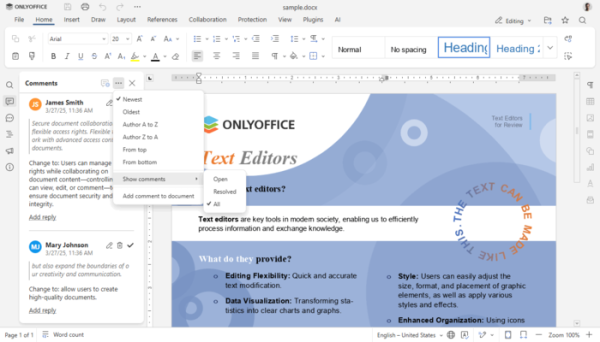
- All ONLYOFFICE components now allow you to customize the display of resolved and pending comments in the left panel.
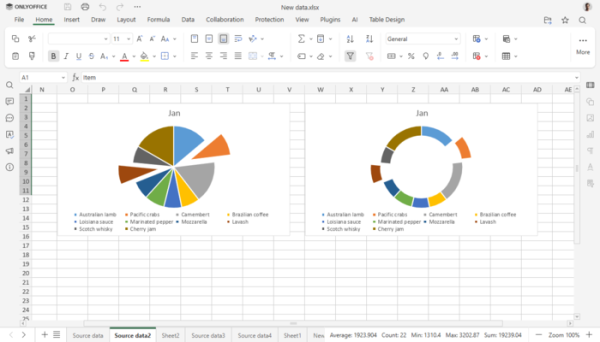
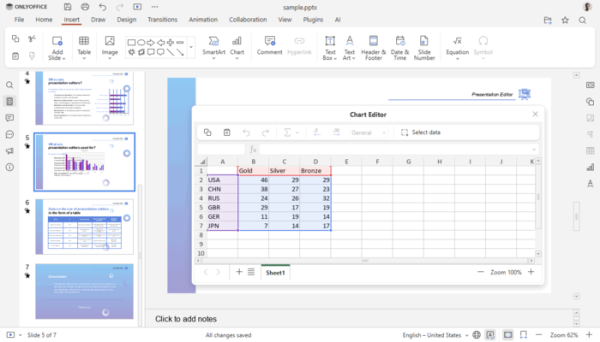
- An "Explosion" option has been added for 2D pie and doughnut charts, allowing you to visually separate chart segments. When copying charts between editors, you can now embed a file or link to a data source. You can now enable or disable specific chart elements, such as axis titles and labels.
- A full-featured diagram editor has been implemented for documents and slides, allowing you to directly open XLSX files, bypassing the cache.
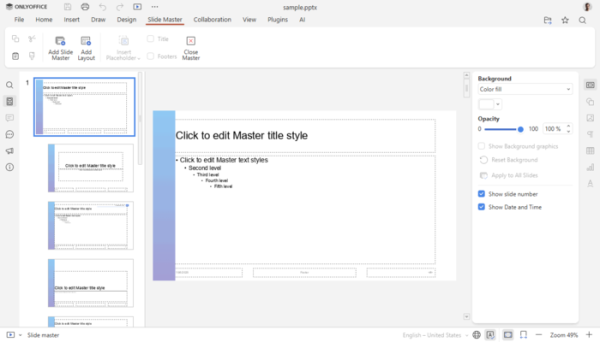
- In the presentation editor, the Slide Master settings have been moved to a separate tab.
- Added support for HEIF images, as well as viewing and editing HWPMLL (Hangul Word Processor Markup Language) documents.
- Added support for converting PPTX presentations and PDF documents to plain text (TXT).
- Added the ability to insert mathematical formulas in MathML format.
- The document editor now supports section breaks within block elements. content management at any level of nesting.
- The server version of ONLYOFFICE Docs now includes an admin panel that allows you to monitor server status and manage settings.
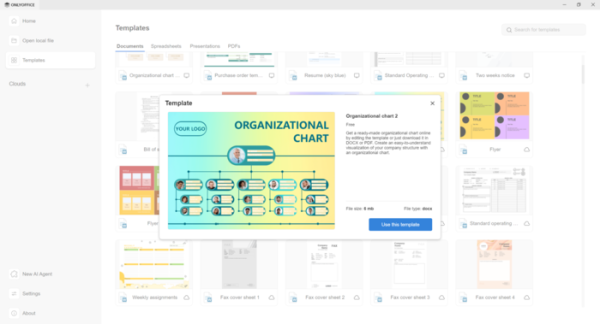
- Working with templates has been simplified, and support for previewing templates stored in cloud storage has been added.

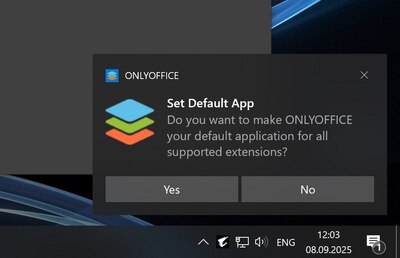
- The desktop version of ONLYOFFICE uses system notification mechanisms to display notifications about updates or file associations instead of displaying its own modal window.

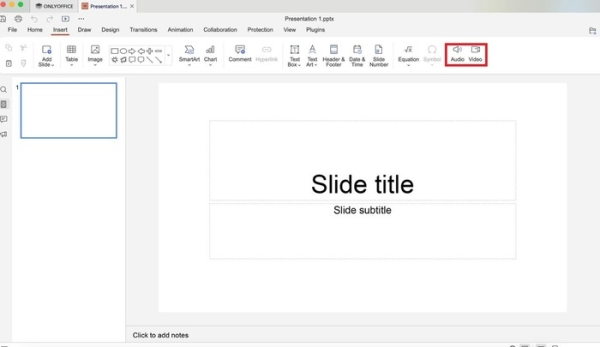
- In ONLYOFFICE Desktop Editors builds for macOS Added support for inserting audio and video files into presentation slides, and implemented an option to disable spell-checking language detection.

- A new mechanism has been added for restoring unsaved documents after crashes in ONLYOFFICE desktop builds. This means that after restarting the application, previously open documents will be automatically restored to their state before the crash.
- Fixed vulnerabilities that allowed arbitrary file writing, depending on permissions, when converting specially formatted x2t and EPUB files. Cross-site scripting (XSS) was eliminated when processing hyperlinks in a document. Fixed a vulnerability in the endpoint handler that allowed modification. server configuration.
Source: opennet.ru
