

Google has unveiled the third quarterly release of its open mobile platform. Android 16 (QPR3). The source code for the new release will be hosted in the project's Git repository in the android-16.0.0_r5 branch. Firmware builds have been prepared for Pixel devices from the 6th to the 10th series. Additionally, universal GSI (Generic System Images) builds have been created, suitable for various devices based on the ARM64 and x86_64 architectures. In the coming months, firmware versions with the new version are expected for smartphones from Samsung, Honor, iQOO, Lenovo, Motorola, Nothing, OnePlus, Oppo, realme, Sharp, Sony, Tecno, vivo, and Xiaomi.
Main innovations Android 16 QPR3 (1, 2, 3, 4):
- A desktop mode has been added, activated when connecting the device to a large external display. Similar to a traditional desktop environment, the new mode allows you to work with multiple application windows simultaneously, resize windows, and use a taskbar for navigation, displaying active applications and allowing you to pin shortcuts to your most frequently used programs.
You can connect a keyboard and mouse and assign your own key combinations. A new desktop session is created on the external screen, while you can continue working in the mobile interface on your phone. Desktop mode is supported when connected to an external screen on Google Pixel 8, 9, and 10 series smartphones, as well as Samsung S26, Fold7, Flip7, and Tab S11 devices.
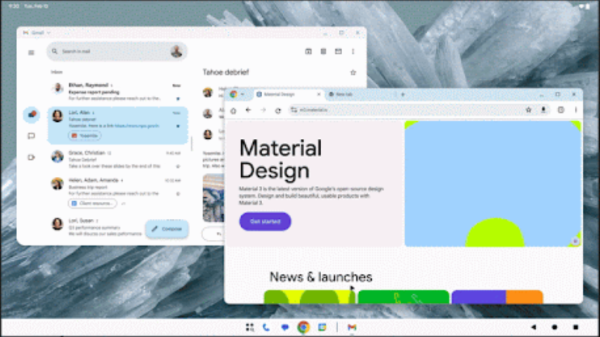
When using this mode on tablets like the Samsung Galaxy Tab S11, desktop mode can be used on the device's main screen, with the external monitor used as a supplement to the tablet's display. This creates a multi-monitor configuration with a single virtual screen, allowing you to move the cursor and app windows between the main and external screens.
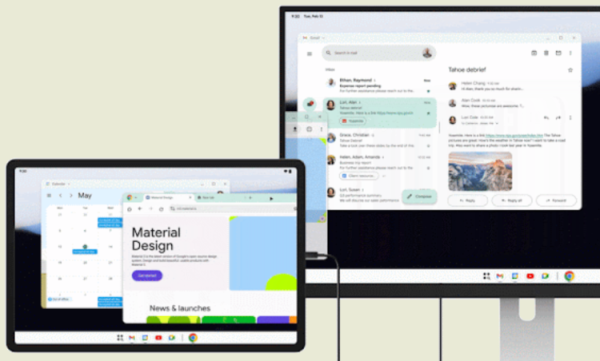
Mobile apps built using responsive interface building mechanisms look like typical desktop apps in desktop mode. Features for creating responsive apps include the Display object (which allows tracking screen settings changes and app movements to other screens) and an API for handling keyboard and mouse events. New screen classes—Large and Extra-large—have been added to the Jetpack WindowManager. Navigation 3 and Compose Material 3 Adaptive libraries have been added for creating interfaces that adapt to screen size.
- Google Messages is now integrated with Find Hub, allowing you to share your location during chats and track your friends' locations on a map in real time. You can also limit location access time and stop sharing information early.
- Find Hub has added a feature to search for the location of baggage lost by an airline by tracking the position of the baggage. Android-devices and sending the airline's support service a link that allows you to view location information in any browser.
- Google Play has added support for displaying videos when navigating the app catalog to provide a more visual overview of app features.
- Added support for creating a business card with a photo and text that will be shown to the recipient of an outgoing call.
- В Android Auto has added a set of teacher-approved educational games for children aged 3 to 12 that run on the in-car information system dashboard.
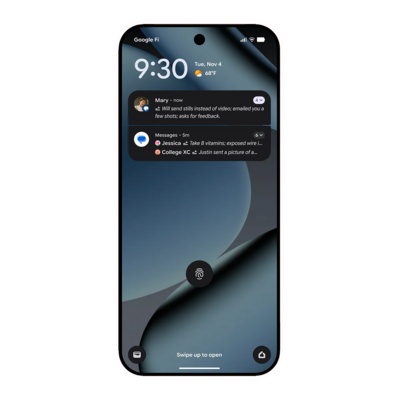
- The notification area now features the ability to display a short summary of unread chat messages and group unimportant notifications.
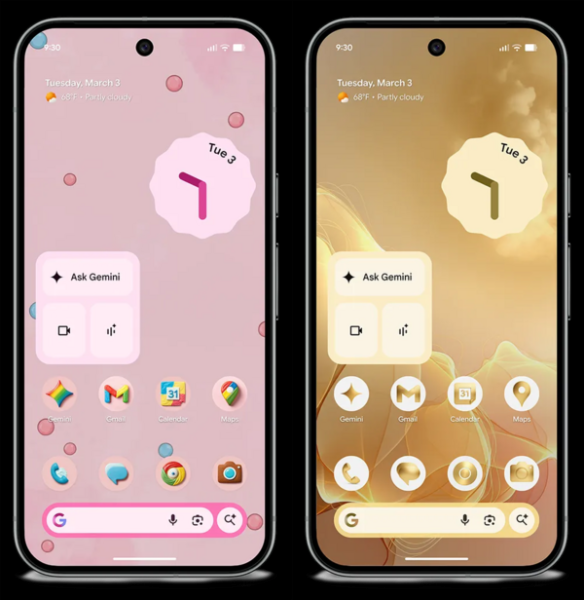
- Added the ability to change the shape of icons on the home screen and apply a monochrome design theme to all icons.
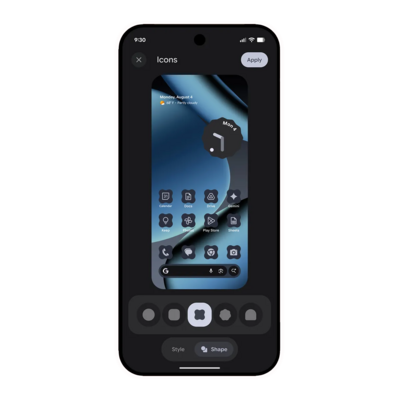
- The firmware for Google Pixel devices includes innovations such as support for recognizing multiple objects simultaneously in Circle to Search, the use of the Gemini AI assistant for performing everyday tasks (for example, you can order groceries and interact with apps on your smartphone), a new Now Playing app for recognizing nearby music tracks, displaying information on stock prices, traffic jams, and sports scores in the At a Glance widget, and AI-generated custom icon styles for the home screen.
Source: opennet.ru

