

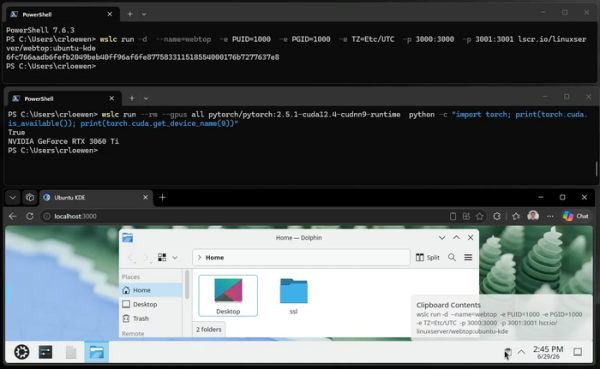
Microsoft has announced the start of testing the system for launch Linux-containers in Windows, implemented on the basis of the WSL layer (Windows Subsystem for Linux). The toolkit provides a standard wslc command-line interface and API for creating, deploying, and running containers based on Linux from the entourage Windows, as well as to access running containers from WindowsContainer functionality is included in the experimental release of WSL 2.9.3.
Key features of WSLC (WSL Containers):
- Operations for managing the container lifecycle, such as creating, starting, stopping, exporting, cleaning, and inspecting.
- Limiting CPU and memory consumption of individual containers.
- Build, download, upload, import, save, and verify system images. Commands for viewing lists of available images. Batch operations with multiple images at once. Ability to package multiple images into a single tarball.
- Create and manage virtual networks. Join containers to multiple networks. Create custom network types. Forward network ports.
- Create, view, and delete partitions. Work with virtual disks (VHD).
- Access to GPUs from containers and provision of libraries for unprivileged users to work with GPUs.
- Create sessions as needed, assign session names, customizable storage location.
- SDK with API for automating work with containers from C++ and C#/WinRT programs.
- The "wslc logs" command for viewing and extracting data from logs. Displays container operation statistics. Output highlighting in the "wslc" utility.
- Integration with MSBuild and CMake.
- Support for management using ADMX group policies.
- Support for the VS Code dev container extension for running and building development code in a container.
In addition to container support, the new version of WSL introduces the following features:
- A new file system, virtiofs, has been introduced and is enabled by default in containers, providing two times faster access to Windows-files.
- The "consomme" networking mode has been implemented and enabled by default in containers, providing improved compatibility with various network configurations (VPN, proxy, etc.). In "consomme" mode Linux-traffic is forwarded through Windows, which allows it to be used for Linux applications all the capabilities of the network environment Windows, including security policies and tools for integration with corporate systems.
- Improved automatic return to the main environment with Windows memory not used in virtual machine с Linux.
WSL provides a virtual machine with a full kernel. Linux (based on the 6.6 and 6.18 branches), which can run distributions LinuxThe core includes WSL-specific changes, such as optimizations to reduce startup time and memory consumption, the ability to revert Windows released LinuxMemory and configuration processes to eliminate unnecessary drivers and subsystems. The system is installed in a separate disk image (VHD) with an ext4 file system and a virtual network adapter.
Source: opennet.ru
