

The Document Foundation has released LibreOffice 25.8. Pre-installed packages are available for various distributions. Linux, Windows и macOS160 developers contributed to the release. 40% of the changes were contributed by 44 employees of the project's overseeing companies, such as Collabora and Allotropia, 41% by eight employees of The Document Foundation, and 19% by 108 independent contributors.
The LibreOffice 25.8 release is labeled "Community" and will be supported by enthusiasts and is not aimed at enterprise use. LibreOffice Community is available free of charge to everyone without exception, including corporate users. For enterprises that need additional services, products of the LibreOffice Enterprise family are being developed separately, for which partner companies will provide full support, the ability to receive updates over a long period of time (LTS) and additional functions such as SLA (Service Level Agreements).
The most notable changes:
- A universal document viewer ("Viewer Mode") has been implemented, allowing you to open any files in read-only mode, disabling all editing tools when working with them. To enable the viewing mode, an expert setting "ViewerAppMode" has been added.
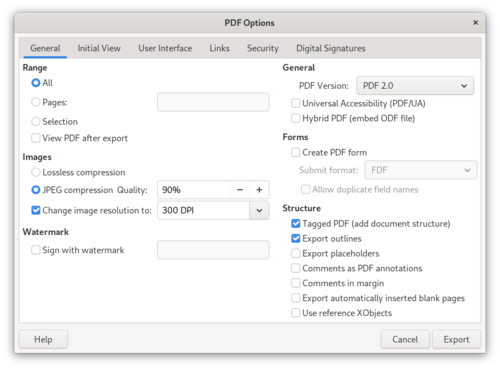
- Added support for exporting documents in PDF 2.0 (ISO 32000-2) format. Implemented support for AES-256 encryption, structural elements, and the PDF/A-4 specification. Implemented a hybrid mode for embedding ODF documents. Redesigned PDF export interface.
- An option has been added to the quick search bar to match masks taking into account characters with diacritics.

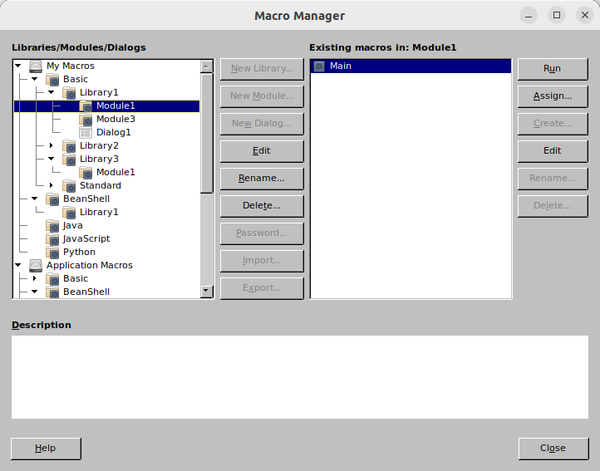
- An experimental macro management dialog has been implemented (Tools ▸ Macros ▸ Macro Manager), combining the capabilities of 5 existing dialogs for working with macros and writing scripts. To enable, experimental features must be activated (Tools ▸ Options ▸ LibreOffice ▸ Advanced ▸ Enable experimental features).
- Added an experimental advanced encryption mode for ODF files, featuring higher performance, metadata protection, and the use of AES-GCM and Argon2id algorithms.
- When opening documents in read-only mode, a toolbar with formatting tools is displayed for sections that allow editing, and the ability to use the Edit Field dialog is provided.
- A switch for displaying the entered password has been added to dialogs with password entry forms.
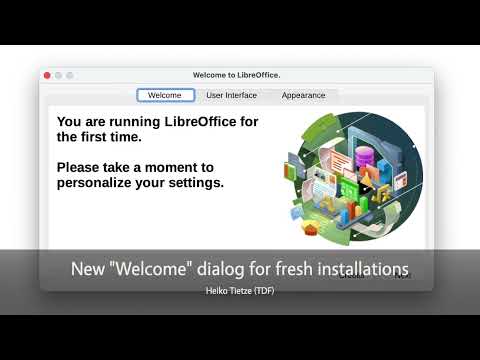
- The welcome window displayed at startup provides access to appearance settings.
- An item for inserting hyperlinks has been added to the context menu shown for selected text.
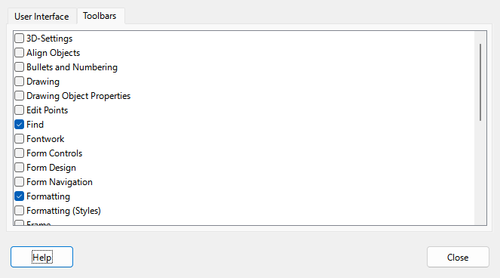
- The function of activating toolbars has been added to the interface configurator (View ▸ User Interface).
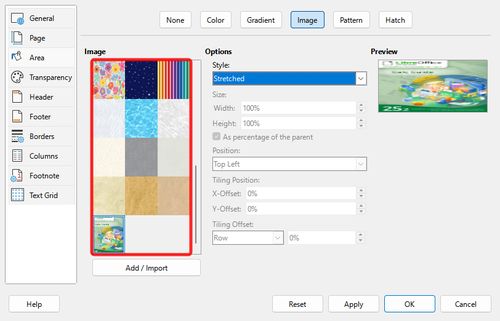
- The "Page Style ▸ Area ▸ Bitmap" page provides a display of thumbnails of the background images used in the document.
- Added support for SHA-384 and AES-192 algorithms when working with encrypted files.
- Compatibility with Adobe Reader of PDF documents exported with an electronic signature has been ensured.
- In edit mode, the ability to proportionally resize OLE objects, such as diagrams, while maintaining the height-to-width ratio has been added. The ability to lock the direction of movement of objects at 45° by holding down the Shift key while dragging them has been added.
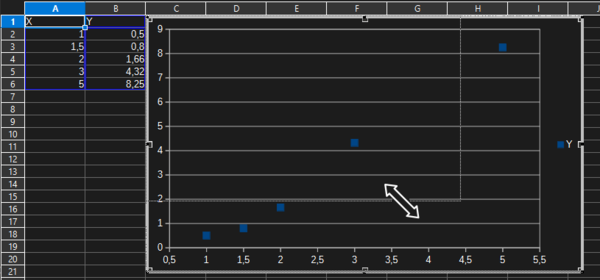
- Writer and Calc now allow you to change the rotation mode of a selected object with one click, just as is already done in Impress and Draw.
- Performance optimizations have been made - in the tests conducted, Writer and Calc began to open files 30% faster. Memory consumption has been optimized.
- Changes in Writer:
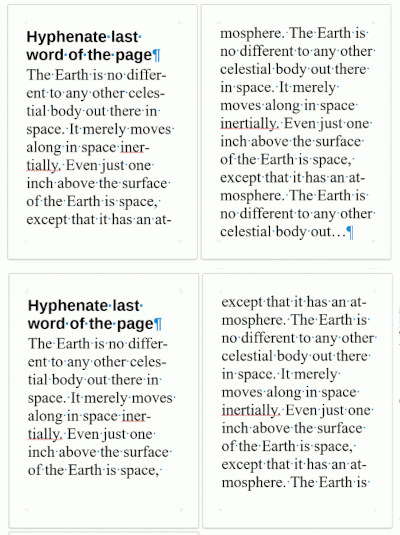
- Added a line break rule "Move line", according to which if the break of a part of a word falls on the last line (one part of the word ends up on one page, and the other on another), the entire line is moved to the next page.
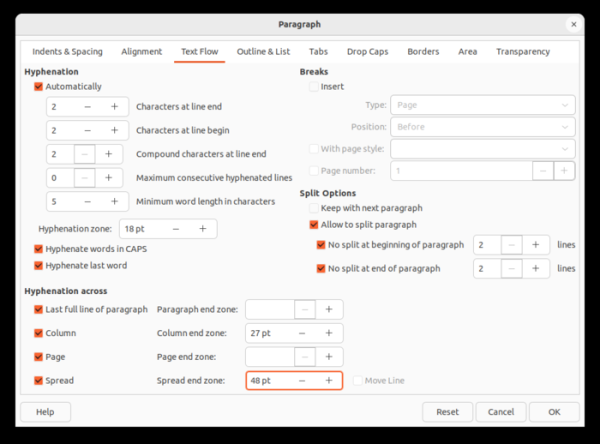
- Added the ability to define paragraph, column, page, and spread end zones where word hyphenation is not allowed or where special hyphenation rules are applied.
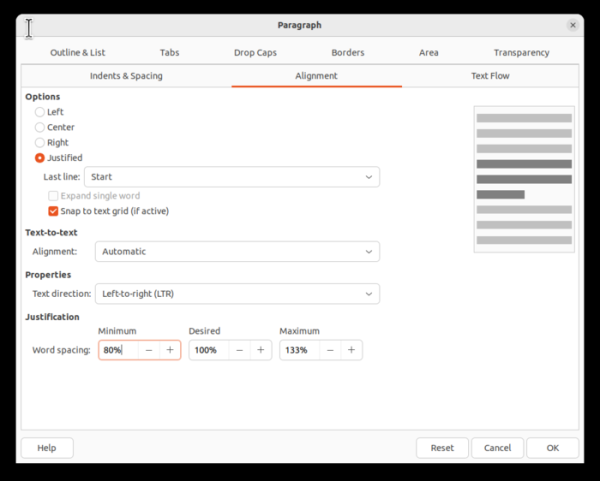
- In the paragraph alignment properties, it is now possible to set the minimum, desired, and maximum spacing between words.
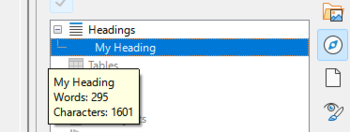
- The heading navigator now includes a tooltip with information about the number of words and characters.
- Added ".uno:BreakAboveTable" command to insert a paragraph break before a table.
- Made it easier to select text when scrolling through content.
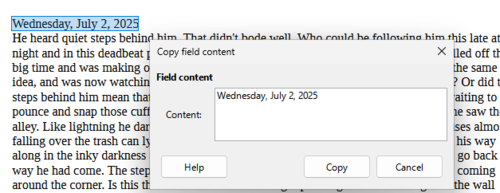
- Added a dialog for copying field contents from documents in read-only mode.
- Added the ability to set the language for individual punctuation symbols.
- Added command (Ctrl + ⇧ Shift + F2) to convert fields to bare text.
- The ability to track changes separately in each window has been implemented.
- Added the ability to restore a document to its original state, discarding the recorded changes, but preserving information about them in the document.
- Improved handling of interdependent tracked changes.
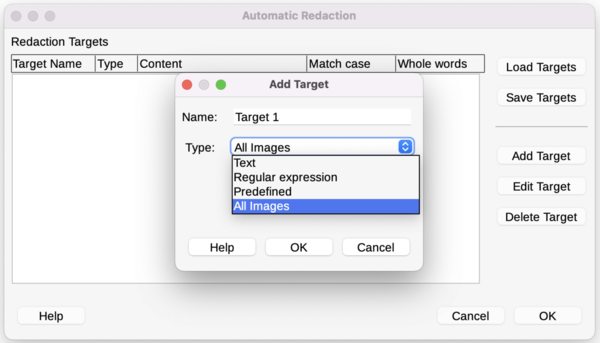
- An option for editing images has been added to the Auto-Edit dialog (Tools ▸ Auto-Redact ▸ Add Target).
- Added optimizations to speed up loading of documents with tracked changes, as well as language data and graphic objects from complex DOC files. Optimized handling of rollback operations. Reduced time for deleting large tables and loading tables with bookmarks.
- Added a line break rule "Move line", according to which if the break of a part of a word falls on the last line (one part of the word ends up on one page, and the other on another), the entire line is moved to the next page.
- Changes in the spreadsheet Calc:
- Added support for Bitcoin (₿) cryptocurrency.
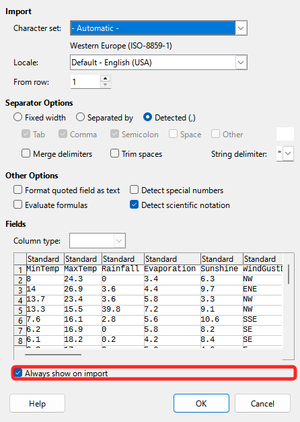
- The text import (CSV import) dialog box now has a default setting called "Always show on import" that controls whether the dialog box is shown when importing CSV and whether saved settings are used.
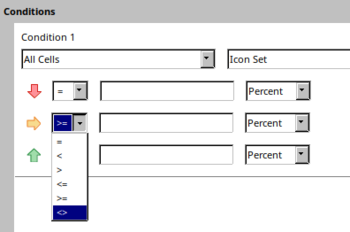
- Provided the ability to customize conditional formatting operators applied to icon sets.
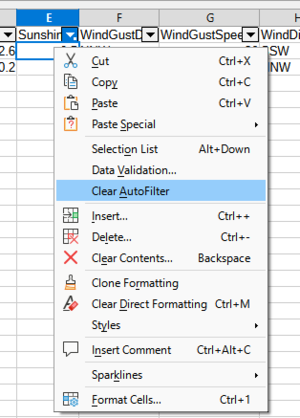
- A Clear AutoFilter function has been added to the context menu displayed for spreadsheet cells.
- New functions have been implemented:
- CHOOSECOLS
- CHOOSEROWS
- DROP
- EXPAND
- HSTACK
- TAKE
- TEXTAFTER
- TEXTBEFORE
- TEXTSPLIT
- TOCOL
- TOROW
- VSTACK
- WRAPCOLS
- WRAPROWS
- The speed of rendering and opening XLSX files with a large number of conditional formatting operations, customFormat attributes, formulas, or graphic objects has been increased. When switching between table sheets, the calculation of the row height and rendering of objects has been accelerated. Spell checking in multilingual tables has been accelerated. Working with large diagrams has been optimized. Working with tables containing a large number of comments has been accelerated.
- Changes in the Impress presentation creation system:
- In Slide Sorter mode, you can now use the mouse wheel while holding down the Ctrl key to change the number of slides shown in a row.
- Added support for embedded fonts in PPTX files.
- Improved algorithm for detecting the font embedded in a PPTX file during export, as well as the font used.
- Copying of master slide content in Impress and master pages in Draw is allowed.
- Draw provides display of borders for page margins. To disable, use the Draw::Misc::TextObject::ShowBoundary option.
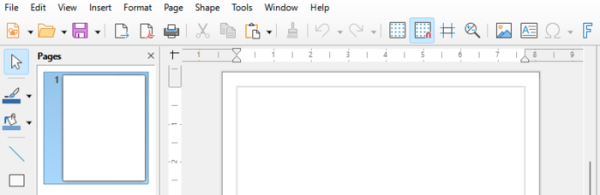
- Improved filters: Added support for importing autofilters from MS Excel XML files and importing encrypted hybrid PDF documents. Improved compatibility of word wrap logic with DOCX documents created in Microsoft Office 2016 and later. Fixed issues with displaying multi-level lists when importing DOCX files.

- On the platform macOS Implemented switching to full-screen mode for document windows and the Start Center by clicking the green button in the window title. Positioning and placement elements supported in macOS Sequoia.
- Platform support removed Windows 7 and Windows 8/8.1 Deprecated support for 32-bit builds for WindowsEnd of support is planned for the next version. macOS 10.15 (will only be supported macOS 11 and newer releases).
Source: opennet.ru

