

Microsoft has announced the expansion of the capabilities of the WSL layer (Windows Subsystem for Linux) and the implementation of official support for running WSL environments with the Red Hat Enterprise distribution LinuxRed Hat has announced that it will soon begin creating special RHEL builds for WSL, which can be found and installed using the "wsl --list --online" and "wsl --install" commands.
WSL provides a virtual machine with a full kernel. Linux (based on 6.6 or 5.15 branches), which can run distributions specially adapted for WSL LinuxThe core includes WSL-specific changes, such as optimizations to reduce startup time and memory consumption, the ability to revert Windows released Linux- memory and configuration processes to eliminate unnecessary drivers and subsystems. The system is installed in a separate disk image (VHD) with an ext4 file system and a virtual network adapter. In addition to RHEL, builds are available for installation in WSL. Ubuntu, Debian GNU/Linux, Kali Linux, Fedora, Alpine, Arch Linux, Almalinux and SUSE and openSUSE.
Key improvements in the new version of WSL:
- A new method for packaging distributions has been added Linux for installation in WSL. In addition to delivering the distribution via the Microsoft Store catalog in appx format and manually importing components from a tar archive using the "wsl --import" command, the new version provides the ability to install Linux-distribution from a file or network storage, without the need to write code specific to WindowsThe new method involves adding the file /etc/wsl-distribution.conffile to the distribution's system environment tarball. This file contains metadata such as the name, icon, default user ID, and environment configuration scripts executed on first launch. This tarball can be simply renamed to a file with the ".wsl" extension and installed using the "wsl --install" command.
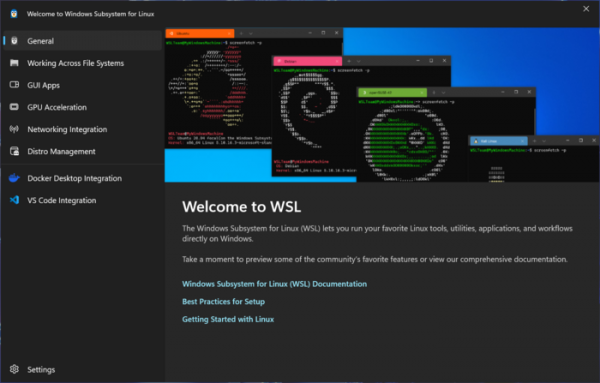
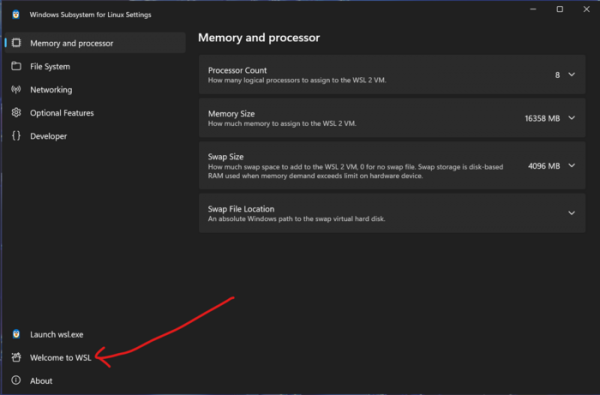
- Added a new first-run interface that offers settings and information with an overview of WSL features and instructions for first-time users LinuxThe interface is shown when you first start the virtual machine with Linux, and can also be called via the Welcome to WSL button in the configurator.


- Integration with the Intune platform has been implemented to define distribution support policies and track the versions used in WSL.
- Integrated support for Microsoft Entra ID tools for identity management and access to secure corporate resources from WSL environments.
Source: opennet.ru

