

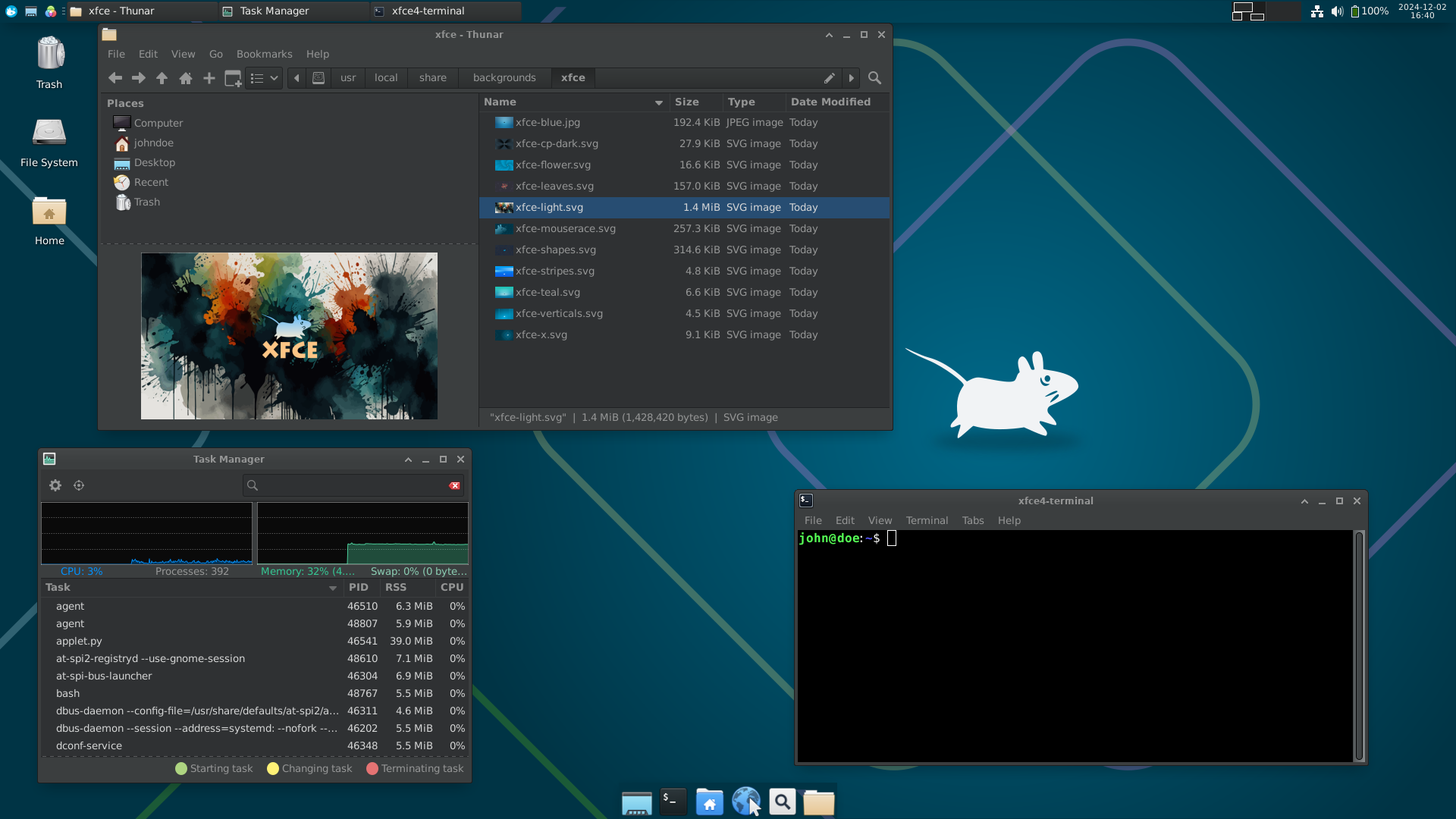
After two years of development, the Xfce 4.20 desktop environment is released, offering a classic desktop experience that uses as few system resources as possible.
Xfce consists of several interconnected components that can be used in other projects if desired. Among such components are: the xfwm4 window manager, the application launcher, the user session manager, the energy management system, the graphical configurator, the Thunar file manager, the Orage calendar-scheduler, the Parole media player, the Mousepad text editor, and the xfce4-terminal terminal emulator.
The key innovation of the Xfce 4.20 branch is experimental support for the Wayland protocol. The Wayland-based session covers most of the possibilities, but is currently recommended only for advanced users, as it is not completely free of errors and requires individual improvements for full-fledged everyday use by ordinary users. To launch a Wayland-based session, the command "startxfce4 –wayland" is proposed.
To abstract work on top of Wayland and X11, Xfce 4.20 uses a new library libxfce4windowing, which implements a layer independent of the graphics system with window management components (screens, root windows, virtual desktops, etc.). The proposed layer made it possible to implement Wayland support in almost all Xfce components, while preserving their ability to work in window systems based on the X11 protocol.
Instead of libmutter, the Wayland-based session uses the wlroots library developed by the Sway project. It is recommended to use Labwc or Wayfire as composite servers in the Wayland session. The X11-based session continues to use the xfwm4 window manager. In the future, xfwm4 plans to add the ability to work not only with X11, but also with Wayland.
Features not yet available in a Wayland-based session include: lack of support virtual desktopsThe keyboard and mouse settings pages in the configurator are not ready; screenshots can only be taken of the entire screen (not individual windows); some application icons are missing from the system tray because they haven't been ported from the GtkStatusIcon API to StatusNotifier. The following components remain unported to Wayland: Xfwm4, Xfdashboard, Xfce4-screensaver (a port exists, but wasn't released), Xfce4-windowck-plugin, and Xfce4-xkb-plugin.
Other changes and improvements in Xfce 4.20:
The capabilities of the Thunar file manager have been significantly expanded:
- New buttons have been added to the toolbar: switching the view mode (compact, list, icon grid); vertical hamburger menu (shown when the main menu is hidden); creating a new tab with the contents of the current directory; creating a new window with the contents of the current directory.
- When reducing the window size, toolbar items that do not fit are now moved to a special "<" menu.
- Added an option for client-side window decoration (CSD), allowing you to combine the window title with the menu or with the toolbar (when hiding the menu).
- Added option to show symbol icons in the sidebar and color icons in the toolbar.
- The operation confirmation dialog has been redesigned, which is shown, for example, when a file with the same name already exists in the target directory. Correct display of thumbnails has been ensured.
- In the list view mode, the ability to expand the contents of directories by location has been added.
- In the Split View mode, which allows you to display two different panels with files side by side, the active panel is highlighted in color and the ability to switch between panels with a hotkey is added. A confirmation dialog is added, which is shown when trying to close a window with several tabs.
- When moving files in Drag&Drop mode, automatic opening of directories and updating of input focus in multi-panel mode is provided when hovering over them.
- Work has been carried out to improve performance and eliminate freezes when working with a large number of files.
- Keyboard shortcuts for calling custom handlers now also work for handlers placed in nested menus.
- The file copy verification function now uses direct comparison of file contents instead of calculating and comparing MD5 hashes.
- An option has been added that, in order to reduce disk fragmentation, enables parallelization of file copy operations only when the drive is idle.
- Support has been added to the external storage mounting mechanism. IPv6 and the ability to create symbolic links.
- When searching for files, you can now use the context menu for already displayed search results immediately, without waiting for the search to finish.
- Added a setting to display the number of hidden files in the current directory in the status bar.
- The list of recently used files no longer includes directories and files that were not successfully opened.
Changes on the desktop (xfdesktop):
- Expanded wallpaper support: When choosing to display random background images, the image is no longer repeated until all images from the set are shown. Old png wallpapers have been converted to the vector svg format. Improved gradient rendering.
- Added the ability to change colors for labels and backgrounds of icons on the desktop.
- Desktop icon layouts are now handled separately for different screens.
- Minimized window icons are now only displayed on monitors where the windows were open before being minimized.
- The number of options in the context menu has been expanded.
- Icons for new and moved files now appear near the cursor position.
- Added option to show persistent storage icons.
- The new XfceShortcutsManager widget is used to customize keyboard shortcuts.
- Loading of contents of directories containing desktop wallpaper images is now performed in asynchronous mode.
- The context menu now has the ability to open several selected directories at once.
- The context menu is now displayed when the mouse button is pressed, rather than after it is released.
- The design of the menu with the list of windows shown when pressing the middle mouse button has been changed.
- The tab with desktop icon settings has been completely redesigned in the configurator.
Also:
- The panel (xfce4-panel) now allows you to customize the width of the frame and search for available plugins in standard directories. Added support for displaying a thumbnail of the desktop when hovering the mouse cursor over the "show desktop" buttons. Improved selection of the size of icons on the taskbar buttons. Synchronized icons in the panel configurator and in the panel itself.
- The interface for searching and launching installed applications (xfce4-appfinder) now has an optional background execution mode, which allows reducing the time it takes for the interface to appear. An option has been added to automatically close the Appfinder window when switching focus. Right-clicking on applications now displays a context menu with available actions. An option has been added to launch programs with a single mouse click.
- The power manager (xfce4-power-manager) has a reworked screen lock management - screen lock related settings have been significantly simplified and moved to the screensaver settings page. Added handling of various power profiles supported in power-profiles-daemon. Implemented support for hybrid sleep mode. Added support for keys for exponential screen brightness change, as well as keys for changing keyboard backlight brightness.
- In the configurator (xfce4-settings), icon themes are now loaded in a separate thread in the appearance settings so as not to block the main interface. The use of the client-side decoration mode has been moved to the category of options disabled by default. Support for dark themes has been improved. Settings for selecting a mouse cursor acceleration profile have been added, and high-resolution scrolling mode has been enabled if supported by the mouse. When configuring MIME types, it is now possible to select and change several elements at once. The capabilities associated with display profiles, as well as with setting up output mirroring and screen layouts in multi-monitor configurations, have been expanded.
- Minimal support for FreeDesktop portals (xdg-desktop-portal), used to organize access to user environment resources from isolated applications, has been added to the xfce4-session session manager. Portals have been added for setting desktop wallpaper, creating screenshots, and launching processes in the background.
- In the libxfce4ui widget library, the About dialog can now display the distribution logo, as well as information about the operating system and GPU.
- The exo library (a GTK and Glib add-on) has significantly improved the performance of working with icons — the "Exo-Icon-View" component can now process 100 thousand or more files without freezing. A search bar with functions for displaying recommendations as you type has been implemented.
- Fixed issues with blurring elements on high-DPI screens. Correct scaling of icons and thumbnails in various components has been ensured. Missing icons for high screen resolutions have been added.
Source: linux.org.ru

