

We received an in-depth review from one of our OS users that we'd like to share with you.
Astra Linux is a Debian derivative created as part of the Russian initiative to transition to open-source software. There are several versions of Astra Linux, one of which is designed for general, everyday use — Astra Linux 'Eagle' Common Edition. A Russian operating system for everyone — by definition, it's interesting, and I want to talk about 'Eagle' from the perspective of someone who daily uses three operating systems (Windows 10, Mac OS High Sierra, and Fedora) and has been loyal to Ubuntu for the past 13 years. Based on this experience, I will examine the system in terms of installation, interfaces, software, basic developer capabilities, and convenience from various angles. How will Astra Linux perform compared to more widely used systems? And can it replace Windows at home?
Installing Astra Linux
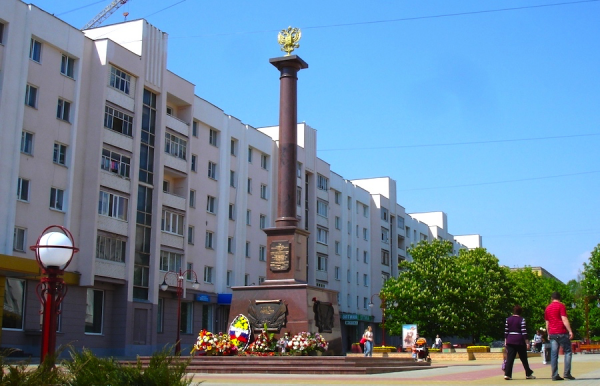
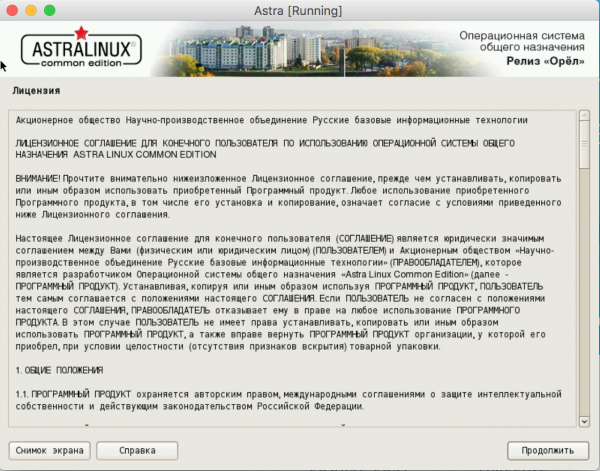
The Astra Linux installer is quite similar to the Debian installer. Perhaps the former is even simpler, as most settings are fixed by default. It all begins with a general license agreement set against a not-too-high-rise building. Perhaps even in Eagle.
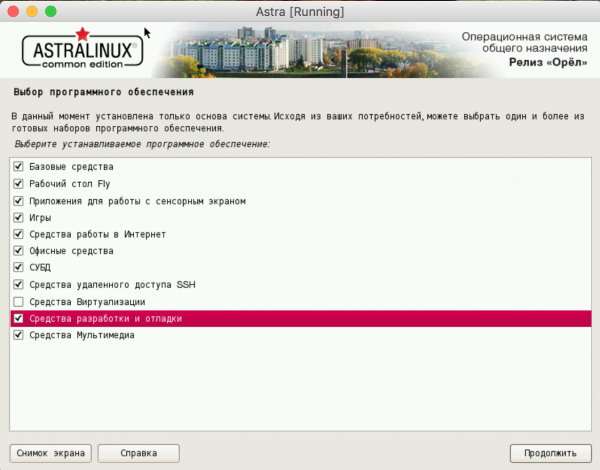
An important point in the installation is the selection of software that comes with the system by default. The available options cover standard office and work needs (for 'non-developers').
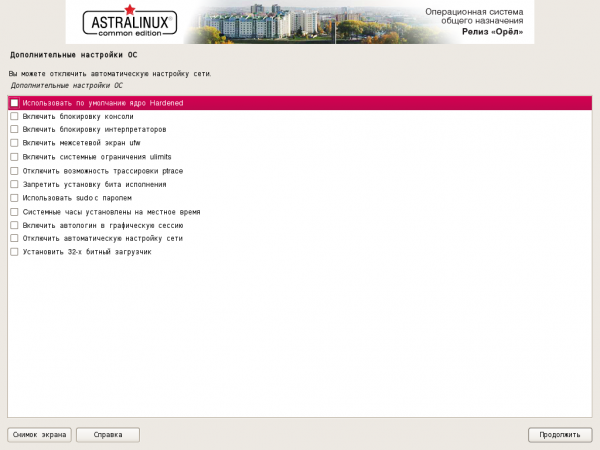
The final window includes an additional set of settings: blocking interpreters, console, tracing, setting execution bits, etc. If these terms mean nothing to you, it's better not to check any boxes. Besides, all of this can be configured later if needed.
The system was installed within a virtual environment with modest resources (relative to modern systems). There were no complaints regarding speed and performance. The configuration on which the testing took place is described below.
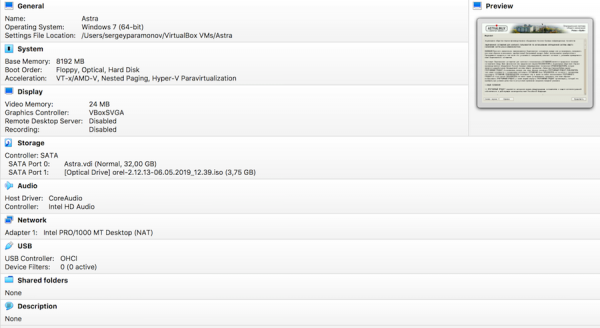
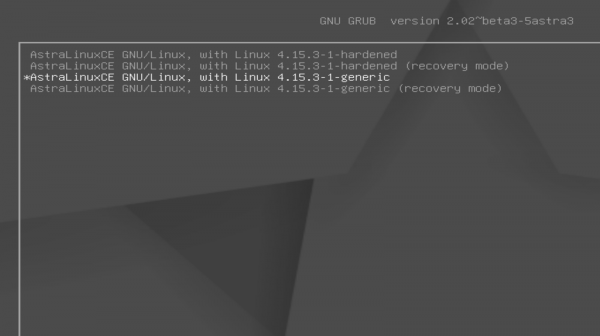
The installation procedure is standard: we mount , install through the standard system installation process, and burn the GRUB bootloader.
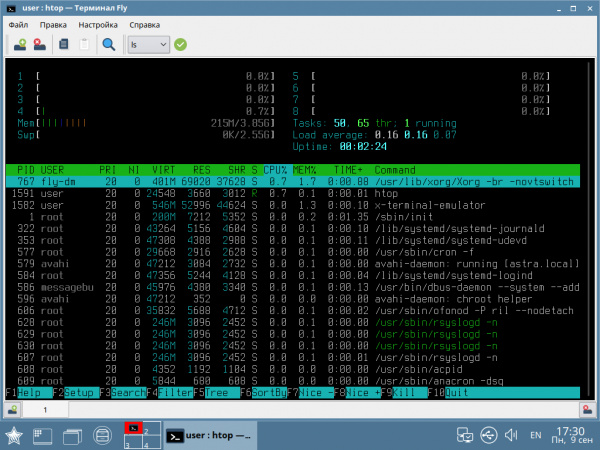
The system is not resource-hungry upon booting — about 250-300 MB of RAM required at startup for desktop mode.
Alternative launch options: tablet and phone modes.
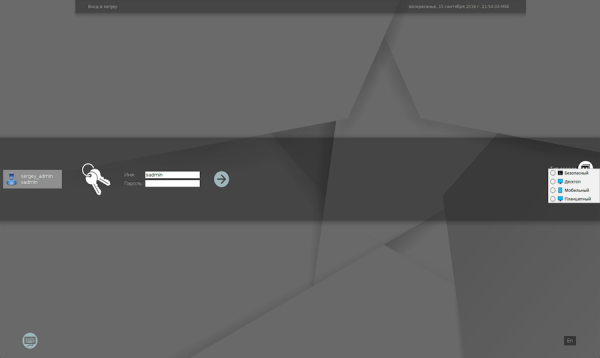
Upon logging into the system, you can choose from several launch options: safe, desktop, mobile, or tablet.
For use on touch devices, the on-screen keyboard can be enabled.
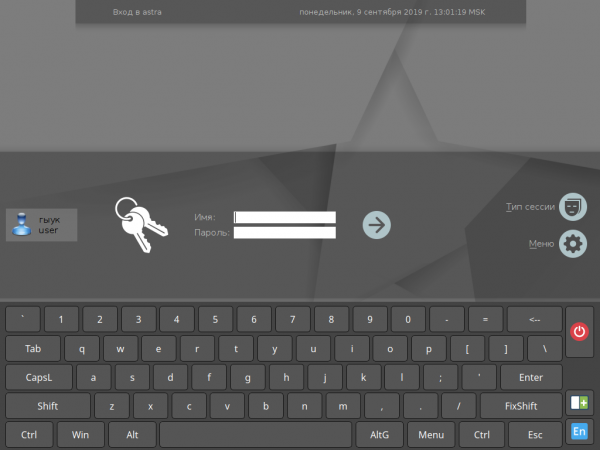
Let's see what's interesting in different modes. The desktop mode is the standard one, where the system resembles Windows.
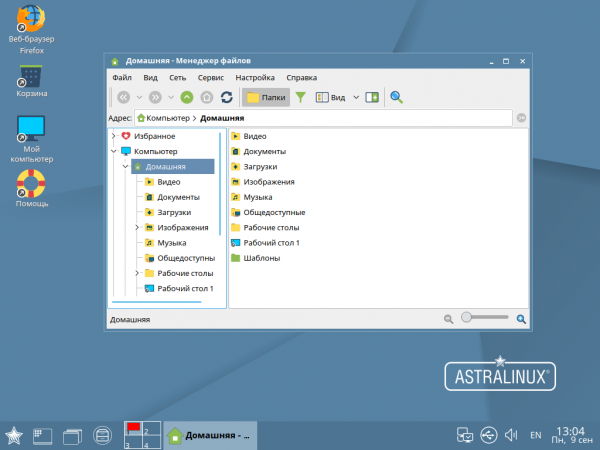
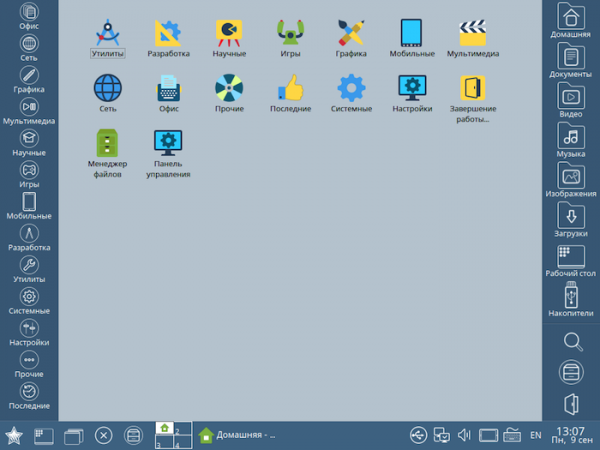
The tablet mode is suitable for large touch screens. In addition to the obvious visual differences that can be seen in the screenshot below, there are other interface features. The cursor in tablet mode is invisible, and the application close button is moved to the taskbar. Full-screen applications behave slightly differently, and files in the file manager are also selected differently.
It's worth mentioning the mobile mode — here it is quite similar to Android. The Fly graphical environment is used. Long press functionality works in touch modes, which can bring up the context menu. The mobile mode consumes a bit more resources compared to the desktop and tablet modes.
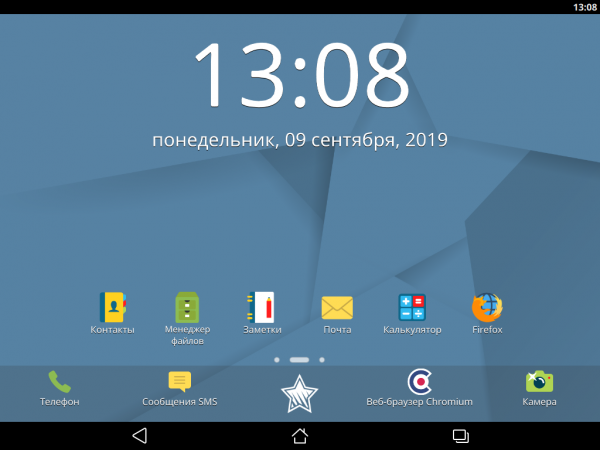
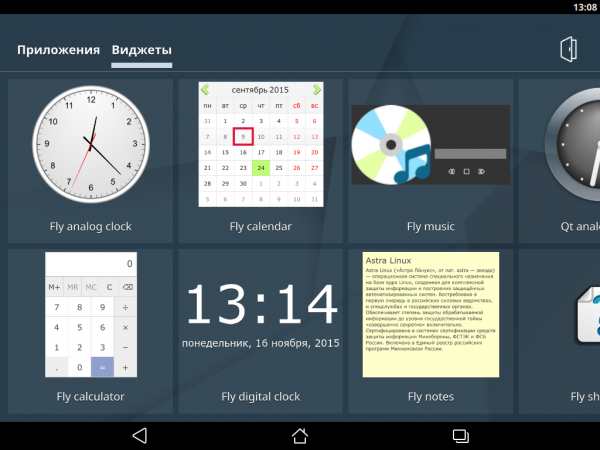
Having different modes of operation is convenient. For example, if you're using a tablet with a detachable keyboard, allowing for both touch and non-touch usage scenarios.
System Update
Before you start using the system, it needs to be updated. Mainly Astra Linux has 14 thousand packages (, and branch). The experimental branch will soon receive unstable updates, so we will be testing the testing branch. We switch the repository to testing.
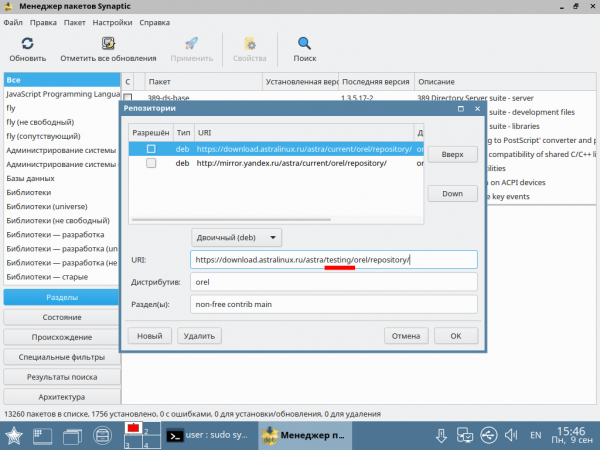
We start the repository update and update the system. For this, click the 'Update' button at the top left, then 'Select all updates', and then 'Apply'. We reboot.
User policy
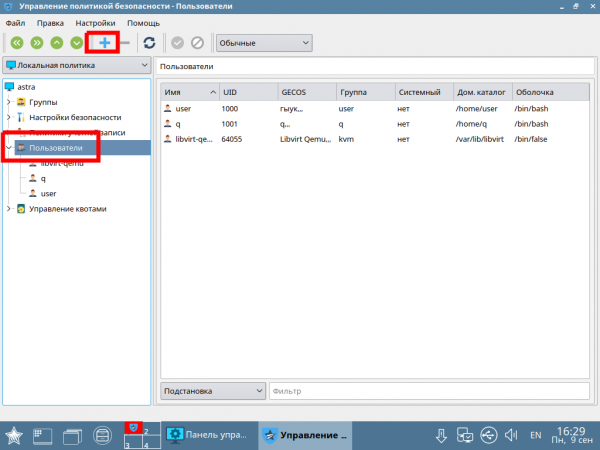
New users are created in the system using the security policy management utility.
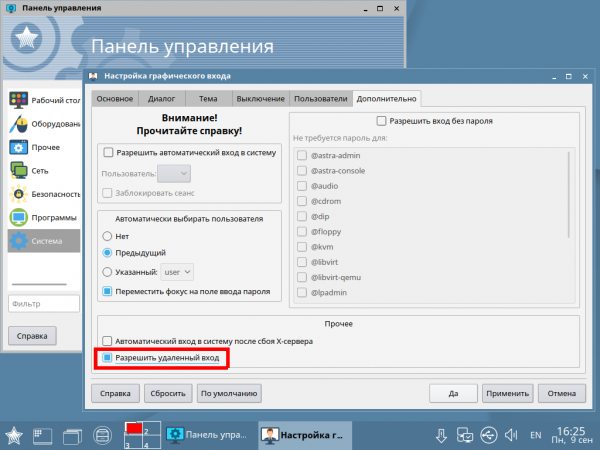
By default, remote login is enabled (Control Panel — System — Login).
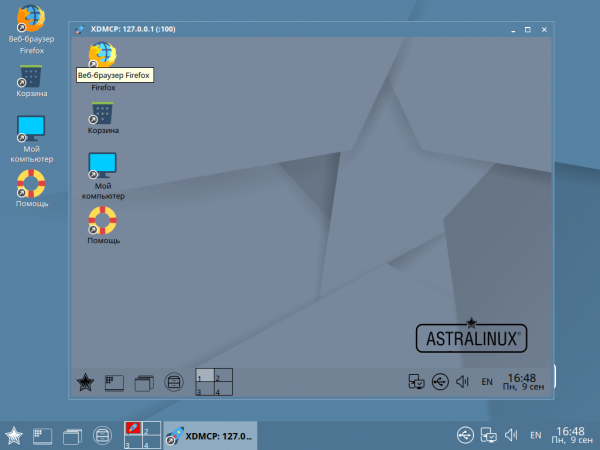
In addition to the regular separate and remote session, an embedded session can be started (Start — Shutdown — Session).
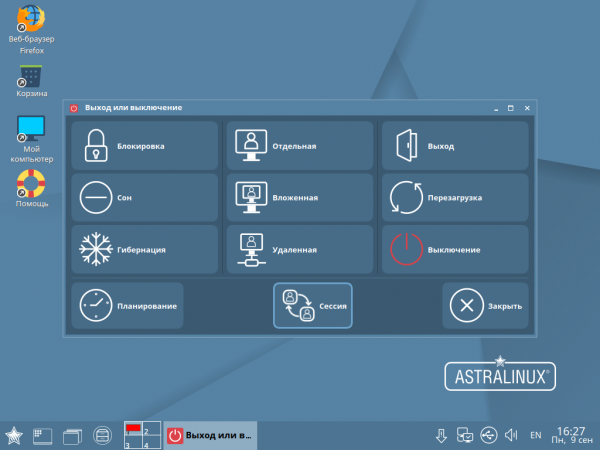
The first two are straightforward. An embedded session is a session that is initiated in the current session's window.
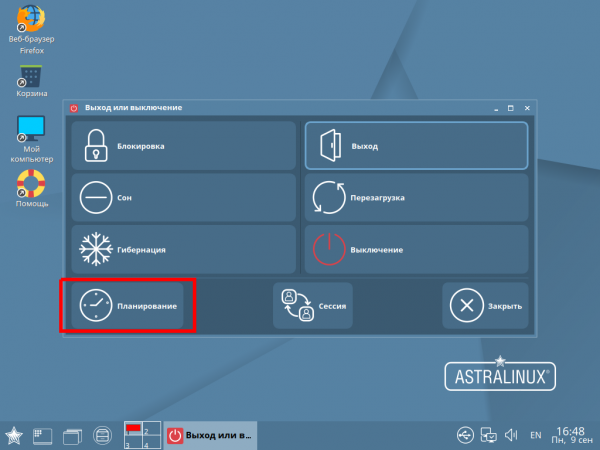
Sessions can actually be terminated after a delay: you don't have to wait for long operations to finish, but can simply set up an automatic shutdown.
Interface and standard software of Astra Linux
Astra Linux Common Edition resembles Debian as it was a few years ago. It is noticeable that Astra Linux Common Edition is trying to look more like Windows.
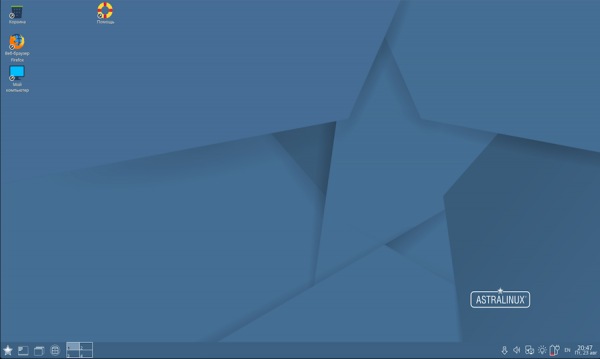
Navigation and file system work is closer to Windows than to Linux. The system image comes with a standard set of software: office, networking, graphics, music, and video. System settings are also grouped in the main menu. By default, four screens are available.
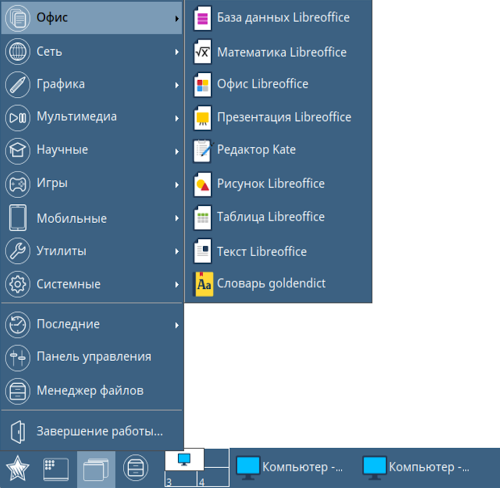
As you can see, the LibreOffice suite is installed as the office package in the system.
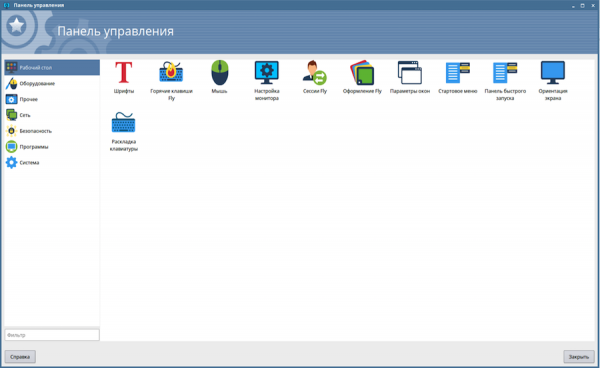
The control panel is similar to Windows/Mac/etc., grouping essential settings in one place.
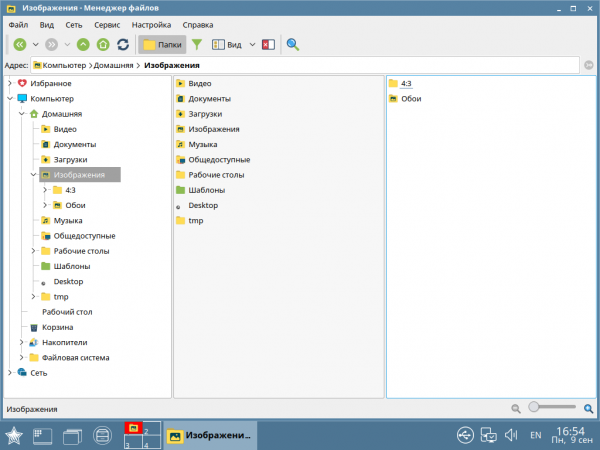
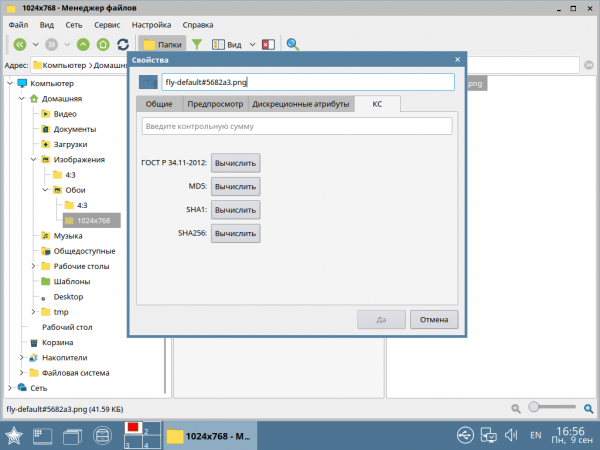
The file manager has a dual-panel interface and can mount archives as folders.
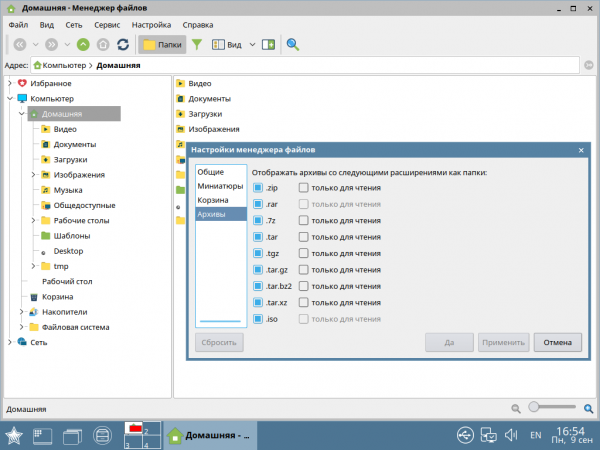
The file manager can calculate checksums, including for .
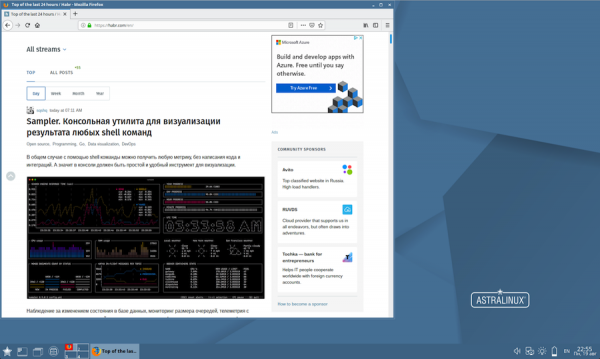
Mozilla Firefox is set as the default browser. It looks quite minimalist but is adequate. For example, I opened and browsed a recent article from Habr. The pages render, and the system doesn't crash or freeze.
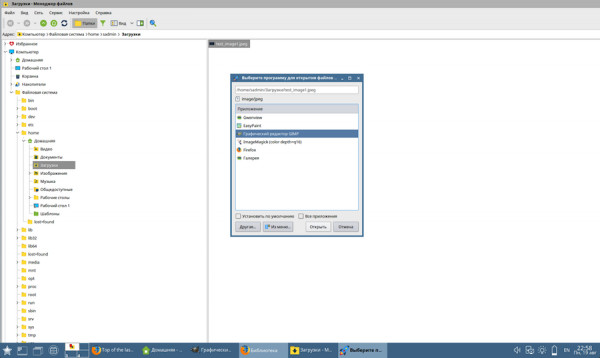
The next test is graphic editing. We downloaded an image from the title of a Habr article and asked the system to open it in GIMP. Here, too, nothing unusual.
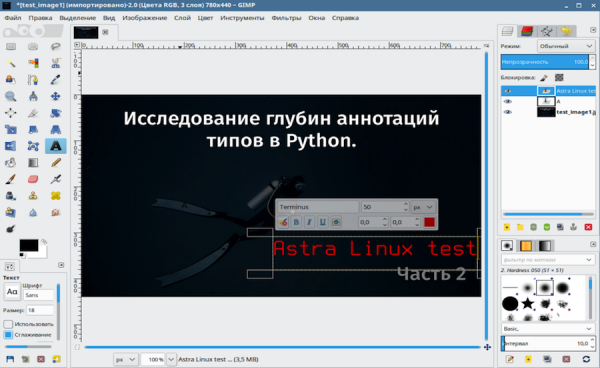
With a light gesture, we add a performance test to one of the articles. In principle, there are no differences from standard Linux systems.
Let's try to go beyond simple scenarios and install standard packages via apt-get.
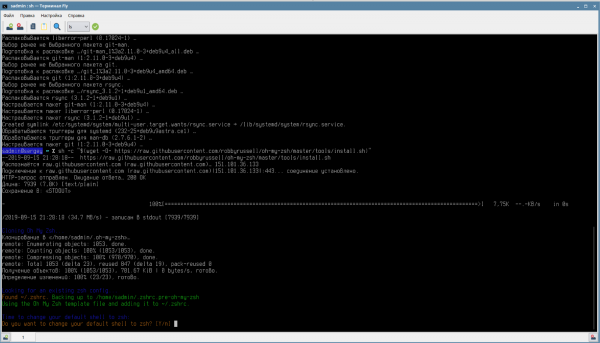
After updating the indexes:
sudo apt-get updateFor testing, we installed python3-pip, zsh, and completed the installation of oh-my-zsh (along with the git dependency). The system worked as expected.
As we can see, the system performs well within standard everyday scenarios for an average user. If you expect to see the usual Debian/Ubuntu programs here, you will need to install them manually (for example, if you need packages like ack-grep — they can be installed via curl/sh). You can add repositories to sources.list and use the familiar apt-get.
Astra Linux's own utilities
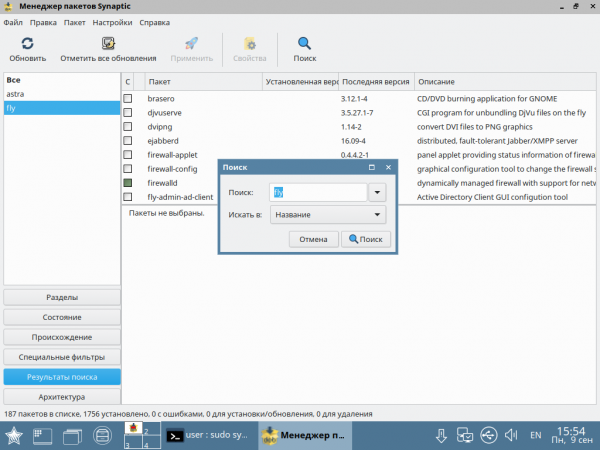
The tools described above are just a part of what is available to Astra Linux users. In addition, the developers have created about a hundred additional utilities that can be installed through the same repository used for system updates.
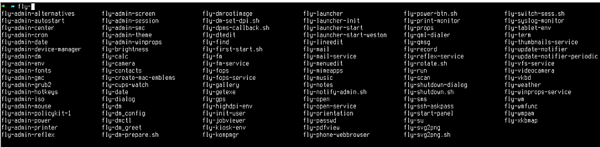
To find the utilities, simply search for the word "fly" — all the necessary utilities have this prefix.
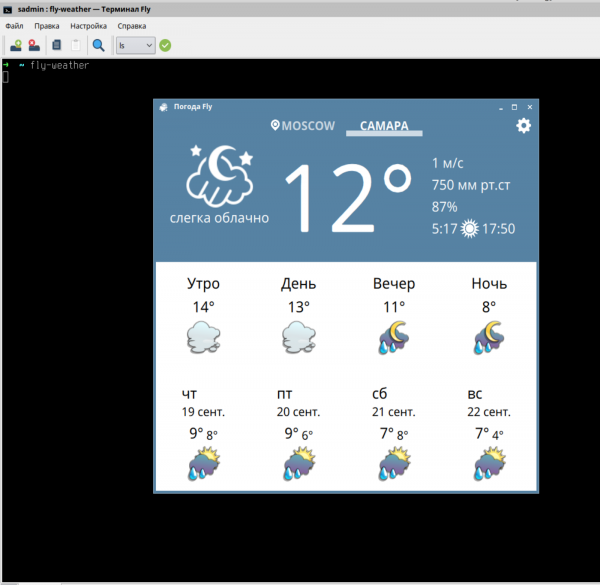
Discussing all the applications in one overview is quite difficult, so we'll choose a few that are useful from a regular user's perspective. The weather application displays forecasts for selected cities in Russia and is optimized for the Russian region.
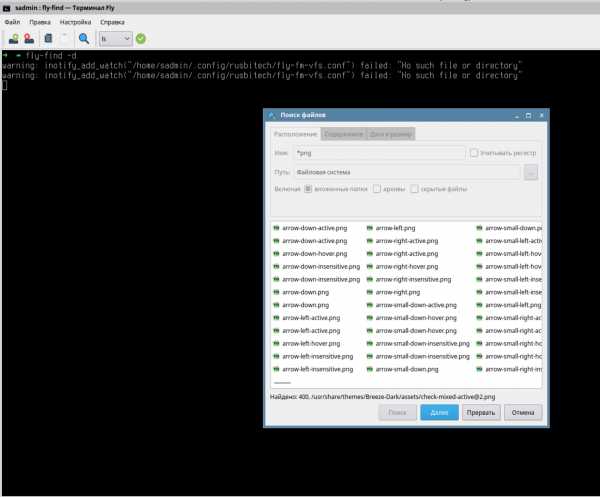
There is also a simple graphical utility with several filters and settings for searching through files.
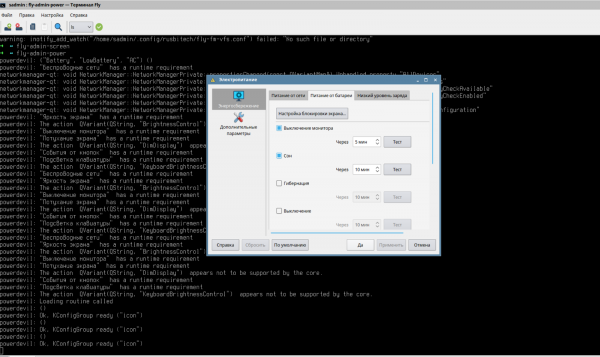
There is a built-in battery charge monitoring utility and various modes, which can be toggled using a timer — turning off the monitor, sleep mode, hibernation.
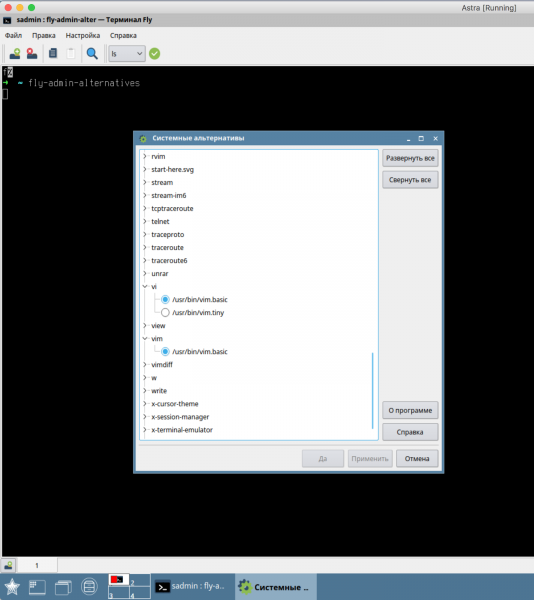
The selection of executable files for commands is also wrapped in a graphical interface. For example, you can specify which version of "vi" the system should use when executing a command.
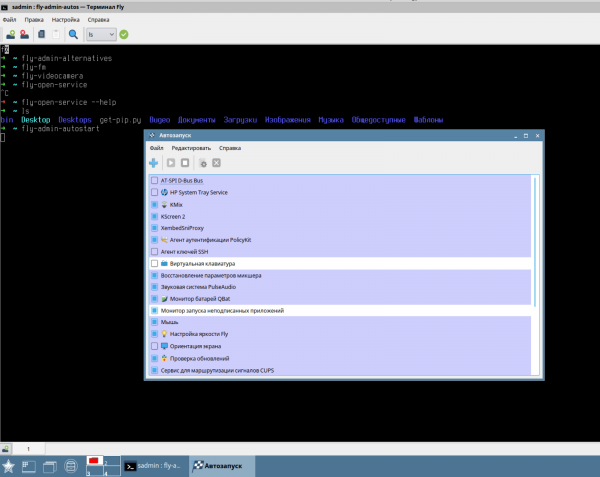
There is a separate admin utility that allows you to configure which applications will start when the system boots.
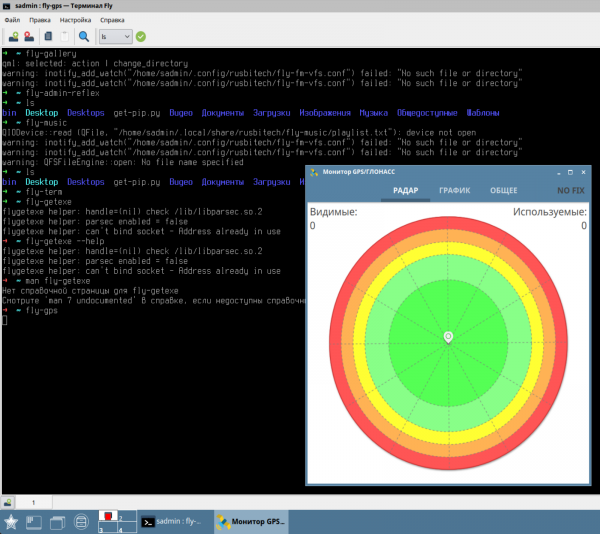
GPS/GLONASS monitoring is also available, which is more useful on a phone/tablet (where the corresponding module is usually present).
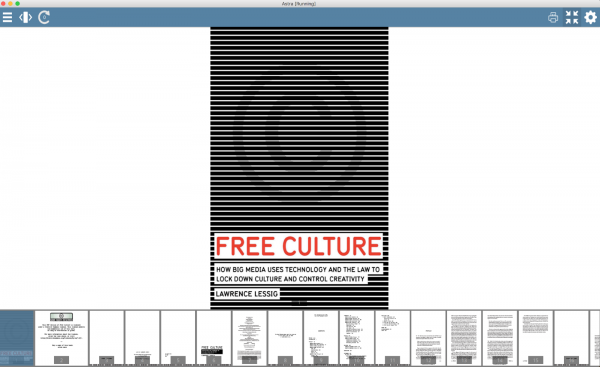
There is also a simple PDF reader, which has been tested with the book Free Culture by Lawrence Lessig.
You can read about all the Fly utilities in of Astra Linux, in the 'Help' section on the virtual desktop.
Contrast with main systems
In terms of interface and control logic, the system is more reminiscent of classic Windows XP, while at times some elements resemble Mac OS.
In terms of utilities, the console, and the 'hardware' part, the system is similar to classic Debian, which is quite good and familiar to users of Ubuntu and Minted, although the most advanced users may miss the usual range of packages from all repositories.
When I overlay my experience with the profile of potential users regarding the new system, I develop positive expectations. Based on my experience with Windows/Mac, regular users will adapt to Astra Linux Common Edition without any issues. More advanced Linux users will use standard Unix utilities to configure everything to their liking.
The current version of Astra Linux is based on Debian 9.4 and includes a fresh kernel from Debian 10 (4.19).
Of course, there are newer versions of Ubuntu, but there's one small yet significant nuance—they are not LTS (Long Term Support). The LTS versions of Ubuntu align with Astra Linux in terms of package versions. I gathered information on Astra Linux (certified Astra Linux Special Edition to track the OS version release dates) from W, compared with the release timelines of Ubuntu's LTS versions, and here’s what I found:
Ubuntu LTS release
Astra Linux Special Edition release
Date
Version
Date
Version
17.04.2014
14.04 LTS
19.12.2014
1.4
21.04.2016
16.04 LTS
08.04.2016
1.5
26.04.2018
18.04 LTS
26.09.2018
1.6
Verdict
The main advantages of Astra Linux 'Eagle' Common Edition are:
- It doesn't crash, freeze, or exhibit critical glitches.
- Successfully mimics Windows NT/XP interfaces.
- Simplicity and convenience of installation.
- Low resource requirements.
- Pre-installed essential software: LibreOffice office suite, GIMP graphic editor, etc.
- A large set of additional utilities.
- Package versions are older than those of the latest Ubuntu releases.
- Its repository is smaller than that of Ubuntu and Debian.
Conclusion: the latest non-LTS versions of Ubuntu are more suitable for home users than Astra.
At the same time, for home users, being on an LTS distribution may not be relevant, while it is a perfectly normal option for organizations. Therefore, the choice made by Astra Linux developers, aimed at the corporate segment, is clear and logical.
As for the drawbacks, they are more relevant for those who are used to working with Linux, since outwardly Astra Linux 'Eagle' is much closer to Windows than to Linux.
Astra Linux 'Eagle' Common Edition appears to be a decent alternative to the office version of Windows within the framework of the transition to free software for government agencies, while it may seem somewhat conservative for home use.
From Astra Linux: we are in constant communication with users of our operating system. We regularly receive feedback from not only those who have recently switched to our OS but also from users who have been using our software for a long time. If you have insights that you are willing to share and describe your user experience with Astra, feel free to write in the comments or on our social media.
Source: habr.com
